What Is API Vulnerability Scanning?
API vulnerability scanning is the automated process of probing your application programming interfaces (APIs) to find security vulnerabilities, misconfigurations, and logic flaws before an attacker does. Instead of rendering pages like a web scanner, it sends programmatic requests straight to your endpoints and analyzes the structured responses, usually JSON or XML. It is a form of DAST (dynamic application security testing) tuned for APIs: it reads your OpenAPI or Swagger definition, authenticates with an API key, OAuth, or JWT, and tests each REST, GraphQL, or SOAP endpoint in turn. A scan can run unauthenticated, the way an outside attacker sees the API, or authenticated, reaching the protected endpoints where the serious flaws live.
Read More: What Are Vulnerabilities in Cyber Security? Types, Examples, and How to Find Them
Why APIs Need Their Own Vulnerability Scanning Approach?
A vulnerability scanner built for websites crawls links to find pages to test. An API has no links to crawl. It exposes endpoints like /api/v2/orders that only respond to the right method, header, and payload, so a web crawler walks straight past them. That is the core reason APIs need their own approach. On top of that, most endpoints sit behind authentication, the most damaging API flaw (broken object level authorization) is a logic problem no signature catches, and a single undocumented endpoint can leak your whole database. If your team already runs continuous vulnerability scanning on the website, the API needs a parallel process that understands specs, tokens, and object-level access. Treating an API as just another URL is how breaches happen.
What an API Vulnerability Scan Actually Tests?
A real API scan works in five layers. Skip one and you leave a whole class of risk untested.
API Discovery (Undocumented Endpoints)
Discovery finds the endpoints you forgot you shipped. Because you cannot crawl an API, the scanner enumerates it from several sources: specification files, captured network traffic, container deployments, and well-known paths. Good discovery flags shadow APIs (undocumented endpoints running outside your process) and zombie APIs (old versions still live). It also hunts exposed artifacts like a public /.well-known/openapi.json or a leaked .env file that hands over credentials. This step matters most for a lean team, because an endpoint nobody remembers is one nobody patched, and attackers enumerate the same paths you do, If an environment configuration file is directly reachable from the web, see Exposed .env File Vulnerability for how to validate the exposure, assess the leaked secrets, and remediate it.
Schema Validation (OpenAPI/Swagger)
Schema validation teaches the scanner how your API is supposed to behave. The tool parses your OpenAPI (formerly Swagger) definition or a Postman collection to learn every path, method, required parameter, and expected response. With that blueprint, it tests documented inputs precisely instead of guessing, so a scan of POST /api/v2/users knows the endpoint expects an email and probes it accordingly. Validation also catches spec drift, where the running API accepts parameters the documentation never mentioned, a frequent sign of a hidden feature or a security gap. Without a schema, the scanner falls back to shallow guessing and misses most of the surface.
Authentication Testing
Authentication testing checks how your API proves who is calling. The scanner exercises the auth scheme your API uses, whether an API key, an OAuth 2.0 bearer token, or a JWT, and looks for weaknesses: tokens that never expire, a JWT that accepts the none algorithm, secrets in the URL, or endpoints that quietly accept unauthenticated requests. This is exactly where authenticated and unauthenticated scans diverge sharply for APIs: an unauthenticated run sees almost nothing behind the login, while an authenticated run reaches the endpoints that hold real data. Give the scanner a valid test credential or it will report a falsely clean API.
Authorization Testing (BOLA/IDOR)
Authorization testing is the single most important part of an API scan, because broken object level authorization (BOLA), also called an insecure direct object reference (IDOR), tops the OWASP API list. The scanner logs in as two different users and tries to read each other’s data by changing an object ID, for example switching /api/users/123/orders to /api/users/456/orders. It also tests broken function level authorization (BFLA), where a normal user calls an admin-only route like DELETE /api/users/789. Catching these takes role-based test accounts and systematic ID enumeration, not a signature match, which is why generic web scanners miss them.
For a deeper explanation of the object-level authorization flaw behind this test, see What Is IDOR.
Payload and Injection Testing
Payload testing fuzzes each parameter with hostile input to find injection and data-handling flaws. The scanner sends crafted values to check for SQL injection, server-side request forgery (SSRF), OS command injection, and XML external entity (XXE) attacks against endpoints that parse XML. It also tests mass assignment, where adding an extra field like "isAdmin": true to a request body escalates privileges, and excessive data exposure, where an endpoint returns more fields than the client should ever see. These are the classic breaches: an attacker sends one malformed request and the API hands back the database or runs their command.
How to Scan API for Vulnerabilities? ( Step-by-Step )
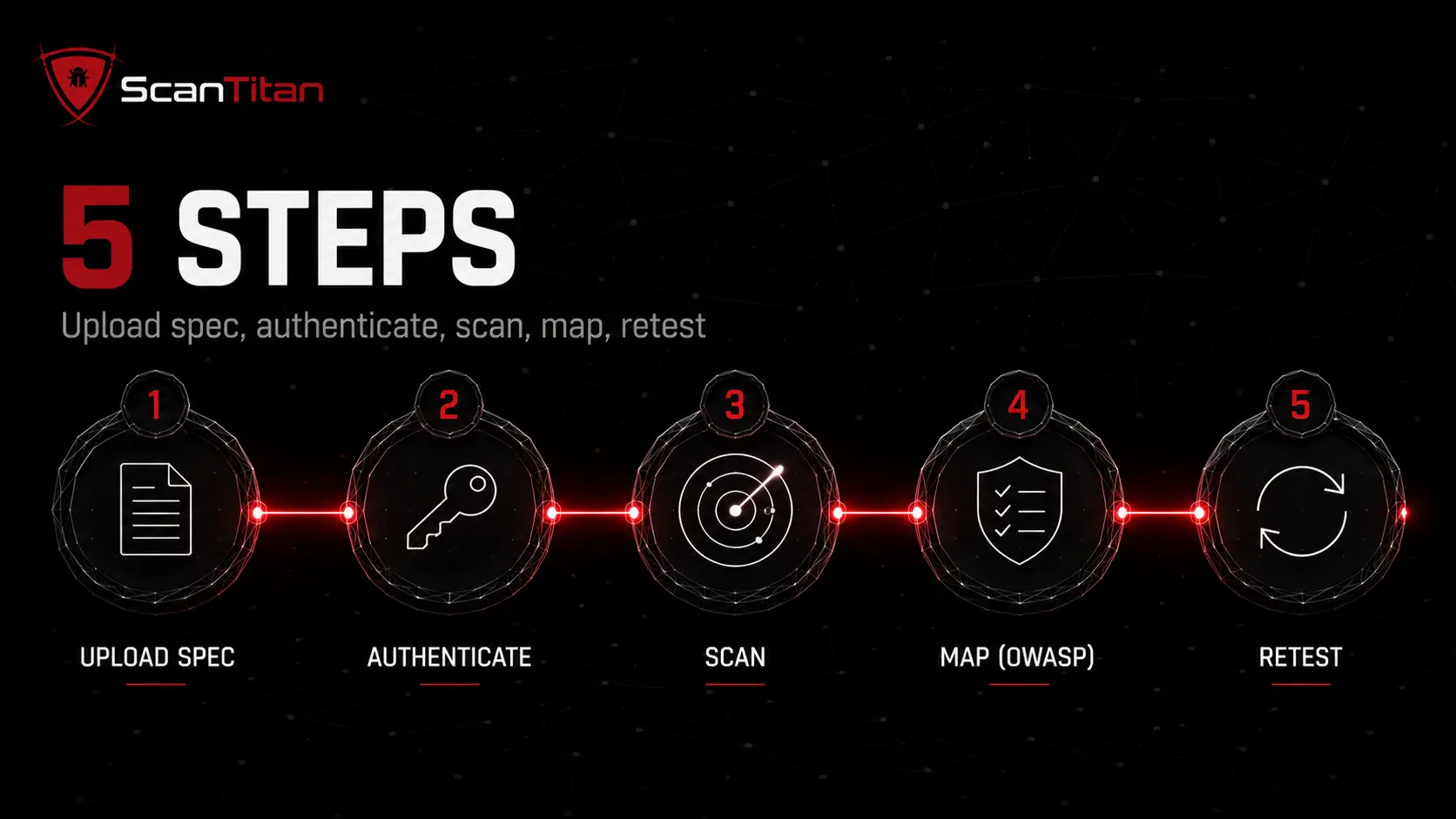
These five steps take a REST API from unknown to tested. Run them in order; each one feeds the next. The example values are safe starting points you can adapt to your own stack.
01
Upload Your OpenAPI/Swagger Definition
An API scan starts with a map. Unlike a website, an API has no links to crawl, so the scanner needs a definition that lists every endpoint, method, and parameter. Export your OpenAPI file in YAML or JSON, or a Postman collection, and upload it. This tells the tool exactly what to test: that GET /api/v2/orders takes an order ID, that POST /api/v2/users expects an email, and so on. If you have no spec, generate one from your framework or reconstruct it from captured traffic first. A scan without a spec tests only what it can guess, and it will miss most of your endpoints.
scanner input:
  spec: openapi.yaml | openapi.json | postman_collection.json
  base_url: https://api.example.com
→ every documented endpoint becomes a test target
02
Configure Authentication (API Keys, OAuth, JWT)
Most API endpoints return nothing useful until you authenticate, so an unauthenticated scan of a private API finds almost nothing. Give the scanner a valid credential for your auth scheme: an API key in a header, an OAuth 2.0 bearer token, or a signed JWT. Use a dedicated test account with least privilege, never a production admin login. For token-based auth, confirm the scanner can refresh a short-lived token so the scan does not stall halfway through. This is why authenticated runs matter so much for APIs, the serious findings almost always live behind the login, and a scanner without credentials reports a false sense of safety.
Authorization: Bearer <JWT>     # OAuth 2.0 / OIDC
X-API-Key: <key>                # API key
→ least-privilege test account, auto-refresh short-lived tokens
03
Run Active and Passive Scans
With the spec and credentials loaded, run both modes. A passive scan watches responses without attacking, flagging leaked stack traces, missing security headers, and excessive data in payloads. An active scan sends crafted requests, fuzzing each parameter for SQL injection, SSRF, command injection, and mass assignment. Run active scans against staging first, because fuzzing a live payment API can create real orders or stress the system. Set a scan window and a request rate your API gateway will tolerate, so the scan does not trip rate limits or a WAF. The scanner tests documented parameters precisely and probes the undocumented endpoints discovery found.
passive → headers, data exposure, misconfig   (safe, non-intrusive)
active  → SQLi, SSRF, injection, mass assignment (staging first)
04
Review Findings Against OWASP API Top 10
Raw findings are noise until you classify them. Map every result to the OWASP API Security Top 10 and a CVSS score so you know what to fix first. A broken object level authorization finding on a public endpoint that returns customer data outranks a missing header every time. Confirm the scanner’s evidence for each issue, since API scanners can raise a false positive when they cannot see business context. Group findings by risk, assign each to the developer who owns that endpoint, and open a ticket with the request, the response, and the fix attached. The mapping table further down shows which risks a scanner catches on its own.
finding → OWASP API risk (API1..API10) + CVSS + owner
fix-first: BOLA / broken auth on public, data-returning endpoints
05
Retest After Remediation
A fix is not done until a scan proves it. When a developer patches an endpoint, rerun the scan against that exact route to confirm the vulnerability is gone rather than trusting the ticket. Watch for the fix that closes one endpoint but leaves the same flaw on a sibling route, which is common with BOLA across /users/{id} and /orders/{id}. Record the time from detection to verified fix as your mean time to remediate, and fold the API scan into your pipeline so the next release is checked automatically. Verified retesting is what turns a one-time scan into a real API security program.
patch → rescan the exact endpoint → confirm gone
then check sibling routes for the same BOLA/IDOR pattern
How to Scan GraphQL APIs Differently Than REST
GraphQL breaks the REST scanning model, because it does not have many endpoints to test. It usually exposes one endpoint, /graphql, and every query and mutation flows through it. That changes what a scanner looks for, and a REST-only tool will barely test it.
- Query the introspection schema first, because GraphQL can describe its own entire schema on request. A scanner uses introspection to enumerate every type, field, and mutation, then tests them. Leaving introspection enabled in production hands attackers the same map.
- Test query depth and complexity, since a deeply nested query can trigger a denial-of-service with no REST equivalent. Scanners send nested and recursive queries to check whether the server enforces depth and cost limits.
- Probe batching and aliasing, because GraphQL lets an attacker send many operations in one request using aliases, bypassing the rate limits and brute-force protections a REST scanner relies on.
- Check field-level authorization, as BOLA in GraphQL hides at the field level: a user blocked from a top-level query may still read a sensitive field through a nested relationship.
Types of API Vulnerabilities: The OWASP API Security Top 10
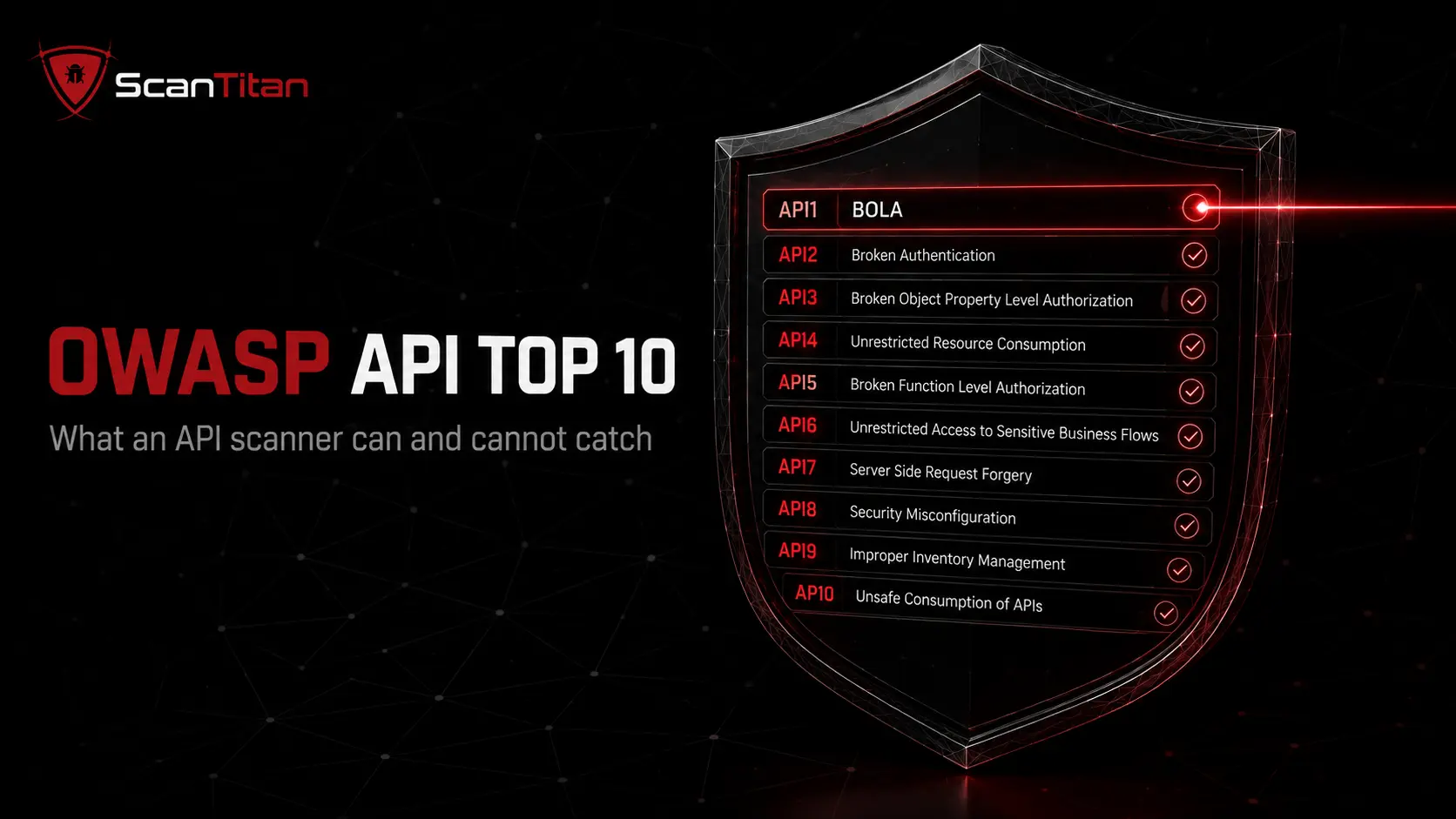
Every serious API scanner should map its findings to the OWASP API Security Top 10, the industry list of the ten most critical API risks. It is also the clearest way to see what automated scanning can and cannot do alone. The table below covers the 2023 edition, what each risk means, and how well a scanner catches it. Understanding these API vulnerabilities is the first step to fixing them.
| OWASP API risk (2023) | What it is | Can a scanner catch it? |
|---|---|---|
| API1 Broken Object Level Authorization (BOLA) | A user reaches another user’s object by changing an ID | Partly — needs multiple accounts and ID enumeration |
| API2 Broken Authentication | Weak tokens, no expiry, guessable credentials | Yes — token and session tests |
| API3 Broken Object Property Level Authorization | Excessive data exposure or mass assignment of fields | Partly — payload and extra-parameter analysis |
| API4 Unrestricted Resource Consumption | No rate limits, expensive queries, denial-of-service | Partly — rate-limit and cost checks |
| API5 Broken Function Level Authorization (BFLA) | A regular user calls admin-only functions | Partly — needs role-based test accounts |
| API6 Unrestricted Access to Sensitive Business Flows | Automated abuse of legitimate flows, like bulk buying | No — needs human and business context |
| API7 Server-Side Request Forgery (SSRF) | The API fetches an attacker-supplied URL | Yes — active injection tests |
| API8 Security Misconfiguration | Missing headers, bad CORS, verbose errors, no TLS | Yes — passive and active checks |
| API9 Improper Inventory Management | Shadow and zombie APIs, undocumented versions | Partly — discovery finds them, inventory needs process |
| API10 Unsafe Consumption of APIs | Trusting third-party API data without validation | No — needs code review and design checks |
Read the current list in full at the OWASP API Security Top 10. The pattern is clear: a scanner reliably catches misconfiguration, injection, and broken authentication, partly catches the authorization risks, and cannot judge business logic on its own. That last gap is why automated scanning and human testing work together.
API Scanning Tools Compared
You do not need a brand name to choose the right kind of API scanner. Tools fall into four categories, and the right fit depends on your stack and team size. The comparison below weighs them on the capabilities that actually matter for scanning an API.
| Tool type | Best for | API discovery | OAuth/JWT auth | OWASP API coverage | CI/CD |
|---|---|---|---|---|---|
| Dedicated API DAST scanner | API-heavy products | Strong | Strong | Broad | Yes |
| Combined web and API DAST | Securing a site and its API together | Good | Good | Broad | Yes |
| Open-source CLI scanner | Developers on a tight budget | Basic | JWT and keys | Focused | Yes, scriptable |
| API gateway or WAF testing | Runtime protection, not deep testing | Limited | N/A | Narrow | Partial |
Automating API Scans in CI/CD
Scanning an API once tells you today’s risk; scanning it on every deploy keeps it safe as the API changes. Wire the scanner into your CI/CD pipeline so a spec change or a code push triggers a scan automatically. Keep the OpenAPI file in the repository as the single source of truth, so the scan always tests the current contract. Set a policy gate that fails the build on a new high-severity finding, for example CVSS 7.0 or above, or any broken authentication result. Push findings into the tools your team already uses, and treat a new shadow endpoint the scan discovers as a signal that something shipped without review.
Sample pipeline gate:
on: [push, pull_request]
run: api-scan --spec openapi.yaml --auth $TEST_TOKEN
fail_build_if: cvss >= 7.0  OR  owasp == API2 (broken auth)
Best Practices for API Security Scanning
A few habits separate a token API scan from a program that actually reduces risk.
Scope the whole host, not just the API prefix. A website scanner covers the documentation portals, admin panels and legacy paths that sit on the same domain.
- Discover continuously, because you cannot scan an endpoint you do not know exists; automated discovery catches shadow and zombie APIs before attackers do.
- Scan authenticated, since the most damaging API flaws live behind the login; feed the scanner a least-privilege test credential every time.
- Test on staging first, because active fuzzing can create real records or trip your API gateway on a live system.
- Use synthetic data, never real customer records, so a scan never leaks the very data it is meant to protect.
- Shift left into CI/CD, running a scan on every push so a new endpoint gets tested the day it ships, not months later.
- Map every finding to OWASP, so the team fixes BOLA and broken authentication before cosmetic issues like a missing header.
- Set remediation SLAs, for example patch a critical, internet-facing API flaw within days, and track your mean time to remediate.
- Retest after every fix, confirming the vulnerability is gone and checking sibling endpoints for the same pattern.
API Vulnerability Scanning FAQ
Can you scan an API without an OpenAPI spec?
Yes, but with reduced coverage. A scanner can discover endpoints from live traffic, container configs, and well-known paths, and reconstruct a partial picture. Still, a scan is far more thorough when you feed it an OpenAPI or Swagger definition, because the tool then knows every documented parameter to test. If you have no spec, generate one from your framework or from captured traffic before scanning, and treat any endpoint discovery surfaces that the spec omits as a shadow API to investigate.
What is the most common API vulnerability?
Broken object level authorization (BOLA), listed as API1 in the OWASP API Security Top 10. It happens when an API fails to check that the logged-in user owns the object they request, so changing an ID in the URL from 123 to 456 returns another user’s data. It is common because the endpoint works correctly for legitimate use; only a deliberate authorization test with two accounts reveals the flaw.
Can automated scanners find business logic flaws?
Only partly. Scanners are strong at injection, misconfiguration, and broken authentication, but risks like unrestricted access to sensitive business flows (API6) and unsafe consumption of APIs (API10) depend on how your application is meant to work, which a tool cannot infer. For those, pair automated scanning with human testing. A manual review, or a hands-on check the way you would check a website for vulnerabilities by hand, catches abuse cases a scanner cannot.
Do REST and GraphQL APIs need different scans?
Yes. A REST scan tests many endpoints defined in an OpenAPI spec. A GraphQL API usually exposes one endpoint, so the scanner uses introspection to enumerate the schema, then tests query depth, batching and aliasing abuse, and field-level authorization. A tool built only for REST will barely test a GraphQL endpoint, so confirm your scanner supports both if you run both.
How often should I scan my APIs?
Scan on every deploy through your CI/CD pipeline, plus a scheduled full scan of critical APIs at least weekly. APIs change faster than most web pages, and a new endpoint can ship several times a day, so point-in-time scanning quickly goes stale. Continuous, automated scanning tied to your pipeline is the only way to keep pace with an actively developed API.
Are API scanners safe to run on production?
Passive scans are safe on production because they only observe responses. Active scans send attack payloads that can create records, delete data, or stress the system, so run those against a staging copy first. If you must test production, use a production-safe profile, a strict request rate, an agreed maintenance window, and synthetic test data rather than real customer records.
Scan Your API Before Attackers Do
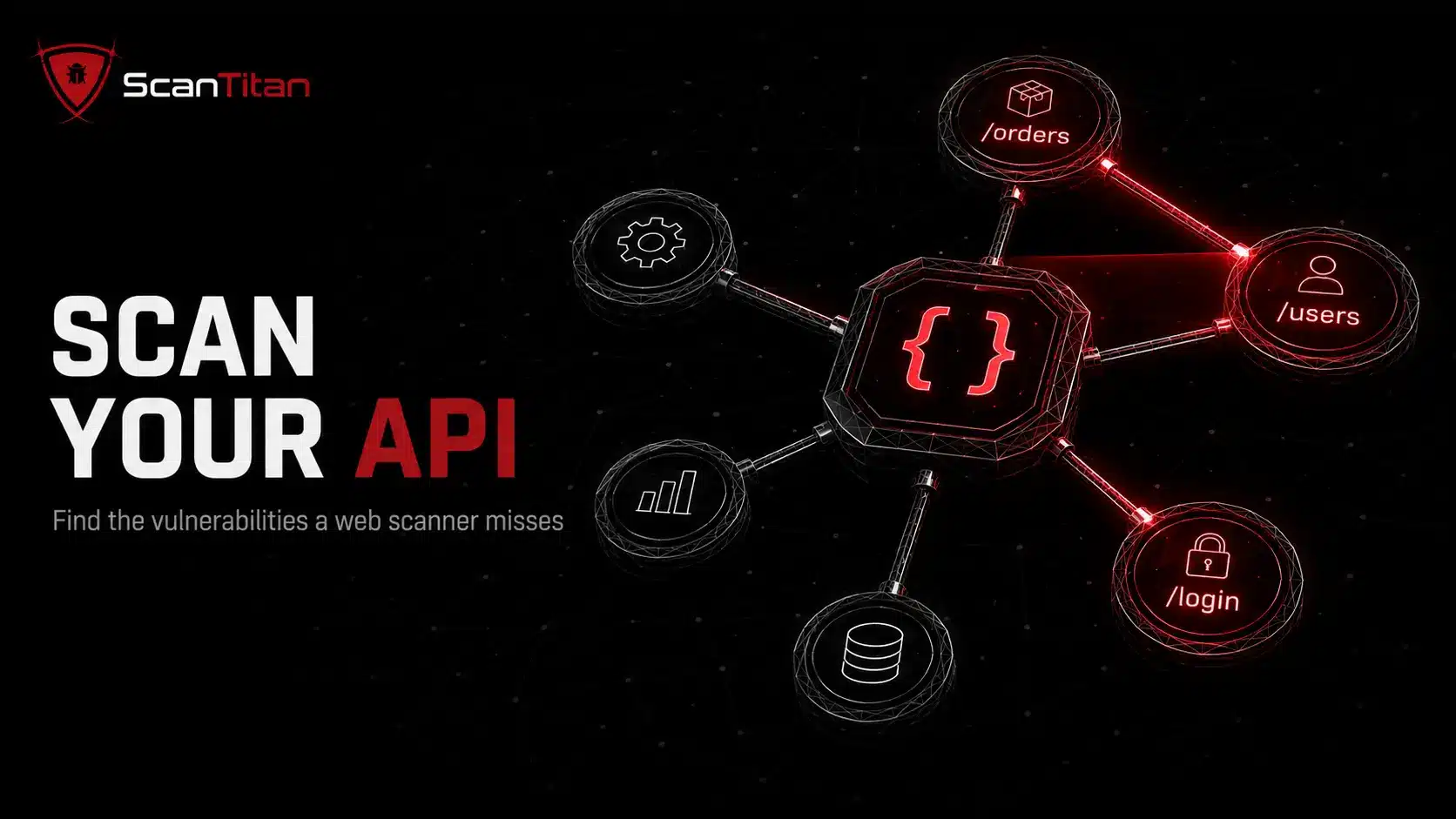
APIs are the most dynamic, most exposed part of a modern application, and a web scanner pointed at one misses nearly everything that matters. Scanning an API for vulnerabilities means mapping every endpoint, authenticating properly, testing authorization the way an attacker would, and grading each finding against the OWASP API Security Top 10. Do that on every deploy and you close the window on BOLA, injection, and the shadow endpoint nobody remembered. ScanTitan scans REST and GraphQL APIs alongside your website, with authenticated coverage and OWASP-mapped findings, so a lean team gets full API visibility from one place.