Authenticated Scan vs Unauthenticated Scan Comparison Table
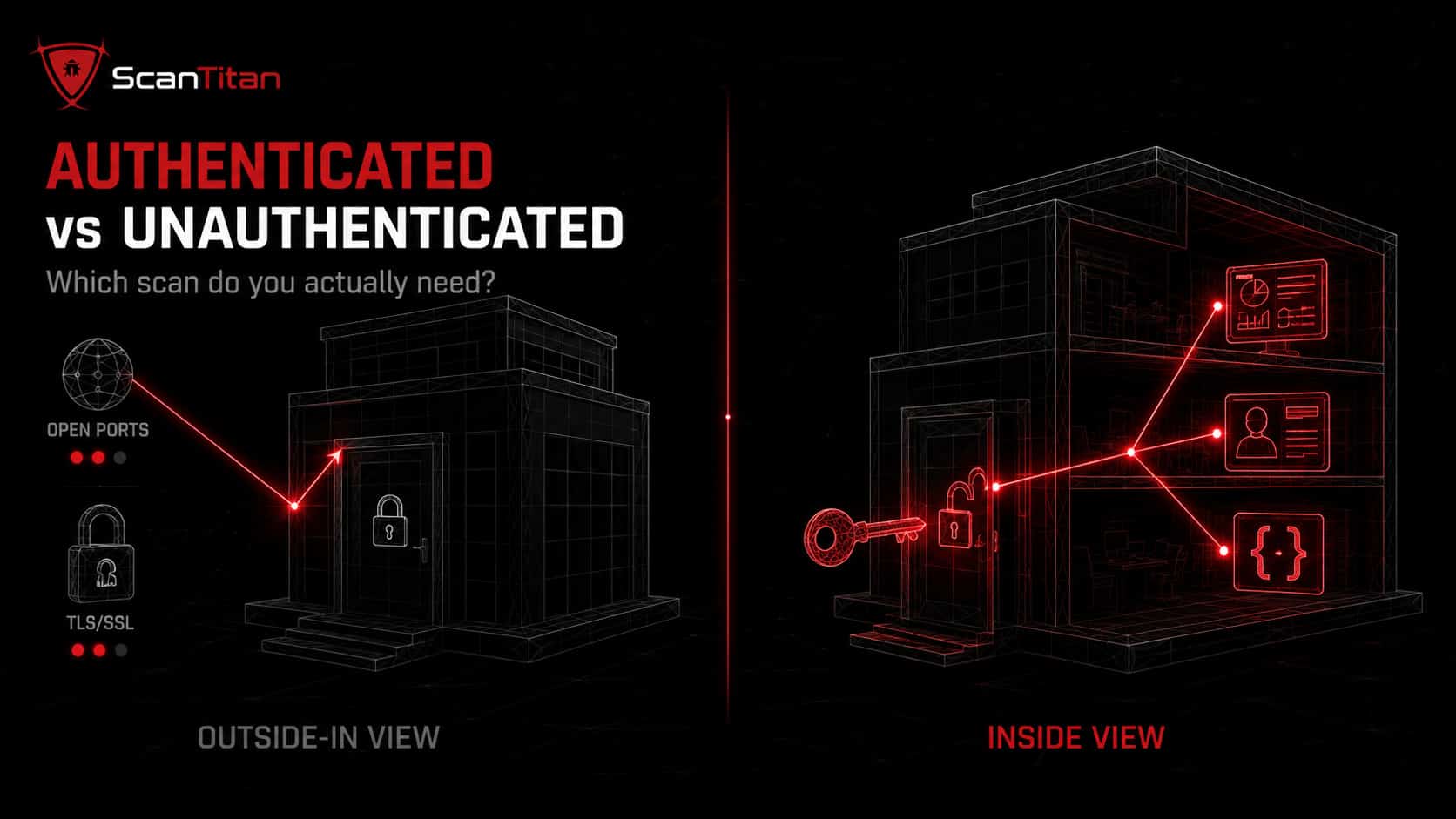
Here is the short answer before the detail. An authenticated scan, also called a credentialed scan, logs into your application or server with a valid account and inspects patch levels, configurations, and pages behind the login, Authentication should not be confused with scan location. Internal vs external vulnerability scanning describes where the scanner is positioned and which assets it can reach, while authenticated vs unauthenticated scanning describes whether the scanner uses credentials once it reaches the target, An unauthenticated scan checks the same target from the outside with no login, seeing only what an anonymous attacker sees. Authenticated scans go deeper and produce fewer false positives; unauthenticated scans are faster and mirror the attacker’s first look. Neither replaces the other. The table below sums up how the two differ across the factors that matter to a security team working on a deadline.
| Factor | Authenticated scan | Unauthenticated scan |
|---|---|---|
| Credentials | Valid login required | None used |
| Perspective | Insider or logged-in user | External anonymous attacker |
| Testing model | Grey-box | Black-box |
| Depth | Deep: configs, patch levels, business logic | Surface: public-facing only |
| Typical finds | Misconfigurations, weak patches, IDOR, privilege escalation | Open ports, outdated software, exposed files, TLS issues |
| False positive rate | Low (confirmed with system context) | Higher (relies on version fingerprints) |
| Speed | Slower, resource-heavy | Fast, lightweight |
| Best for | Compliance, full assessment, apps behind login | Quick perimeter checks, attacker’s-eye view |
| Compliance | Required by PCI DSS and HIPAA | Rarely sufficient alone |
One concrete example of a public-facing issue visible to an unauthenticated scan is an Exposed Backup Files Vulnerability, where a database dump, source archive, or configuration backup can be retrieved without logging in.
What Is an Authenticated Scan?
An authenticated scan gives the scanner the keys to the building instead of a look through the windows. Three things are worth understanding: how it works, what it wins you, and where it costs you.
How Credentialed Scanning Works
An authenticated scan, or credentialed scan, hands the scanner a valid account so it can log in and inspect the target the way a real user or administrator would. On a server, the scanner authenticates over a protocol like SSH or SMB and reads installed software versions, patch levels, and configuration files directly. On a web application, it uses a session token or a recorded login sequence to reach dashboards, forms, and APIs that only appear after sign-in. This makes authenticated web scanning a grey-box test: more than an outsider sees, but less than a white-box review with full source code access. Because the scanner has system context, it confirms whether a flaw is real instead of guessing from a version banner. Most teams create a dedicated scanning account with least-privilege access, a long random password, and no VPN or remote-desktop rights, so the credential itself never becomes the weak link.
Pros of Authenticated Scanning
Authenticated scans earn their keep in four clear ways.
- Surface hidden vulnerabilities that never appear from outside, like a missing role check in an admin API or an unpatched library sitting behind the login wall.
- Cut the false positive rate sharply, because the scanner reads real configuration data instead of inferring risk from response headers, so your team wastes less time chasing findings that are not real.
- Enable precise remediation, since each result points to a specific file, package, or setting a developer can fix, rather than a vague external symptom.
- Satisfy compliance mandates, because standards such as PCI DSS require credentialed internal scans that prove you tested more than the perimeter.
Cons and Limitations
No method is free, and authenticated scanning carries four real costs.
- Expect credential overhead, since someone must issue, rotate, and protect the scan account, and third-party systems may never grant you one at all.
- Watch for disruption, because a misconfigured authenticated scan can change settings or stress a fragile system, so run it against staging before production.
- Budget more time, as authenticated scans log in, enumerate, and dig, which makes them slower and heavier than a quick external sweep.
- Keep documentation, because compliance-grade authenticated scans need authorization records that a two-person team still has to find time to maintain.
What Is an Unauthenticated Scan?
An unauthenticated scan grades your security from the parking lot. It is limited by design, but that outside view is exactly what you need for some jobs.
How External-Perspective Scanning Works
An unauthenticated scan checks your target from the outside with no login, exactly as an anonymous attacker would. The scanner crawls public pages, probes open ports, reads response headers, and fingerprints software versions to guess where known vulnerabilities live. It is a black-box test: the scanner has no inside knowledge and works only from what the internet exposes. On a website, it flags an outdated CMS, a weak TLS cipher, an exposed .git directory, or a login page missing rate limiting. The moment it reaches a login wall, though, it stops, because everything past authentication, from dashboards to internal APIs, stays invisible to it. That external-only view is both its strength and its ceiling, and it is why an unauthenticated scan alone leaves the most damaging flaws untested.
Pros of Unauthenticated Scanning
Unauthenticated scans still matter, for four reasons.
- Show the attacker’s first look, revealing exactly what someone with no access can enumerate against your public assets before they try anything.
- Run fast and light, since no login or session handling is involved, which makes them ideal for frequent perimeter sweeps of many hosts.
- Catch exposure early, flagging open ports, forgotten subdomains, and outdated public software before an attacker maps the same ground.
- Need no credentials, so you can point one at any internet-facing host you own without provisioning access first.
Cons and Limitations
The trade-off is depth, and it is a steep one.
- Miss everything behind the login, so dashboards, user data, file uploads, and authenticated APIs never get tested at all.
- Produce more false positives, because the scanner infers risk from version banners it cannot verify, which means a patched system can still get flagged.
- Show only half the picture, leaving internal misconfigurations and business logic flaws completely untouched.
- Fall short for compliance, since standards like PCI DSS rarely accept an unauthenticated scan alone as proof you assessed the systems that hold sensitive data.
Which Finds More Vulnerabilities, Authenticated or Unauthenticated Scans?
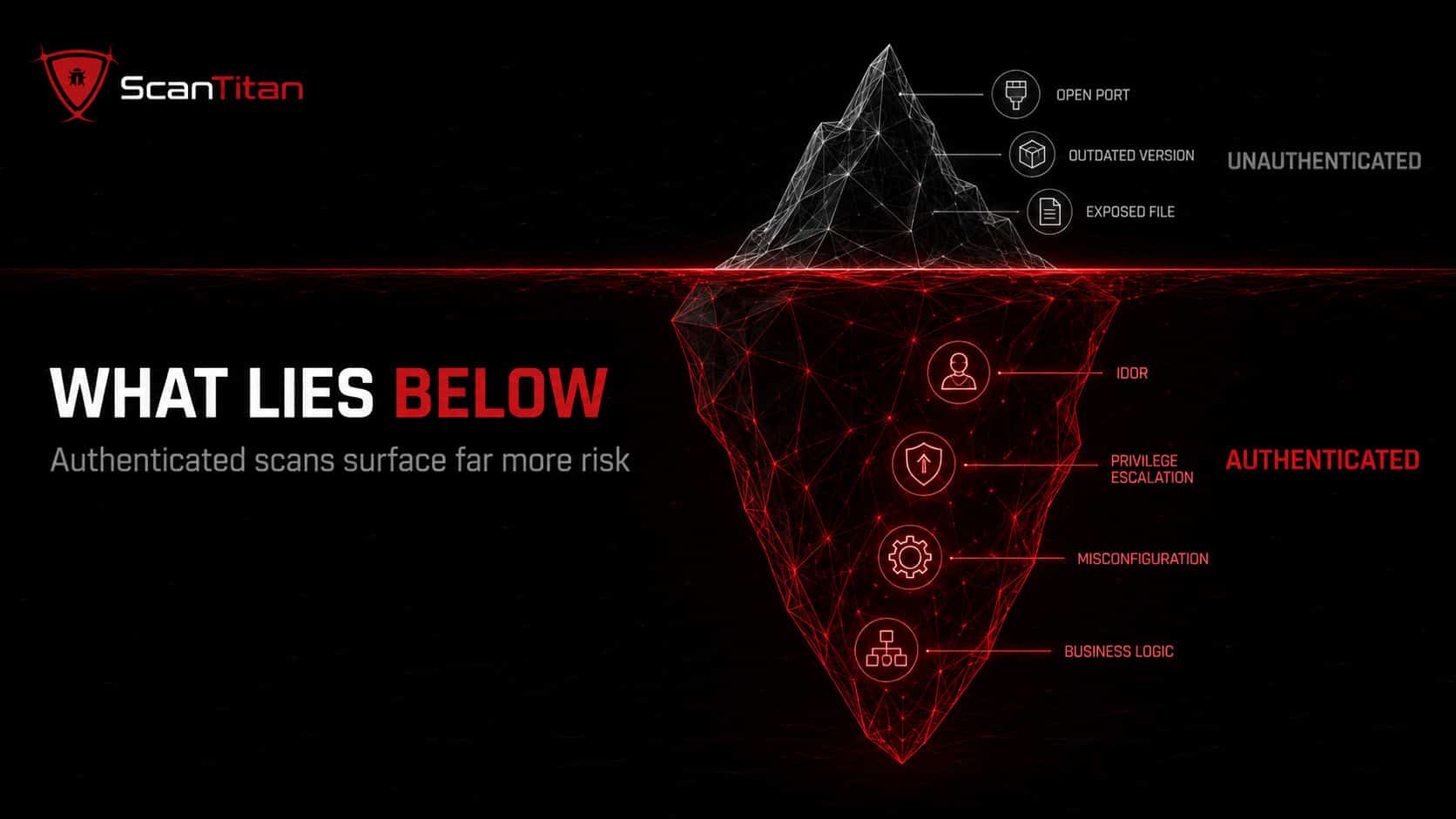
Authenticated scanning wins this comparison, and it is not close. Because a credentialed scanner reaches the code and configuration behind the login, it routinely surfaces several times more findings than an external scan of the same target, often three to five times as many. More important than the count is the type: authenticated scans catch the vulnerabilities attackers actually use after they gain a foothold, such as broken role checks, hidden misconfigurations, and business logic flaws. They also carry a much lower false positive rate, because the scanner confirms each issue against the running system instead of guessing from a version banner. The one real catch is coverage: an authenticated scan only tests what you give it credentials for, so it can still miss an asset you forgot you exposed. That blind spot is why the external view keeps its place in a serious program. The same gap applies to malware, because malware that a scan without server access misses can sit in files, the database and scheduled tasks.
Only an authenticated scan catches these: an insecure direct object reference (IDOR) where changing account?id=1001 to 1002 leaks another user’s data, a missing role check on an admin API, or a file upload that permits remote code execution. Reviewing the full range of website security vulnerabilities shows how many of the serious ones live behind a login.
When to Use Authenticated vs Unauthenticated Scans
Neither scan is a default. The right choice depends on the question you need answered right now. Use the guide below to match the job to the method. In practice, most compliance and deep-assessment work calls for authenticated scanning, while fast perimeter checks and attacker simulations lean unauthenticated. When both apply, run both.
| Scenario | Recommended scan |
|---|---|
| Testing your internal security posture | Authenticated |
| Simulating an anonymous external attacker | Unauthenticated |
| Meeting PCI DSS or HIPAA audit requirements | Authenticated |
| Running a quick first check on a new site | Unauthenticated |
| Testing pages and APIs behind a login | Authenticated |
| Verifying that patch management worked | Authenticated |
| Finding forgotten public assets and open ports | Unauthenticated |
| Checking business logic and role-based access | Authenticated |
Compliance Requirements That Mandate Authenticated Scanning
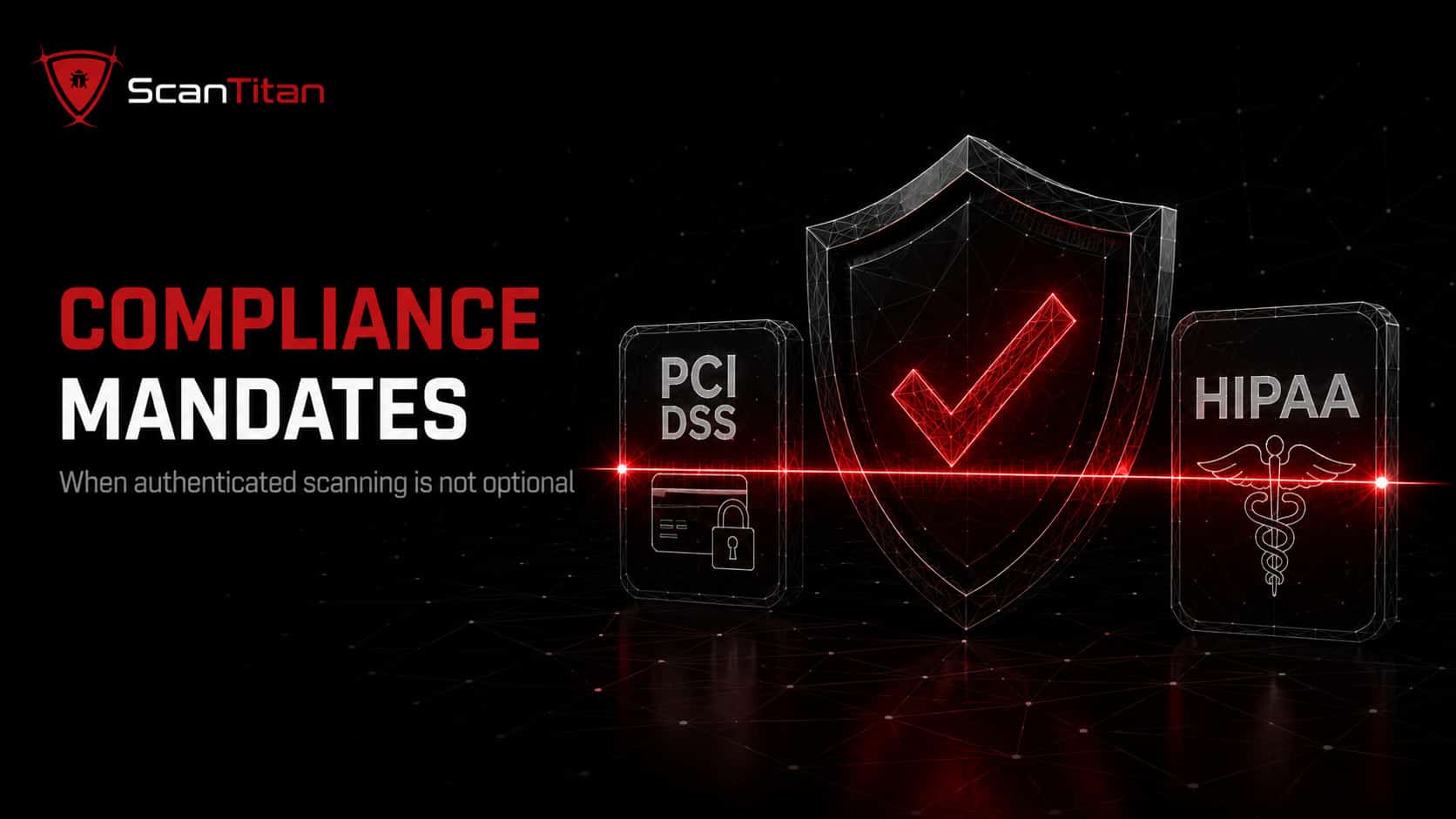
This is where the choice stops being optional. Several regulations name authenticated scanning directly, and an unauthenticated scan will not satisfy them.
- Meet PCI DSS Requirement 11.3.1.2, which tells any organization handling cardholder data to run internal vulnerability scans, resolve the findings, and rescan, using authenticated scanning where the system supports it, at least once every three months and after any significant change. You can read the current standard at the PCI Security Standards Council.
- Satisfy the HIPAA Security Rule, whose risk analysis requirement at §164.308(a)(1)(ii)(A) expects covered entities and business associates to evaluate vulnerabilities across every system that stores or transmits electronic protected health information, which in practice means credentialed scans of those internal systems. NIST SP 800-66 spells out how.
- Support ISO 27001 and SOC 2, both of which expect ongoing technical vulnerability management; authenticated scans supply the depth and the evidence auditors look for under ISO 27001 control 8.8 and the SOC 2 system-monitoring criteria.
- Follow CIS guidance, which recommends authenticated internal vulnerability scans at least quarterly and external scans at least monthly, giving a lean team a defensible baseline cadence to point to during an audit.
Before you buy, check what each scanner supports. Our vulnerability scanning tools comparison covers credentialed host scans with Nessus and authenticated DAST with ScanTitan.
How to Combine Authenticated and Unauthenticated Scans
The strongest programs do not choose; they layer both so the perimeter and the core each get tested. Here is a simple way for a small team to run them together without doubling the workload.
Run the unauthenticated pass first to see what an anonymous attacker sees, then repeat with credentials. A site scanner that supports both in one job saves you reconciling two separate reports.
- Start with an unauthenticated scan of every public asset to map exactly what an attacker sees first.
- Run an authenticated scan on the same assets to reach the configurations and pages behind the login.
- Compare the two result sets to spot gaps, such as a flaw the external scan hinted at that the internal scan confirms as exploitable.
- Prioritize findings by CVSS and real exposure, fixing internet-facing, high-impact issues first.
- Schedule the cadence: external scans monthly, authenticated internal scans at least quarterly, plus a rescan after every major change.
Between automated runs, a manual spot check of a critical form by hand can catch what a scanner misses. For issues that need a human to prove exploitability, this is also where you decide whether to add a manual layer, which is the core difference between vulnerability scanning and penetration testing.
Authenticated vs Unauthenticated Scan FAQ
What is the main difference between authenticated and unauthenticated scanning?
An authenticated scan logs in with valid credentials and inspects the software, configurations, and pages behind the login, giving an insider, grey-box view. An unauthenticated scan tests the same target from the outside with no login, seeing only public-facing assets like an anonymous attacker would. In short, one asks what an attacker can reach without access, and the other asks what can go wrong once they are inside.
Do authenticated scans really find more vulnerabilities?
Yes, by a wide margin. Because a credentialed scanner reaches the code and configuration behind the login, it typically surfaces several times more findings than an external scan of the same system, often three to five times as many. It also confirms issues against the live system, so it reports far fewer false positives than an unauthenticated scan that guesses from version banners.
Is an authenticated scan the same as a penetration test?
No. An authenticated scan is automated and looks for known vulnerabilities using valid credentials. A penetration test adds a human who chains findings together and proves real-world exploitability, including business logic abuse a scanner cannot judge. Authenticated scanning is a strong, frequent baseline; a penetration test is a deeper, periodic check you run on top of it, usually once or twice a year.
Does PCI DSS require authenticated scanning?
For internal scans, yes. PCI DSS Requirement 11.3.1.2 directs organizations that handle cardholder data to perform internal vulnerability scans using authenticated scanning where the system supports it, at least every three months and after significant changes. Quarterly external scans are also required, and those are often run unauthenticated by an approved scanning vendor. HIPAA, ISO 27001, and SOC 2 expect credentialed depth as well.
Are authenticated scans safe to run on a live site?
Usually yes, when configured properly. Because an authenticated scan interacts with the application as a logged-in user, it can submit forms or change settings, so test against a staging copy first if you are unsure. Scan during off-peak hours, use a dedicated least-privilege account, and avoid credentialed scans on fragile systems like some VOIP, printer, or medical devices that are known to crash under scanning.
What credentials should an authenticated scan use?
Use a dedicated account created only for scanning, never a shared admin login. Give it the least privilege needed for the checks, a long random password of 20 or more characters, and no rights to VPN, remote desktop, or other tasks. Store the credentials in your scanner’s secret vault, not in a config file. This limits the damage if the scan account is ever compromised.
Run Both, Miss Nothing
Authenticated versus unauthenticated scanning is not really a contest; it is a division of labor. The unauthenticated scan shows what an attacker sees from the outside, and the authenticated scan shows what they could do once inside, where the costly flaws like IDOR and privilege escalation hide. For compliance with PCI DSS or HIPAA, credentialed scanning is not optional. ScanTitan’s website vulnerability scanner supports both authenticated and unauthenticated website scanning, helping teams compare what an anonymous attacker can see with the weaknesses exposed behind authentication.