Active vs Passive Vulnerability Scanning at a Glance
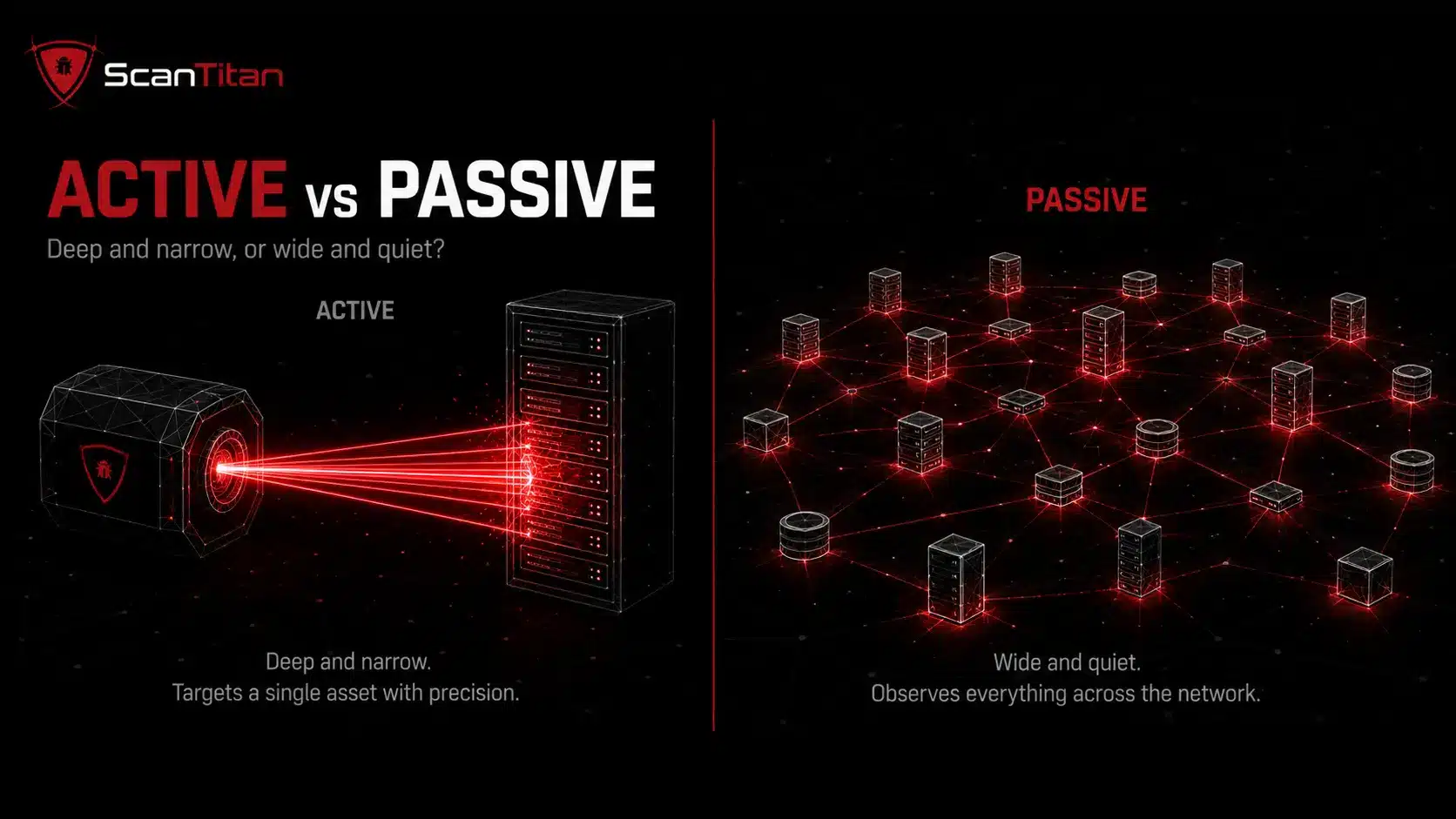
Before the detail, here is the quick comparison. Active and passive vulnerability scanning both hunt for vulnerabilities like security misconfigurations, outdated software, and missing patches, but they gather evidence in opposite ways. With more than 48,000 new CVEs published in 2025, about 131 a day, no single scan type keeps up alone. Active scanning interacts directly with each target and confirms findings; passive scanning observes and infers without touching anything. Active is precise but noisy; passive is safe but shallow. Most security teams end up running both. The table sums up how they differ across the factors that decide which one fits a given job.
| Factor | Active scanning | Passive scanning |
|---|---|---|
| Method | Sends probes and test traffic | Analyzes existing traffic and logs |
| Interaction | Direct with each device | None, observes only |
| Network impact | Higher, can slow or disrupt | Minimal, non-intrusive |
| Detection | Point-in-time during a scan | Continuous, real-time |
| Coverage | Deep on targeted assets | Broad across all traffic |
| False positives | Lower, confirmed by response | Higher, inferred from traffic |
| Best for | Audits, pen testing, deep checks | Continuous monitoring, shadow IT |
Active vs Passive Vulnerability Scanning: The 6 Difference
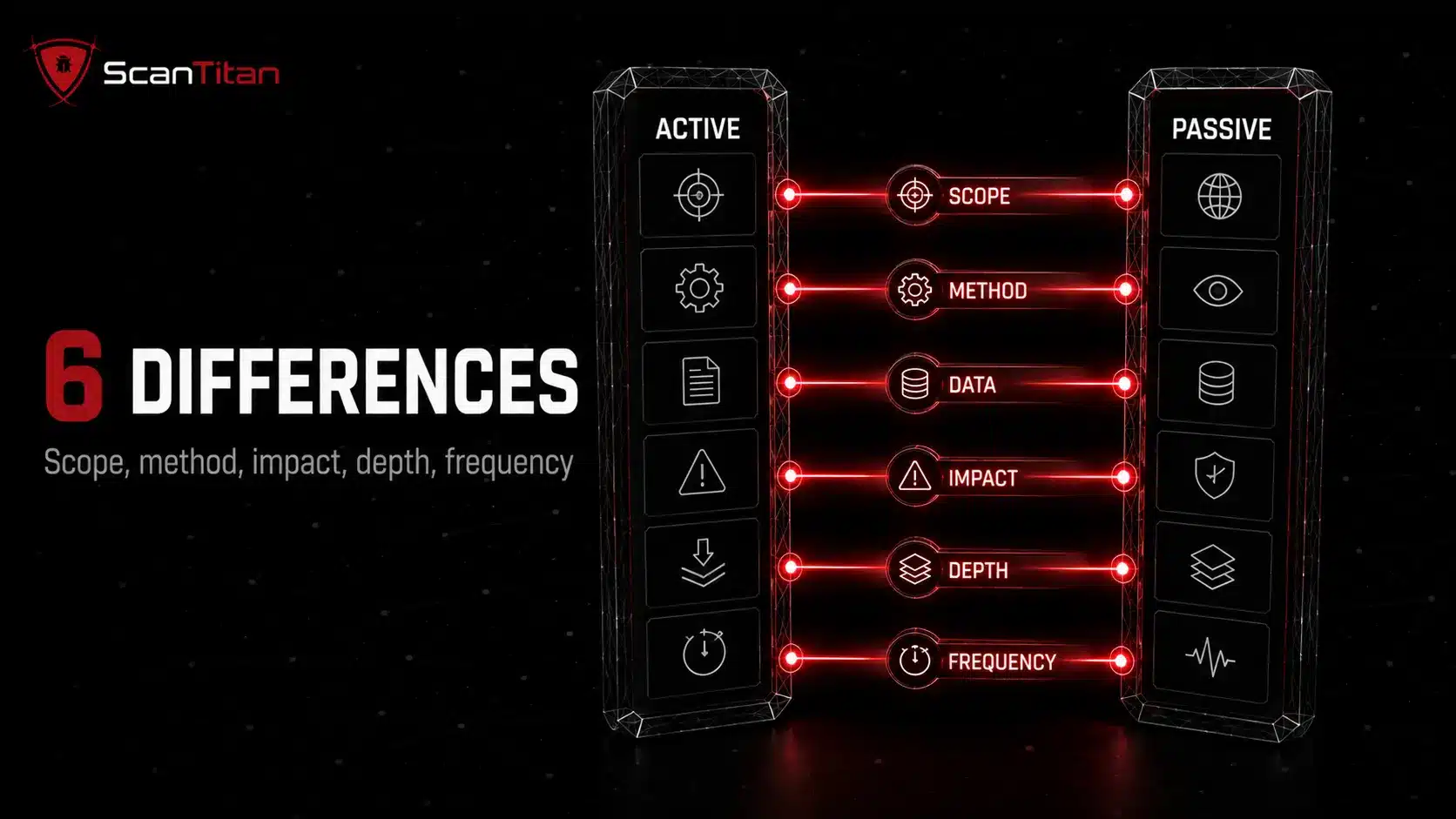
The table above is the quick view. These six differences explain why each one changes your decision, not just how the two methods behave.
- Weigh scope against coverage: active scanning drills into the specific assets you point it at, so a critical server gets a thorough check, while passive scanning blankets every device that generates traffic and catches the ones you forgot.
- Probe or observe: active scanning sends test packets and interacts with each target, while passive scanning only reads traffic that already exists, which is the root cause of every other difference below.
- Trust live responses over metadata: active data comes straight from the tested system, so it is precise; passive data is inferred from traffic and logs, so it often needs an active scan to confirm.
- Judge the disruption risk: active probing can slow a network or crash a fragile medical or SCADA device, which is why you schedule it off-hours; passive adds no load, making it the only safe option for systems that cannot be touched.
- Confirm depth versus breadth: active scanning validates an exploitable flaw in detail, while passive scanning flags a wide range of issues but rarely proves any of them, so the two answer different questions.
- Match frequency to need: active scanning runs point-in-time on a schedule, so it can miss a short-lived asset; passive scanning runs continuously, so it sees the server that appears for an hour at 2 a.m.
What Is Active Vulnerability Scanning?
Active vulnerability scanning is a hands-on method that finds security weaknesses by sending probes and test traffic directly to your systems, then reading how each one responds. Where passive scanning only watches, an active scan interacts: it knocks on every open port, fingerprints running services, and fuzzes inputs to see what breaks. For web applications, this is a form of DAST (dynamic application security testing). That direct engagement lets it confirm a real, exploitable vulnerability instead of inferring one, and even simulate an attacker’s moves, much like a lightweight penetration test. The trade-off is noise: active scanning generates traffic that can strain fragile systems, so it runs on a schedule rather than around the clock. It is the method you reach for when you need certainty and depth.
How Active Scanning Works
An active scanner interacts with each target directly. It finds vulnerabilities through five steps:
- Discover the live hosts and open ports on the target, the way a tool like Nmap maps a network.
- Fingerprint each running service and read its software version, whether over the network or through an installed agent for deeper host access.
- Probe every input with crafted packets and test traffic, then watch how the system responds.
- Authenticate where possible, logging in with credentials to inspect patch levels and configuration, the depth advantage that sets authenticated scans apart from unauthenticated ones.
- Confirm each finding against a CVE database, validating a real, exploitable flaw instead of guessing.
Benefits of Active Scanning
Active scanning is worth the effort for four reasons.
Finds deep, confirmed vulnerabilities across ports, services, and patch levels, including many a passive scan never sees, and it is more likely to surface a zero-day through direct probing.
Cuts false positives, because the scanner validates each finding against the target’s real response rather than inferring from traffic.
Proves compliance, since PCI DSS and HIPAA audits expect active, credentialed scans of in-scope systems, backed by dated evidence.
Runs on demand or on a schedule, so you can automate deep scans for off-hours or launch one the moment a passive alert warrants a closer look.
Limitations of Active Scanning
Active scanning carries real costs, especially for a lean team.
Risks disruption, because heavy probe traffic can slow a network or crash a fragile medical or SCADA device, so it needs careful off-hours scheduling.
Runs narrow, focusing only on the specific assets and segments you point it at, so it misses anything outside that scope or offline during the scan.
Sees only a point in time, capturing what exists during the scan window and missing short-lived assets that appear between runs.
Generates alert fatigue, flooding a small team with hundreds of deep findings at once unless you prioritize hard.
What Is Passive Vulnerability Scanning?
Passive vulnerability scanning is a non-intrusive method that finds security weaknesses by watching the traffic already moving across your network, rather than sending probes to test each device. Think of it as a security camera trained on your data flows: it observes which systems are talking, what software and services they run, and how they behave, then compares that picture against known vulnerabilities. Because it never generates new traffic, passive scanning runs nonstop without slowing anything down, which makes it a natural fit for continuous monitoring, and it stays invisible to both your systems and any attacker watching. It is the quiet observer of vulnerability management: strong on constant coverage, but limited to what the traffic actually reveals.
How Passive Scanning Works
A passive scanner never sends a probe. Instead, it turns ordinary network traffic into a vulnerability picture through five steps:
- Tap the network at a switch or gateway so the scanner sees a copy of the traffic between devices, without sitting in the path.
- Capture the packets and pull in system logs, reading the metadata rather than the private payload.
- Fingerprint each device from that data, identifying its operating system, running services, open ports, and software versions.
- Match those versions against a CVE database to flag known vulnerabilities and misconfigurations.
- Alert your team in real time whenever a new, changed, or risky asset appears, with no impact on the systems it watched.
Benefits of Passive Scanning
Passive scanning earns its place in a program for four reasons.
- Adds zero network load, so it runs continuously without slowing operations or risking downtime, and it needs no agent installed on any host.
- Detects assets in real time, catching shadow IT and rogue devices the instant they generate traffic.
- Runs silently, never tripping an intrusion detection system or tipping off an attacker to the scan.
- Suits sensitive and legacy systems, watching medical, VOIP, or SCADA devices that would crash under active probing.
Limitations of Passive Scanning
The trade-off is depth, and it is worth understanding before you rely on passive alone.
- Sees only what traffic reveals, so a quiet or offline asset can hide a serious flaw indefinitely until it happens to communicate.
- Infers rather than confirms, which raises the false positive rate, because the scanner guesses from metadata instead of testing the system directly.
- Waits for traffic, so detecting a new endpoint can lag until that device actually sends or receives data.
- Cannot remediate or probe deeper, acting as an awareness tool that flags issues but never validates or fixes them.
When Should You Use Active Scanning?
Reach for active scanning when you need certainty, not just awareness. Run it before a compliance audit, because PCI DSS and HIPAA expect active, credentialed scans that prove you tested in-scope systems. Use it to validate a specific vulnerability when a fix needs confirmation, or as an attack simulation ahead of a penetration test. For an SMB, the practical rhythm is a scheduled active scan of your public-facing and revenue-critical assets, run during off-hours so probe traffic never slows the site, plus an on-demand scan whenever a passive alert flags something worth confirming. Active scanning is your go-deep-and-prove-it tool, and it pairs naturally with a manual check when a finding needs a human eye.
When Should You Use Passive Scanning?
Reach for passive scanning when disruption is not an option and coverage matters more than depth. It is the right choice for continuous monitoring of a large or sensitive network, for watching legacy systems that would crash under active probing, and for catching shadow IT the moment an unknown device starts talking. For an SMB, passive scanning is the always-on layer: it runs in the background, maps every asset that generates traffic, and raises a flag the instant a new or risky service appears, without a single probe touching production. Think of it as your early-warning system. It tells you something changed and where to look; you then point an active scan at that spot to confirm and fix. Passive alone never gives the full picture, but it never breaks anything either.
Why You Need Both Active and Passive Scanning
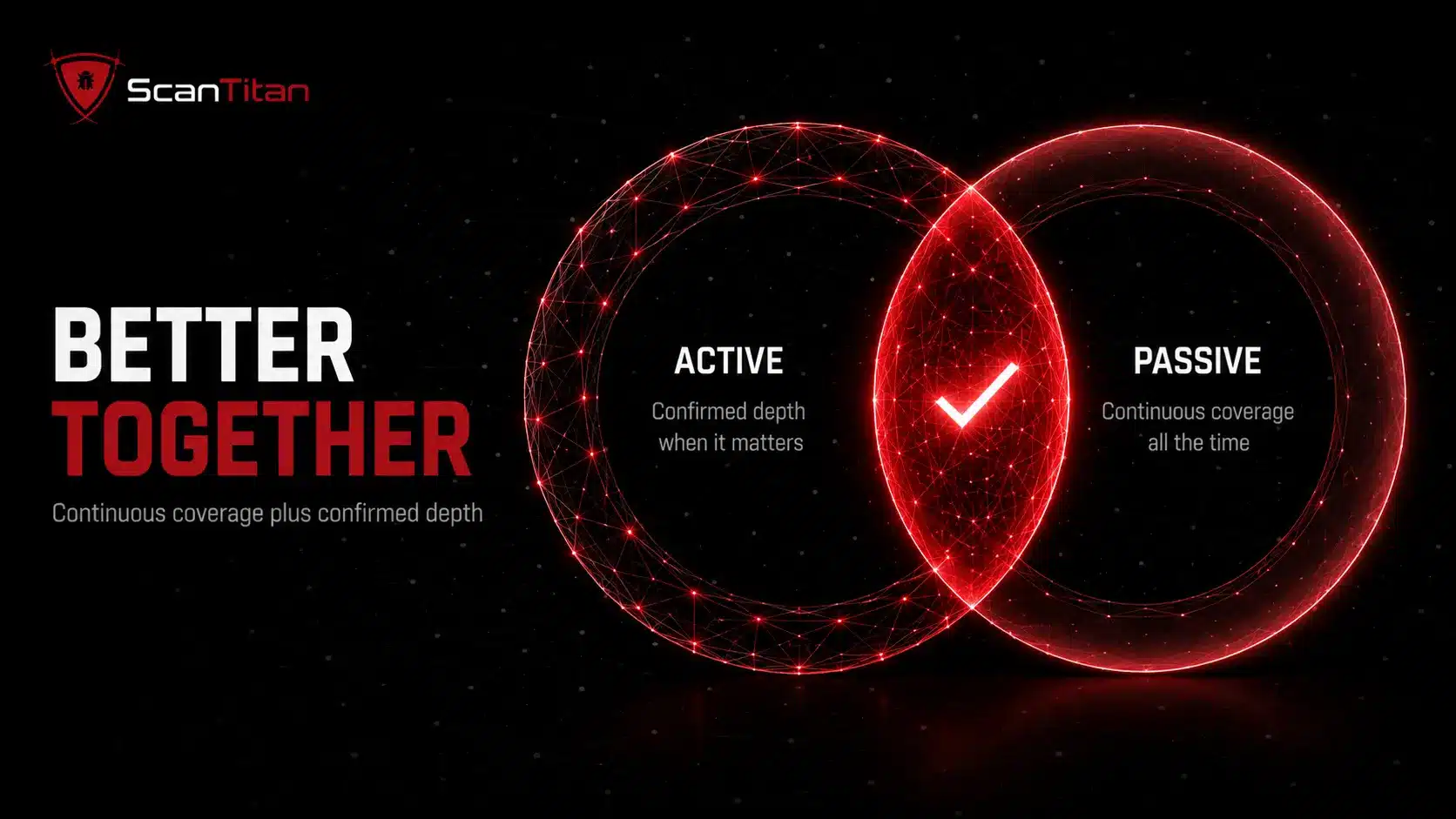
Choosing one over the other leaves gaps. Research backs this up: studies that ran both methods against the same network found far more assets together than either did alone. The two are complementary, not competing.
- Cover every asset type, since passive scanning finds the offline and shadow assets active scans miss, while active scanning confirms the live services passive scans only glimpse.
- Cut false positives, because correlating a passive observation with an active check validates whether a flagged issue is genuinely exploitable.
- Balance safety and depth, running passive monitoring around the clock for stability and scheduling active scans in maintenance windows for thoroughness.
- Enable find-then-fix, where a passive alert triggers a targeted active scan on the exact asset, turning a signal into a confirmed, prioritized fix.
How ScanTitan Combines Active and Passive Scanning
ScanTitan runs active and passive scanning as one workflow, so a lean team gets both layers without wiring two tools together. Passive monitoring watches your attack surface continuously and flags new or changed assets in real time. When it spots something worth confirming, ScanTitan launches a targeted active scan, validates the finding against the live system, scores it with CVSS, and hands your team a prioritized fix with evidence attached. Public-facing assets get scheduled deep active scans on top, timed for off-hours, and findings can feed straight into your SIEM. The result is broad, always-on coverage plus confirmed depth where it counts, mapped to the CVEs and misconfigurations that actually put your data at risk, all from one dashboard.
ScanTitan runs as a single website security scanner that combines both modes: passive discovery maps what exists, then active testing confirms which of it is actually exploitable.
A website vulnerability scanner can use active checks to test reachable web weaknesses while passive signals add context without relying on intrusive probing alone.
Active and Passive Scanning Best Practices
A few habits get the most out of both methods without overloading a lean team.
- Maintain a live asset inventory, because you can only scan what you know exists; let passive discovery surface shadow IT and feed it straight into scope.
- Schedule active, run passive continuously, keeping passive monitoring on around the clock and timing deep active scans for maintenance windows so probes never disrupt production.
- Authenticate your active scans, giving them least-privilege credentials so they reach the patch levels and configuration behind the login where the serious flaws hide.
- Prioritize by real exploitability, ranking findings with CVSS and checking CISA’s Known Exploited Vulnerabilities catalog, which tracks more than 1,300 flaws under active attack.
- Correlate both data feeds, validating a passive observation with a targeted active scan to cut false positives and confirm what is genuinely exploitable.
- Feed findings into SIEM and patch management, so a flagged vulnerability flows straight into the workflow your team already uses to fix and track it.
Active vs Passive Vulnerability Scanning FAQ
What is the main difference between active and passive scanning?
Active scanning sends probes and test traffic directly to your systems and reads the responses, giving deep, confirmed findings on the assets it targets. Passive scanning only observes existing network traffic and logs, so it covers everything quietly but infers risk instead of confirming it. Active goes deep and narrow; passive goes wide and shallow.
Is passive scanning enough on its own?
No. Passive scanning is excellent for continuous coverage and catching shadow IT, but it only sees what network traffic reveals, so a quiet or offline asset can hide a serious vulnerability. It also cannot confirm whether a flaw is exploitable or fix it. You need active scanning to validate and remediate, which is why most teams run both.
Does active scanning disrupt networks?
It can. Active scanning generates new traffic that interacts with each device, and heavy probing can slow a network or crash fragile systems like some medical, VOIP, or SCADA devices. Schedule active scans during off-hours, use a production-safe profile, and rely on passive monitoring for the systems that cannot tolerate probing.
How often should I run active vs passive scans?
Run passive scanning continuously, since it adds no load and gives real-time visibility. Run active scans on a schedule, at least quarterly for compliance and monthly on external assets, plus on demand whenever a passive alert or a new CVE warrants a deeper look. The pattern is continuous passive coverage with targeted active confirmation.
Which is better for compliance like PCI DSS or HIPAA?
Active scanning. Standards such as PCI DSS and HIPAA expect active, often credentialed, vulnerability scans that prove you tested in-scope systems and produced dated evidence. Passive monitoring supports compliance by maintaining continuous asset visibility, but it does not replace the active scan an auditor wants to see.
Is passive scanning the same as an IDS/IPS?
No. A passive vulnerability scanner analyzes traffic to find weaknesses like outdated software and misconfigurations. An IDS/IPS (intrusion detection or prevention system) watches traffic for active attacks and, in the case of IPS, blocks them. They overlap in that both observe traffic, but one maps vulnerabilities and the other detects intrusions.
Get Active and Passive Coverage in One Place
Active vs passive vulnerability scanning is not a real either/or. Passive scanning gives you continuous, safe visibility across every asset; active scanning gives you the depth and proof to fix what matters and pass an audit. Run passive as your always-on early warning and active as your confirm-and-remediate layer, and you close the blind spots that sink single-method programs. ScanTitan combines both for SMB websites and networks, with CVSS-scored, prioritized findings from one dashboard, so a lean team gets full coverage without stitching tools together.