
Business and Consultant
A remote scan sees only what a service shows from the outside. With authorized SSH access, ScanTitan can also read the installed Linux packages and match them to security advisories, alongside the public service checks it already runs. Results include CISA KEV and EPSS intelligence when it is available.
Business costs $155 per asset place per year, billed annually. Choose the IP / server asset type.
Assess my serverSee how it worksA public scan identifies the services a server exposes and the versions those services report. That is useful, but it is indirect evidence. A service can hide its version, and the operating system may carry fixes that the banner does not show.
What the server shows to the internet: open ports, service banners and observed behavior. Findings are matched to published CVEs by the version a service reports.
What is actually installed on the server: operating-system and package inventories read through SSH, matched to security advisories for that distribution.
Together they give a clearer result than either alone. The report keeps the two kinds of evidence separate so you can see which finding came from where.
To assess one public address without credentials, see the IP vulnerability scanner.
Use a dedicated account for the assessment and give it the least access that can read package information. Do not reuse an administrator account. Saved access is stored with encryption, and you can remove it when you no longer need it. See the security page for how ScanTitan handles customer data.
Authenticated Linux checks are available with Business at $155 per asset place per year, and with Consultant at $486 per asset place per year for assessing client servers. Free and Professional do not include server assessment. One asset place holds one asset, and prices are billed annually.
Compare the plans on the pricing page, or see the Consultant plan if you assess servers for clients.
It logs in to a Linux server with authorized access and reads the installed packages to check them against security advisories, instead of relying only on what the server shows from outside. ScanTitan does this over SSH.
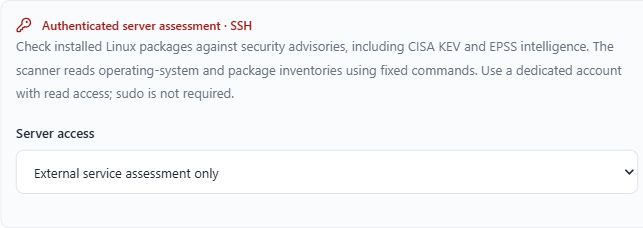
A dedicated account with read access. The scanner reads operating-system and package inventories using fixed commands, and sudo is not required.
Business and Consultant. Free and Professional do not include public server or authenticated Linux checks.
No. It covers Linux servers only. Windows authenticated scanning and logins to routers, switches or firewalls are not supported.
No. The self-service workflow supports authorized public individual server or IP assets. Private connectors and CIDR ranges are not part of the released scope.
No. It shows that an installed package version is affected by a published advisory. KEV and EPSS help you decide what to fix first, but they do not prove exploitation of your server.
No. It is not a configuration benchmark or compliance certification.
Choose Business with the IP / server asset type to add a public server and run an authenticated assessment. Agencies and consultants can use Consultant for client servers.
Assess my serverConsultant plan for client servers