
For small business
A small business website is a target because it often runs without a security team. ScanTitan checks your public website for known vulnerabilities and malware, explains each finding in plain language and shows what to fix first. Start with one website and one included security scan on the free plan.
Free includes one website and one included website security scan. Professional adds repeat scans at $119 per website place per year. Registering does not activate paid features.
Create free accountSee what a scan checksAttackers rarely pick a company by name. Automated tools scan the internet for known weaknesses, and a small business site with outdated software is as easy a target as any other. Most owners find out only when a browser shows a warning, search traffic drops or customers complain.
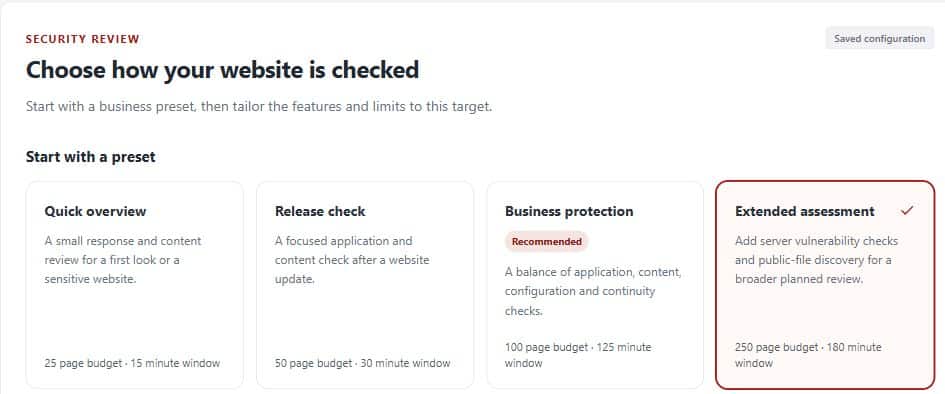
A scan looks at your site the way an outsider does and reports what it finds, ranked by severity.
Detected CMS, plugin, theme and library versions are matched to published advisories. See the WordPress, Drupal, Joomla and PHP scanners.
Content inspection and browser observation look for malicious code, redirects and downloads. See the website malware scan.
Files and configuration that should not be public are reported with guidance on how to fix them.
Each finding explains the problem and the fix, and you can re-scan to confirm it is closed.
Want a quick look first? Try the free Security Headers Checker, the SSL Certificate Checker or the Free Malware Scan.
Between scans, website plans check your site on a schedule. Basic monitoring is separate from the one included scan.
| Check | Free | Professional | Business |
|---|---|---|---|
| Availability | Every 12 hours | Hourly | Hourly |
| DNS | Hourly | Every 5 minutes | Every 5 minutes |
| TLS and domain | Daily | Daily | Daily |
| Malware | Weekly | Weekly | Weekly |
| Application vulnerabilities | Not included | Weekly | Weekly |
| Ports, reputation and defacement | Not included | Not included | Daily |
Alerts are grouped and unchanged repeats are suppressed. Alert delivery follows detection and is not guaranteed in real time. DNS frequency is not uptime frequency. See the Website Up-time Monitor.
Free includes one website and one included scan. Professional costs $119 per website place per year and adds repeat website scans. Business costs $155 per asset place per year and also covers public servers and APIs. All paid plans are billed annually. Compare them on the pricing page.
It is a service that checks a business website for known vulnerabilities, malware and risky settings, and reports what to fix. ScanTitan does this from the outside, without installing anything on your site.
No. Findings are ranked and each one explains the problem and the fix in plain language.
Yes. The Free plan includes one website and one included website security scan. Registering does not activate paid features.
Yes. It reports detected WordPress core, plugin and theme versions that match known vulnerabilities. See the WordPress vulnerability scanner.
It inspects content and observes how the page behaves in a browser. A clean result describes what was checked and is not a guarantee.
No. It reports problems and guidance. Cleaning an infected website is separate.
No. Scan only websites you own or are authorized to test.
Create a free account, add your website and run the included security scan.
Create free accountCompare plans