What Is Vulnerability Assessment in Cyber Security?
A vulnerability assessment is a systematic review of security weaknesses in an information system that evaluates whether that system is exposed to known vulnerabilities, assigns a severity level to each one, and recommends remediation. It answers a single question with evidence: where can an attacker get in? The assessment covers software flaws, misconfigurations, weak credentials, and outdated components across your web applications, servers, networks, and databases. Unlike a one-line security opinion, it produces a documented, prioritized list. A finding might read “unpatched Apache Struts instance, mapped to a known CVE, severity critical, patch available,” which a developer can act on the same day.
For web-facing assets, a website vulnerability scanner handles the repeatable detection layer of the assessment by checking for known vulnerabilities, exposed services, outdated software, and common configuration weaknesses before the findings are reviewed, validated, and prioritized.
Quick definitionVulnerability assessment (VA): the systematic discovery, evaluation, and reporting of security weaknesses, backed by a prioritized list of fixes. It is the foundation step of a wider vulnerability management program.
Why Vulnerability Assessments Matter?
Every new endpoint, plugin, and cloud service you add widens your attack surface, and attackers scan the internet for unpatched flaws within hours of disclosure. A vulnerability assessment closes that gap by finding the weaknesses first. The stakes are concrete: the global average cost of a data breach reached USD 4.44 million in 2025 according to widely cited industry research, and the 2017 Equifax breach traced back to a single unpatched vulnerability, CVE-2017-5638, that a routine assessment would have flagged. If you run a lean team with no dedicated security staff, a scheduled assessment is how you catch the critical few issues that actually matter without drowning in noise. Done consistently, an assessment program pays back in four concrete ways.
- Satisfy compliance mandates like PCI DSS and NIST SP 800-53, which explicitly require regular scanning and documented findings, so you avoid penalties and audit failures.
- Manage threats proactively by finding and fixing weaknesses before attackers reach them, which lowers the severity of any incident and speeds up your response.
- Accelerate remediation by feeding prioritized findings straight into patch management and IT workflows, so high-risk gaps close in hours rather than weeks.
- Protect stakeholder trust by showing customers, partners, and regulators that you actively safeguard the data they hand you.
How Vulnerability Assessments Map to Compliance
Most security and privacy frameworks do not just suggest vulnerability assessments, they require them, which makes a documented assessment report your evidence at audit time. If you process card payments, store customer data, or sell to regulated buyers, this mapping is the difference between passing and failing. The table below connects the most common frameworks to what a vulnerability assessment gives you. This is the compliance layer that generic definition pages skip, and it is exactly what an auditor asks to see when they request proof of regular technical testing.
| Framework | What it requires | How a vulnerability assessment satisfies it |
|---|---|---|
| PCI DSS (Req. 11.3) | Internal and external vulnerability scans at least quarterly and after any significant change | Provides the scheduled scan results and rescan evidence auditors ask for |
| ISO 27001:2022 (Annex A.8.8) | Management of technical vulnerabilities across systems | Documents discovery, evaluation, and remediation of each weakness |
| GDPR (Article 32) | Appropriate technical measures, including regular testing of security effectiveness | Demonstrates ongoing testing of the systems that process personal data |
| NIST SP 800-53 (RA-5) | Vulnerability monitoring and scanning | Supplies the recurring scan cadence and findings record |
Types of Vulnerability Assessment Scans:
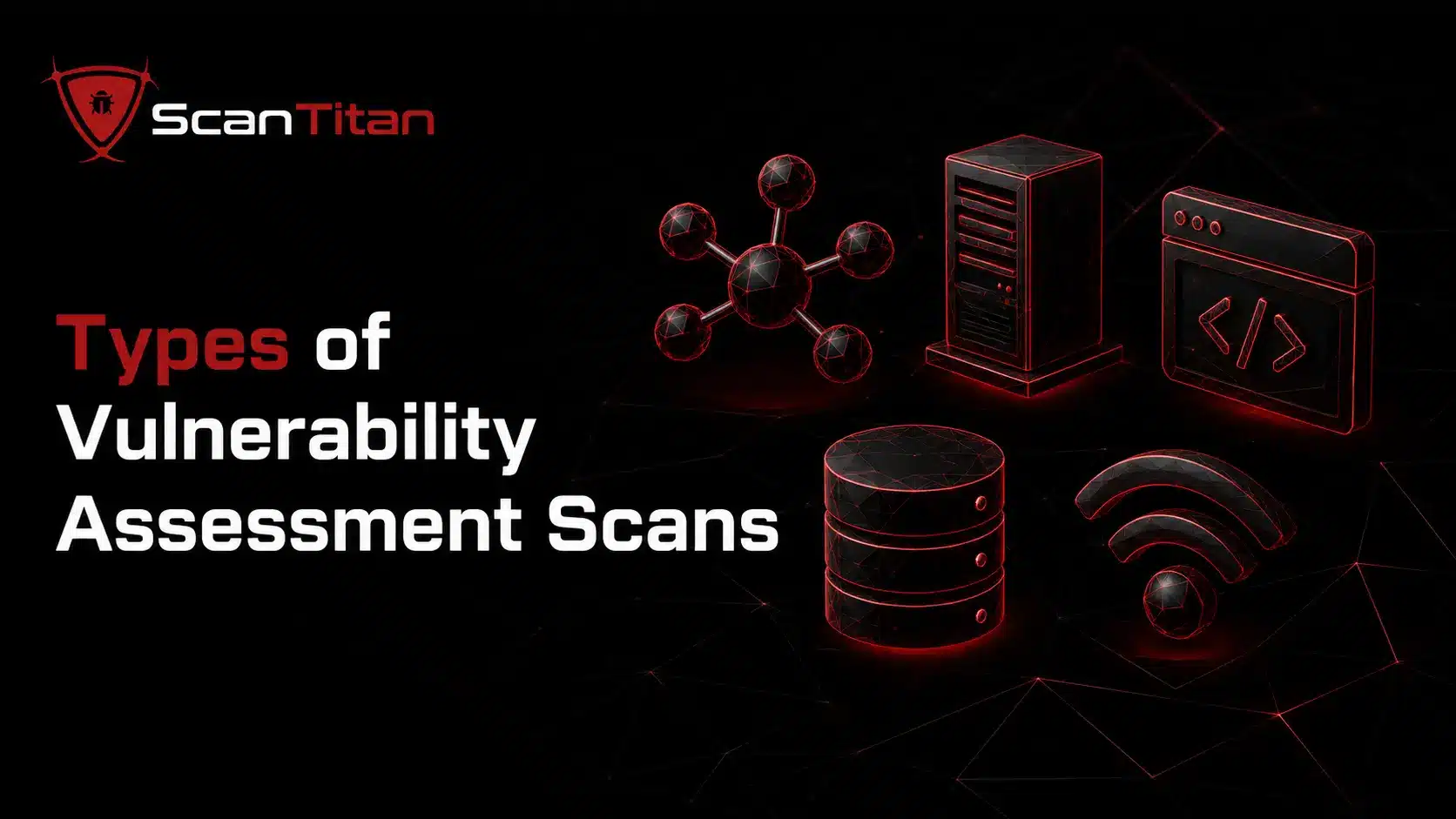
A complete vulnerability assessment combines several scan types, because each one looks at a different layer of your environment and no single scan sees everything. Run the ones that match your assets: a payment web app needs an application scan and a database scan, while an office network needs a network scan and a wireless scan. The five types below are the core set.
Web application assessment is where most organisations start, because the website is the piece of infrastructure the entire internet can reach. A website security scanner handles this layer.
Network-Based Scan
A network-based scan probes your internal and external network infrastructure for weaknesses that an attacker could reach across the wire. It maps live hosts, open ports, and running services, then flags issues like exposed remote-access ports, insecure protocols such as outdated TLS, and services running versions with known CVEs. An external network scan shows what an attacker sees from the public internet, while an internal scan models what a threat actor could reach after breaching the perimeter. For most organizations this is the starting point, because it catches the exposed, internet-facing gaps that get exploited first and it feeds every other layer of the assessment.
Host-Based Scan
A host-based scan focuses on individual systems, such as servers, workstations, and operating systems, usually with an agent or authenticated access that sees each machine from the inside. Because it logs in rather than probing from outside, it detects issues a network scan cannot: missing operating-system patches, unauthorized or outdated software, weak local configurations, and risky user permissions. This depth matters for critical servers, where a single unpatched service or a default credential can hand an attacker full control. Host-based scanning also reduces false positives, since authenticated access confirms whether a flagged version is genuinely installed rather than guessing from a banner.
Application Scan (DAST)
An application scan tests your web applications and their inputs for exploitable flaws, most often using DAST (Dynamic Application Security Testing), which examines the running application from the outside with no source code required. It crawls the app, submits crafted inputs, and confirms weaknesses like SQL injection, cross-site scripting (XSS), broken authentication, and insecure defaults, many of them in the OWASP Top 10. Because it tests the live application the way an attacker would, DAST catches issues that only appear at runtime, including problems introduced by third-party components. For any site that handles logins, payments, or personal data, the application scan is non-negotiable, since the web layer is where most opportunistic attacks land.
Database Scan
A database scan assesses your databases and data stores for the misconfigurations and weaknesses that lead directly to data theft. It checks for default or weak credentials, excessive user privileges, unpatched database engines, weak encryption settings, and rogue or forgotten instances sitting in dev and test environments. Because databases hold the sensitive records attackers actually want, from payment details to personal information, a single insecure instance can turn a minor breach into a reportable data loss. The scan also classifies where sensitive data lives, which helps you prioritize remediation and prove to auditors that regulated data is protected under frameworks like PCI DSS and GDPR.
Wireless Network Scan
A wireless network scan assesses your Wi-Fi networks and access points for the weaknesses that let an attacker slip onto your network without ever touching the wired perimeter. It looks for rogue or unauthorized access points, weak or outdated encryption such as WEP or misconfigured WPA2, default router credentials, and poor network segmentation that lets guest traffic reach internal systems. Because a wireless signal reaches beyond your walls, an attacker sitting in the parking lot can probe it, which makes this layer easy to overlook and costly to ignore. For any office with staff or guest Wi-Fi, a wireless scan closes a gap that network, host, and application scans never see.
Read More: 12 Types of Website Security Vulnerabilities (and How to Fix Each One).
Vulnerability Assessment vs Vulnerability Management
People use these terms interchangeably, but they are not the same, and the difference matters when you plan a security budget. A vulnerability assessment is a point-in-time activity that produces a report. Vulnerability management is the continuous program that assessment sits inside, extending into remediation, verification, and governance over time. Put simply, the assessment tells you what is wrong today; management makes sure those issues get fixed and stay fixed. The table below draws the line clearly.
| Vulnerability Assessment | Vulnerability Management | |
|---|---|---|
| Nature | Point-in-time review | Continuous, ongoing program |
| Output | A prioritized findings report | A closed-loop process with SLAs |
| Scope | Discover, evaluate, prioritize | Assess, remediate, verify, govern |
| Frequency | Scheduled or on demand | Always on |
| Answers | What is wrong right now? | How do we keep it fixed over time? |
The 5 Step Vulnerability Assessment Process
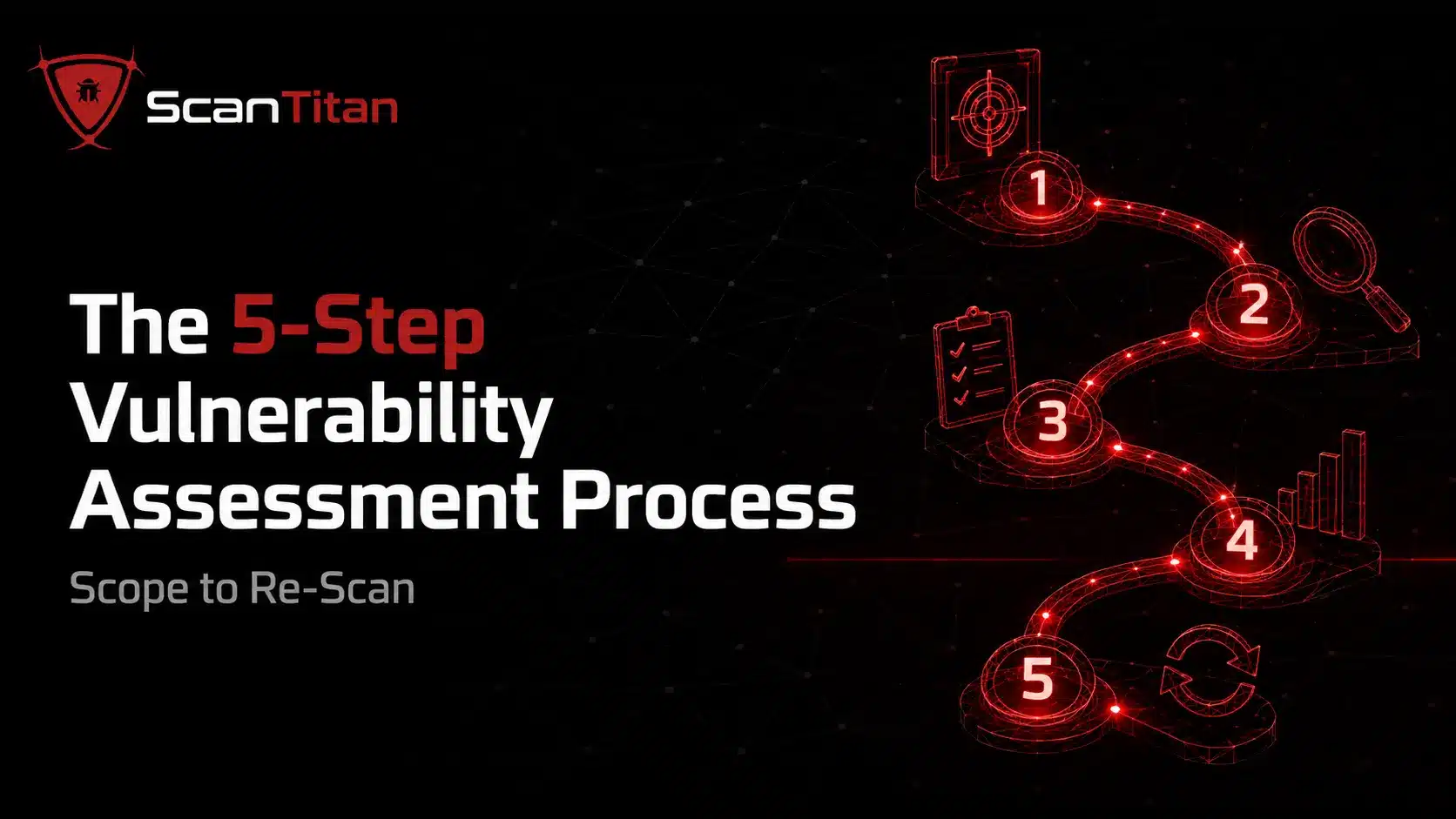
A vulnerability assessment follows a repeatable five-step process, and the value comes from running every step, not just the scan in the middle. Skipping the scoping step leaves blind spots; skipping the final re-scan means you never actually confirm the fix worked. Work through the steps in order.
01
Scoping and Asset Inventory
Define what you are testing before you test it, because you cannot assess an asset you have not listed. Inventory every in-scope website, server, IP range, application, and database, then note who owns each one and what data it holds. This step catches shadow IT, the forgotten staging server or unmanaged subdomain that never appears in a scan cycle and becomes an attacker’s easiest way in. Agree the rules of engagement too: which systems are in scope, which are off-limits, and the testing window. A precise inventory is what separates a thorough assessment from one that quietly misses your most exposed asset.
02
Automated Vulnerability Testing
Run your scanners against every asset in scope to build a comprehensive list of weaknesses. The tools compare each system against updated vulnerability databases, checking for known CVEs, missing patches, misconfigurations, and weak TLS, then combine network, host, application, and database scans for full coverage. Automation does the heavy lifting here, testing hundreds of endpoints in the time a human would spend on one. Authenticated scans go deeper than unauthenticated ones, so use credentials where you can. The output of this step is raw and noisy on purpose; the next two steps turn that raw list into an action plan you can actually work through.For the scanning step, our review of ten vulnerability scanners explains who each one suits and what it costs.
03
Risk Prioritization (CVSS-Based)
Rank the findings by real risk so your team fixes the issues that matter first. Most teams start with the CVSS (Common Vulnerability Scoring System) score, which rates severity from 0 to 10, but a raw score is only half the picture. Weight each finding by exposure and exploitability: a medium-severity flaw on your public login page is more urgent than a critical one on an isolated internal box with no known exploit. Layer in context like whether the asset is internet-facing, whether public exploit code exists or the flaw appears on the CISA Known Exploited Vulnerabilities catalog, and what data is at stake. This step is where a good assessment earns its keep, turning a list of hundreds into a shortlist of the few that need action now.
04
Reporting
Document the findings in a vulnerability assessment report that both engineers and executives can use. For each issue, record what it is, where it lives, its severity and CVSS score, the evidence that confirms it, and a clear remediation step. A strong report separates a technical appendix for the people applying fixes from a summary for leadership that shows risk trends and compliance status. This is also your audit artifact: the documented proof that satisfies PCI DSS, ISO 27001, and GDPR requirements for regular testing. A finding without a fix and an owner is just noise, so every entry should name what to do and who does it.
05
Remediation and Re-Scan
Fix the prioritized issues, then scan again to prove the fix worked, because remediation you never verify is remediation you cannot trust. Security, development, and operations teams close each gap through patching, configuration changes, or compensating controls like a web application firewall for issues that cannot be patched immediately. The step most teams skip is the re-scan: rerunning the assessment against the remediated assets to confirm the vulnerability is genuinely gone and that the fix introduced no new problems. Without this verification loop you are guessing. A vulnerability assessment is not a one-off event, so operationalize it and repeat the whole cycle at regular intervals.
The re-scan is the step attackers hope you skip. A patch that was deployed but never verified is indistinguishable, from the outside, from a patch that was never deployed at all.
What Are the Different Types of Vulnerability Assessment Tools?
Vulnerability assessment tools automatically scan your systems for known and emerging weaknesses, and most programs combine several because each type covers a different layer. Effective assessments pair these tools with threat intelligence and human analysis: automation accelerates discovery, but skilled people interpret results, filter false positives, and confirm fixes. The eight categories below are the ones you will actually mix and match, from broad scanners to the platforms that add context.
Network & Protocol Scanners
Map live hosts, open ports, and running services, then flag insecure protocols and versions with known CVEs across internal and external infrastructure.
Web Application Scanners (DAST)
Crawl your live web apps and simulate real attacks like SQL injection and XSS, plus authentication and session checks, with no source code required.
Host & Agent-Based Scanners
Log into servers and workstations for authenticated, inside-out checks on missing patches, unauthorized software, and weak local configurations.
Database Scanners
Inspect databases for default credentials, excessive privileges, weak encryption, and rogue instances, and classify where sensitive data lives.
Patch Management Tools
Automate remediation by applying updates across distributed systems, addressing the highest-risk assets first when fed by your assessment data.
Threat Intelligence Platforms
Add real-world context by connecting each finding to active exploits and campaigns, so you fix what attackers are actually using right now.
Attack Surface Management (ASM)
Continuously discover external-facing assets, including shadow IT and forgotten subdomains that fall outside your scheduled scan cycles.
Open Source Utilities
Offer flexible, low-cost coverage for specialized scans and custom integrations, at the cost of more manual setup and ongoing maintenance.
Whatever mix you choose, the quality gap lives in accurate asset discovery and smart prioritization, not in the raw number of checks. A tool that finds your full footprint and ranks the three findings that matter beats one that dumps three hundred you cannot triage.
Watch for false positivesAutomated tools flag issues that pose little real-world risk, and that noise causes alert fatigue on lean teams. Validate findings, or choose a scanner that ships proof with each result, so your team spends time fixing rather than second-guessing.
Read More: Vulnerability Scanning vs Penetration Testing: What’s the Difference (and Which Do You Need)?
Challenges in Vulnerability Assessment
Even a well-run vulnerability assessment hits operational and technical friction, and knowing the common challenges up front is how you design around them instead of getting blindsided. The four below trip up most teams, especially lean ones with no dedicated security staff.
- Triage a high volume of findings: large environments surface thousands of issues, many low-risk or duplicated, so without clear prioritization teams stall or overlook the critical few.
- Filter false positives and fight alert fatigue: automated tools flag issues that carry little real-world risk, draining time and eroding trust until validation crowds out actual fixing.
- Close blind spots from shadow IT: unmanaged endpoints and third-party apps fall outside regular scans, and those unseen assets become an attacker’s easiest way in.
- Bridge operational disconnects: when security and IT operations work in silos, even clearly identified vulnerabilities sit unpatched far longer than they should.
How Often Should You Run a Vulnerability Assessment?
Run a vulnerability assessment on a regular schedule and after every significant change, because your attack surface shifts every time a developer ships code or a new CVE drops. A once-a-year scan leaves long windows of exposure that attackers are happy to use. Treat compliance minimums as a floor, not a target.
- Scan at least quarterly to meet PCI DSS and align with most security frameworks.
- Reassess after any significant change: a deployment, a new plugin or dependency, or an infrastructure update.
- Trigger an out-of-cycle assessment whenever a major CVE hits the news for software you run.
- Move toward continuous scanning if you ship often, since quarterly cannot keep pace with daily disclosures.
Common Questions About Vulnerability Assessments
What is the difference between a vulnerability assessment and a penetration test?
A vulnerability assessment is broad and mostly automated: it finds and catalogs known weaknesses across your whole environment, like a routine inspection of a building’s doors and windows. A penetration test is narrow and human-led: an ethical hacker actively tries to exploit and chain those weaknesses to prove real impact. Most organizations run assessments regularly and schedule penetration tests at key moments, such as before a product launch or after a major change.
How long does a vulnerability assessment take?
An automated scan can return initial findings in minutes to hours, depending on how many assets are in scope. The full cycle, including scoping, prioritization, reporting, remediation, and the re-scan, typically runs from a few days to a couple of weeks. Larger or more complex environments take longer, mainly in the prioritization and remediation stages rather than the scan itself.
Is a vulnerability assessment required for compliance?
Yes, for most frameworks. PCI DSS requires internal and external scans at least quarterly and after significant changes, ISO 27001 Annex A.8.8 requires management of technical vulnerabilities, GDPR Article 32 requires regular testing of security measures, and NIST SP 800-53 control RA-5 requires vulnerability scanning. A documented assessment report is the evidence auditors ask to see.
What is CVSS and how is it used in a vulnerability assessment?
CVSS, the Common Vulnerability Scoring System, rates the severity of a vulnerability from 0 to 10. Assessments use it as a starting point for prioritization, but a score alone is a weak signal. The strongest programs combine the CVSS score with context like whether the asset is internet-facing, whether public exploit code exists, and what data is at risk, so the truly urgent issues rise to the top.
Can I run a vulnerability assessment myself?
Yes. With a scanner and a clear asset inventory, a small team can run network, host, application, and database scans and work through the five-step process. The parts that take skill are prioritizing findings accurately and validating false positives. Many lean teams automate the broad scanning and learn to check a website for vulnerabilities manually to complement it, bringing in outside help only for penetration testing.
How much does a vulnerability assessment cost?
It varies widely. Automated scanning platforms run on a recurring subscription and are the cost-effective way to get continuous coverage, while a one-off assessment delivered by a consultancy is priced per engagement and costs more. For most small and mid-size organizations, a scheduled automated assessment paired with occasional expert review gives the best coverage for the budget.