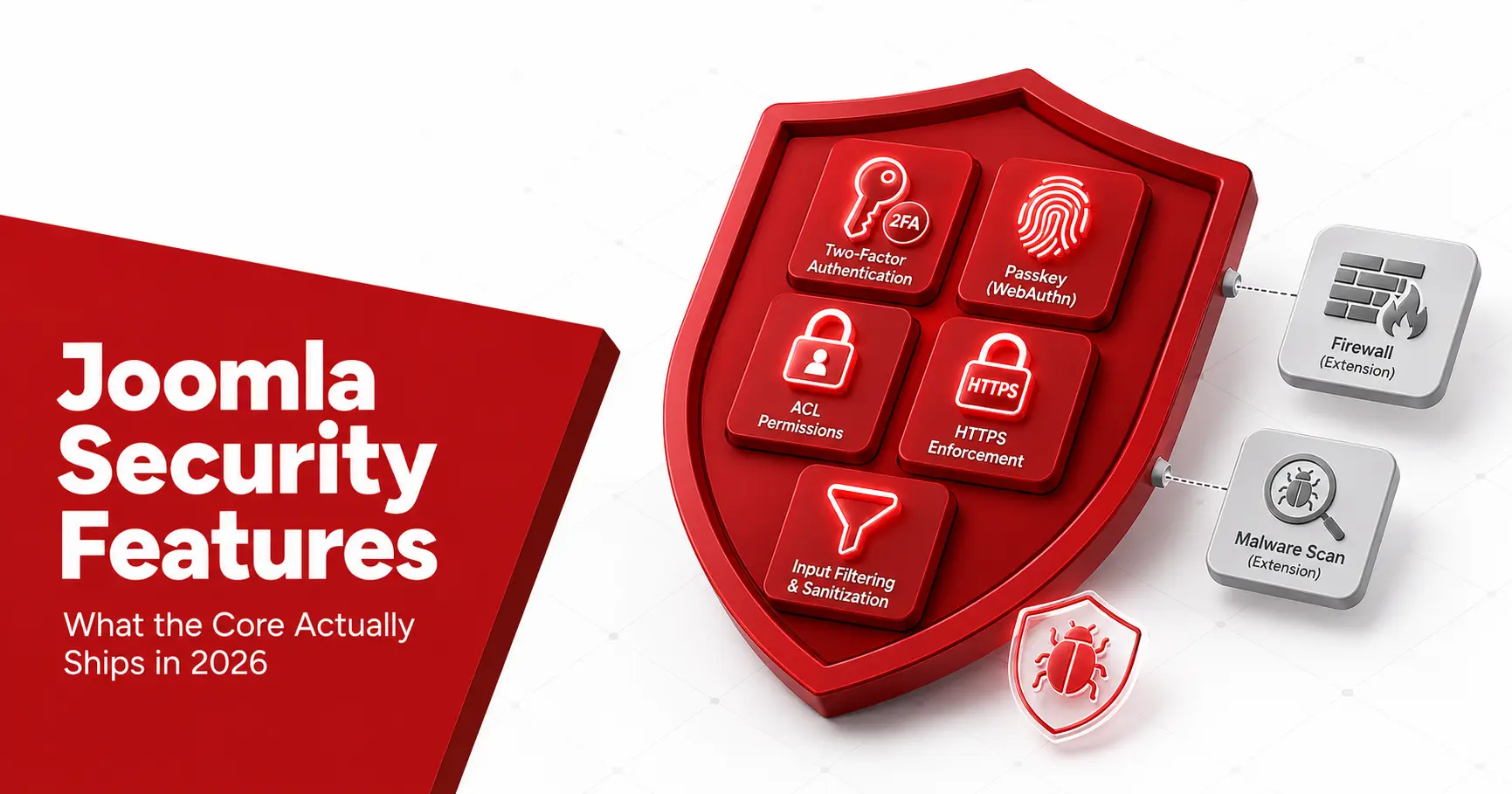
Joomla security features are one of the platform’s real advantages: the core ships controls that most content management systems leave to plugins. Out of the box you get two-factor authentication, granular access control, forced HTTPS, input filtering, and a dedicated Security Strike Team behind the code. This guide walks through every built-in feature Joomla 4, 5, and 6 provide, how to turn each one on, where its limits are, and which protections you still have to add with an extension. No fluff, just what the core actually gives you.
Short answerJoomla’s built-in security features include two-factor authentication with WebAuthn passkeys, access control levels, bcrypt password hashing, forced HTTPS, input Text Filters, a Content Security Policy through the System HTTP Headers plugin, brute-force rate limiting, and user action logging, all backed by the Joomla Security Strike Team. A firewall and malware scanning are the main protections you add with an extension.
What security features does Joomla include?
Joomla ships a security baseline that most content management systems leave to third-party plugins, which is a large part of why the platform has a strong reputation. The core covers authentication, authorisation, data protection, and monitoring in one package: two-factor authentication, granular access control levels, bcrypt password hashing, forced HTTPS, input filtering, security headers, brute-force protection, and audit logging. Behind all of it sits the Joomla Security Strike Team, which patches core flaws and publishes advisories. What the core does not include is a full firewall or a malware scanner, which you add through an extension. The sections below take each feature in turn: what it does, how to switch it on, and where its limits are.
Authentication: two-factor, MFA, and WebAuthn passkeys
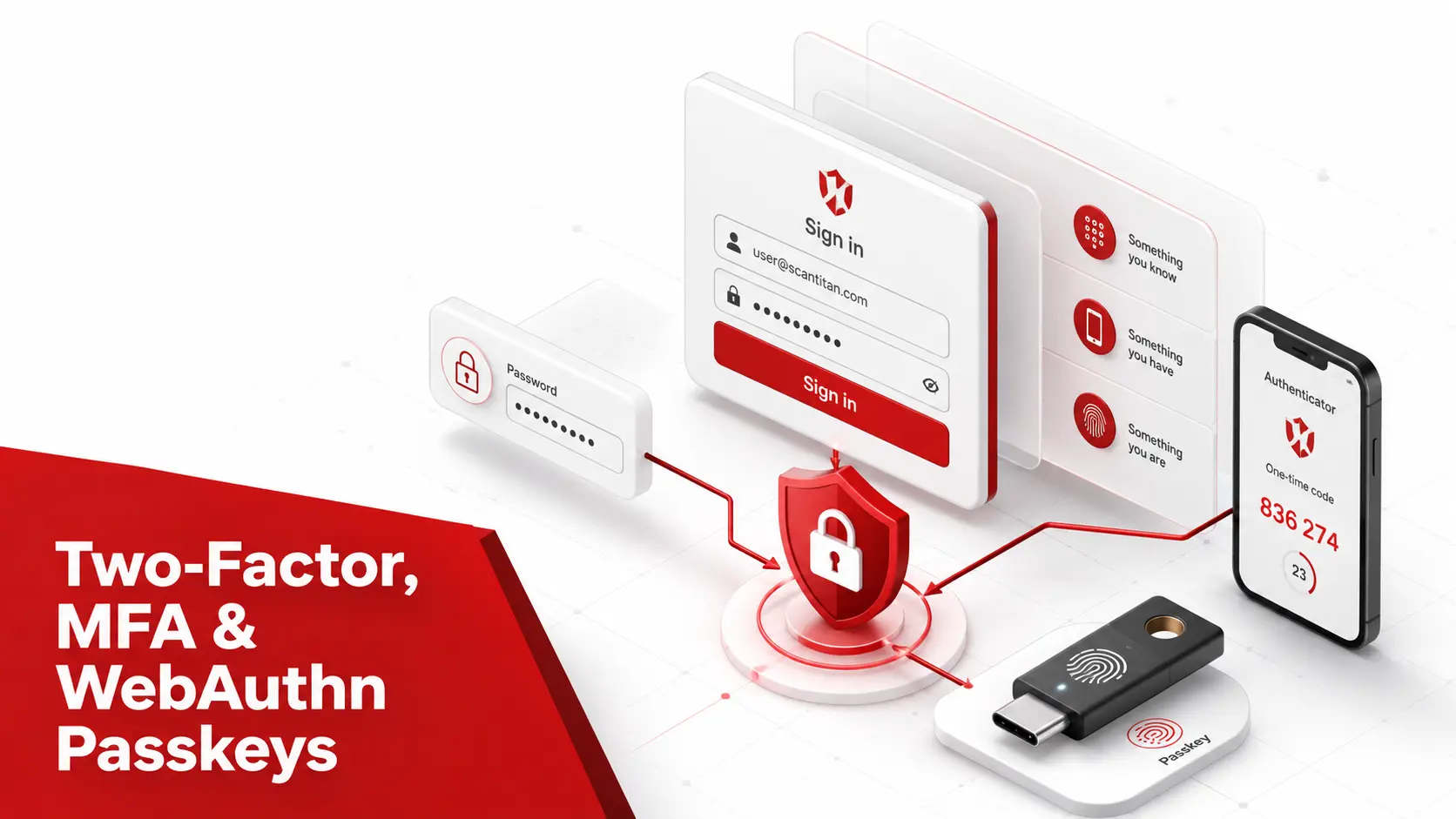
Joomla’s strongest single feature is built-in multi-factor authentication, and it now goes well beyond one-time codes.
- Enable two-factor authentication (2FA). Joomla supports time-based one-time passwords through an authenticator app, set per user under account settings, so an admin account survives a leaked password.
- Register a WebAuthn passkey. Joomla 4 added WebAuthn, letting administrators log in with a hardware key, a fingerprint, or a device passkey instead of a shared secret.
- Require it across a user group. Administrators can enforce multi-factor authentication for a whole group, so every editor and manager must set it up rather than opting out.
- Add a backup method. Joomla lets each account hold more than one method, so a lost phone does not lock an administrator out of the site.
Enforcing multi-factor authentication on every privileged account is the highest-value control on this page, because it defeats the credential-stuffing and brute-force attacks that target the login page first.
Access Control Levels: granular permissions
Joomla’s access control levels (ACL) decide exactly what each user group may see and do, and the system is more granular than the role model most platforms offer. You define user groups, assign each group a set of permissions across the site, components, and individual items, then attach viewing access levels that control who sees what on the front end. The practical security payoff is containment: an editor account that an attacker phishes cannot install extensions, edit templates, or reach Global Configuration, because those actions sit behind Super User permissions the group never had. Configured well, ACL turns a single compromised account from a full breach into a limited one. The one caution is complexity, since a misconfigured group can grant more than you intended, so review your permission map whenever you add a group or a contributor.
Password and session security
Underneath the login screen, Joomla applies several protections that a site owner never has to configure but should understand.
- Hash passwords with bcrypt. Joomla stores credentials using strong, salted hashing, so a stolen database does not hand an attacker usable plaintext passwords.
- Rate-limit login attempts. Joomla 4 and 5 added brute-force protection that slows repeated failed logins, blunting automated password-guessing against the administrator page.
- Manage sessions safely. Improved session handling in recent releases shortens the window for session hijacking and ties sessions more tightly to their origin.
- Set password requirements. Administrators can require a minimum password length and complexity for user accounts, raising the floor for every login on the site.
None of these need an extension, and together they close the most common path onto a site: a weak or reused administrator password guessed at scale.
HTTPS and the System HTTP Headers plugin
Joomla protects data in transit and hardens the browser side through two core settings that many sites never switch on. Force SSL lives in Global Configuration and redirects all traffic to HTTPS, encrypting the connection between a visitor and the site so credentials and session cookies cannot be read in transit. The System HTTP Headers plugin, shipped in Joomla 4 and later, then sets the security headers that modern browsers act on: a Content Security Policy (CSP) that limits where scripts may load from and blunts the Joomla XSS vulnerability class, HTTP Strict Transport Security to lock the site to HTTPS, and headers such as X-Frame-Options that stop clickjacking. Enabling both takes minutes and closes a category of attack that no amount of patching addresses, which makes them among the easiest wins in the whole feature set.
Input filtering: the Text Filters
Joomla’s Text Filters are a preventive control aimed squarely at injection, and they live in Global Configuration under Text Filters. You set, per user group, how much HTML each group may submit: no HTML at all for the public, a limited safe set for contributors, and full HTML only for administrators you trust. The goal is to stop an untrusted contributor from saving a script or a dangerous tag that later runs against other visitors, which is the stored path behind both cross-site scripting and, in older cases, Joomla SQL injection. Used properly, the filters keep raw markup out of the hands of accounts that have no reason to post it. Their limit is important to state plainly: several past advisories were filter bypasses, so the Text Filters reduce risk rather than remove it, and developers must still escape output in their own code.
CAPTCHA and spam protection
Joomla also ships defences aimed at the automated traffic that never tries a real login.
- Turn on CAPTCHA. Joomla includes a CAPTCHA plugin framework, so you can require a challenge such as reCAPTCHA on login and registration forms to stop bots.
- Filter spam registrations. Combined with CAPTCHA, Joomla’s registration controls and email verification cut the fake accounts attackers use to plant content.
- Restrict the login page. Pair CAPTCHA with login IP restrictions or a renamed administrator path to shrink the surface automated tools hammer.
None of these stop a determined human, but they remove the constant background noise of automated abuse that would otherwise fill your logs and your database.
Monitoring: user action logs and error handling
Prevention is only half of security; Joomla also gives you the visibility to notice when something is wrong. The User Actions Log, built into the Joomla 4 and 5 backend, records who did what: logins, content changes, extension installs, and user edits, so an unexpected Super User or a strange install shows up in a place you can review. Joomla also lets you set error reporting to a production-safe level, so a visitor never sees a raw stack trace or database error that would hand an attacker a map of your stack. Neither feature blocks an attack on its own, but both shorten the time to detect one, and detection time is often the difference between a contained incident and a full compromise. For a lean team, an audit log you actually read is worth more than a control you configure once and forget.
Developer-facing security features
Beyond the settings a site owner sees, Joomla gives developers an API built to make secure extensions the default path.
- Block CSRF with form tokens. Joomla requires a one-time token on form submissions, and a token check defeats cross-site request forgery (CSRF), where a crafted page tries to make a logged-in admin perform an action unknowingly.
- Filter input through the API. The JInput and JFilterInput layers clean incoming data by type, so a developer asks for an integer or a string and gets a filtered value rather than raw input.
- Build safe queries. The Joomla query builder supports prepared statements and parameter binding, the defence against injection that Joomla’s secure coding guidelines set out.
- Escape output by default. Helper methods such as the view escaper encode output for its context, closing the cross-site scripting path before it opens.
These features never appear in a settings screen, but they are why a well-written Joomla extension resists the two most common web flaws by design.
Updates and the Joomla Security Strike Team
The most important security feature is the one that keeps every other one current. Joomla ships one-click updates for the core and for extensions, plus update notifications that flag a new release from the backend, so patching is a button rather than a project. Behind that sits the Joomla Security Strike Team, which runs responsible disclosure, patches core flaws, and publishes a Joomla Security Announcement once a fix is available. Extension issues are tracked separately on the community Vulnerable Extensions List, which names risky add-ons even when their authors have gone quiet. Together these give you a trustworthy feed of exactly what to update and when, and they are the reason serious core flaws stay rare and short-lived. Our wider assessment of whether Joomla is secure leans heavily on this record.
Security features you add with extensions
The core is strong on prevention but deliberately light on detection and firewalling, so a hardened Joomla site usually adds a few extensions.
- Add a web application firewall (WAF). Akeeba Admin Tools and RSFirewall filter malicious requests, add a security toolkit, and block common attack patterns the core does not.
- Run malware and vulnerability detection. The core ships no native malware scanner, so pair the site with a Joomla vulnerability scanner for known-flaw detection, and use dedicated malware removal if a site is already infected.
- Strengthen the login page. A CAPTCHA extension and login IP restrictions cut automated attacks against the administrator area.
- Automate off-site backups. Akeeba Backup or a host-level solution keeps clean copies, turning a breach into a restore rather than a rebuild.
Read the honest line here: these are add-ons, not core features, and any comparison claiming Joomla ships native malware scanning is wrong.
How to turn on Joomla’s security features
Most of these controls are off or unconfigured on a fresh install, so a short setup pass is worth the time.
- Enforce multi-factor authentication. Turn on 2FA for your own account, then require it for the administrator and manager groups.
- Force HTTPS. Set Force SSL to the entire site in Global Configuration once a certificate is installed.
- Enable the security headers. Switch on the System HTTP Headers plugin and configure a Content Security Policy for your site.
- Set the Text Filters. Restrict HTML to trusted groups and give the public no HTML at all.
- Tighten error reporting. Set error reporting to none or system default so production leaks no stack traces.
- Review access control. Confirm each group holds only the permissions it needs, and remove unused accounts.
Work this list once at launch, revisit it after any major change, and the full routine in how to secure your Joomla website covers what to add beyond the core.
Joomla security features at a glance
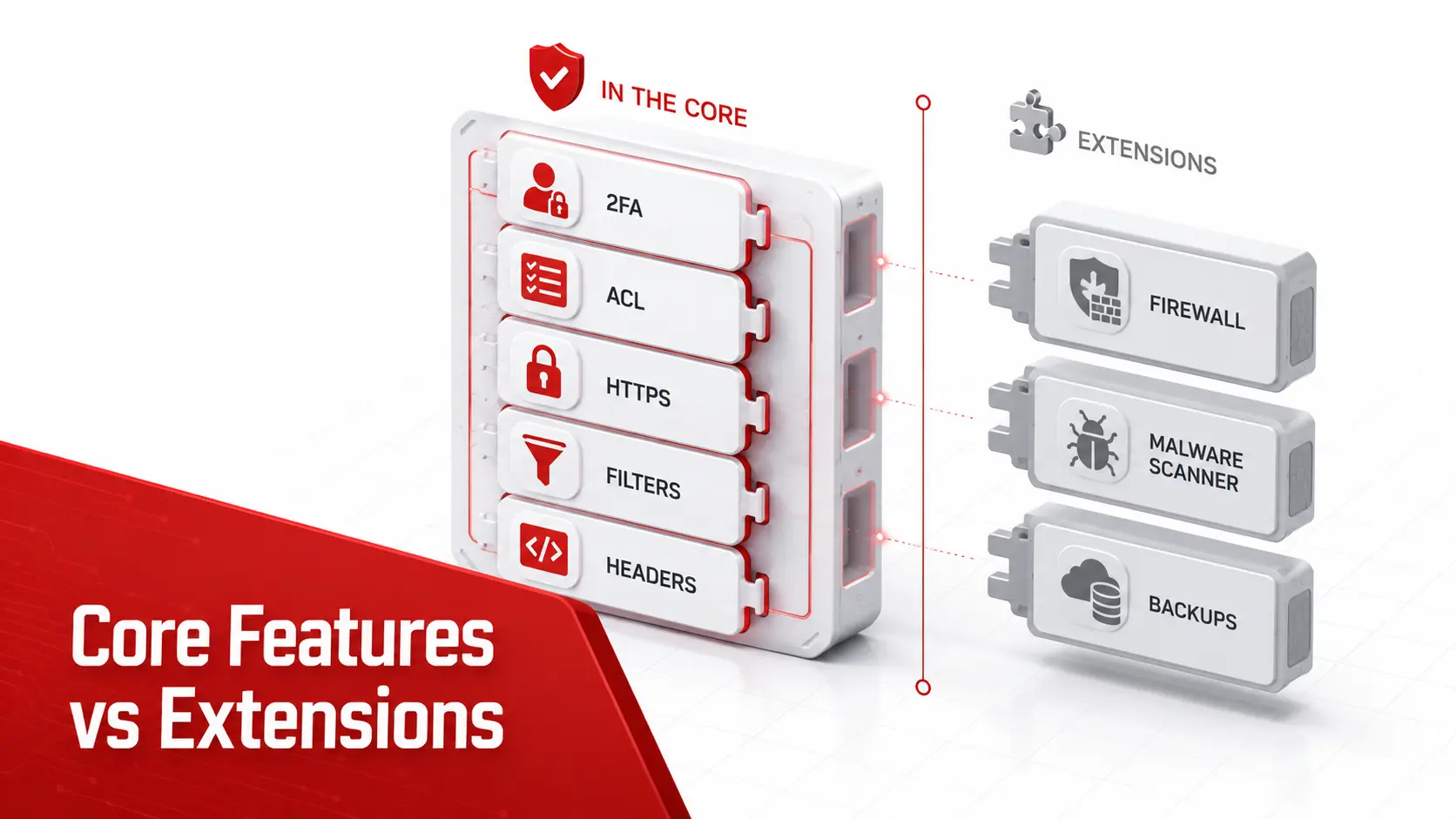
Here is the whole built-in feature set in one view, with where each control lives and what it defends against.
| Feature | Core or extension | Where to enable | Defends against |
|---|---|---|---|
| Multi-factor authentication | Core | Account settings | Credential theft, brute force |
| Access control levels | Core | Users, Access Levels | Privilege escalation |
| bcrypt password hashing | Core | Automatic | Database credential theft |
| Force SSL | Core | Global Configuration | Traffic interception |
| Security headers and CSP | Core | System HTTP Headers plugin | XSS, clickjacking |
| Text Filters | Core | Global Configuration | Stored XSS |
| Rate limiting | Core | Automatic (Joomla 4+) | Brute force |
| CSRF tokens | Core | Automatic | Cross-site request forgery |
| User Actions Log | Core | Users, User Actions Log | Slow detection |
| Web application firewall | Extension | Admin Tools, RSFirewall | Malicious requests |
| Malware scanning | Extension or service | Scanner | Post-breach detection |
Read down the middle column and the pattern is clear: almost every preventive control ships in the core and takes minutes to switch on, while detection and firewalling are the deliberate add-ons. A site that enables the core rows and adds the two extension rows has covered the ground that matters most.
What Joomla’s built-in features do not cover
An honest feature list includes the gaps, because assuming the core does everything is how sites get caught. Joomla does not ship a full web application firewall, native malware scanning, off-site backups, or continuous vulnerability monitoring; each is an extension or an external service. The core also cannot vet the third-party extensions you install, which remain the largest source of real risk, or protect a site running an end-of-life version that no longer receives fixes. Those gaps are the recurring Joomla security issues that decide whether a site holds up, and they are also where Joomla’s stronger defaults still leave work to do compared with the plugin-driven model discussed in our Joomla vs WordPress security guide. The core gives you an excellent foundation; the rest is operational discipline.
Joomla hardens the application. It cannot tell you that a staging subdomain is publicly reachable or that an old TLS version is still enabled, which is what an external site scanner is for.
Frequently asked questions
What security features does Joomla have by default?
Joomla core ships two-factor authentication, including WebAuthn passkeys, granular access control levels, bcrypt password hashing, forced HTTPS, configurable input Text Filters, a System HTTP Headers plugin for a Content Security Policy, rate limiting against brute force, user action logging, and one-click updates backed by the Joomla Security Strike Team. That is a stronger built-in baseline than most content management systems provide.
Does Joomla have two-factor authentication built in?
Yes. Joomla supports multi-factor authentication in core, including time-based one-time codes and WebAuthn passkeys, and you can enforce it on administrator and privileged accounts. It is enabled per user under account settings, and administrators can require it for whole user groups. Turning it on for every admin is the single highest-value Joomla security feature to enable.
Does Joomla include a firewall or malware scanner?
Not in the core, and any article claiming otherwise is wrong. Joomla ships input filtering, security headers, and access control, but not a full web application firewall or a native malware scanner. For those, most sites add an extension such as Akeeba Admin Tools or RSFirewall, a cloud firewall, or a dedicated vulnerability scanner. The core gives you strong preventive controls; detection tools are an add-on.
What is the Joomla Text Filter and what does it protect against?
The Text Filters in Global Configuration control which HTML each user group may submit, which limits stored cross-site scripting from untrusted contributors. You set them per group, from no HTML for the public up to full HTML for trusted administrators. They reduce risk but are not a complete defence, since several past flaws were filter bypasses, so developers still need to escape output.
Are Joomla’s built-in security features enough on their own?
For a simple site kept fully updated, the core features cover most of the risk. For a store, a site with many contributors, or one holding personal data, you should add a web application firewall, scheduled vulnerability scanning, and off-site backups on top of the built-in controls. The core is a strong foundation, not a complete security programme by itself.
Which Joomla version has the best security features?
The current supported lines. Joomla 4 introduced WebAuthn, improved multi-factor authentication, and better session handling; Joomla 5 refined password hashing and defaults; and Joomla 6, released in 2025, carries that forward. Joomla 3 and Joomla 4 are now end of life, so the strongest and safest feature set lives in Joomla 5 or 6.
Does Joomla have CSRF protection?
Yes, in core. Joomla requires a one-time security token on form submissions, and its token check is the built-in defence against cross-site request forgery, where an attacker tries to make a logged-in administrator perform an action unknowingly. Extension developers inherit this protection when they use Joomla’s form and request APIs, which is why it works across most of the platform without any configuration.
How do I enable security headers in Joomla?
Enable the System HTTP Headers plugin in the Plugins manager, then configure it to send a Content Security Policy, HTTP Strict Transport Security, and headers such as X-Frame-Options. Start the Content Security Policy in report-only mode so you can see what it would block before enforcing it, then switch it to enforcing once your site loads cleanly. It ships with Joomla 4 and later.
Is WebAuthn supported in Joomla?
Yes. Joomla 4 added WebAuthn, so administrators can log in with a hardware security key, a fingerprint, or a device passkey instead of a password. It is set up per account alongside the other multi-factor methods. Passkeys are the strongest login option Joomla offers, because there is no shared secret for an attacker to phish or guess.
Does Joomla log user activity?
Yes. The User Actions Log in the Joomla 4 and 5 backend records logins, content changes, extension installs, and user edits, so unexpected activity is visible in one place. It does not block anything on its own, but it shortens how long a compromise goes unnoticed. Reviewing it regularly, or forwarding it to a monitoring tool, turns it from a record into an early warning.
Want to know whether your Joomla security features are actually configured and your extensions are patched? Run a scan for an evidence-backed answer specific to your site.