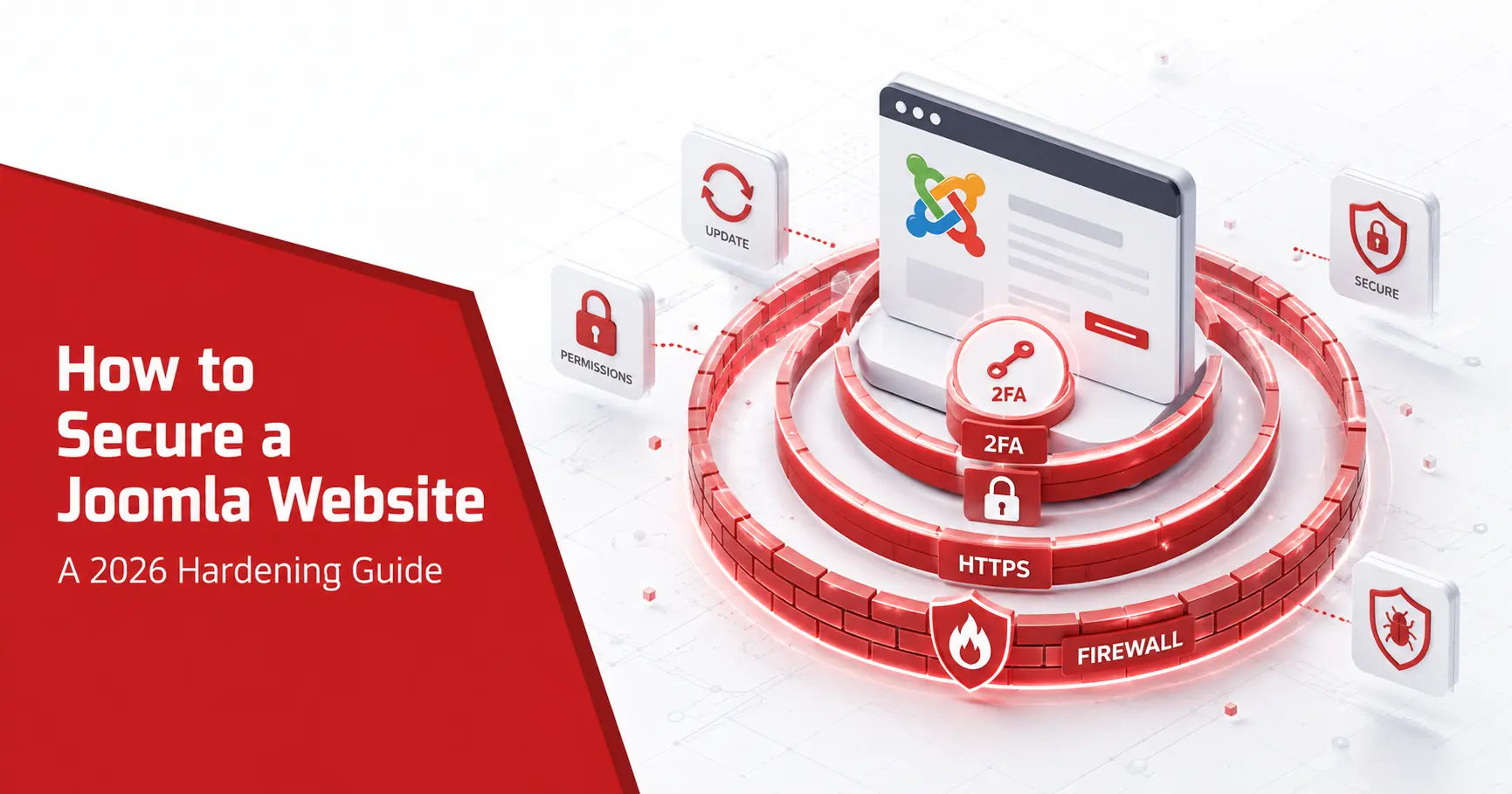
Learning how to secure Joomla website comes down to a short list of controls applied in the right order, not a hundred obscure tweaks. Patch first, lock down the login, apply least privilege, force HTTPS, harden the server, cut your extension count, and scan on a schedule. Most hacked Joomla sites fall to one skipped basic, an outdated core, a weak admin password, or an abandoned extension, so this guide works through each step in priority order, with the exact backend path and the reason it matters.
Short answerTo secure a Joomla website, work in priority order: update the core and extensions, enforce two-factor authentication and a strong admin login, apply least privilege with access control levels, force HTTPS and set security headers, harden file permissions and the server, remove unused extensions, add a web application firewall, back up off-site, and scan on a schedule. The basics, done consistently, stop the overwhelming majority of attacks.
How do you secure a Joomla website?
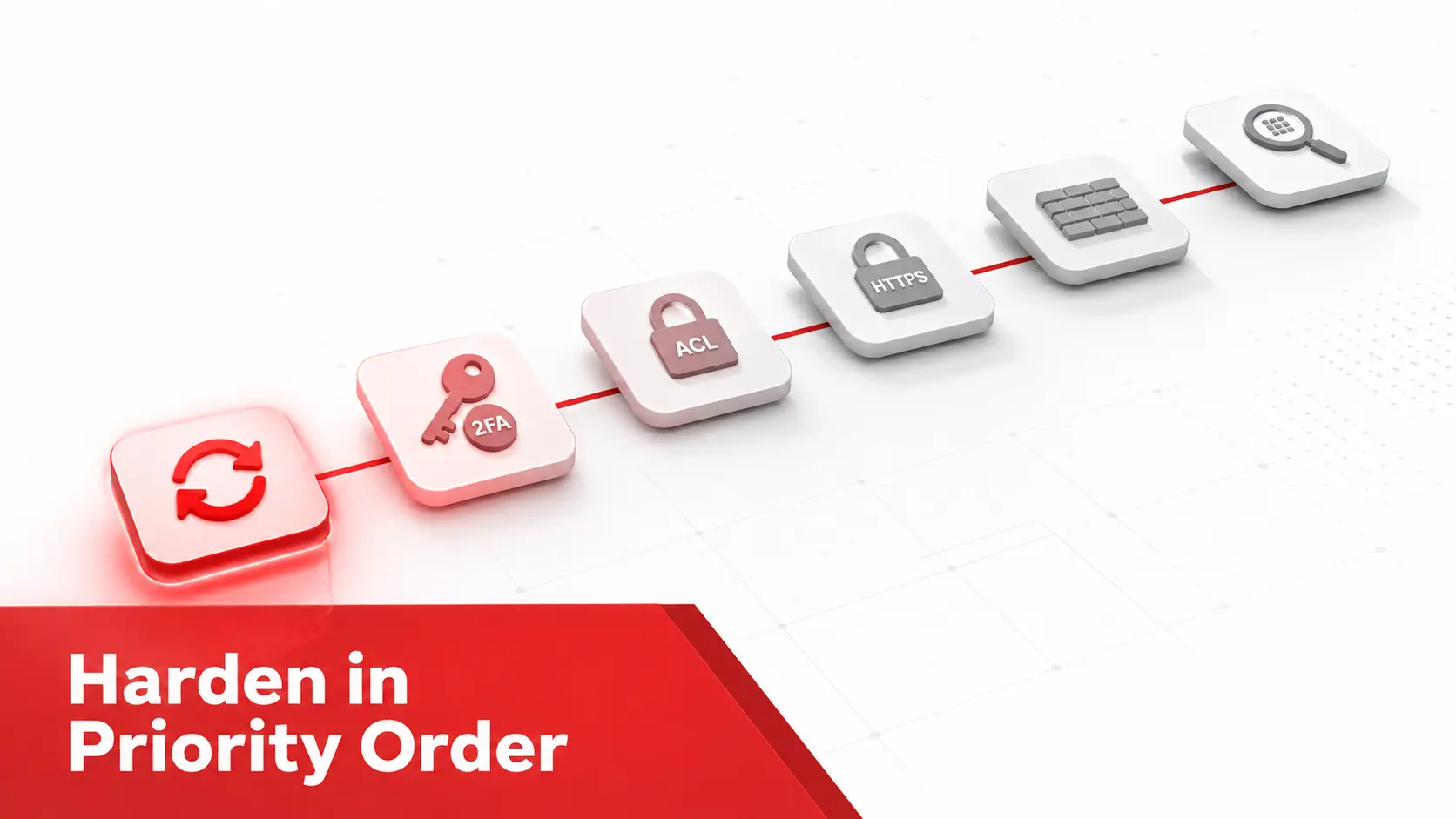
Securing a Joomla site is less about exotic settings than about applying a few controls in the right order and keeping them applied. Effort should follow risk, so work through the sequence below from the highest-impact step down.
- Patch the core and every extension first. Attackers scan for known, unpatched flaws, so updating the software closes the door they use most before you touch anything else.
- Protect the admin login next. The login page is the first target, so enforce two-factor authentication, require strong passwords, and change the default administrator username.
- Limit what each account can reach. Apply least privilege through access control levels, so a single compromised login cannot take over the whole site.
- Encrypt traffic in transit. Force HTTPS and set security headers, so credentials and session cookies cannot be read or tampered with on the wire.
- Harden the server and files. Set correct file permissions, lock the configuration file, and remove leftovers such as the installation folder an attacker could use.
- Shrink your attack surface. Remove unused extensions and templates, since less third-party code means fewer ways in.
- Add a detection layer. Scan on a schedule and keep tested off-site backups, so you catch what slips through and can recover quickly.
Update the Joomla core and every extension
Patching is the single highest-value control, because most Joomla compromises exploit a known flaw that already has a fix.
- Apply core updates promptly. Check System, then Update, in the backend, and install core releases as soon as they ship, since each often carries security fixes.
- Update every extension. Outdated components, modules, and plugins are the most common way in, so update them on the same schedule as the core.
- Move off end-of-life versions. Joomla 3 and Joomla 4 no longer receive fixes, so migrate to a supported release rather than running one that will never be patched.
- Turn on update notifications. Enable the Joomla update notification so a new release reaches you from the backend, and follow the Joomla Security Centre advisories for core issues.
Patching first is what makes every later step worthwhile, and our assessment of whether Joomla is secure returns to the same point: a current site is a defensible one.
Lock down the admin login and authentication
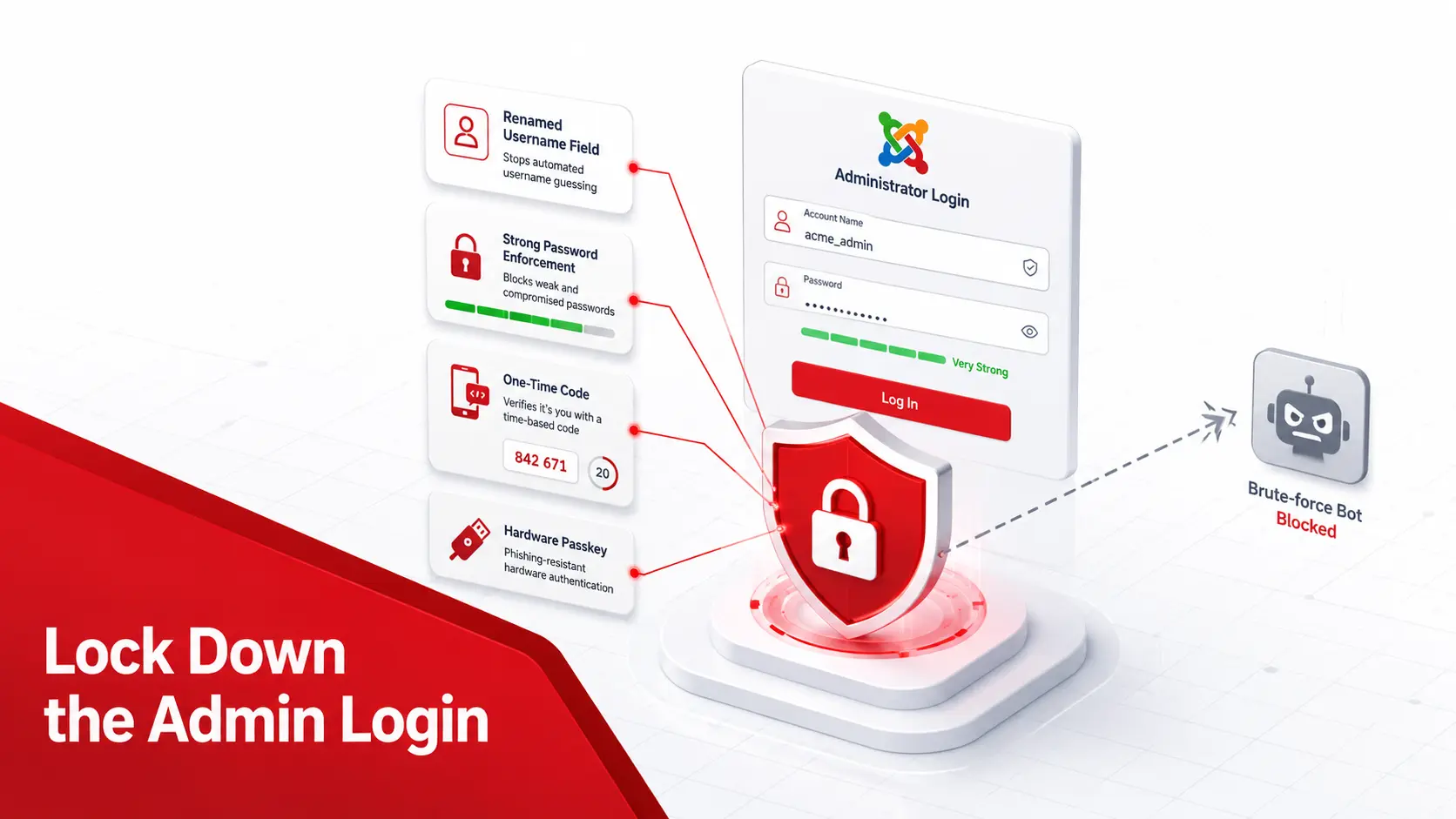
The login page is where automated attacks land first, so harden it before anything else on the front end.
- Change the default admin username. Rename the Super User away from admin, administrator, or demo, so an attacker must guess the username as well as the password.
- Enforce two-factor authentication (2FA). Require multi-factor authentication, including WebAuthn passkeys, on every administrator account through the built-in Joomla security features.
- Require long passwords. Set a minimum length under Users, then Password Options, favouring length over forced complexity in line with the NIST password guidance.
- Add a CAPTCHA and limit attempts. Enable a CAPTCHA on the login and registration forms and restrict backend access by IP address where your setup allows it.
Together these defeat the credential-stuffing and brute-force runs that make up most of the traffic hitting a Joomla login.
Apply least privilege with Joomla’s access control levels
Joomla’s access control levels (ACL) decide what each user can do, and tightening them limits the damage any single compromised account can cause. Create every new account at the lowest permission level it needs, and promote only when there is a reason. Reserve Super User for the few people who genuinely administer the site, since that group can install extensions and edit templates, the actions an attacker most wants. Delete accounts that are no longer in use, because a dormant editor login is a standing liability, and confirm the default new-user group is set to Public rather than anything privileged. Review the permission map whenever you add a contributor or a group. Configured this way, a phished editor account cannot reach Global Configuration or the extension manager, which turns a full breach into a contained one and buys your team time to respond.
Force HTTPS and set security headers
Encrypting traffic and hardening the browser side are quick wins that patching alone never covers.
- Install an SSL certificate. Use a free certificate from Let’s Encrypt or your host, which is the prerequisite for encrypted connections.
- Force SSL site-wide. Set Force SSL to the entire site in Global Configuration so every request uses HTTPS and no login travels in plaintext.
- Enable the security headers. Switch on the System HTTP Headers plugin and send a Content Security Policy, which limits where scripts load from and blunts the Joomla XSS vulnerability class.
- Add HSTS and anti-clickjacking headers. Configure HTTP Strict Transport Security and X-Frame-Options so browsers refuse downgrade and framing attacks.
These take minutes and close a category of attack that no core update addresses, which makes them among the best-value steps in this guide.
Harden the server and file permissions
A secure Joomla install still needs a secure environment underneath it, and file permissions are where owners most often slip.
- Set correct permissions. Use 755 for folders and 644 for files, and never leave anything at 777, which lets the web server write where it should not.
- Lock the configuration file. Set
configuration.phpto 444 so it cannot be modified through the web, since it holds your database credentials. - Enable the
.htaccessprotections. Rename the shippedhtaccess.txtto.htaccessto switch on Joomla’s default rules against common exploits. - Disable directory listing and remove leftovers. Turn off directory browsing, delete the installation folder, and keep backups out of the web root. For the underlying risk and server-specific fixes, see What Is a Directory Listing Vulnerability.
- Use encrypted connections. Access files over SFTP or SSH rather than plain FTP, and never save FTP passwords in a client that stores them in the clear.
Correct permissions and a clean server stop an attacker who gains limited access from escalating it into control of your files.
Choose secure Joomla hosting
The environment your Joomla site runs in decides as much as the settings inside it, so the host matters.
- Pick a host that isolates accounts. Hosting that separates sites stops one compromised neighbour from reaching yours on the same server.
- Insist on current PHP and a server firewall. Run a supported PHP version, and choose a host that applies server updates and network-level filtering.
- Choose automatic, off-site backups. A host that backs up independently of the site gives you a clean recovery path when something fails.
- Prefer managed or reputable providers. A host that understands Joomla will patch, monitor, and respond faster than a bargain plan, and the official Joomla security best practices are a useful checklist when you evaluate one.
A well-hosted site raises its own floor, while a cheap, loosely configured plan undermines every control you set inside Joomla.
Reduce your attack surface: extensions and templates
Every extension you install is code you now have to trust and maintain, so a smaller set is a safer one. Vet an extension before installing it: check that the developer still ships updates, that it has a recent release, and that it is not listed on the community Vulnerable Extensions List. Remove anything you no longer use, because an abandoned component with a known flaw is exactly what attackers scan for, and less code means fewer ways in. Prefer extensions from the Joomla Extensions Directory over unknown sources, and avoid nulled or pirated templates entirely, since they are a common malware vector. This discipline is the same one behind most real compromises across content management systems, the dynamic explored in our Joomla vs WordPress security comparison, and it is one of the recurring Joomla security issues that decide whether a site holds up.
Add a web application firewall and security extension
The Joomla core is strong on prevention but ships no firewall, so a hardened site adds one.
- Install a security extension. Akeeba Admin Tools or RSFirewall add a web application firewall (WAF), server-side protections, and tools such as an administrator secret URL.
- Consider a cloud firewall. A network-level WAF from your CDN or a security provider filters malicious traffic before it reaches Joomla at all.
- Block known-bad patterns. Configure the firewall to stop common injection and scanning attempts, and to rate-limit aggressive clients.
- Keep the firewall updated. A WAF is only as current as its rules, so let it update automatically and review its logs.
A firewall does not replace patching, but it buys time against a flaw you have not yet fixed and filters the constant background noise of automated attacks.
Back up, monitor, and log
You cannot prevent every incident, so build the ability to detect and recover from one.
- Automate off-site backups. Use Akeeba Backup or a host solution to keep clean, scheduled copies somewhere separate from the site, so a breach becomes a restore.
- Review the User Actions Log. Joomla records logins, content changes, and extension installs, so check it for activity you did not authorise.
- Customise error pages. Replace detailed error output with friendly pages that leak no version or path information to an attacker.
- Set alerts for change. Watch for unexpected files, new admin accounts, and failed-login spikes, and act on them quickly.
If monitoring shows a site is already compromised, patching is not enough on its own, so start with malware removal to clear injected code and backdoors before you restore normal service.
Scan for vulnerabilities and malware
Hardening reduces risk, but only scanning tells you what is actually exposed right now. Run a Joomla vulnerability scanner on a schedule to map your core, components, modules, and templates against known CVEs and the OWASP Top 10 classes, so you learn which flaws apply to your exact stack with evidence rather than guesswork. A good scan surfaces the two classes that cause most real damage, the Joomla SQL injection flaws that reach your database and the cross-site scripting flaws that hijack admin sessions, and it ranks them by real-world exploitation so you fix the urgent ones first. Pair vulnerability scanning with malware scanning to catch anything already planted. For a small team, scheduled scanning is the control that turns security from a memory test into a routine, because it watches for newly disclosed flaws continuously instead of waiting for you to read every advisory.
Schedule a recurring website security scan so that a newly disclosed extension flaw surfaces within days rather than at the next audit.
How to keep a Joomla website secure over time
Hardening is not a one-time project, because a site and its threats both keep changing. Set a rhythm you can sustain: apply updates the week they ship, review user accounts and the audit log monthly, and let a scheduled scan run weekly so a new advisory does not sit unnoticed. After any major change, a new extension, a template swap, or a migration, run an immediate scan and recheck your permissions and headers, since changes are when protections quietly break. Keep one clean backup you have actually tested restoring, because an untested backup is a guess. The habit that matters most is treating security as maintenance rather than a launch task, since the site that stays secure is the one whose owner keeps checking, not the one that was configured perfectly once and then left alone.
Secure a Joomla ecommerce site or one holding data
A store or any site holding personal data needs every step above plus a higher bar, because the stakes are higher. Any site taking card payments falls under PCI DSS, which expects patched software, protected payment pages, and regular vulnerability scanning rather than a one-time check. Any site holding personal data answers to Article 32 of the GDPR and its duty to apply appropriate technical measures, with breach-notification duties if something leaks. In practice that means scanning continuously rather than occasionally, vetting every payment and form extension with extra care, and keeping tested backups you could restore under pressure. For a small business, the reframing helps: on a store, security is not overhead, it is the difference between a routine ticket and a reportable breach.
Common Joomla security mistakes to avoid
Most hacked Joomla sites share the same handful of avoidable mistakes.
- Leaving the core or extensions outdated. An unpatched known flaw is the most common way in, and it is entirely preventable with prompt updates.
- Installing nulled or pirated extensions. Cracked templates and components frequently carry hidden backdoors, so install only from trusted sources.
- Keeping loose file permissions. A folder left at 777 lets an attacker write files at will, so keep permissions tight.
- Reusing weak admin passwords without 2FA. A guessed or leaked password with no second factor hands over the whole site at once.
- Skipping backups and monitoring. Without a clean backup and an audit log, a breach becomes a rebuild and goes unnoticed for far longer.
Avoiding these five removes most of the risk on a typical Joomla site, which is why they belong at the top of any hardening plan.
A Joomla hardening checklist
Use this as a quick reference once you have worked through the guide above.
- Update the core and every extension, and move off any end-of-life version.
- Enforce two-factor authentication and change the default admin username.
- Require long, unique passwords and add a login CAPTCHA.
- Apply least privilege through access control levels and remove unused accounts.
- Force HTTPS and enable the System HTTP Headers plugin.
- Set file permissions to 755 folders, 644 files, and 444 for
configuration.php. - Remove unused extensions and templates, and vet new ones first.
- Add a web application firewall through a security extension or your CDN.
- Automate off-site backups and review the User Actions Log.
- Scan on a schedule for vulnerabilities and malware.
Frequently asked questions
What is the most important step to secure a Joomla website?
Keeping the core and every extension updated. Most Joomla compromises exploit a known flaw that already has a patch, so applying updates promptly closes the door attackers use most. Turn on update notifications in the backend, move off any end-of-life version, and pair updates with two-factor authentication for the highest return on the least effort.
How do I secure the Joomla admin login?
Change the default administrator username away from admin or administrator, enforce two-factor authentication on every privileged account, and require long, unique passwords. Add a CAPTCHA to the login form and restrict backend access by IP address where you can. Together these defeat the brute-force and credential-stuffing attacks that target the login page first.
Does Joomla need an SSL certificate?
Yes. An SSL certificate lets you force HTTPS, which encrypts the connection between visitors and your site so passwords and session cookies cannot be read in transit. Most hosts issue free certificates through Let’s Encrypt. Once it is installed, set Force SSL to the entire site in Joomla’s Global Configuration, then add security headers through the System HTTP Headers plugin.
What file permissions should a Joomla site use?
As a baseline, set folders to 755 and files to 644, and lock configuration.php to 444 so it cannot be modified through the web. Never leave anything at 777. If a component needs write access to a specific folder, grant it narrowly rather than loosening permissions site-wide. Correct permissions stop an attacker who gains limited access from rewriting your files.
How often should I secure and check a Joomla website?
Treat security as ongoing, not a one-time setup. Apply updates as soon as they ship, review user accounts and logs monthly, and run a vulnerability scan weekly or immediately after any change. Sites handling payments or personal data should scan continuously. The aim is to find a newly disclosed flaw before an automated attacker reaches it.
Can I make a Joomla website 100% secure?
No website on any platform is ever completely secure, and any guide promising that is overselling. A realistic goal is a small, well-managed attack surface: a current core, few vetted extensions, enforced two-factor authentication, a web application firewall, backups, and regular scans. That combination stops the overwhelming majority of real-world attacks.
Should I change the Joomla admin URL?
Restricting the administrator area helps, though it is a secondary control. A security extension such as Admin Tools can set a secret administrator URL or an IP allowlist, so automated tools cannot even reach the login form. Treat it as a useful extra layer on top of two-factor authentication and strong passwords, not a replacement for them.
Do I need a security extension if I keep Joomla updated?
Updates are the foundation, but a security extension adds protections the core does not, including a web application firewall, an administrator secret URL, and server-side hardening. For a simple, fully updated site the core may be enough; for a store or a site with many contributors, a firewall extension is worth adding. The two work together rather than replacing each other.
What should I do first if my Joomla site was hacked?
Take the site into maintenance, then identify the entry point with logs and a scan before you clean anything. Remove the malware and any rogue admin accounts, patch the flaw that let the attacker in, and rotate every credential. Restore from a known-good backup if the infection is widespread, then re-scan to confirm the site is clean.
Ready to check your work? Run a scan to confirm your Joomla core and extensions are patched and your hardening actually holds, with evidence for each finding.