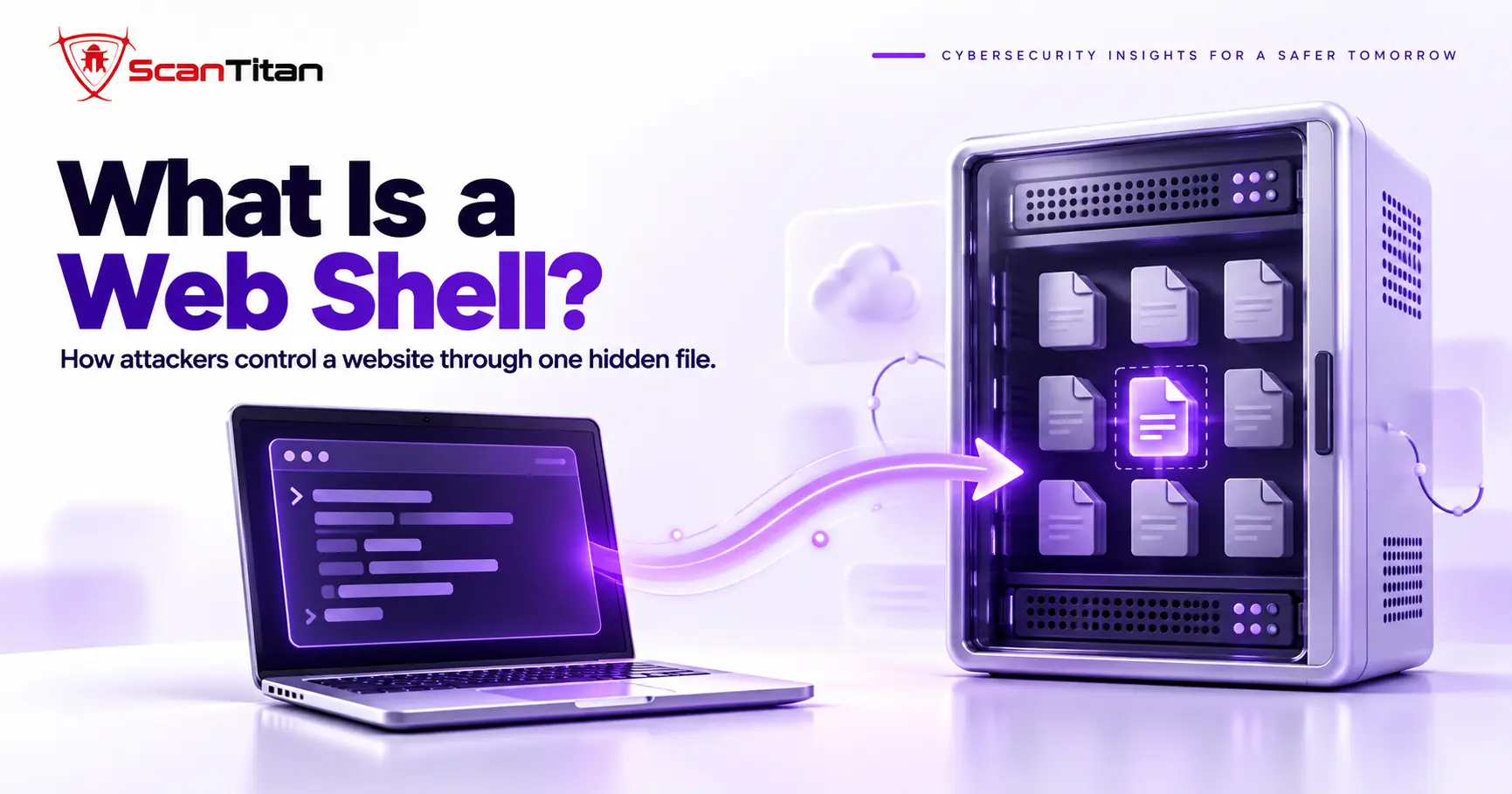
A web shell is a server-side script that an attacker can use to maintain remote access to a compromised web server. Depending on its capabilities and the privileges of the web server process, it may allow file access, command execution, database access, malware deployment or other administrative actions. Administration scripts that resemble web shells can have legitimate uses, but they become a threat when installed or operated without authorization. This guide covers how a web shell gets in, how it works, and how to respond and prevent one.
Web Shell Definition
A web shell is a script written in a language the server already runs, such as PHP, ASP.NET, JSP or Python, that accepts commands over HTTP and returns the output. The attacker opens the file in a browser or sends requests from a tool, and the server executes whatever the attacker supplies within the web server process’s privileges, which can include listing files, reading the database configuration or uploading more malware. MITRE ATT&CK tracks this technique as T1505.003, Server Software Component: Web Shell. The file is usually small and often obfuscated. A web shell differs from a backdoor in general and from a reverse shell, and the comparison table below lays out the differences.
How a Web Shell Gets Onto a Server
Through an Upload Vulnerability
A file upload vulnerability is a flaw that lets an attacker store a file on the server without proper type checks. The attacker uploads a PHP file disguised as an image or document, then requests it to gain command execution. The shell often appears right after a vulnerability becomes public, because scanners probe thousands of sites within hours of disclosure. Once the file sits in a web accessible folder such as the uploads directory, the attacker needs no further skill. Keeping plugins patched closes this route better than any cleanup does, and a server rule that blocks PHP execution in the uploads folder stops a shell that gets through.
Through File Inclusion or SQL Injection
File inclusion is a flaw that lets an attacker make the application load a file they control. In some environments, SQL injection can also contribute to web shell deployment if the database account has sufficient filesystem privileges and the platform exposes a file writing mechanism. That path is configuration dependent and is not a normal capability of SQL injection. In 2021 the Hafnium group chained several Microsoft Exchange vulnerabilities, including CVE-2021-26855, to drop web shells on mail servers, and the FBI later ran a court authorized operation to remove web shells from hundreds of those servers. The lesson for a site owner is that a shell can arrive through code that has nothing to do with uploads. Applying vendor patches and reducing exposed attack surface limits these routes, and Red Canary reported that ProxyShell exploitation of Exchange servers in 2021 left China Chopper shells behind.
Through Stolen Credentials or a Compromised Plugin
A stolen credential is a valid login that an attacker obtained through reuse, phishing or a breach. It lets them upload a shell directly or install a malicious plugin through the dashboard, with no exploit needed. Wordfence reported in 2024 that attackers used reused developer passwords to push malicious updates into five WordPress.org plugins, which shows that even trusted software can carry a backdoor. Nulled plugins, pirated copies of paid plugins, also arrive with shells built in. Unique passwords, two factor authentication and software from official sources close this route, and they cost far less than a cleanup after the fact.
How a Web Shell Works
A web shell is a request and response loop between the attacker’s browser or tool and a file on your server. Each request carries a command, and the file runs it and returns the result as ordinary web output, which is the same idea as a command injection flaw except that the attacker supplies the vulnerable code on purpose. The loop has five stages, and the same sequence repeats on every request.
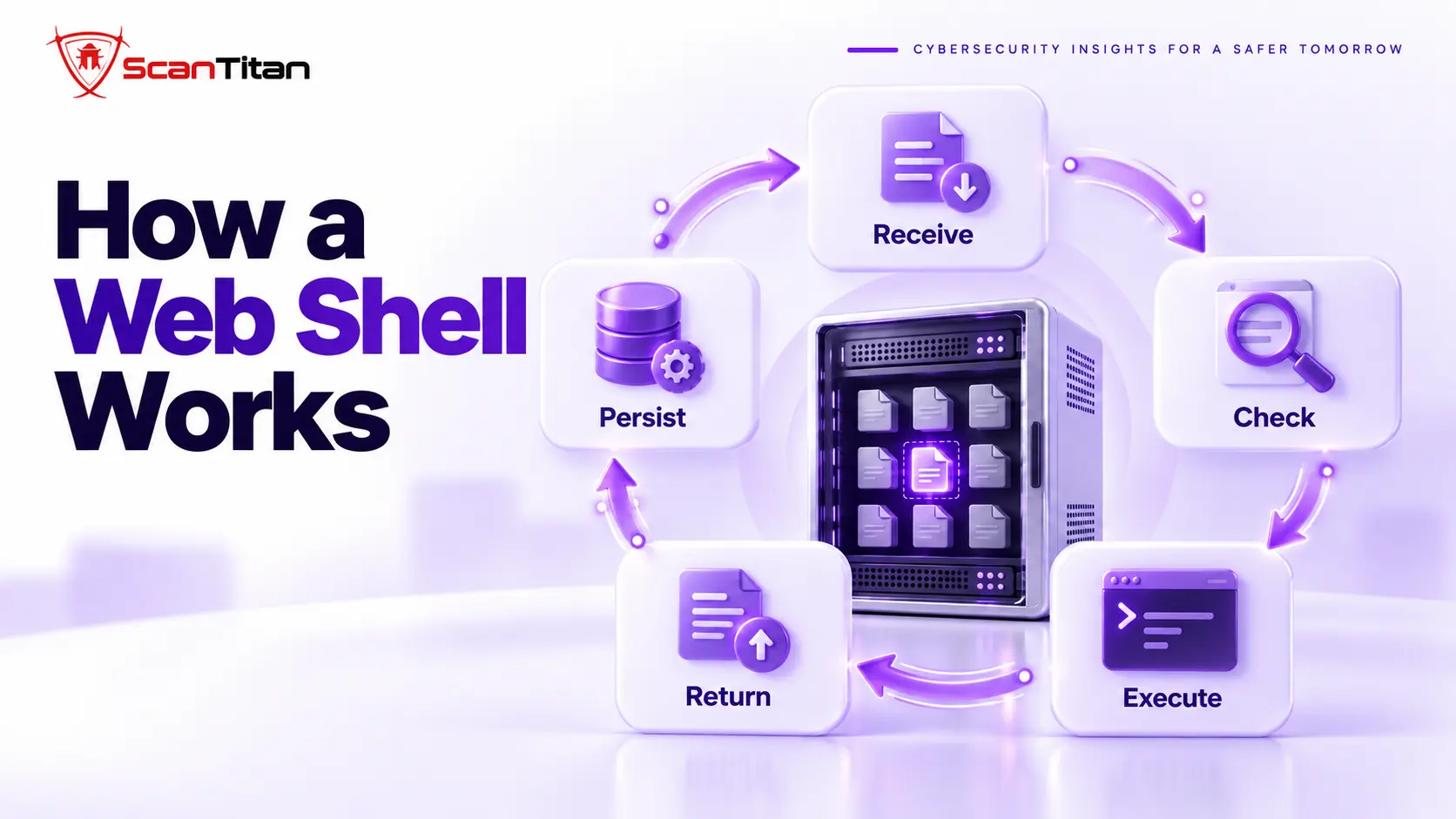
- Receive an HTTP request that targets the shell file, often with a hidden parameter or a specific header.
- Check a password or key the attacker built in, so other visitors and security scanners get a blank page or an error.
- Execute the command or action the request carries, using functions the server already provides to run system commands or read files.
- Return the result to the attacker’s browser or tool as ordinary web output.
- Persist by hiding in a legitimate looking filename, or by planting extra copies that restore it if you delete one.
What Attackers Do With a Web Shell
A web shell is a foothold, and what the attacker does next depends on their goal. The five common goals appear in the list below. Most attackers combine several. F5 Labs notes that the Clop group used web shells in the 2020 Accellion FTA breach and the 2023 MOVEit breaches.
- Steal files, database credentials and customer data from the server.
- Pivot to other systems on the same network or hosting account.
- Escalate privileges on the server to gain deeper control.
- Persist by adding more backdoors, accounts and scheduled tasks.
- Deploy other malware, such as spam generators, redirect scripts and phishing kits. The Japanese keyword hack often arrives this way.
Well Known Web Shells and Their Traits
China Chopper
China Chopper is a web shell whose server side component is a single short line that evaluates whatever the attacker sends. A separate client application does the rest of the work, which keeps the file tiny. FireEye published an analysis of China Chopper in 2013, and MITRE lists it under T1505.003. Its small footprint is the lesson: a file of a few dozen characters can give an attacker meaningful control, so a size based or signature based check will not reliably find it. Defenders look for the behavior instead, such as a script that passes request data to an evaluation function, and for requests that hit one small file again and again.
Godzilla and Behinder
Godzilla and Behinder are encrypted web shells that hide their traffic from network inspection. Red Canary reported that Godzilla pairs a password with an encryption key, so only one adversary can talk to a given shell, and that Behinder encrypts its traffic and randomizes its User-Agent strings. Both run in several server languages, including ASP.NET, JSP and PHP. The detection lesson is that you cannot rely on reading network traffic, so file checks, process monitoring and logs matter more. Red Canary also observed that many China Chopper copies had no password set, so several attackers could use the same shell at once.
WSO, c99, r57 and b374k
WSO, c99, r57 and b374k are feature rich web shells that present a full control panel in the browser. They offer a file manager, a command console, database access and tools for uploading and editing files, so an attacker works as if they had a hosting control panel. Wordfence has analyzed WSO. Authors usually protect these shells with a password page and often obfuscate them with encoding layers, which is why simple text searches miss them. Many copies circulate with small changes, so the same shell can look different on two sites while behaving identically once it runs.
One Line Shells
A one line shell is a web shell that fits in a single line of code that takes a value from the request and runs it. Attackers favor it because it fits inside any existing PHP file, an image’s metadata or the end of a legitimate theme file. It is also the hardest to find by browsing, since nothing looks out of place. The defense is comparison, not reading: check core and plugin files against clean originals, and treat any change to a file that should not change as a lead. Our guide on malicious redirects shows what attackers often build with this access.
Web Shell vs Backdoor
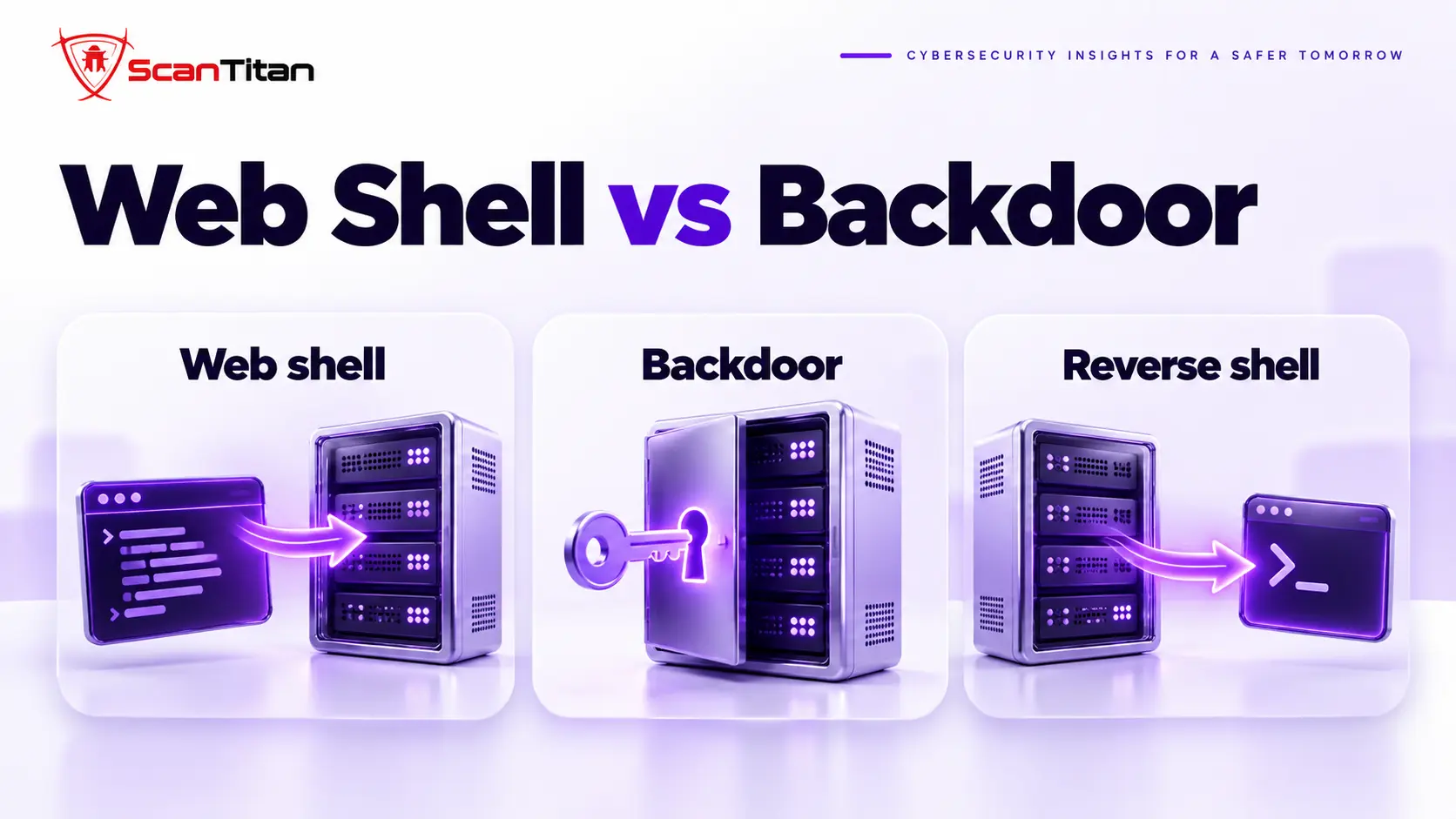
A backdoor is any hidden method that lets an attacker return after the first break in, and a web shell is the interactive version that works over HTTP. Other backdoors are quieter: a rogue administrator account, a scheduled task that downloads malware again, a modified core file or a hidden must-use plugin can each restore access without an interactive panel. The difference matters in cleanup, because deleting the web shell you found does nothing if a hidden account or scheduled task plants a new one. Cleanup that targets only the interactive file leaves the quieter access in place. The table separates the three terms people confuse most often.
| Term | Definition | How access works | Example |
|---|---|---|---|
| Web shell | A script on a web server that runs attacker commands | The attacker connects in over HTTP | China Chopper |
| Backdoor | Any hidden method of returning to a compromised system | Varies: account, scheduled task, modified file, plugin | A rogue administrator account |
| Reverse shell | A connection that the victim system opens to the attacker | The server connects out, so inbound rules do not block it | A script that calls an attacker’s server |
Signs of a Web Shell
A web shell sign is a trace the shell leaves in your files, logs or timestamps, because the shell itself stays hidden. Five checks find most of them. Because a web shell is a file that answers HTTP requests, it leaves traces on disk and in web server logs, which is the defender’s advantage. Treat each hit as a lead, not proof. MITRE ATT&CK also publishes a web shell detection strategy that covers suspicious file creation, web server processes that spawn shells or interpreters, and abnormal HTTP behavior.
- Look for unfamiliar PHP files in the uploads folder, theme folders and any directory that normally holds only images or static files.
- Watch for access log entries with many requests to one file, especially POST requests with unusual parameters or from a single address.
- Check for recent modification dates on files that should not change, such as core files and old plugin files.
- Compare your file list against a clean installation of the same version, and treat every extra or altered file as a lead.
- Review unusual periods of high site traffic, which can mean uploading or downloading activity.
How to Respond
Web shell response is the sequence of preserving evidence, finding the entry point, removing the shell and rotating credentials. It starts with a copy of the file and the logs, because they show when the shell appeared and which request created it. Removing the shell without closing the entry point invites the next one. Remove the shell and every other backdoor you can find, rotate hosting, SFTP and database credentials from a clean computer, and replace core files and plugins from official sources. Our full guide to remove malware from a website gives the order. If a search warning appeared, the Deceptive Site Ahead guide covers the review. To inspect a suspicious file, use the malware code analyzer, and for help, ScanTitan’s website malware removal service handles cleanup.
How to Prevent Web Shells
Web shell prevention is the set of controls that block the three entry routes a shell takes and limit what a shell can do if one gets in. The US National Security Agency and the Australian Signals Directorate published joint guidance in 2020 on detecting and preventing web shell malware, and Cisco Talos and Imperva list similar controls. Six controls do most of the work.
- Patch plugins, themes and the CMS quickly, because upload flaws are exploited within hours of disclosure.
- Block PHP execution in the uploads folder with a server rule, so an uploaded file cannot run.
- Disable risky PHP functions you do not need, such as eval, exec, popen, proc open and passthru, in the PHP configuration file.
- Restrict the web server account, and do not let the web application write to web accessible code directories.
- Send logs to a central server, so an attacker who gains access cannot alter or delete them.
- Monitor file changes and the processes your web server starts, so a new PHP file or a shell launched by the web server raises an alert.
Use unique passwords and two factor authentication, and add a recurring website malware scan as a check.
Frequently Asked Questions
Is It Web Shell or Webshell?
Web shell and webshell are two spellings of the same term for a script that gives an attacker remote command execution through HTTP requests. Standards bodies such as MITRE use two words, while many researchers and tool names write one word. Searchers type both, so a page that explains the topic should recognize both, and you should search your logs and scanner reports for both. For your own writing, pick one spelling and stay consistent. The spelling does not change how the attack works or how you find and remove the file.
Is a Web Shell a Virus?
A web shell is a remote access tool, not a virus, because it does not copy itself from file to file. An attacker places it by hand or through an exploit, then controls it from outside. The practical difference is that antivirus logic built to catch self replicating code does not always fit. A web shell sits quietly until the attacker sends a request, and the hosting account may show no unusual load. Treat it as a compromise of the server, not as a stray infected file, and plan for evidence collection, entry point analysis and credential rotation.
Can Antivirus Find a Web Shell?
Antivirus is a signature based defense that finds known web shells but often misses edited copies. Attackers change shells with small edits, encoding layers and renamed functions, so a copy that nobody has seen before passes. Remote scanners that fetch only your public pages cannot see a PHP file that returns nothing without the secret request. A file scan can find known patterns, and a comparison against clean originals finds changed files. For a suspect file, use the malware code analyzer to see what the code does, and check logs for requests to the file. Treat any single clean result as a lead, not proof.