WordPress mu-plugin malware is malicious PHP placed in the wp-content/mu-plugins folder, where WordPress loads it on every request without activation, so it never shows as an active plugin. Attackers use it to load remote payloads, hide accounts, steal logins and restore deleted files. This guide shows how it hides and survives, the indicators that give it away, how to audit the folder, and how to remove it so it stays gone.
wp-content/mu-plugins on the server, not just in the dashboard, and compare it with what the Must-Use tab shows. Stop the scheduled events and stored copies that restore the malware first, then delete the files, remove any hidden admin account, rebuild from clean copies and rotate every credential last.WordPress mu-plugin Malware: Why Attackers Choose the mu-plugins Folder
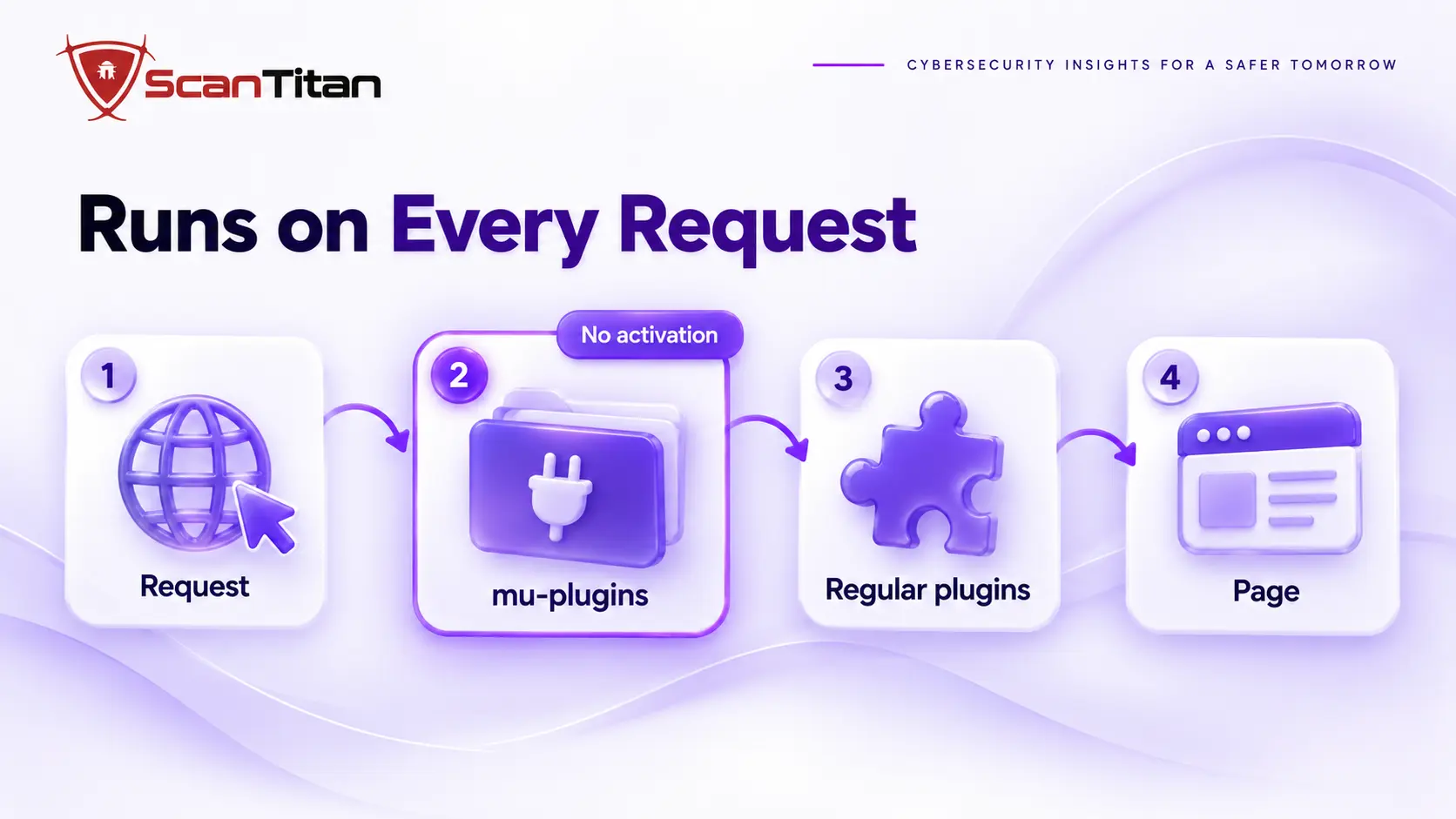
Attackers choose this folder because WordPress treats every PHP file in it as trusted code. A file placed there loads on every request, runs before regular plugins, and cannot be deactivated from the dashboard, because the only way to disable a must-use plugin is to delete its file. It does not appear in the normal plugin list, only under a separate Must-Use tab that few owners open. Managed hosts use the same folder for their own code, which gives malware a place to look normal. The result is persistence: you can reinstall every plugin and still be infected. Our guide on why WordPress malware keeps coming back covers the wider picture.
What a mu-plugin Is and What a Legitimate One Looks Like
A must-use plugin is a plugin installed in a special folder that WordPress enables on every site automatically. The WordPress documentation says these plugins do not show in the default plugin list, appear in a separate Must-Use section, and cannot be disabled from the dashboard. It also notes that web hosts commonly use them for host-specific features such as caching and monitoring, and that developers use them for code that must always run. So a file in this folder is not suspicious by itself. A file that nobody installed, or that nobody can explain, is.
How WordPress mu-plugin Malware Hides From You
Researchers who analysed a 2026 sample found that being a must-use plugin was only the start of its hiding. The malware hooked WordPress filters to remove itself from the Must-Use list, the normal Plugins page, update notices and the Site Health screen, so the dashboard showed nothing wrong at any point. It posed as a health check tool with a believable author and repository link, and that metadata changed from sample to sample. Across the researchers’ detections the files appeared under more than 4,000 different names, many borrowed from legitimate-looking ones such as the advanced-cache.php and db.php drop-ins. For owners, names, plugin headers and file hashes are weak evidence, and behavior and location are better evidence.
How WordPress mu-plugin Malware Survives a Cleanup
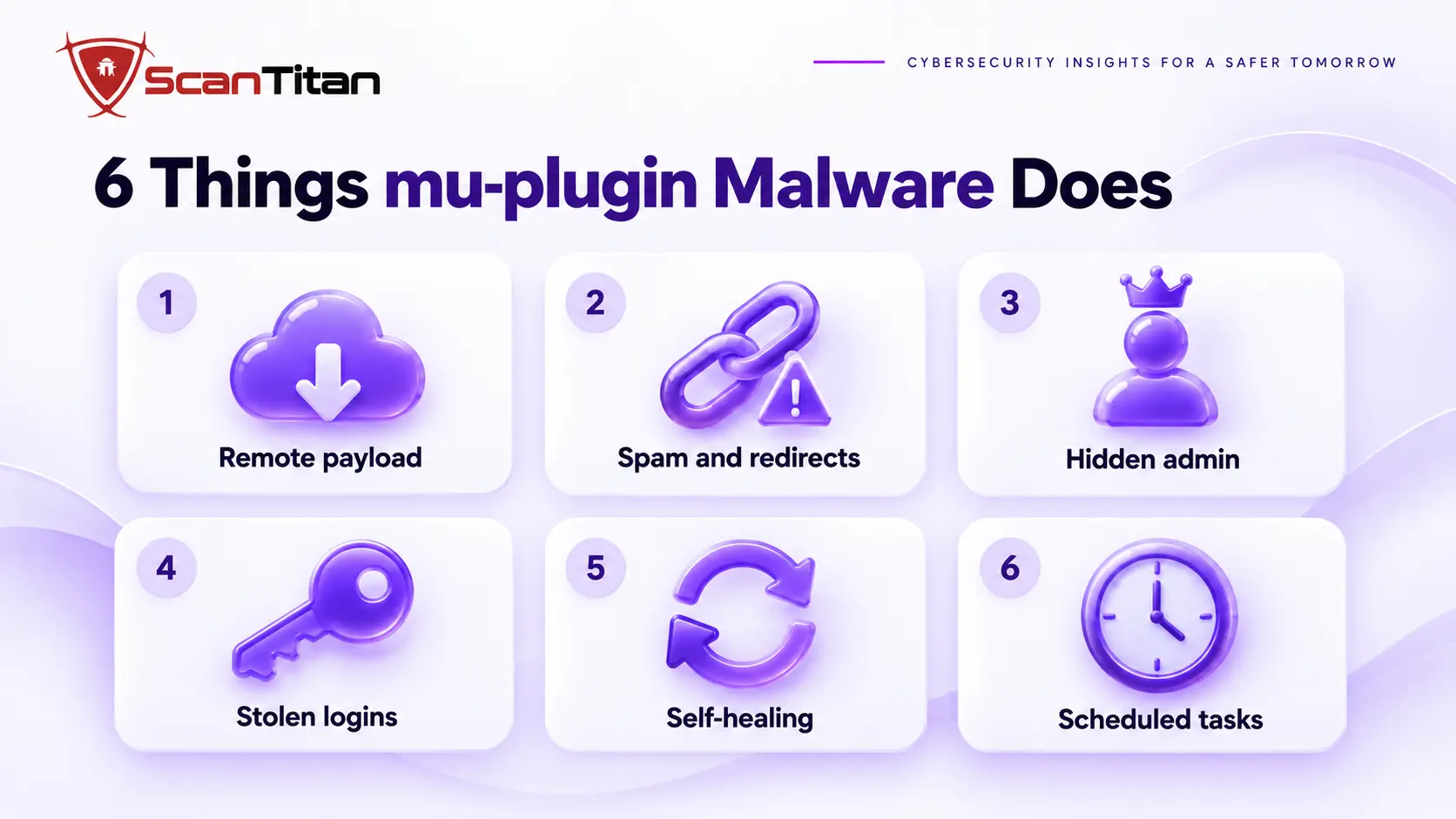
Deleting the visible file fails because the malware plans for it. In the 2026 sample, a routine ran early on every request, checked at most once an hour, and rewrote the file from a copy stored in the database if it was missing or too small. It then backdated the modified time and made the file read-only, so the restored copy looked old. The same sample added itself to the active plugins list directly, created a hidden administrator, captured logins, and copied itself into other WordPress installs it could reach on the same server.
| Mechanism | What it does | Why deleting the file fails |
|---|---|---|
| Self-healing | Rewrites the file from a stored copy | The copy lives in the database, not in the file |
| Scheduled check | Runs early on each request, about once an hour | The file is back within the hour |
| Backdated, read-only file | Old modified date and a locked file mode | The restored file looks like an old file |
| Direct activation entry | Writes itself into the active plugins option | It reappears as a normal-looking plugin |
| Hidden administrator | Creates an account with a prefix and random characters | Access survives even without the file |
| Spread | Copies itself into other WordPress installs on the server | A cleaned site is reinfected from its neighbours |
How WordPress mu-plugin Malware Gets Instructions and Does Damage
Most mu-plugin malware is a loader: a small file that fetches the real code from the attacker’s side. In 2025, researchers described a mu-plugin whose small loader, named wp-index.php, fetched a remote payload named cron.php, with strings hidden using str_rot13. The 2026 sample went further: it found its control server through a blockchain smart contract, so blocking one domain did not cut it off, and it exchanged encrypted instructions, sent stolen data out and could change the site remotely. The damage you see, such as SEO spam, redirects, new administrators or captured passwords, is the end of that chain, and a file scan shows only the loader.
Indicators of Compromise: Where mu-plugin Malware Leaves Traces
No single indicator proves an infection, and samples vary, so look for several together. The table lists where each trace appears and how to check it. The option names and the account pattern come from one 2026 sample, so treat them as examples, not a checklist.
| Where | What to look for | How to check |
|---|---|---|
| mu-plugins folder | Files nobody installed, an unknown plugin name, author or repository link, heavily unreadable code | ls -la wp-content/mu-plugins and read each file header |
| File times | An old modified time with a recent change time, or a read-only file you did not lock | stat -c "%n %y %z" wp-content/mu-plugins/* on Linux |
| Dashboard against server | Files on disk that the Must-Use tab does not list | Compare the tab with the folder listing |
| Users table | An administrator with a fixed prefix plus six random characters, such as admin, adm, administrator or backup followed by random text | Direct database query, as in our hidden admin user guide |
| Options table | Unfamiliar options with very large values, including ones named src, bu, bp or ic in the 2026 sample | Query option names by value size, below |
| Scheduler | Custom schedules and events with names you do not recognize | wp cron schedule list and wp cron event list |
| Active plugins | Entries for plugins you never installed | wp plugin list --status=active |
SELECT option_name, LENGTH(option_value) AS size
FROM wp_options
ORDER BY size DESC LIMIT 20;
How to Audit the mu-plugins Folder Step by Step
The audit takes about ten minutes. Write down every file, date and result before you change anything.
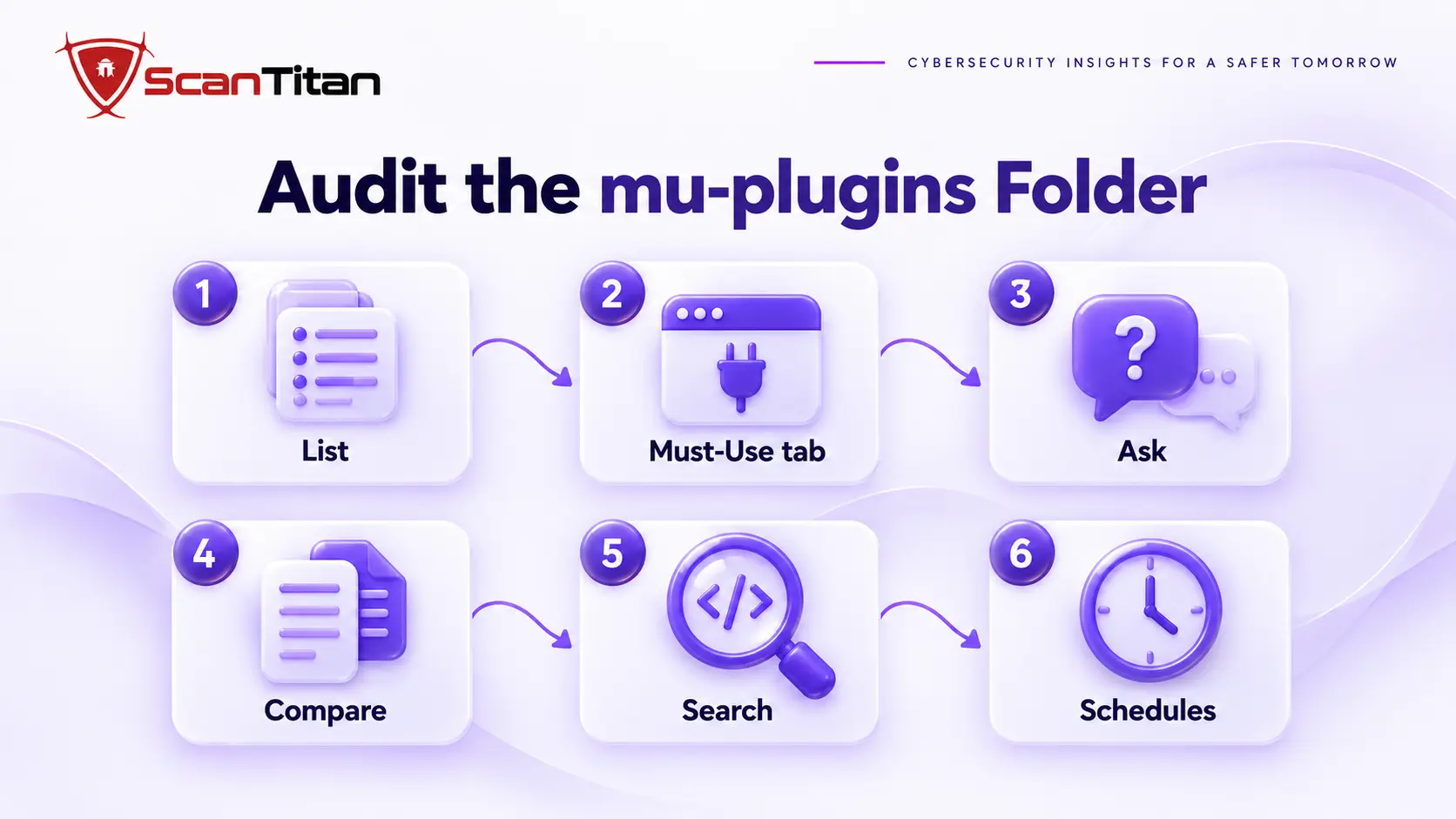
- List every file in the folder with its modified and change times, using the commands in the table above.
- Compare the folder with the Must-Use tab, and treat any file the tab does not show as hidden on purpose.
- Ask your host and developers which files they installed, and note any they cannot explain.
- Search the folder for code that downloads and runs other code. Command:
grep -rnE "file_get_contents|curl_exec|wp_remote_get|eval|base64_decode|str_rot13" wp-content/mu-plugins - Check custom schedules, scheduled events and the largest options for entries you do not recognize, using
wp option listor the query above. - Query the users table for hidden administrators, because the dashboard list can be filtered.
A clean scan does not cover this folder reliably, as our guide on why a scanner says clean when the site is still hacked explains.
How to Remove mu-plugin Malware So It Stays Gone
Remove the pieces in this order, because each one restores the others. If the files are read-only, change their permissions before you delete them.
- Copy the files, the scheduled event list, the suspicious options and the logs before you change anything.
- Delete the suspicious scheduled events and custom schedules with
wp cron event delete, so nothing restores the files. - Remove the options that hold a stored copy of the code, and any unknown entries in the active plugins list.
- Delete the malicious mu-plugin files, then reload the site to confirm nothing legitimate breaks.
- Remove hidden administrator accounts and any other footholds, using the three passes in our guide to find a backdoor in a website.
- Clean every other WordPress site in the same hosting account in the same pass, because the malware can copy itself between them.
- Rebuild core, plugins and themes from fresh official copies, then rotate every password, salt and application password last, from a clean computer.
- Watch the folder, the options and the administrator list daily for two weeks.
For the full cleanup around these steps, follow our malware removal guide.
mu-plugin Malware or a Legitimate Host File? How to Tell
Deleting a legitimate host file can break caching or monitoring, so judge each file before you remove it. Use these signals together, not one at a time.
| Signal | Legitimate file | Suspicious file |
|---|---|---|
| Who installed it | Your host or developer can name it | Nobody can explain it |
| Readability | Clear names and comments | Encoded strings, ROT13 or long unreadable lines |
| Network calls | None, or documented ones | Fetches code from an unknown address |
| Filename | Matches the host’s documentation | Generic or core-like names with real code, such as index.php, redirect.php or wp-index.php |
| After deletion | Returns only if the host’s platform restores it, and the host confirms | Returns on a schedule from a source you cannot identify |
| Dashboard listing | Appears in the Must-Use tab | Exists on disk but is missing from the tab |
How to Lock Down wp-content/mu-plugins
A locked folder gives malware less room to hide, and a watched one tells you in minutes when something changes.
- Restrict write access to the folder where your host allows it, so the web server can read the files but not create new ones.
- Monitor the folder, the largest options and the scheduled events for changes, and alert on any.
- Review the folder and the administrator list monthly, and compare them with your last list.
- Close the entry points that let attackers write files, starting with the causes in our guide on how did my website get hacked.
When mu-plugin Malware Needs a Professional Cleanup
Get help when a file returns after you delete it, when you find a hidden administrator or credential-stealing code, when several sites share the hosting account, or when customer data may have been exposed. These cases usually involve more than one foothold, and guessing costs time while the attacker stays in. A professional cleanup finds every restorer, the entry point and any other site in the account that carries a copy, and documents what the attacker could reach. The wider list of signs of website malware shows what else to check, and ScanTitan’s website malware removal service covers the cleanup.
WordPress mu-plugin Malware FAQ
Are mu-plugins safe?
The feature is safe and widely used by hosts and developers. The risk is that anything placed in the folder loads automatically and cannot be disabled from the dashboard, so an attacker can use it to hide. Keep a list of the files that belong and check the folder regularly.
How do I see mu-plugins in the WordPress dashboard?
Open Plugins and look for the Must-Use tab. Do not rely on it alone, because researchers have reported malware that removes itself from that tab. Always list the folder on the server too, and treat any file the tab does not show as suspicious.
Can I deactivate a mu-plugin from the dashboard?
No. WordPress does not offer a switch for must-use plugins. To disable one, you delete or move its file from the folder. Move a suspect file out of the folder first, check that the site works, and then delete it.
Can a malware scanner find malicious mu-plugins?
Sometimes, when the code matches a known pattern. New or heavily disguised files can pass, and scanners that look only at the front end miss the folder entirely. Combine a scan with a file listing, a code search and a review of scheduled events.
How do I know a mu-plugin is malicious?
Ask who installed it, read what it does, and see whether it calls unknown addresses, hides users or recreates itself. A file nobody can explain, with unreadable code or a schedule you did not create, is hostile until proven otherwise.
Will deleting the mu-plugins folder break my site?
It can. Hosts and developers use the folder for caching, monitoring and site code that must always run. Remove only the files you have confirmed are malicious, and ask your host before deleting any file that matches its documentation.