
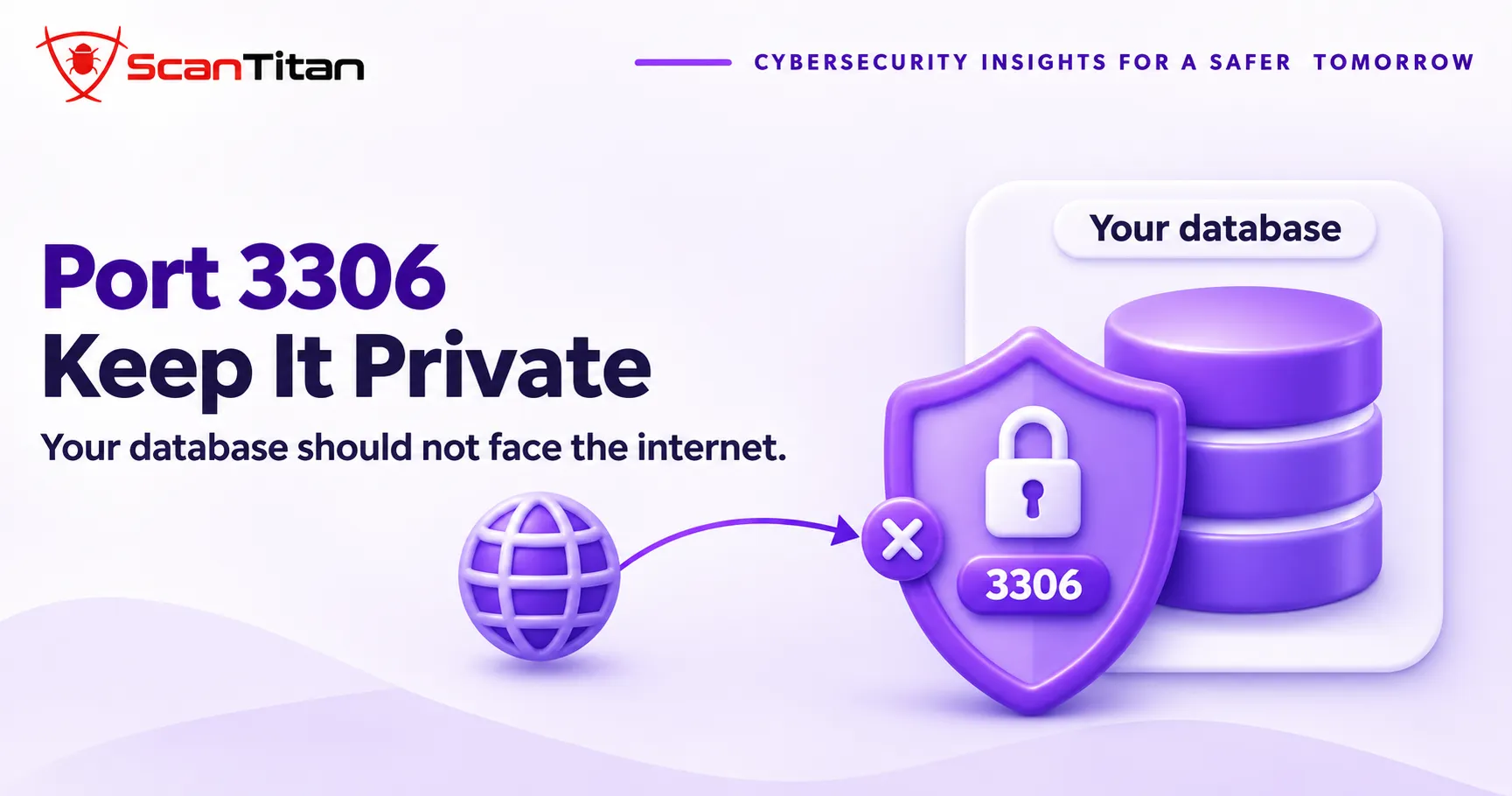
Port 3306 is the default TCP port for MySQL and MariaDB, the database servers behind WordPress and most web applications. It belongs on a private network, because anyone who can reach it from the internet can keep guessing passwords against your data. MySQL clients try to encrypt connections by default, so the real risks are exposure and weak accounts, not cleartext traffic. This guide explains what port 3306 does, how to check whether yours is open, and how to close it.
What Is Port 3306?
Port 3306 is the default TCP port that MySQL listens on for client connections, and MariaDB and Percona Server use it too. It carries the classic MySQL protocol, the one that the mysql command line client, MySQL Workbench, mysqldump and every language connector speak. MySQL uses TCP only, so there is no UDP traffic to worry about, even though the IANA port registry lists the number for both transports. A client on the same machine can skip the port entirely and use a Unix socket file, which is why a database can work perfectly with the port closed. In practice, port 3306 matters only when a different machine needs to reach the database over the network.
Which Software Uses Port 3306?
MySQL, MariaDB and Percona Server all listen on port 3306 by default, and many tools connect to them there. Most web stacks use the port without anyone noticing, because the database and the application usually share a machine or a private network. These are the common users, and each one tells you what breaks if you close the port.
- WordPress and PHP applications: WordPress and other PHP applications connect to MySQL or MariaDB on port 3306, using the host saved in a configuration file such as wp-config.php, and a wrong value there shows the error establishing a database connection message.
- Admin tools: Admin tools such as phpMyAdmin and MySQL Workbench connect on port 3306, which is why people open the port to the internet to use them, and an SSH tunnel does the same job without exposing anything.
- Local development stacks: Local stacks such as XAMPP, WAMP and Docker containers start MySQL on port 3306, and two copies running at once cause the common port already in use error.
- Managed databases: Managed services such as Amazon RDS and Google Cloud SQL for MySQL expose the same port behind a cloud firewall, so the question becomes which sources the security group allows.
Is Port 3306 Safe to Leave Open?
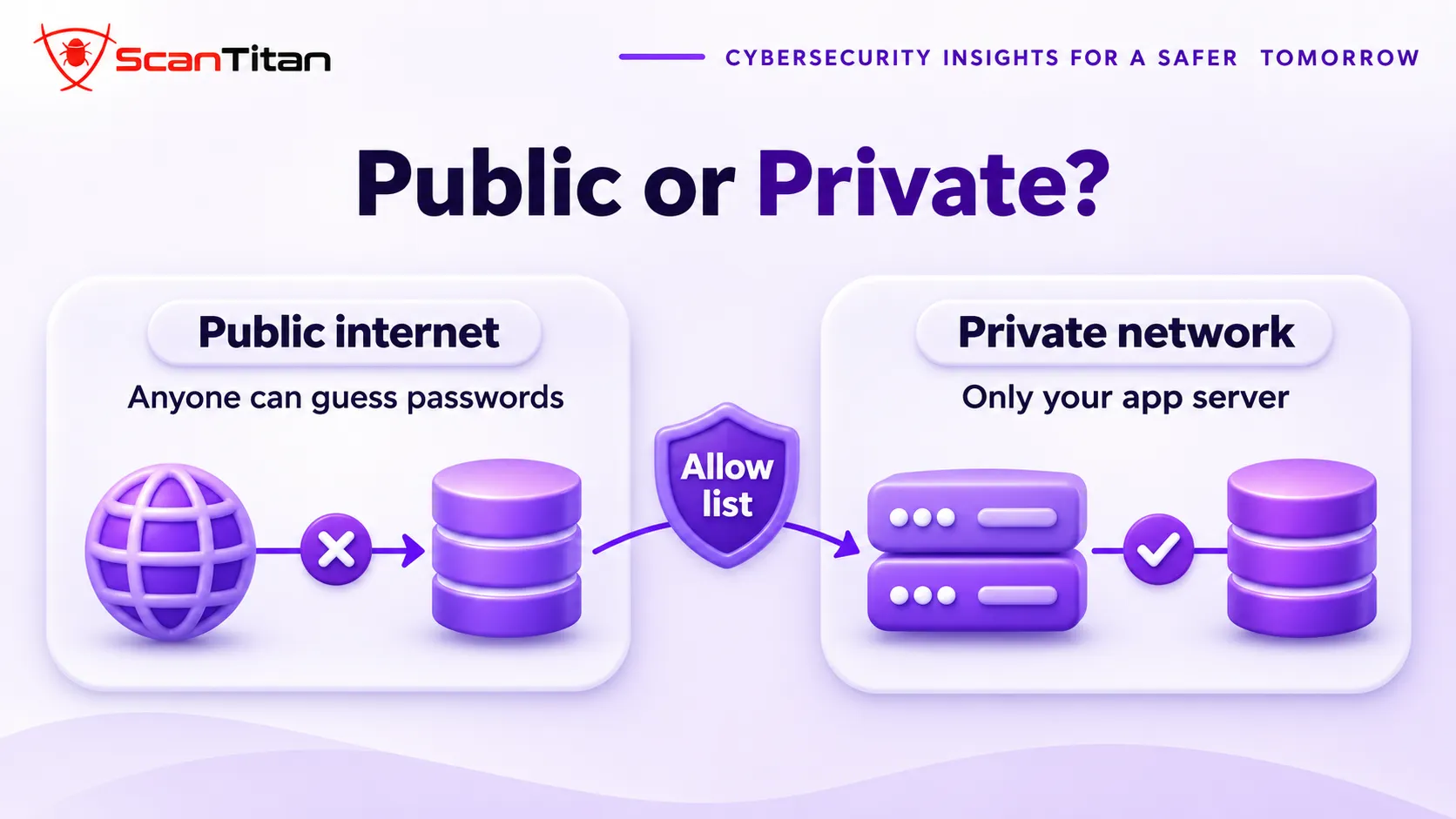
No, port 3306 is not safe to leave open to the internet, and it should only answer to the servers that need it. Three facts explain why, and one of them corrects a common myth about encryption.
Why Does an Open Port 3306 Attract Attackers?
An open port 3306 attracts attackers because internet scanners probe it constantly and a database login is worth guessing. Shadowserver’s 2022 scan counted about 3.6 million accessible MySQL servers worldwide, and Shadowserver still publishes a report on accessible MySQL servers that scans port 3306/TCP. Attackers then try the usual targets: the root account, application accounts created with a host of %, and default or reused passwords. MITRE ATT&CK tracks this behavior as T1110, Brute Force. One guessed password opens every table, including customer records and the password hashes of your website users. An unpatched server adds a second route in, and MySQL 8.0 reached end of life in April 2026.
Does MySQL Listen on Every Interface by Default?
Yes, a default MySQL 8.4 server listens on every network interface, because its bind-address setting defaults to the * wildcard. The MySQL manual states this directly, and it means a fresh install on a public server accepts connections from any address unless a firewall stops them. Linux packages, hosting panels and managed services often change the default, so check your own value instead of assuming it. Docker adds another trap: publishing a port with -p 3306:3306 maps it on every host address, and Docker creates its own firewall rules, so a host firewall such as UFW may not block it. Publish it as 127.0.0.1:3306:3306 when only the host needs access.
Is MySQL Port 3306 Encrypted?
Usually yes, but encryption is not the same as knowing who you are talking to. MySQL 8.4 clients default to an ssl-mode of PREFERRED, which produces an encrypted connection when the other defaults are unchanged. The manual warns that this does not stop a sophisticated man-in-the-middle attack, because the client does not verify the server, and it recommends the verify CA or verify identity modes instead. The server setting that forces encryption, require-secure-transport, is off by default, so a client configured to disable encryption can still connect in cleartext. Encryption therefore protects the traffic, but it does nothing about a stolen or guessed password, and that is the attack that matters on an exposed port.
How Do You Check Whether Port 3306 Is Open?
Check from outside your network and from the database server itself, because the two views answer different questions. The outside view shows what an attacker sees, and the server view shows what is actually listening and for whom.
How Do You Check Port 3306 From Outside?
Test the port from a machine outside your network, because a laptop on the same switch sees a different network than an attacker does. On any system with Nmap installed, run nmap -p 3306 your-public-address and read the state: open means the port answers, filtered means a firewall drops the traffic, and closed means the host replies that nothing listens. On Windows, Test-NetConnection -ComputerName your-public-address -Port 3306 gives the same answer. Shadowserver notes that its own query can be replicated with the Nmap mysql-info script. To repeat the check across every public address you own, a network vulnerability scanner reports open ports on a schedule, and attack surface management keeps the list of internet-facing assets current. Our open ports security risk assessment shows how to rank what you find.
How Do You Check Port 3306 on the Server?
Run four checks on the server to see whether MySQL listens, on which address and who may log in.
- Run
sudo ss -tlnp | grep 3306on Linux, ornetstat -ano | findstr :3306on Windows, to see whether a process listens on the port. An address of 0.0.0.0 or [::] means every interface, while 127.0.0.1 means local connections only. - Run
SHOW VARIABLES LIKE 'bind%';inside MySQL to read the configured bind address. - Run
SELECT user, host FROM mysql.user;and look for any host value of %, which lets that account log in from anywhere. - Run
sudo ufw status, or open your cloud security group rules, to see which sources may reach port 3306.
How Do You Close or Restrict Port 3306?
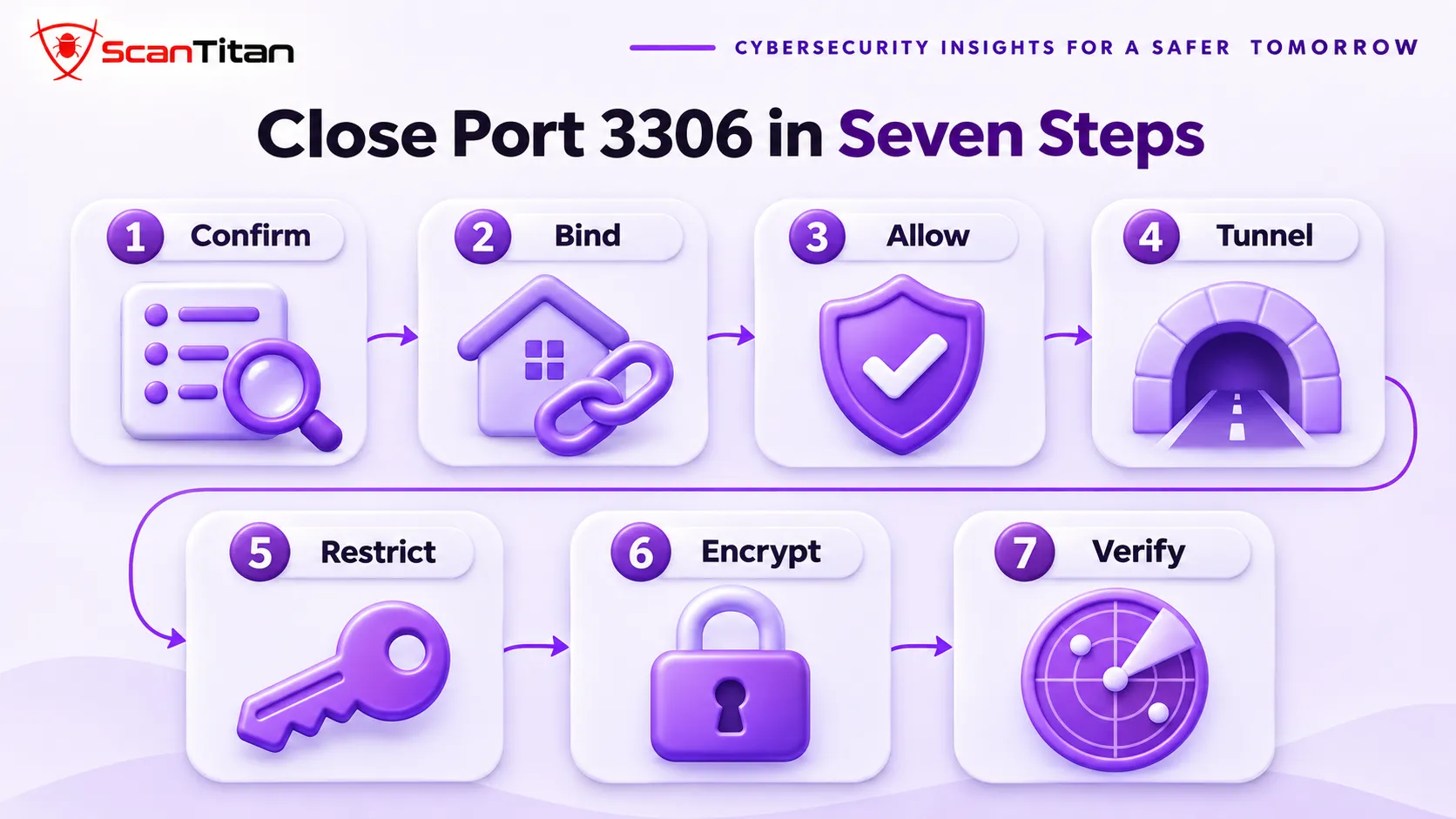
Close port 3306 to the internet by binding MySQL to a private address and allowing only your application server through the firewall. Follow these steps in order, because blocking a port that your website depends on creates a different outage.
- Confirm which machines connect to the database by listing the applications and admin tools that use it, and by running
SHOW PROCESSLIST;during normal traffic to see the real client addresses. - Bind MySQL to the right address by adding
bind-address = 127.0.0.1under the [mysqld] section of the configuration file when the application runs on the same server, or the server’s private address when it runs on another. Then restart the service withsudo systemctl restart mysql, or mariadb for MariaDB. - Allow only the application server in the firewall by running
sudo ufw allow from 10.0.1.20 to any port 3306 proto tcp, and in a cloud, set the security group source to the application server, never 0.0.0.0/0. - Replace public admin access with an SSH tunnel by running
ssh -N -L 3307:127.0.0.1:3306 admin@your-server, then point MySQL Workbench or another client at 127.0.0.1 on port 3307. A VPN works as well. - Restrict accounts to named hosts by creating
'app'@'10.0.1.20'with only the privileges the application needs, then remove broad accounts withDROP USER 'app'@'%';after you confirm nothing depends on them. - Require encryption by setting
require-secure-transport = ONon the server, and set clients that cross a network to the verify CA or verify identity mode so they check the server certificate. - Verify from outside that port 3306 no longer answers, and repeat the check on a schedule so a later change cannot reopen it unnoticed.
Keep a second way into the server, such as the console or SSH, before you restart MySQL on a machine you manage remotely. If the website then shows the error establishing a database connection message, the application is connecting to an address that MySQL no longer listens on, so set the database host in the application to match the new bind address. The tunnel in step 4 is covered in this independent walkthrough.
Is Port 3306 Open on Cloud or Shared Hosting?
Yes, on cloud servers and shared hosting port 3306 is usually open because of a firewall rule or a hosting setting, not because of the database itself. The fix is different on each platform.
How Do You Close Port 3306 in AWS and Other Clouds?
Edit the security group or firewall rule that allows port 3306 and replace a source of 0.0.0.0/0 with your application server. In AWS the rule usually appears as the MySQL/Aurora type, and a source of 0.0.0.0/0 or ::/0 means every IPv4 or IPv6 address on the internet can reach the database. Set the source to the security group of the application server, or to the private subnet range it lives in. For a managed database such as Amazon RDS, choose the not publicly accessible option and keep the instance in a private subnet. Check every region and every account, because forgotten test databases are the usual source of exposed ports, and attack surface management helps you find them.
How Do You Secure Port 3306 on Shared Hosting?
On shared hosting, leave the database local and add only the single address you need in the control panel’s remote database feature. In cPanel, the Remote MySQL interface adds access hosts, so enter the exact address of the machine that needs access and not a pattern that matches every host. Remove old entries when a developer or an office address changes, and note that your hosting provider can enable or disable the interface. A WordPress site on the same hosting account never needs remote access at all, because it connects to the database locally. If you only need to browse the database, use the phpMyAdmin tool from your control panel instead of opening a port.
How Do You Fix Port 3306 Errors?
Most port 3306 errors come from a second process holding the port or from MySQL listening on a different address than the client expects. Fix the cause on the machines that need the database, and resist the urge to open the port to everyone to make the error go away.
How Do You Fix Port 3306 Already in Use?
Find the process that holds the port, then stop it or move your new MySQL server to another port such as 3307. On Windows, run netstat -ano | findstr :3306 to get the process ID, then tasklist to see its name. On Linux, run sudo ss -tlnp | grep 3306. The usual cause is a second MySQL or MariaDB service, such as an installed Windows service alongside XAMPP, or a Docker container that already published the port. To keep both, set port=3307 in the configuration file of the new server and in the application. Windows can also reserve port ranges, for example through Hyper-V, and netsh interface ipv4 show excludedportrange protocol=tcp lists them.
How Do You Fix Connection Refused on Port 3306?
Connection refused means nothing is listening where the client is looking, and three causes explain most cases.
- MySQL is not running: MySQL is not running when the service stopped or failed to start, so check the service status and the error log before you change anything else.
- MySQL listens on another address: MySQL listens on another address when bind-address is 127.0.0.1 and the client connects over the network, so the server accepts only local connections and refuses the rest.
- A firewall blocks the path: A firewall blocks the path when a host rule, security group or network device drops the traffic, which often shows up as a timeout instead of a refusal, so test from the client with Test-NetConnection.
What Is the Difference Between Port 3306, 3307, 33060 and 1433?
Port 3306 is MySQL’s classic protocol port, 33060 is its X Protocol port, 3307 is a common choice for a second instance, and 1433 belongs to Microsoft SQL Server. Only 3306 and 33060 are MySQL defaults for client traffic, as the MySQL port reference lists, so a scan that finds 3307 is showing a convention and not a standard. Treat any of these as a database exposure if it answers from the internet, whichever number it uses. If you run more than one MySQL server on a host, give each one its own port and write the choice down, because an undocumented 3307 is easy to forget when you later review your firewall rules.
| Port | Service | Note |
|---|---|---|
| 3306/TCP | MySQL, MariaDB and Percona classic protocol | The default client port |
| 33060/TCP | MySQL X Protocol | Used by MySQL Shell and X DevAPI clients |
| 33062/TCP | MySQL administrative connections | Default port for the dedicated admin interface |
| 6446/TCP | MySQL Router, read-write | Clients connect here instead of the server in a cluster |
| 3307/TCP | No standard service | A common choice for a second MySQL instance or an SSH tunnel |
| 1433/TCP | Microsoft SQL Server | Not MySQL, and often confused with 3306 |
| 5432/TCP | PostgreSQL | The default PostgreSQL port |
How Do You Spot Abuse of Port 3306?
Spot abuse by looking for repeated failed logins, connections from addresses you do not recognize, and accounts or privileges you did not create. A database login looks like normal traffic, so detection depends on spotting the wrong address, the wrong account or the wrong volume.
- Check failed connections with
SHOW GLOBAL STATUS LIKE 'Aborted%';, because the aborted connects counter climbs with every failed attempt, and a number that rises fast between checks suggests password guessing. - List current connections with
SHOW PROCESSLIST;and read the host column for addresses you do not recognize. - Review accounts with
SELECT user, host FROM mysql.user;and look for new users and for any account with a host of %. - Search the server logs for repeated Access denied for user messages from the same address.
- Alert when port 3306 appears in an external scan or when a new firewall rule opens it.
If any of these point to a login you cannot explain, treat the database as compromised. Change every database password, update the credentials in your application, and check for web shells and injected content, because a database login often follows a leak such as an exposed env file. Our guide on what to do when a website is hacked covers the cleanup order, and malware in a WordPress database shows where injected content hides.
Port 3306 FAQ
What is port 3306 used for?
Port 3306 is the default port that MySQL and MariaDB use for client connections. Applications, admin tools such as MySQL Workbench and phpMyAdmin, and command line tools such as mysqldump connect to it when the database is on another machine.
Is port 3306 TCP or UDP?
Port 3306 is TCP. MySQL’s classic protocol runs over TCP, and the MySQL port reference lists it as 3306/TCP. The IANA registry also reserves the number for UDP, but MySQL does not use it, so you never need to open UDP for it.
Is the MySQL port 1433 or 3306?
The MySQL port is 3306. Port 1433 is the default for Microsoft SQL Server, and PostgreSQL uses 5432. People mix them up because all three are database ports that should stay off the public internet.
Should I change the default MySQL port?
Changing it cuts down on noise from automated scans, but it is not a security control, because a scan of every port still finds the service. Binding to a private address and a firewall allow list do the real work, so make those changes first.
Is port 3306 a vulnerability?
An open port 3306 is an exposure and not a flaw in MySQL itself. It becomes dangerous when it faces the internet, because attackers can guess passwords and test unpatched versions. MySQL 8.0 reached end of life in April 2026, so plan a move to 8.4 LTS.
How do I open port 3306 safely for remote access?
Do not open it to the world. Allow only the address of the machine that needs access, give the account a named host, require TLS, and use an SSH tunnel or VPN when the address changes. Then confirm with an outside scan that nothing else can reach it.
Sources. Oracle, MySQL 8.4 Reference Manual, Server System Variables and Configuring MySQL to Use Encrypted Connections; MySQL Port Reference Tables; MySQL 8.0 Release Notes; Shadowserver, Accessible MySQL Server Report; SecurityWeek, Scanning Finds Over 3.6 Million Internet-Accessible MySQL Servers; MITRE ATT&CK, T1110 Brute Force; Docker, Port publishing and mapping; cPanel, Remote MySQL; IANA Service Name and Transport Protocol Port Number Registry.
Related reading: the port 445 vulnerability, port 5985 and WinRM, what an open port is and internet-exposed services.