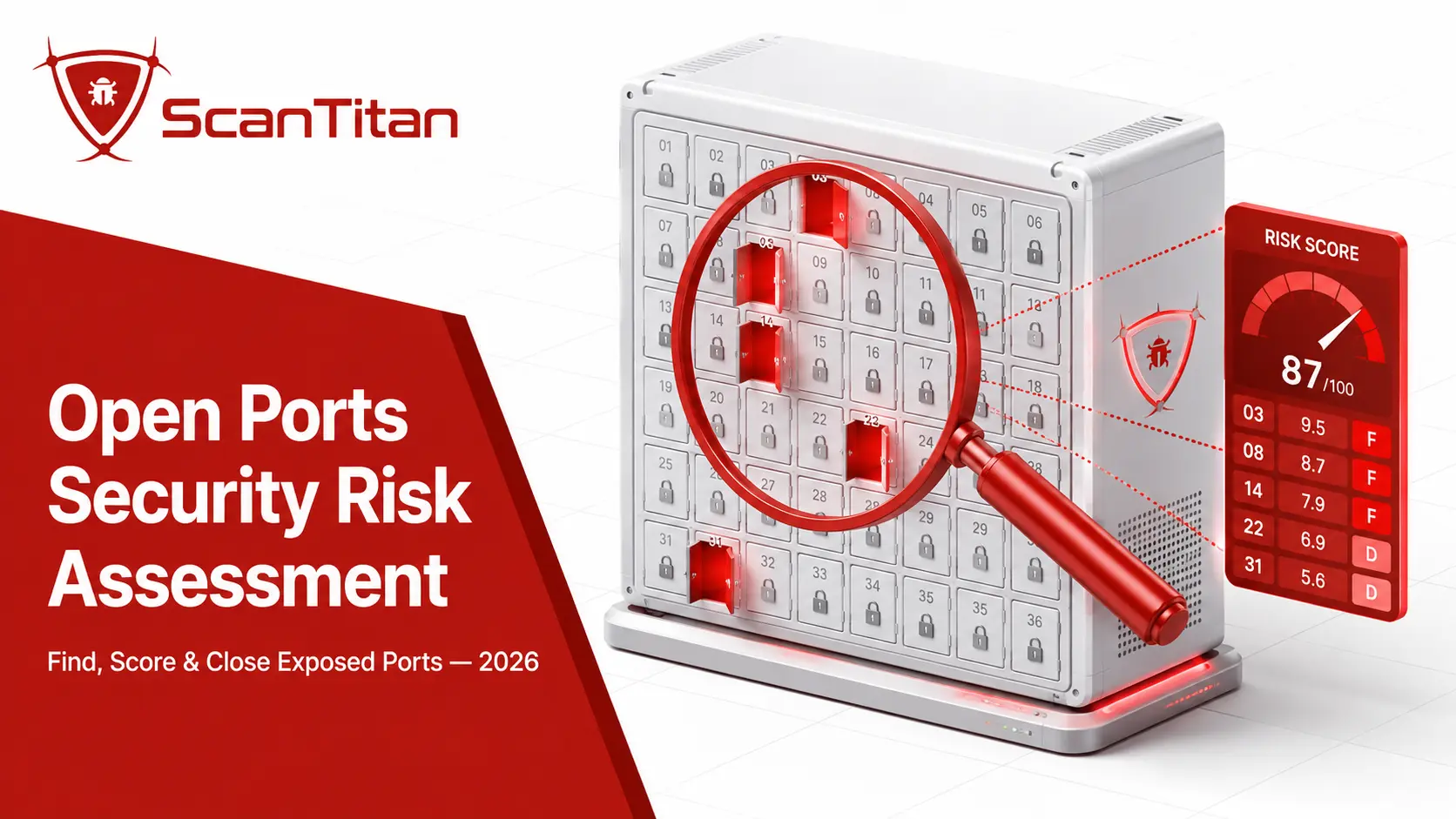
An open ports security risk assessment is the process of finding every internet-facing port, identifying the service behind it, and scoring how likely an attacker is to exploit it. Not every open port is dangerous. Port 443 running patched HTTPS is fine. Port 3389 exposing Remote Desktop Protocol to the whole internet is not. This guide shows your security team how to run that assessment, rank findings with CVSS and EPSS, and close the ports that actually put your network at risk before an attacker reaches them first.
Short answer: An open ports security risk assessment inventories your internet-facing ports, maps each one to a known service and its vulnerabilities, then ranks them by real-world exploitability using CVSS severity, EPSS probability, and CISA KEV status. High-risk exposures such as SMB (port 445), RDP (port 3389), and Telnet (port 23) get closed or restricted first.
What is an open ports security risk assessment?
An open ports security risk assessment answers one question: which of your exposed ports could an attacker actually use to get in? A basic port scan tells you a port is open. An assessment goes further. It fingerprints the service, checks its version against known CVEs (Common Vulnerabilities and Exposures), weighs how exposed and exploitable the service is, and produces a ranked list of what to fix. Think of it as the difference between noticing an unlocked door and deciding whether that door leads to a broom closet or your server room. ScanTitan builds this workflow into its network vulnerability scanner, so findings arrive already scored, not as raw port lists.
How do open ports work?
Every device on a TCP/IP network exposes numbered communication endpoints called ports, and understanding how they are assigned is the foundation of any assessment. If you want the fundamentals first, our explainer on what an open port is in cyber security covers the basics. Below, we focus on the two facts that shape a risk assessment: the port range and the IANA classification system.
TCP, UDP, and the 0 to 65,535 range
Each IP address carries two separate sets of ports, one for TCP (Transmission Control Protocol) and one for UDP (User Datagram Protocol), numbered 0 through 65,535. A port is “open” when a service is actively listening on it and will answer an incoming connection. A closed port drops or refuses the packet. When your team runs a scanner such as nmap -sS target, the tool sends probe packets and records which ports respond, which service replied, and often the software version. Attackers do exactly the same thing at internet scale, so the ports that answer you are the same ports that answer them. That symmetry is why external visibility matters so much.
IANA port ranges: well-known, registered, dynamic
The Internet Assigned Numbers Authority (IANA) organizes ports into three bands, and the band tells you what to expect on a given number. The IANA service name and port registry is the authoritative source. Well-known ports (0 to 1023) carry core protocols like HTTP (80), HTTPS (443), SSH (22), and SMB (445). Registered ports (1024 to 49,151) belong to specific applications, such as Microsoft SQL Server on 1433 or Elasticsearch on 9200. Dynamic ports (49,152 to 65,535) are used briefly by client software during a session. During an assessment, a detected service always overrides the assumed one: if nmap finds SSH answering on port 2222, your team grades the real service, not the number.
Why are open ports a security risk?
Open ports become a risk when the service behind them is unpatched, misconfigured, or exposes a protocol that should never face the internet. An attacker uses an open port as an entry point, then pivots. This maps directly to the OWASP category of security misconfiguration, one of the most common root causes of breaches. The data backs this up. A Marsh McLennan study comparing thousands of organizations found that open ports correlate strongly with cyberattack incidents, and Bitsight researchers reported that companies graded F on open ports were more than twice as likely to suffer a breach as A-graded peers. Shodan scans referenced by ESET put roughly 3.5 million RDP endpoints on the public internet, giving attackers a vast target pool to brute-force.
Which open ports carry the most risk?
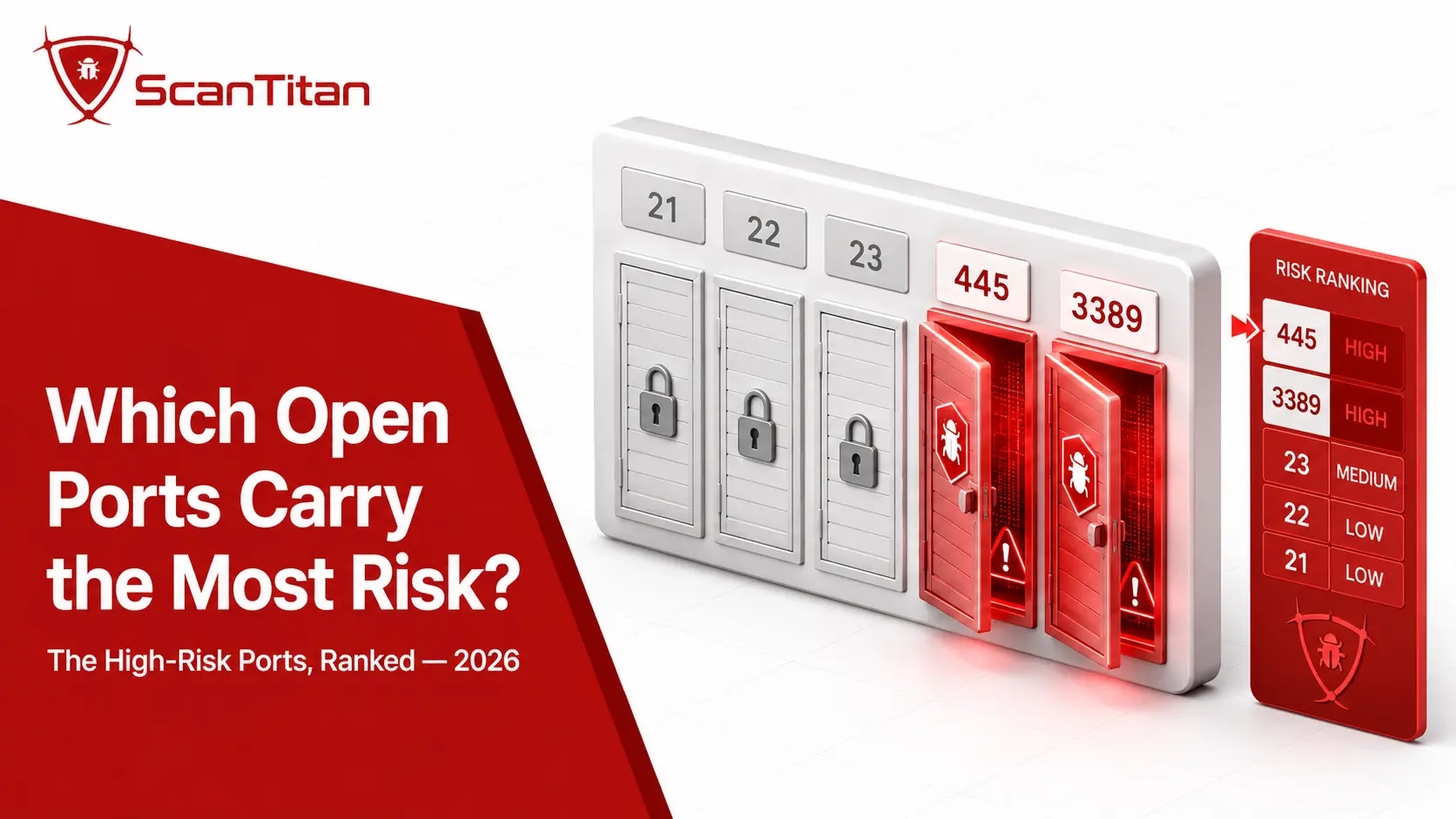
Some ports show up as high-risk findings in almost every external scan we run, because the protocol behind them is either unencrypted, unauthenticated, or a known ransomware pathway. The table below lists the exposures your assessment should flag first. SMB on port 445 deserves special attention, since it carries the most notorious ransomware pathway in the list.
| Port | Service | Why attackers target it |
|---|---|---|
| 21 | FTP | Sends credentials in plaintext; trivial to intercept |
| 22 | SSH | Brute-forced constantly; ~20M+ endpoints exposed per Shodan-based reporting |
| 23 | Telnet | Unencrypted, often unauthenticated legacy remote access |
| 53 | DNS | Abused for DDoS amplification against infrastructure |
| 139 | NetBIOS | Legacy file sharing; leaks host and domain names |
| 445 | SMB | Lateral movement and ransomware; the EternalBlue pathway |
| 1433 | MSSQL | Database access; targeted for credential and data theft |
| 1900 | UPnP | Recruited into IoT botnets |
| 3389 | RDP | Brute-force and ransomware entry; ~3.5M exposed per Shodan |
| 9200 | Elasticsearch | Frequently left open with no auth, enabling data breaches |
How to run an open ports security risk assessment step by step
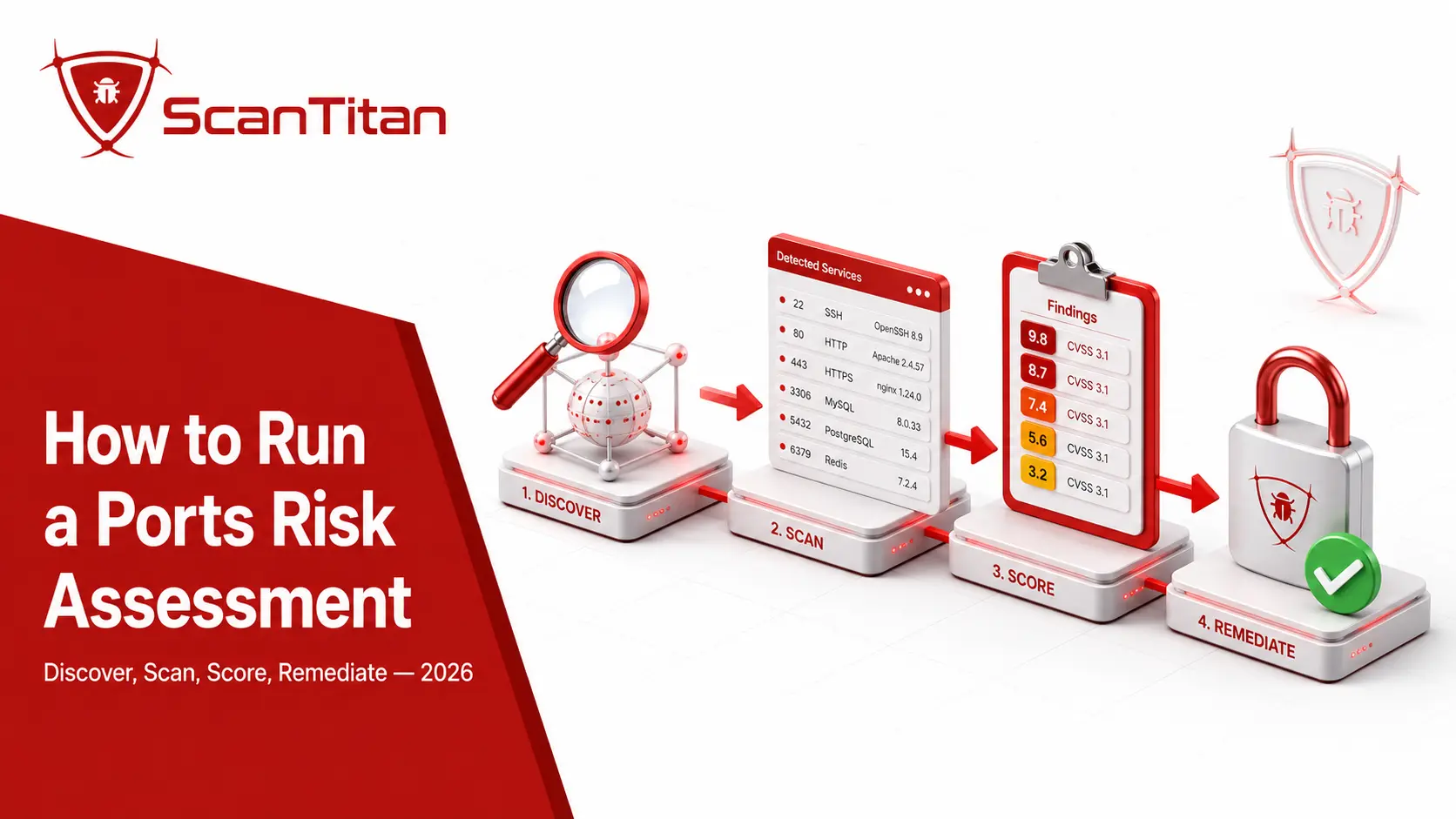
A repeatable assessment follows the same six phases every time, and each phase feeds the next. Run them in order. Skipping discovery, for example, means you score only the ports you already knew about, which are rarely the ones that hurt you.
For any port serving HTTP or HTTPS, pair the port assessment with a website security scan. The application layer is where the exploitable findings usually are.
1
Discover and inventory every internet-facing asset
Start by finding what you actually expose, because you cannot assess a port you do not know exists. Your team enumerates every domain, subdomain, cloud IP range, and forgotten staging host, then scans each for listening services. Shadow IT and cloud sprawl are the usual culprits behind surprise exposures. Censys researchers noted in early 2026 that the time between a service appearing online and the first attacker probe keeps shrinking, sometimes to minutes, so a stale inventory is a liability. Tools like nmap, masscan, and continuous platforms feed this stage. ScanTitan handles discovery through network ports and exposure monitoring, which keeps the asset list current instead of relying on a one-time export.
2
Scan with the right method: external and authenticated
Choose your scan type based on what you need to prove, because external and authenticated scans answer different questions. An external scan mimics an attacker with no credentials and shows exactly what the internet can reach, which is the core of any open ports assessment. An authenticated scan logs into the host and inspects patch levels and configuration from the inside, catching issues an external probe misses. Most mature programs run both. Our comparison of internal vs external vulnerability scanning explains where each fits, and the deeper guide to authenticated versus unauthenticated scanning shows why credentialed checks cut false negatives. The open-source scanner Nmap remains the reference tool for the external view.
3
Identify services, versions, and vulnerabilities
Once you know which ports answer, map each service to its known weaknesses. The scanner fingerprints the software and version, then matches it against vulnerability databases. A port running an outdated SMB stack, for instance, links straight to EternalBlue via CVE-2017-0144, the flaw WannaCry weaponized in 2017. Each finding should carry its CVE identifier, its CVSS (Common Vulnerability Scoring System) base score, and its CWE (Common Weakness Enumeration) class, such as exposure of a resource to the wrong sphere. This is where a full vulnerability assessment and general network vulnerability scanning turn a plain port list into an evidence-backed risk picture your team can act on.
4
Prioritize findings by real-world exploitability
Rank what you found, because no team can fix everything at once and severity alone will mislead you. A CVSS 9.8 on an internal host with no known exploit is often less urgent than a CVSS 7.5 on an internet-facing SMB port that attackers scan hourly. Your team weighs four signals together: CVSS severity, EPSS probability, CISA KEV status, and how exposed the asset is. If you run a two-person IT team drowning in scan output, this ranking is what turns 300 findings into the five that matter this week. The next section breaks down each signal, and our guide to prioritizing vulnerability remediation walks through the full triage flow.
5
Produce evidence-based findings and a remediation plan
Document each finding with proof, because a finding an engineer cannot verify is a finding that gets ignored. For every high-risk port, your report should record the asset, the port and service, the CVE and CVSS, the exposure context, and a specific fix. Evidence matters: a screenshot of the banner, the exact nmap service detection line, or the negotiated protocol version removes the argument over whether the risk is real. ScanTitan attaches this proof to every result, so your engineers close the exposure instead of debating it. A findings register that ranks SMB on port 445 above a patched HTTPS service on port 443 gives everyone a shared, defensible order of work rather than a raw dump of open ports.
6
Remediate, verify, and monitor continuously
Fix the exposure, confirm the fix held, then keep watching, because port posture drifts every time someone spins up a new service. Remediation usually means closing the port, restricting it to known source IPs, replacing a legacy protocol, or patching the service. After each change, your team rescans to verify the port is actually closed and no new service crept in behind it. A one-time assessment ages fast. Setting up continuous vulnerability scanning catches the RDP port a developer opens next Tuesday, long before an attacker does. Continuous monitoring is the difference between knowing your exposure today and hoping it has not changed since last quarter.
How should you prioritize which ports to fix first?
Rank your findings in four passes, in this order: KEV match, then EPSS probability, then exposure, then CVSS. Most teams do it backwards. They sort by CVSS descending and never reach the moderate-severity SMB port attackers are actively scanning. Sorting by severity alone is close to guessing: at the F1 threshold, CVSS v3 reaches 6.5 percent efficiency while flagging 13.7 percent of all vulnerabilities. Run these four passes instead.
- Match every finding against CISA KEV. Cross-reference your port findings against the CISA Known Exploited Vulnerabilities feed, which updates continuously as CSV and JSON. A KEV entry means exploitation is not theoretical, so the finding jumps the queue regardless of CVSS. Treat any KEV match on an internet-facing port as a same-day fix. By ScanTitan’s count, 335 of 1,748 KEV entries come from network-edge vendors, which is why internet-facing devices go first.
- Score what remains with EPSS. Pull the EPSS score from the FIRST.org API for every finding without a KEV entry. EPSS estimates the probability that a vulnerability will be exploited within the next 30 days, updated daily. There is no universal cutoff, but 0.1 is a common starting threshold, and anything above 0.5 on an exposed port belongs in this week’s sprint.
- Multiply by exposure. No external feed knows your network. Weight the ranked list with what your scan found: is the port reachable from the internet, does the asset touch sensitive data, does the service have a documented business need? An internet-facing port always outranks the same flaw inside a segmented network.
- Use CVSS as a floor, not a sort key. CVSS filters out genuinely low-impact issues at the bottom of the queue, nothing more. Take the score from the CNA advisory first and fall back to NVD.
| Signal | What it measures | Where to get it | How to use it |
|---|---|---|---|
| CISA KEV | Confirmed exploitation in the wild | CISA feed (CSV/JSON) | Forces top priority on any match |
| EPSS | Probability of exploitation in the next 30 days | FIRST.org API | Elevates likely targets above quiet criticals |
| Exposure | Internet-facing versus internal, business need | Your own scan | Multiplies everything above |
| CVSS | Technical severity if exploited | CNA advisory, then NVD | Filters the floor, never sorts the queue |
Why NVD is no longer a complete CVSS source
Since 15 April 2026, NIST enriches only CVEs listed in CISA KEV, affecting federal government software, or designated critical under Executive Order 14028. Everything else carries a “Lowest Priority” status with no CVSS score, no product mappings, and no weakness classification, and every backlogged CVE published before 1 March 2026 moved into a “Not Scheduled” category. If your workflow pulls severity from NVD alone, expect gaps on most findings.
What this looks like in practice
Two findings land on the same host. Port 443 runs a patched HTTPS service with a CVSS 9.1 flaw, no KEV entry, EPSS 0.02. Port 445 exposes SMB to the internet with a CVSS 7.5 flaw that sits in KEV. Sorted by CVSS, port 443 wins and your team spends the week on it. Run the four passes and port 445 goes first, correctly, because someone is exploiting it today and the whole internet can reach it.
How open ports affect compliance and cyber insurance
Exposed ports are not just a technical risk, they are a recurring audit and insurance finding, and closing them is usually cheaper than explaining them. Several frameworks restrict or prohibit direct internet exposure of file sharing and remote administration services, and assessors check for it directly.
- Map open port findings to PCI DSS, which requires regular external vulnerability scanning of internet-facing systems for anyone handling card data.
- Document SMB and RDP exposure against ISO 27001 and NIST 800-53 controls, which auditors flag when file sharing or remote access reaches the public internet.
- Address NIS2 obligations for essential and important entities, covered in our guide to vulnerability scanning for NIS2 compliance.
- Answer cyber insurance questionnaires honestly, since insurers increasingly ask whether ports like 445 and 3389 are exposed and price policies accordingly.
For a lean team facing a compliance deadline, a scored open ports assessment doubles as audit evidence, which saves the scramble of assembling proof after the auditor asks.
Best practices to reduce open port risk
Reducing open port risk comes down to exposing less and watching what remains, and these controls apply whether you manage 10 assets or 10,000. The CIS Critical Security Controls recommend leaving open only the ports with a valid business need.
- Adopt a default-deny posture so every port stays closed until someone justifies opening it.
- Segment networks with VLANs and firewalls to block lateral movement if one host falls.
- Restrict sensitive ports to specific source IP ranges instead of the entire internet.
- Replace legacy protocols: choose SSH over Telnet, SFTP over FTP, and enforce HTTPS.
- Enforce least privilege on every host so a compromised service cannot escalate freely.
- Route remote access through a VPN or broker rather than opening RDP or SSH to the public internet.
Do not rely on moving a service to a non-standard port.Censys research showed that relocating SMB from 445 to a high port does not prevent discovery, because attackers sweep the full range and fingerprint by protocol.
Third-party and supply chain exposure
Your risk does not stop at your own perimeter, because a vendor with an exposed port can become your breach. Many third and fourth parties leave ports open without telling anyone, and attackers reach your data through them. SecurityScorecard’s 2025 Third-Party Breach Report found that 35.5 percent of breaches originated from third-party infrastructure, which makes vendor port exposure a first-party problem in practice. Cloud sprawl and unmanaged vendor services expand the attack surface faster than most teams can track by hand. A complete open ports assessment therefore extends to the vendors who touch your environment. ScanTitan’s IP vulnerability scanner checks external ranges for exposed services, so your team can flag a partner’s open SMB port before it turns into your incident.
Frequently asked questions
How often should you run an open ports security risk assessment?
Run a full external assessment at least monthly, and continuously if you can, because port posture changes every time a developer or cloud service opens a new listener. Quarterly scanning, the old compliance default, is no longer enough. Attackers probe fresh services within minutes, and Censys researchers documented time-to-first-contact shrinking through early 2026. PCI DSS still mandates quarterly external scans as a floor for card-handling systems, but treat that as the minimum. Continuous monitoring catches the RDP or SMB port that appears between scheduled scans, which is exactly when most accidental exposures happen and exactly when attackers find them.
What is the difference between a port scan and a risk assessment?
A port scan lists which ports are open. A risk assessment tells you which of those open ports actually put you in danger and what to do about them. The scan is one input. The assessment adds service fingerprinting, version-to-CVE matching, CVSS and EPSS scoring, CISA KEV checks, exposure context, and a ranked remediation plan with evidence. A scan might report that port 445 is open on 12 hosts. An assessment tells you which of those hosts run a vulnerable SMB version, which face the internet, which sit in the CISA KEV catalog, and which your team should close before Friday. One is data. The other is a decision.
Which open ports should always be closed to the internet?
Close any port without a documented business need, and prioritize the ones attackers target most. Telnet (port 23) sends everything in plaintext and should be retired entirely in favor of SSH. NetBIOS (139) and SMB (445) expose file sharing that belongs inside your network, never on the public internet, because they carry the EternalBlue ransomware pathway. FTP (21) transmits credentials unencrypted. Databases like MSSQL (1433) and search services like Elasticsearch (9200) should never face the internet directly. RDP (port 3389) is a constant brute-force target and belongs behind a VPN. If a service must stay reachable, restrict it to known source IPs.
Can you close port 445 safely?
Yes, and most networks should, because SMB on port 445 rarely needs to face the public internet. Block TCP 445 and TCP 139 inbound at the perimeter firewall, the cloud security group, and any load balancer, then keep SMB reachable only from your trusted internal network or a VPN. Before closing it, confirm which internal services depend on file sharing so you do not break legitimate traffic, which is the one real constraint. Also remove SMBv1 from every host, since it exposes the EternalBlue family directly. Our full port 445 vulnerability guide covers the remediation steps and the SMBv1 removal process in detail.
Are open ports always a security vulnerability?
No. An open port is only a vulnerability when the service behind it is exploitable, exposed, or misconfigured. Ports are essential; your website answers on port 443 for a reason. A patched, encrypted, access-controlled service on a necessary port is a normal part of operating a network, not a finding. The risk appears when the port exposes an unpatched CVE, an unencrypted protocol, weak authentication, or a service with no business reason to be reachable. This is why an assessment scores context rather than counting open ports. The goal is not zero open ports, which is impossible, but zero unnecessary or exploitable ones.