
Port 8443 is a TCP port widely used as an alternative to port 443 for HTTPS, mostly by admin panels, application servers and network controllers. The number does not guarantee encryption or safety, because the program listening there decides both. That matters when a management login faces the internet without anyone remembering it. This guide shows what runs on port 8443, how to identify the service on yours, how to restrict it and how to fix common errors.
What Is Port 8443?
Port 8443 is a network port that software commonly uses for HTTPS when port 443 is taken or when an interface should sit apart from the public website. The IANA port registry lists the number under the name pcsync-https, yet in daily use it works as a conventional second HTTPS port. Browsers never choose it on their own, so the address must include it, as in https://example.com:8443. Ports above 1023 also let a program start without root privileges on Linux and other Unix systems, which is one reason application servers like high numbers. The port itself provides no encryption. TLS comes from the service that listens there and from its certificate and settings.
What Is Port 8443 Used For?
Port 8443 is used for HTTPS interfaces that need their own door, above all admin consoles, application servers and device controllers. The table lists common uses confirmed in vendor documentation, with Ivanti’s confirmed in security reporting. Treat it as a list of suspects and not as proof, because any program can listen on any free port. If your scan shows 8443 open, the next job is to identify the exact process or product behind it. A control panel login deserves much tighter access than a public application, since one stolen administrator password can hand over every site on the server. An old test instance is the other common surprise, because nobody patches what nobody remembers installing.
| Software or service | What answers on 8443 |
|---|---|
| Apache Tomcat | The conventional HTTPS connector, shipped commented out in the default configuration |
| Spring Boot | The port used in the documented examples for serving HTTPS |
| Plesk | The control panel over HTTPS |
| UniFi Network | The application interface and API |
| ASUS routers | The default HTTPS port for the web settings page |
| Ivanti Sentry | The MICS administrator portal, by default |
| minikube | The Kubernetes API server, by default |
| Cloudflare proxy | One of the HTTPS ports proxied by default, with caching disabled |
What Is the Difference Between Port 443 and Port 8443?
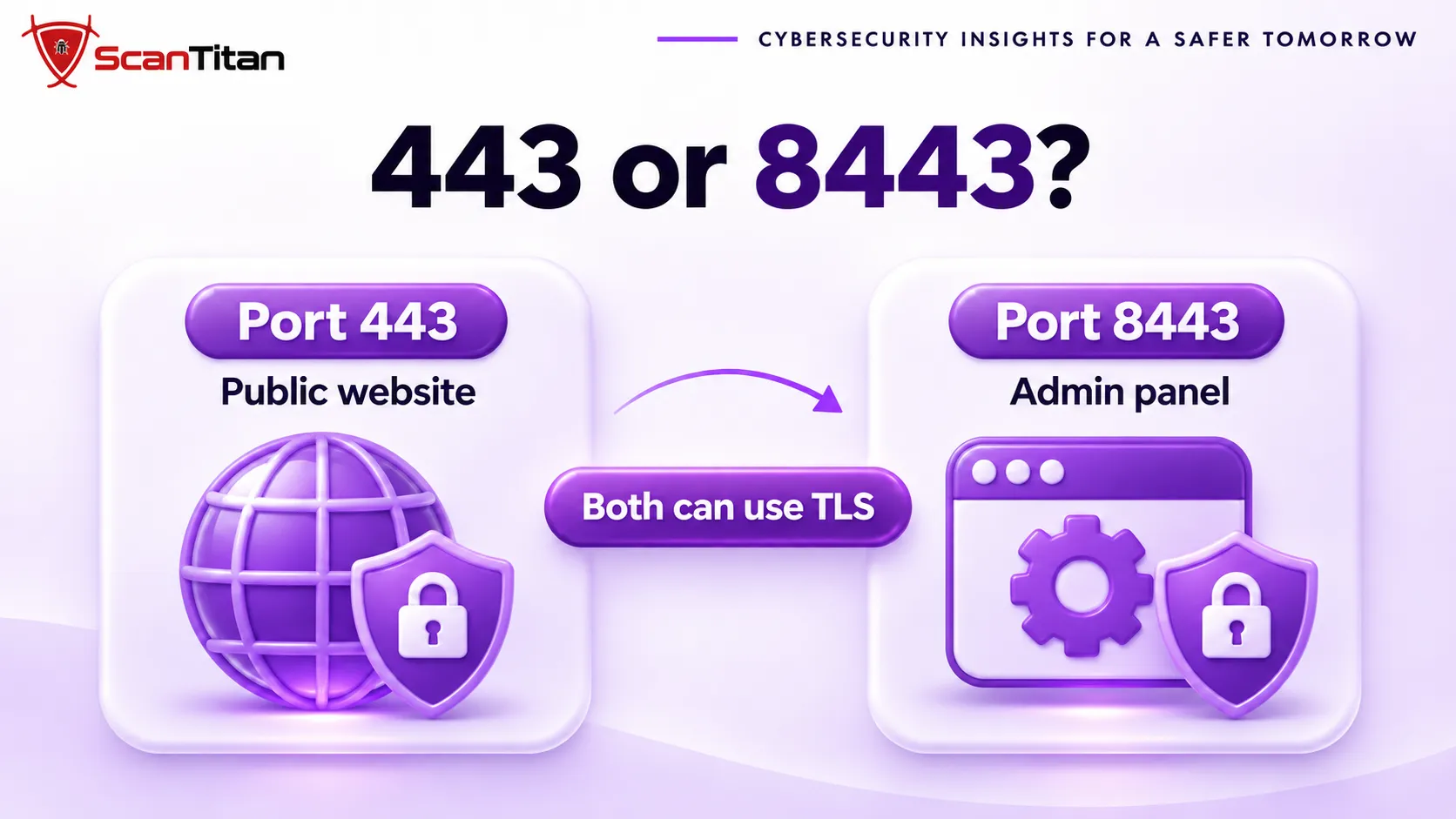
The difference between port 443 and port 8443 is that 443 is the default HTTPS port, while 8443 is a conventional alternative that must be typed into the address. Both can carry the same TLS encryption.
| Point | Port 443 | Port 8443 |
|---|---|---|
| Role | Default for HTTPS | Alternative by convention |
| Address | https://example.com | https://example.com:8443 |
| Typical use | Public websites and APIs | Admin panels, app servers, controllers |
| Firewalls | Usually allowed for web servers | Often needs its own rule |
| Encryption | Depends on TLS settings | Depends on TLS settings |
Can You Use Port 8443 Instead of 443?
Yes, you can use port 8443 instead of 443, as long as your server listens there and visitors include the number in the address. For a public website it is usually a poor choice. People type a domain without a port, so their browser goes to 443 and never finds your service. Some office networks and public Wi-Fi also block unusual outbound ports. Certificates work the same way on both, because a certificate names a host and not a port. The cleanest design keeps visitors on 443 and lets a reverse proxy or load balancer pass requests to an application listening on 8443 behind it. Keep that backend reachable only from the proxy.
Is Port 8443 Safe to Leave Open?
No, port 8443 is not safe to leave open to everyone when an admin panel answers on it, although a patched public application can use it safely. The risk depends on the service, who can reach it and how current it is.
Is Port 8443 More Secure Than Port 443?
No, port 8443 is not more secure than port 443, because moving a service to another number changes where it answers and nothing else. Scanners check high ports as well as the familiar ones, and the SANS Internet Storm Center keeps daily scan data for port 8443. A weak password, an expired product or a missing patch is just as dangerous there. The move can even lower your safety, since teams often leave a second HTTPS port out of monitoring, firewall reviews and certificate renewals. Judge the service by its authentication, its patch level and the list of addresses allowed to connect, then treat the port number as a label.
Our open ports statistics show why moving a service to another number does not hide it.
Why Do Attackers Target Port 8443?
Attackers target port 8443 because it often leads to a management login, and control of a management system is worth far more than control of one web page. Ivanti Sentry shows the stakes. CVE-2023-38035, rated 9.8 out of 10, let attackers bypass authentication on its administrator interface in versions 9.18.0 and below, and CISA added it to its list of exploited vulnerabilities in August 2023. That portal runs on port 8443 by default, and Ivanti advised customers to keep it on internal management networks and off the internet. The lesson applies to any product: an admin interface that strangers can reach turns one software flaw into a possible takeover, even when the public website looks perfectly healthy.
Is Port 8443 Open on Your Router?
Yes, port 8443 can be open on your router when remote access to its settings page is switched on. ASUS documents 8443 as the default HTTPS port for its router web interface, including remote access from the internet once that option is enabled. Other brands choose other numbers, so check the manual for your model. Sign in to the router from your home network, find the remote or web access from WAN setting and turn it off unless you truly need it. If you do need remote management, use a VPN, update the firmware and set a long unique administrator password. Then test from a mobile connection to confirm the port no longer answers.
How Do You Find What Is Running on Port 8443?
You find what is running on port 8443 by asking the server which process holds the port, then checking from outside what that service shows to strangers.
- Identify the process that holds the port on the server, and write down its name and process ID.
- Trace that process to a product, service or container, and name the person responsible for it.
- Read the bind address: 127.0.0.1 accepts local connections only, while 0.0.0.0 or [::] listens on every interface.
- Test the port from an outside connection to learn whether strangers can reach it.
- Inspect the certificate and response headers to see what the service reveals about itself.
- Decide whether to keep, restrict or remove the service, and record the reason for the next review.
Only test systems you own or have written permission to test.
How Do You Check Port 8443 on Your Own Server?
You check port 8443 on your own server by listing the listening process and reading its name and bind address. Work through these commands for your operating system.
- Linux: A Linux check is a socket listing, so run
sudo ss -tlnp | grep 8443orsudo lsof -i :8443to see the process name and ID. - Windows: A Windows check is a connection query, so run
Get-NetTCPConnection -LocalPort 8443 -State Listenin PowerShell, then pass the owning process number toGet-Process -Id. - Docker: A Docker check is a container listing, so run
docker psand read the ports column for any mapping to 8443.
A bind address of 0.0.0.0 or [::] means the service listens on every interface, while 127.0.0.1 means only the machine itself can connect. On Windows, a full listing often includes port 7680 too, which is update sharing and unrelated to your web service.
How Do You Check Port 8443 From Outside Your Network?
You check port 8443 from outside your network by connecting from a machine on a different connection, because an internal test says nothing about your firewall edge. Run nmap -sV -p 8443 your-public-address to see whether the port is open, filtered or closed and what service Nmap recognizes. Then run curl -vkI https://your-public-address:8443 to read the certificate details and response headers, which often name the product. The k option skips certificate checks, so use it only for identification. To watch every public address on a schedule, use a network vulnerability scanner for open ports and attack surface management to catch servers you forgot you had.
How Do You Close or Restrict Port 8443?
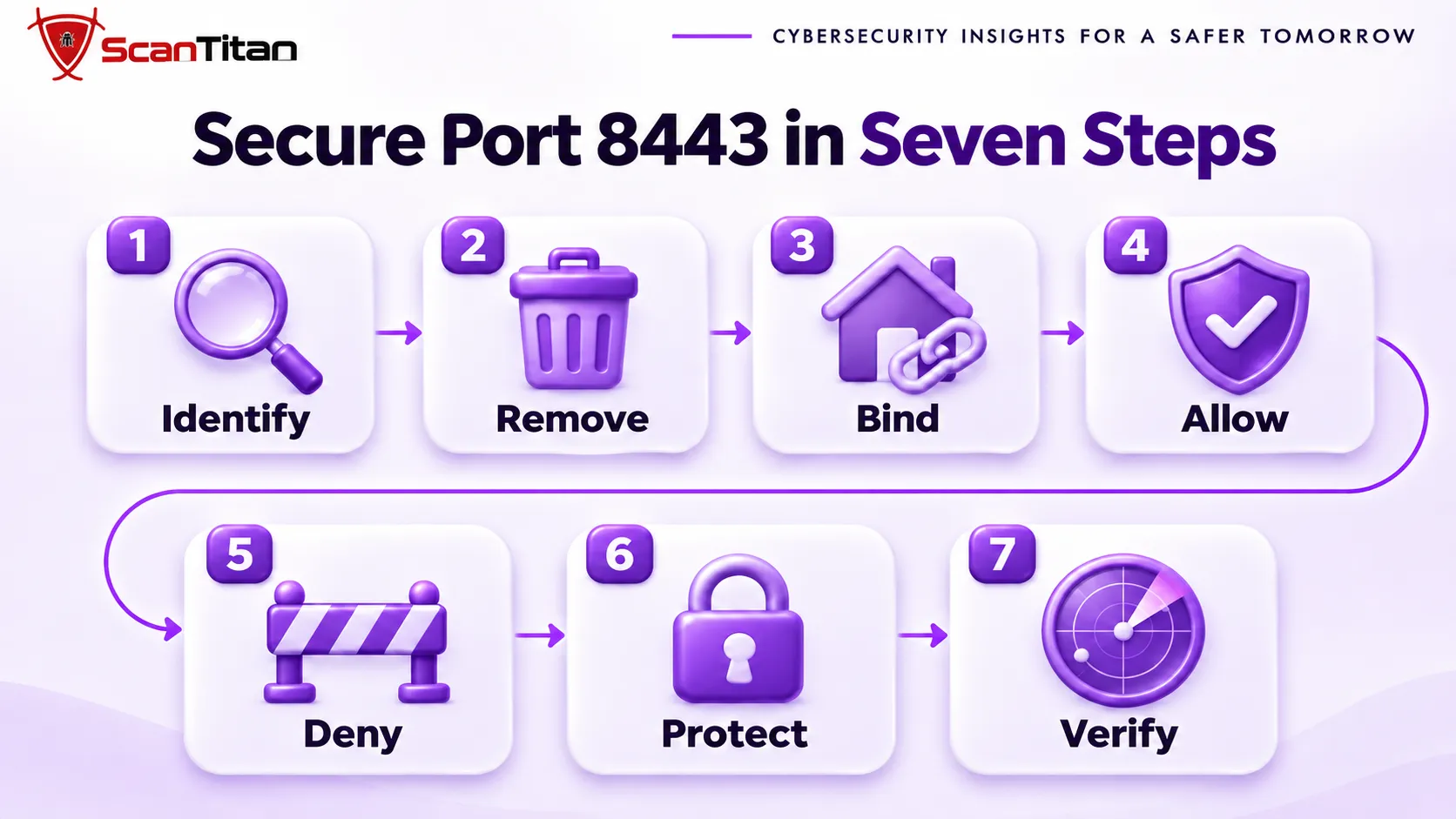
You close or restrict port 8443 by deciding who needs the service, then enforcing that answer in both the application and the firewall. Follow these steps in order so that you don’t lock yourself out of a panel you depend on.
- Identify the process and product listening on the port, and name the person responsible for it.
- Remove the service if nobody uses it, by disabling the connector or uninstalling the software.
- Bind a service that only local programs need to 127.0.0.1, and publish a Docker container as
127.0.0.1:8443:8443. - Allow trusted addresses first, for example
sudo ufw allow from 203.0.113.10 to any port 8443 proto tcp, replacing the sample address with yours. - Deny everyone else, with a default deny incoming policy or with
sudo ufw deny 8443/tcpadded after the allow rule, and match it in your cloud security group. - Protect the remaining access with a VPN, multi-factor authentication where the product offers it, and current security updates.
- Verify from an untrusted connection that the port no longer answers, and repeat the test after every upgrade.
Order matters in UFW, because the first matching rule wins. Docker needs extra care: published container ports bypass UFW rules, so a deny rule alone may leave a container reachable. Keep console access open while you change firewall rules. This short video shows the UFW commands for opening and closing ports.
How Do You Fix Port 8443 Errors?
You fix port 8443 errors by reading which kind of failure you have, since a busy port, a blocked connection and a certificate warning each have a different cause.
How Do You Fix Port 8443 Already in Use?
You fix port 8443 already in use by finding the program that holds the port, then stopping it or moving your new service elsewhere. Run sudo ss -tlnp | grep 8443 on Linux or netstat -ano | findstr :8443 on Windows to get the process. A second Tomcat instance, a development server that never shut down or a controller installed on the same host are typical suspects. To move a Tomcat service, change the port on its HTTPS connector in server.xml and update every redirectPort value to match. In Spring Boot, set server.port to a free number. Open the new port in the firewall and close the old rule.
How Do You Fix Connection Refused or Timed Out on Port 8443?
You fix connection refused or timed out on port 8443 by separating a missing listener from a blocked path. A refusal normally means the host answered but nothing accepts connections there, so confirm that the service is running, check its error log and make sure its connector is enabled. Tomcat ships with the 8443 connector commented out, which explains many refusals on new installs. Also check that the service does not listen only on 127.0.0.1. A timeout usually points to a firewall, cloud security group or network device dropping packets. Test from the server itself first, then from the client network, and compare the two results before changing any rule.
How Do You Fix Certificate Warnings on Port 8443?
You fix certificate warnings on port 8443 by installing a certificate that browsers trust and that matches the name you type. Many controllers and routers start with a self-signed certificate, so the browser cannot verify who is answering. Open the warning details and check three things: the issuer, the expiry date and the names the certificate covers. Reaching the service by IP address fails when the certificate lists only a hostname. Install the certificate through the product’s own settings, include the full chain and restart the service. Renew it on the same schedule as your main website, because tools that automate port 443 often skip a second port. Avoid training users to click past warnings.
Does Port 8443 Use TCP or UDP?
Port 8443 uses TCP for ordinary HTTPS, which covers nearly every admin panel and application server you will meet. The IANA registry reserves the number for both TCP and UDP, but a registry entry does not mean a program listens on either. HTTP/3 runs over QUIC, which uses UDP, so a server configured to offer HTTP/3 on this port needs UDP allowed too. Open only the protocol your service actually uses. Check TCP listeners with ss -tlnp and UDP listeners with ss -ulnp on Linux. If UDP 8443 appears and you cannot name the program behind it, find out why before you write a firewall rule that allows it.
What Is the Difference Between Port 8443, 8080, 8444 and 9443?
The difference between port 8443, 8080, 8444 and 9443 is mostly convention: 8443 is the familiar alternative for HTTPS, 8080 is the familiar alternative for plain HTTP, and the other two are used by particular products. The registry names tell you what was reserved, not what runs on your server. Always identify the process before you decide a port is harmless. A familiar number can hide an unrelated program, and an unfamiliar one can carry your most sensitive login. When you document your servers, record the port, the product, the owner and the allowed sources together, so the next firewall review does not depend on memory. See our guide to open ports for the basics.
| Port | Registered name | Common practice |
|---|---|---|
| 8443 | pcsync-https | Alternative HTTPS |
| 8080 | http-alt | Alternative HTTP, usually without TLS |
| 8444 | pcsync-http | Product specific uses |
| 9443 | tungsten-https | Product specific HTTPS interfaces |
Port 8443 FAQ
Is port 8443 the same as 443?
No, port 8443 is not the same as 443. Port 443 is the default HTTPS port that browsers use automatically, while 8443 is a separate port that must appear in the address. Both can use the same TLS encryption.
Is port 8443 always HTTPS?
No, port 8443 is not always HTTPS. The program listening on the port decides which protocol it speaks. HTTPS is the usual convention, but you should confirm it with a connection test before assuming traffic is encrypted.
Is port 8443 a vulnerability?
No, port 8443 is not a vulnerability by itself. It becomes an exposure when an outdated product or an admin login on it can be reached by anyone, so check the service, its patch level and its allowed sources.
Does Cloudflare support port 8443?
Yes, Cloudflare supports port 8443 as one of the HTTPS ports it proxies by default. Caching is disabled on it unless an Enterprise cache rule turns it on. A proxy does not replace a firewall on your origin server.
How do I open port 8443?
You open port 8443 by allowing TCP 8443 in the server firewall and in any cloud or network firewall, then starting a service that listens there. On Ubuntu, limit the UFW rule to trusted source addresses for admin tools.
Can I change port 8443 in Tomcat or Plesk?
Yes, you can change port 8443 in Tomcat or Plesk. Tomcat sets it in server.xml, including the matching redirectPort values. Plesk sets it in its panel web server configuration, so follow the current vendor article and open the new port first.
Sources. IANA Service Name and Port Number Registry; Apache, SSL/TLS Configuration How-To; Spring Boot Embedded Web Servers; Ports Used by Plesk; Ubiquiti, Required Ports Reference; ASUS support, web settings page over HTTPS; minikube start reference; Cloudflare network ports; NIST, CVE-2023-38035; CISA alert, August 22, 2023; Help Net Security, Ivanti Sentry zero-day report; SANS Internet Storm Center, port 8443; Docker packet filtering and firewalls.
Related reading: port 3306 and MySQL, port 5985 and WinRM, internet-exposed services and the open ports security risk assessment.