An SSL vulnerability is a weakness in Secure Sockets Layer (SSL) or Transport Layer Security (TLS) protocols, cryptographic software, certificates, or server configuration that can expose traffic that should be encrypted. Attackers may exploit these weaknesses to read data, alter sessions, impersonate a trusted service, or interrupt availability. Modern websites actually use TLS, not the obsolete SSL protocol, but people still search for terms such as SSL vulnerability, SSL certificate vulnerability, and SSL security. This guide explains the risks, examples, detection methods, and fixes that matter in 2026.
Short answer: An SSL vulnerability is a weakness that reduces the security of an SSL/TLS connection. It can come from an obsolete protocol such as SSL 3.0, an implementation flaw such as Heartbleed, a weak cipher suite, or a certificate problem such as expiry, hostname mismatch, revocation, or an incomplete trust chain. The safest baseline is to disable obsolete SSL and early TLS, prefer TLS 1.3, keep TLS 1.2 only where compatibility requires it, patch cryptographic libraries, validate certificates, and rescan after every change.
What Is SSL Vulnerability?
An SSL vulnerability is any weakness that breaks or reduces the confidentiality, integrity, or authentication provided by Secure Sockets Layer (SSL) or Transport Layer Security (TLS). Confidentiality keeps outsiders from reading traffic. Integrity lets endpoints detect tampering. Authentication helps a client confirm that it reached the intended server. A weakness can exist in the protocol design, the software library that implements TLS, or the way an administrator configures certificates, ciphers, and protocol versions. That makes SSL vulnerability a broad search term for several different security problems. It is one class of the wider vulnerabilities in cyber security that affect internet-facing systems.
Ownership is the distinction. Protocol problems usually require disabling an obsolete version. Implementation problems require a software update. Configuration problems require a server or certificate change. That distinction tells your team what to fix before a finding becomes an incident.
What Does SSL Stand For, and Is TLS Safer Than SSL?
SSL stands for Secure Sockets Layer. Netscape introduced SSL as an encrypted transport protocol for internet communications. TLS stands for Transport Layer Security, the standardized successor that replaced SSL. The Internet Engineering Task Force (IETF) has deprecated the old SSL versions and also deprecated TLS 1.0 and TLS 1.1 through Request for Comments (RFC) 8996. In 2026, SSL 2.0 and SSL 3.0 should not be negotiated, and TLS 1.0 and TLS 1.1 should also remain disabled. TLS 1.2 can still provide strong protection when configured correctly, while TLS 1.3 removes many legacy choices and is the preferred version for modern deployments.
So, which is safer, TLS or SSL? TLS is safer. SSL is obsolete. The industry still uses phrases such as “SSL certificate” and “SSL vulnerability” because the terminology survived longer than the protocol itself.
| Protocol | Status in 2026 | Security position |
|---|---|---|
| SSL 2.0 | Obsolete | Do not negotiate it |
| SSL 3.0 | Obsolete | Vulnerable to POODLE and other legacy weaknesses |
| TLS 1.0 | Deprecated | Do not negotiate it |
| TLS 1.1 | Deprecated | Do not negotiate it |
| TLS 1.2 | Supported | Secure when configured according to current guidance |
| TLS 1.3 | Preferred | Removes many legacy algorithms and simplifies secure deployment |
The IETF’s current TLS deployment guidance in RFC 9325 says implementations must not negotiate SSL 2.0, SSL 3.0, TLS 1.0, or TLS 1.1. It also recommends support for TLS 1.3 and preference for TLS 1.3 when available.
What Are the Main Types of SSL/TLS Vulnerabilities?
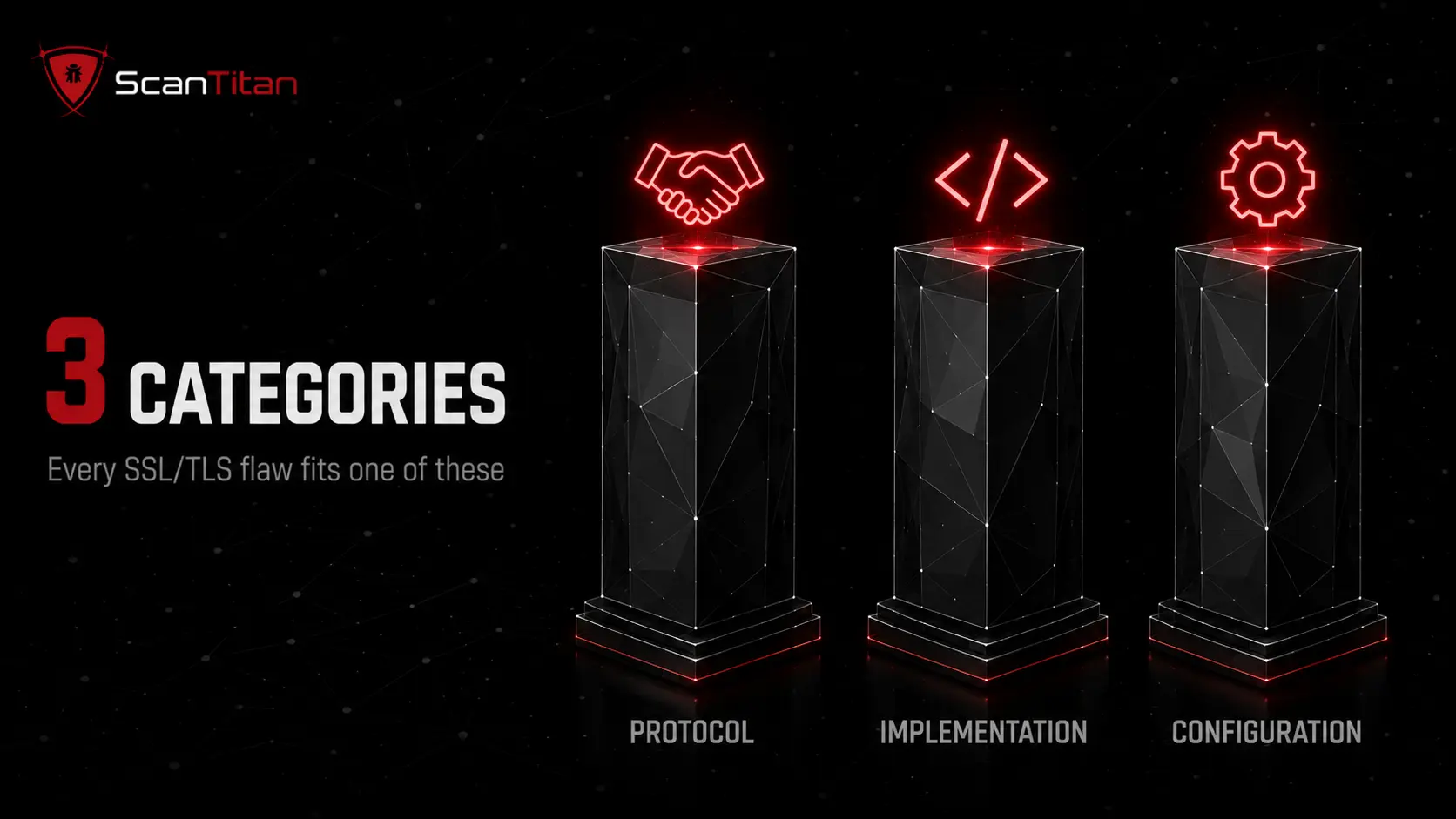
Most SSL/TLS findings fit into three useful categories: protocol vulnerabilities, implementation vulnerabilities, and configuration or certificate vulnerabilities. Separating them prevents a common remediation mistake, such as changing ciphers when the real problem is an outdated OpenSSL package or renewing a certificate when the exposed risk is SSL 3.0 support. A scanner should identify the affected service, the security property that fails, and whether a Common Vulnerabilities and Exposures (CVE) identifier applies. Not every SSL/TLS finding has a CVE. An expired certificate, hostname mismatch, or missing HTTP Strict Transport Security (HSTS) header can be serious without mapping to a software vulnerability record.
Protocol vulnerabilities
Protocol vulnerabilities come from weaknesses in an older protocol design or cryptographic construction. POODLE (Padding Oracle On Downgraded Legacy Encryption), BEAST (Browser Exploit Against SSL/TLS), and DROWN (Decrypting RSA with Obsolete and Weakened eNcryption) are familiar examples. POODLE targets SSL 3.0 padding behavior. BEAST targets the way TLS 1.0 used Cipher Block Chaining (CBC) mode. DROWN can exploit servers that still support SSLv2 when key reuse creates a path to compromise newer TLS connections. The practical defense is to remove the obsolete protocol from negotiation rather than trying to compensate around it. Current IETF guidance explicitly rejects SSL 2.0, SSL 3.0, TLS 1.0, and TLS 1.1. Modern clients also have stronger downgrade protections, so simply supporting an old version does not mean every attacker can automatically force a downgrade. The risk exists when both endpoints or a vulnerable fallback path allow the weaker protocol to be selected.
Implementation vulnerabilities and OpenSSL vulnerabilities
Implementation vulnerabilities live in the TLS software, not necessarily in the TLS specification. Heartbleed is the classic OpenSSL vulnerability because a programming error in the Heartbeat extension exposed process memory even though the TLS protocol itself was not broken. This category is still relevant in 2026. The official OpenSSL vulnerability list records CVE-2026-75803, published on August 25, 2026, involving authenticated encryption with associated data (AEAD) handling in EVP_Cipher(). OpenSSL rated that issue Low and published fixed versions across supported branches. The lesson is broader than any one CVE: your team must patch the cryptographic library actually used by Nginx, Apache, applications, appliances, or other services. A secure TLS configuration cannot compensate for a vulnerable implementation underneath it.
Configuration and certificate vulnerabilities
Configuration weaknesses are often the easiest SSL/TLS problems to create and the easiest to fix. A server may leave SSL 3.0 enabled, accept RC4 or 3DES, offer anonymous or export-grade cipher suites, present the wrong certificate, serve an incomplete certificate chain, or let a certificate expire. Administrators can also create unnecessary blast radius by reusing one private key across many systems. A wildcard certificate is not automatically a vulnerability, but widespread reuse of the same private key means one key compromise can affect multiple subdomains. Missing HSTS can also leave an unencrypted entry path open to SSL stripping in some browsing flows. These findings rarely need application code changes. They usually require changes at the web server, load balancer, content delivery network (CDN), certificate authority workflow, or operating-system TLS policy.
What Are Common SSL Vulnerability Examples?
SSL vulnerability examples range from old protocol flaws to modern software and certificate issues. The names matter because scanners, compliance reports, and security tickets often use the nickname or CVE instead of describing the underlying weakness. Heartbleed is an OpenSSL implementation bug. POODLE is primarily associated with SSL 3.0. BEAST targets TLS 1.0 CBC behavior. DROWN involves SSLv2 exposure and key reuse. FREAK and Logjam involve weak or downgraded key exchange. Sweet32 concerns 64-bit block ciphers such as 3DES in long sessions. Certificate trust errors sit outside this nickname pattern but are among the most common operational TLS failures.
| Vulnerability or issue | Category | CVE | Main risk |
|---|---|---|---|
| Heartbleed | OpenSSL implementation | CVE-2014-0160 | Reads process memory that may contain secrets |
| POODLE | SSL 3.0 protocol | CVE-2014-3566 | Padding-oracle plaintext recovery in a MITM scenario |
| BEAST | TLS 1.0 protocol mode | CVE-2011-3389 | CBC plaintext recovery under specific conditions |
| DROWN | SSLv2 and key reuse | CVE-2016-0800 | Can undermine TLS services sharing vulnerable RSA keys |
| FREAK | Export RSA | CVE-2015-0204 | Forces weak export-grade RSA in affected stacks |
| Logjam | Diffie-Hellman | CVE-2015-4000 | Weakens Diffie-Hellman negotiation in affected configurations |
| Sweet32 | 3DES and 64-bit block ciphers | CVE-2016-2183 | Risks plaintext recovery in long-lived encrypted sessions |
| Insecure renegotiation | Protocol behavior | CVE-2009-3555 | Allows plaintext injection in affected implementations |
| Expired or invalid certificate | Certificate configuration | Not always a CVE | Breaks browser trust or connection validation |
Heartbleed SSL and CVE-2014-0160
Heartbleed, CVE-2014-0160, is the best-known example of an SSL vulnerability that was actually an OpenSSL implementation bug. A malformed Heartbeat request could make a vulnerable server return up to about 64 KB of adjacent process memory in one response. An attacker could repeat requests and collect additional memory over time. The Heartbleed project documentation explains that exposed memory could contain private keys, session material, passwords, and other sensitive application data. Because the flaw affected the cryptographic library, remediation required more than changing a cipher. Administrators had to patch OpenSSL, restart affected services, replace exposed private keys and certificates where compromise was possible, and reset credentials or sessions when risk justified it. Heartbleed remains a useful model for understanding why patching the TLS implementation matters as much as choosing the right protocol version.
SSL POODLE vulnerability and CVE-2014-3566
The SSL POODLE vulnerability, CVE-2014-3566, exploits SSL 3.0 CBC padding behavior in a man-in-the-middle (MITM) scenario. The NIST National Vulnerability Database entry for CVE-2014-3566 describes how SSL 3.0 padding makes plaintext recovery easier through a padding-oracle attack. The fix is not to tune SSL 3.0. The fix is to stop negotiating SSL 3.0. A downgrade also requires conditions that let the client and server end up on the weaker version, so avoid the inaccurate claim that any server supporting an old protocol can always be forced down to it. Modern clients do not normally fall back to SSL 3.0, and TLS 1.3 includes stronger version-negotiation protections. The security goal remains simple: remove obsolete protocol support so the weak option cannot be selected at all.
BEAST vulnerability and TLS 1.0
The BEAST vulnerability, CVE-2011-3389, targets TLS 1.0 connections using CBC-mode cipher suites under conditions that let an attacker influence and observe encrypted browser traffic. TLS 1.0 lacks the per-record initialization vector behavior introduced later, which contributed to the weakness. Do not describe the main problem as “TLS 1.0 has no forward secrecy” because forward secrecy depends on the key-exchange method and cipher suite, not only the protocol version. The stronger reason to disable TLS 1.0 in 2026 is that the protocol is deprecated, lacks support for many modern cipher suites, and has accumulated legacy weaknesses that current standards no longer accept. Removing TLS 1.0 also reduces configuration complexity and prevents old clients or services from negotiating a protocol your team should no longer maintain.
What Certificate Problems Create SSL Vulnerabilities?
Certificates provide the authentication side of TLS, so a server can use strong TLS 1.3 encryption and still fail securely if certificate validation breaks. Common certificate problems include expiry, hostname mismatch, an incomplete chain, an untrusted issuer, revocation, weak signature algorithms, private-key exposure, and incorrect certificate deployment on a load balancer or virtual host. These problems do not always have a CVE because they are often operational misconfigurations rather than software defects in production. A scanner should report the exact certificate, hostname, issuer, validity window, and chain problem so an administrator can fix the cause rather than blindly renewing the certificate.
Fix an “SSL certificate cannot be trusted” vulnerability
When a scanner reports that an SSL certificate cannot be trusted, first identify why the trust chain fails. The server may use a self-signed certificate where public trust is required, omit an intermediate certificate, present a certificate from an untrusted certificate authority (CA), or serve a certificate whose hostname does not match the requested domain. Replace an inappropriate self-signed certificate with one from a trusted CA, install the complete intermediate chain, correct the virtual-host binding, and verify that the certificate’s Subject Alternative Name includes the real hostname. Do not simply suppress browser warnings. After the change, test the public endpoint again because a reverse proxy, CDN, or secondary node may still serve the old certificate.
Check certificate revocation with CRL and OCSP
A certificate can become untrustworthy before its expiration date. A certificate authority may revoke it after private-key compromise, mis-issuance, or another security event. Certificate Revocation Lists (CRLs) publish sets of revoked certificates, while the Online Certificate Status Protocol (OCSP) lets clients or servers query certificate status more directly. OCSP stapling can let a server provide a signed status response during the TLS handshake. Revocation checking is a content gap in many SSL vulnerability guides, but it matters because “not expired” does not mean “still trusted.” Teams managing internet-facing certificates should include revocation status, chain completeness, hostname validation, and renewal state in their TLS inventory rather than treating expiry as the only certificate risk.
How Do Attackers Exploit SSL/TLS Weaknesses?
Attackers exploit different SSL/TLS weaknesses in different ways. A protocol downgrade is not the same as certificate impersonation, and a TLS exhaustion attack is not a cryptographic break. Keeping those threat paths separate makes remediation clearer.
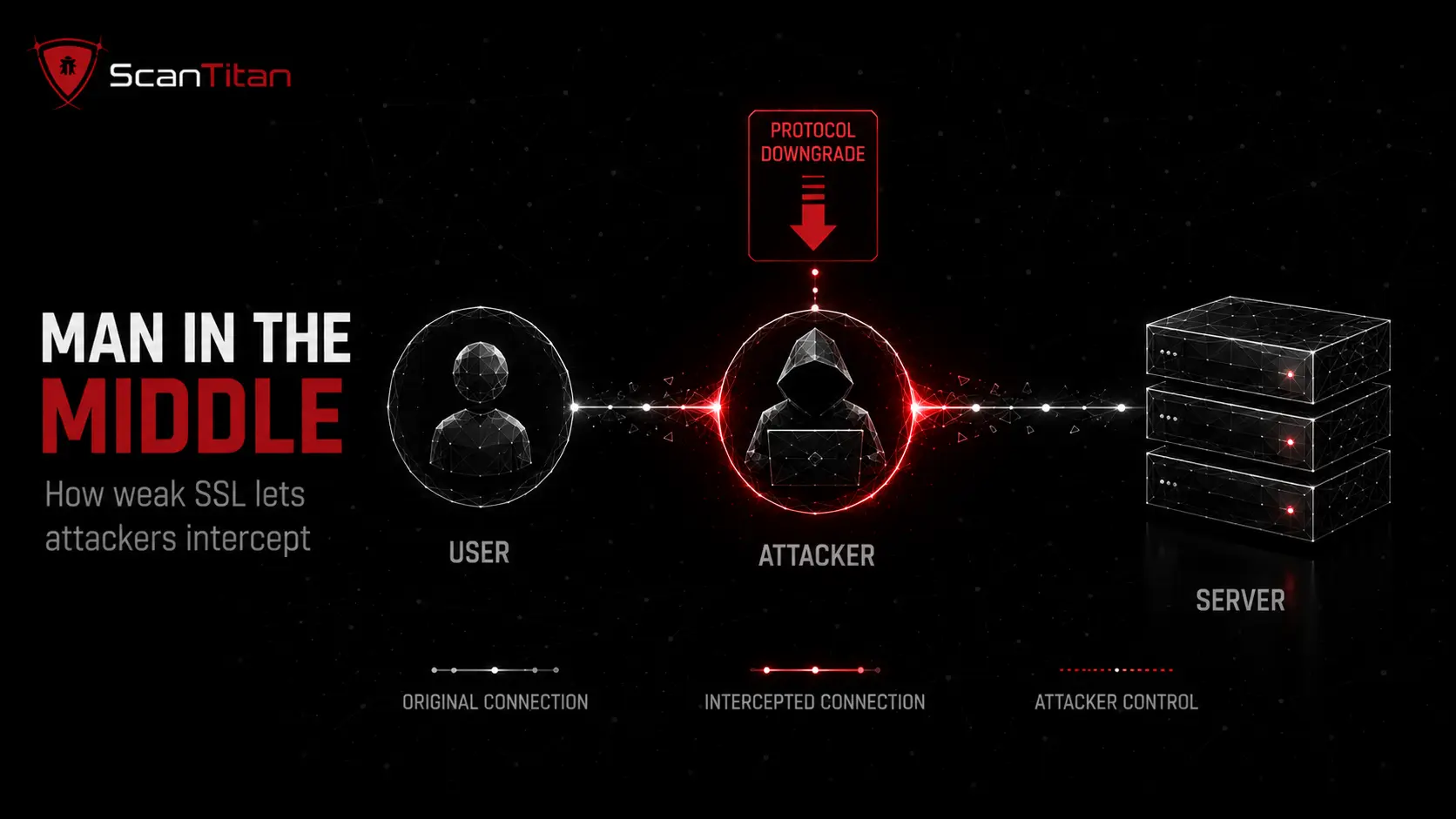
- Intercept traffic when validation fails. Attackers positioned on an untrusted network can attempt a MITM attack. Weak certificate validation, compromised trust, or obsolete cryptography can turn that position into readable or modifiable traffic.
- Negotiate a weaker protocol when both sides permit it. Attackers can target downgrade or fallback behavior when the client, server, or intermediary still supports a weaker option. Modern TLS clients include protections that make blanket downgrade claims inaccurate, but leaving obsolete protocols enabled still creates unnecessary attack surface.
- Strip HTTPS from an insecure entry path. If a user first reaches an unencrypted web address and the site has not established strict HTTPS behavior, an attacker may try to keep the connection on HTTP. HSTS reduces this opportunity by instructing supporting browsers to use HTTPS for later connections.
- Exploit vulnerable TLS software. Heartbleed showed that attackers can attack the library itself even when certificates and protocol choices look correct. Current OpenSSL advisories are a reminder to treat cryptographic libraries as patchable software dependencies.
- Exhaust TLS resources without breaking encryption. Attackers can abuse expensive connection setup or handshake processing to consume CPU, memory, or connection state. This is a TLS-layer denial-of-service risk, not proof that the encryption algorithm has been defeated.
What Is an SSL/TLS Exhaustion Attack?
An SSL/TLS exhaustion attack is a denial-of-service technique that abuses the computational or state cost of establishing encrypted connections. An attacker may create many TLS handshakes, incomplete sessions, or repeated expensive operations until the target runs short of central processing unit (CPU) time, memory, sockets, or connection capacity. The attack belongs in an SSL/TLS security guide because it abuses the encrypted service layer, but it should not be grouped with cryptographic flaws such as POODLE or Heartbleed. The encryption can work exactly as designed while the service still becomes unavailable. Defenses depend on architecture and may include rate limiting, connection limits, upstream distributed denial-of-service (DDoS) controls, caching, load distribution, tuned timeouts, and capacity monitoring. Teams should test these controls carefully because uncontrolled stress testing can disrupt production systems.
What Is the Business Impact of SSL Vulnerabilities?
SSL/TLS weaknesses can affect availability, trust, regulated data, and audit results even when the application itself has no obvious code flaw. The impact depends on which security property fails and whether an attacker can reach the affected endpoint.
- Reduce customer trust. Expired, mismatched, or untrusted certificates can trigger browser warnings or connection failures that cause users to abandon a transaction.
- Create compliance gaps. Payment Card Industry Data Security Standard (PCI DSS) environments require strong cryptography, while frameworks and regulations such as the Network and Information Systems 2 (NIS2) Directive apply broader risk-based security duties. Scan evidence can support a documented NIS2 vulnerability management process.
- Expose sensitive data. A successful cryptographic, validation, or implementation attack can reveal credentials, session material, personal data, or other protected information.
- Cause service disruption. TLS exhaustion and failed certificate deployments can create downtime even when attackers never decrypt a single byte.
How Do You Find SSL Vulnerabilities on Your Site?
Finding SSL/TLS weaknesses requires more than checking whether a browser displays a padlock. A useful vulnerability assessment should enumerate every encrypted internet-facing service, inspect the protocol and certificate behavior, and separate CVE-mapped software defects from misconfigurations. A lean IT team does not need another dashboard full of unexplained cipher names. It needs a short list of affected endpoints, evidence, severity, and a fix it can verify.
A website security scan checks protocol versions, cipher suites, certificate chain and expiry in one pass, which is faster than testing each with separate command-line tools.
1
Discover
Every public hostname, Internet Protocol (IP) address, Application Programming Interface (API), load balancer, mail service, and other endpoint that terminates TLS.
2
Enumerate
Supported SSL/TLS versions, cipher suites, certificate chains, hostname coverage, expiration, and other visible TLS properties.
3
Validate
Whether the finding is exploitable, deprecated, misconfigured, or simply informational, and record evidence from the affected service.
4
Match
Software versions and implementation findings to CVEs where a real CVE exists instead of assigning a CVE to every certificate or configuration problem.
5
Rescan
After remediation and on a schedule because certificates expire, infrastructure changes, and new library vulnerabilities appear after a previously clean assessment.
APIs need the same treatment because they terminate TLS independently of the browser-facing site. If your team maintains public APIs, include them in the same inventory and use an API vulnerability scanning workflow that covers both transport security and application-layer risk.
How Do You Fix and Prevent SSL Vulnerabilities?
Most SSL/TLS remediation follows a predictable order: remove obsolete negotiation choices, patch the implementation, repair certificate trust, enforce HTTPS, and verify the result. This sequence avoids wasting time fine-tuning a certificate on a server that still negotiates an obsolete protocol.
The National Institute of Standards and Technology (NIST) published Special Publication (SP) 800-52 Rev. 2 TLS guidance remains a useful hardening reference for federal environments. NIST also announced a 2026 review of that publication as TLS 1.3 adoption changes the compatibility balance.
How Do You Fix SSL/TLS Settings on Nginx, Apache, and Windows Server?
The exact change depends on where TLS terminates. If a CDN or cloud load balancer handles the handshake, changing the origin web server may not change the public result. Identify the real termination point first, make the smallest supported change, test compatibility, then rescan. The examples below show the configuration direction, not a substitute for your platform's complete deployment procedure.
Configure Nginx for modern TLS
Current Nginx documentation lists TLSv1.2 TLSv1.3 as the default value for the ssl_protocols directive in supported builds. A common baseline is therefore to confirm that the active configuration does not re-enable legacy versions in another http or server block. The official Nginx SSL module documentation also notes that TLS 1.3 support depends on an appropriate OpenSSL version. A minimal protocol line can look like this:
ssl_protocols TLSv1.2 TLSv1.3;Do not copy a cipher string from an old blog without checking your Nginx and OpenSSL versions. TLS 1.3 handles cipher negotiation differently from TLS 1.2. After reloading Nginx, scan the external hostname, not only localhost, because a proxy or CDN may still control the public TLS policy.
Configure Apache HTTP Server for modern TLS
Apache HTTP Server exposes protocol control through the SSLProtocol directive in mod_ssl. The Apache mod_ssl documentation explains the available TLS versions and how virtual-host configuration can affect negotiation. A modern configuration commonly permits TLS 1.2 and TLS 1.3 while excluding older versions, subject to the OpenSSL library linked to Apache. One clear form is:
SSLProtocol -all +TLSv1.2 +TLSv1.3Cipher policy still needs separate review, especially for TLS 1.2. Restart or reload Apache using your supported deployment method, then test every virtual host and certificate binding. A correct global directive can still be overridden or affected by a front-end proxy, so verify the public endpoint instead of assuming the local file represents the final handshake.
Configure Windows Server and IIS carefully
Windows Server commonly relies on Schannel for TLS policy, and applications such as Internet Information Services (IIS) inherit behavior from the operating system and application configuration. Microsoft recommends using supported management methods and warns against arbitrary registry edits because incorrect Schannel values can create outages. Use the Microsoft TLS registry and Schannel reference to verify which protocol versions and cipher settings apply to your Windows Server release. Prefer Group Policy, PowerShell, or documented platform controls where possible. Before disabling an old protocol, inventory dependent applications and clients, apply the change in a controlled window, restart services when required, and rescan the public endpoint. This approach addresses the search intent behind Windows SSL/TLS vulnerability fixes without copying unsafe registry snippets into production blindly.
What Changed in TLS Security Guidance in 2026?
TLS 1.3 is now the baseline for new protocol designIn July 2026, the IETF published RFC 9852, which updates RFC 9325 and says new protocols that use TLS must require TLS 1.3. That does not mean every existing TLS 1.2 service became insecure overnight. Existing deployments can still use TLS 1.2 when they follow current secure-use guidance and need compatibility. The update does mean new protocol design should stop carrying TLS 1.2 forward by default. Separately, NIST opened a 2026 review of SP 800-52 Rev. 2 and specifically asked whether server guidance should continue recommending TLS 1.2 support or make it optional.
How Does ScanTitan Check SSL/TLS Issues?
ScanTitan includes SSL/TLS checks in its website vulnerability scanner and network scanning coverage. Public product pages describe checks for expired or mismatched certificates, deprecated protocols such as SSLv3 and TLS 1.0, weak cipher suites, and POODLE or BEAST-class misconfigurations. ScanTitan should map a CVE and Common Vulnerability Scoring System (CVSS) score when a finding represents a known software vulnerability. Configuration findings can still carry severity, evidence, and remediation guidance when no CVE exists. An expired certificate is a problem, but it is not automatically a CVE.
Continuous scanning matters because TLS posture changes outside application releases. Certificates approach expiry, CDN policies change, infrastructure moves, and OpenSSL publishes new advisories. Rechecking the endpoint helps a lean team catch that drift before a customer or auditor does.
SSL Vulnerability FAQ
What does SSL stand for?
SSL stands for Secure Sockets Layer. It was an early protocol for encrypting network communications between clients and servers. SSL 2.0 and SSL 3.0 are now obsolete and should not be used. TLS, which stands for Transport Layer Security, replaced SSL and is the protocol modern Hypertext Transfer Protocol Secure (HTTPS) connections use. People still say "SSL certificate" because the older name remains common in hosting, marketing, and search queries. When a modern security report says "SSL vulnerability," it often means a weakness somewhere in the broader SSL/TLS stack, such as an outdated TLS protocol version, weak cipher suite, certificate trust problem, or vulnerable library such as OpenSSL.
Which is safer, TLS or SSL?
TLS is safer than SSL. SSL 2.0 and SSL 3.0 are obsolete, while TLS is the maintained successor. Current IETF guidance rejects negotiation of SSL 2.0, SSL 3.0, TLS 1.0, and TLS 1.1. TLS 1.3 is preferred for modern deployments because it removes many legacy cryptographic options and makes secure configuration easier. TLS 1.2 can still be secure when an administrator follows current cipher and certificate guidance. If a product menu still says "SSL settings," do not assume it literally means SSL 3.0. Check which protocol versions the service actually negotiates, then disable obsolete versions at the real TLS termination point.
Is SSL still considered secure?
No. The SSL protocol itself is not considered secure and should not be enabled. The confusion comes from terminology. Providers still call digital certificates "SSL certificates," even though modern browsers and servers use TLS. A current certificate can be perfectly appropriate for TLS 1.2 or TLS 1.3 while the label "SSL certificate" remains on the product page. The security decision should therefore focus on negotiated protocol versions, cipher suites, certificate trust, key management, and the TLS implementation. If your scanner finds real SSL 2.0 or SSL 3.0 support, treat that as obsolete protocol exposure and remove it rather than assuming the familiar SSL label means the protocol is still acceptable.
How do you fix an SSL certificate cannot be trusted vulnerability?
Identify why the certificate chain is not trusted, then fix that cause. Replace an inappropriate self-signed certificate with a certificate from a trusted authority when public trust is required. Install missing intermediate certificates, correct hostname or Subject Alternative Name mismatches, replace expired or revoked certificates, and verify that the server sends the intended certificate on every virtual host. If a proxy, CDN, or load balancer terminates TLS, update the certificate there as well. After remediation, rescan the public hostname and verify the full chain from an external client. Do not solve the warning by disabling certificate validation because that removes the authentication TLS is supposed to provide.
What are the most common SSL vulnerability examples?
Common SSL vulnerability examples include Heartbleed (CVE-2014-0160), POODLE (CVE-2014-3566), BEAST (CVE-2011-3389), DROWN (CVE-2016-0800), FREAK (CVE-2015-0204), Logjam (CVE-2015-4000), Sweet32 (CVE-2016-2183), and insecure renegotiation (CVE-2009-3555). Operational TLS findings are also common and do not always have a CVE. Examples include expired certificates, incomplete trust chains, hostname mismatches, revoked certificates, obsolete protocol support, weak cipher suites, and missing HTTPS enforcement. A useful scan report separates these categories because the fixes differ: patch a vulnerable library, disable a protocol, replace a certificate, or change server configuration.
Is Heartbleed an SSL vulnerability or an OpenSSL vulnerability?
Heartbleed is an OpenSSL implementation vulnerability that affected systems using specific vulnerable OpenSSL versions. It is commonly described as an SSL or TLS vulnerability because OpenSSL implements those protocols and the exposed memory could contain secrets related to encrypted sessions. The TLS specification itself did not create the programming error. That distinction matters for remediation. Disabling an old protocol would not have fixed Heartbleed. Administrators needed to update OpenSSL, restart affected services, assess possible private-key exposure, replace keys and certificates when appropriate, and invalidate sensitive sessions or credentials based on risk. Heartbleed is therefore the clearest example of why SSL/TLS security includes both protocol configuration and software dependency management.
Are TLS 1.2 and TLS 1.3 still safe in 2026?
TLS 1.3 is the preferred version for modern deployments, and TLS 1.2 can still be secure when configured according to current guidance. TLS 1.2 needs careful cipher-suite selection and should avoid legacy algorithms such as RC4, 3DES, anonymous suites, export-grade cryptography, and other weak options. TLS 1.3 removes many older choices and separates key exchange from the older cipher-suite model, which reduces configuration mistakes. Security still depends on more than the version number. Administrators must also patch the TLS library, validate certificates, protect private keys, handle session resumption safely, and configure the surrounding application correctly. In 2026, new protocols should require TLS 1.3 under RFC 9852.
Find Your SSL/TLS Weaknesses Before Attackers Do
An SSL vulnerability is not one single bug. It can be an obsolete protocol, a weak cipher, an OpenSSL flaw, a certificate trust failure, or a configuration mistake at a server, proxy, CDN, API gateway, or network service. That is why the strongest remediation process starts with accurate inventory and evidence. Identify every TLS endpoint, classify the finding, patch or reconfigure the right layer, then rescan the public service to prove the weak option is gone. ScanTitan can help surface deprecated protocols, weak ciphers, certificate issues, and CVE-mapped weaknesses across internet-facing assets, giving a small team a prioritized path from detection to remediation instead of another list of unexplained alerts.