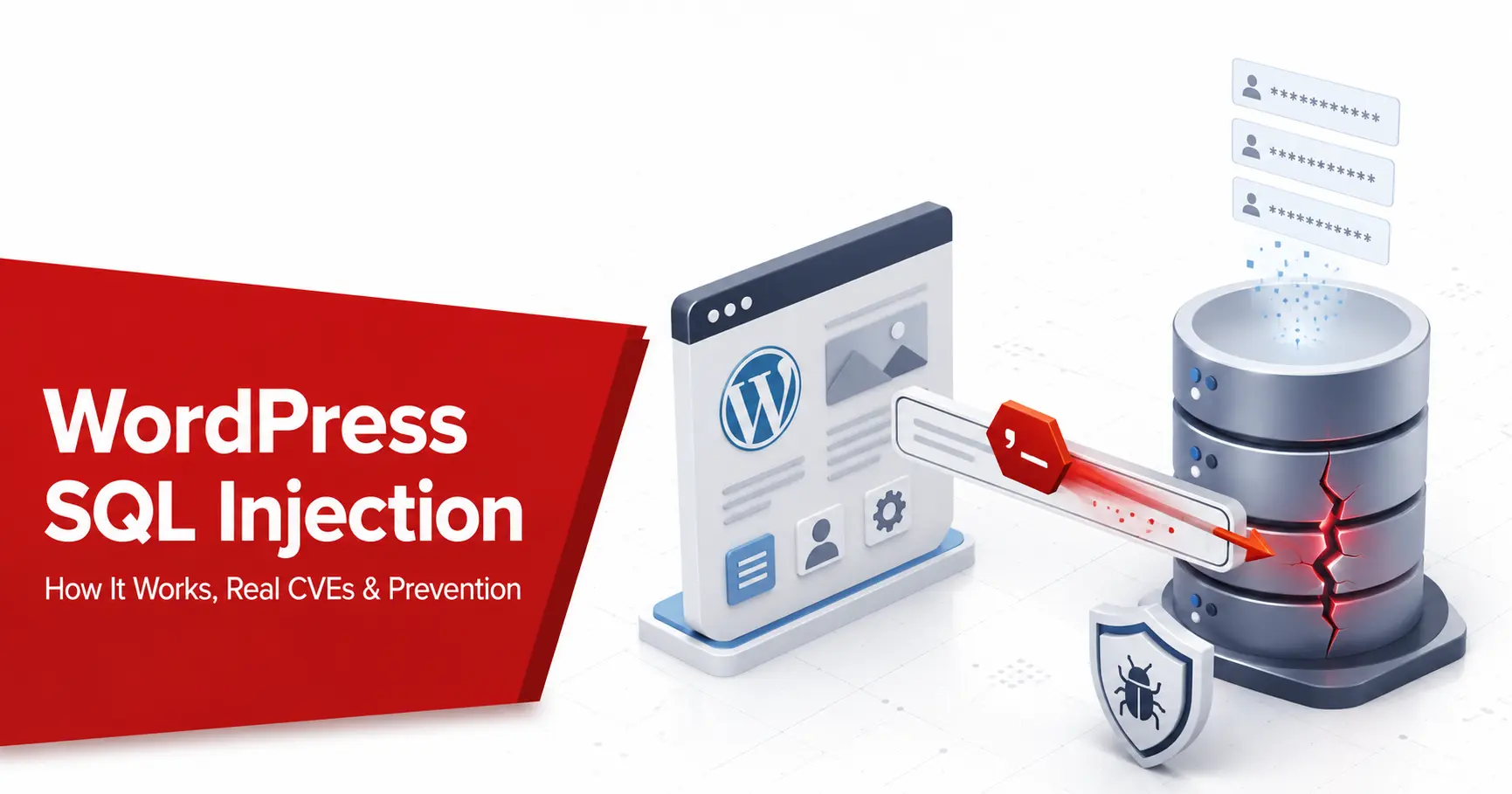
WordPress SQL injection is one of the most damaging ways a WordPress site gets breached, because it reaches the database where everything lives: your users, passwords, settings, and content. The WordPress core is well protected against it, and most real cases trace back to insecure plugin or theme code rather than WordPress itself. This guide explains what WordPress SQL injection is, how the attack works, the real CVEs behind million-site incidents, and how to detect and prevent it, for owners and developers.
Short answer: WordPress SQL injection happens when a plugin, theme, or custom code passes user input into a database query without escaping or binding it. The WordPress core is well defended, so the risk more often comes from third-party code. Keep everything updated, remove nulled and abandoned plugins, give the database user least privilege, build queries with
$wpdb->prepare(), and scan on a schedule.
What is a WordPress SQL injection?
A SQL injection, or SQLi, is an attack where someone slips database commands into input that a site fails to sanitise, classified by MITRE as CWE-89 and listed under Injection in the OWASP Top 10. WordPress runs on a MySQL or MariaDB database, and it stores everything there: your posts, pages, settings, and the wp_users and wp_options tables that hold password hashes and secret keys. If an attacker gets write access, the result is often database malware in WordPress. When a plugin or theme takes a value from a URL, a form, or a search box and drops it straight into a query, an attacker may be able to rewrite that query to read or change data the application’s database account can access. Because the whole site lives in one database, a single working injection rarely stays contained, which is what makes SQLi far more dangerous than the one query it starts with.
How does a WordPress SQL injection attack work?
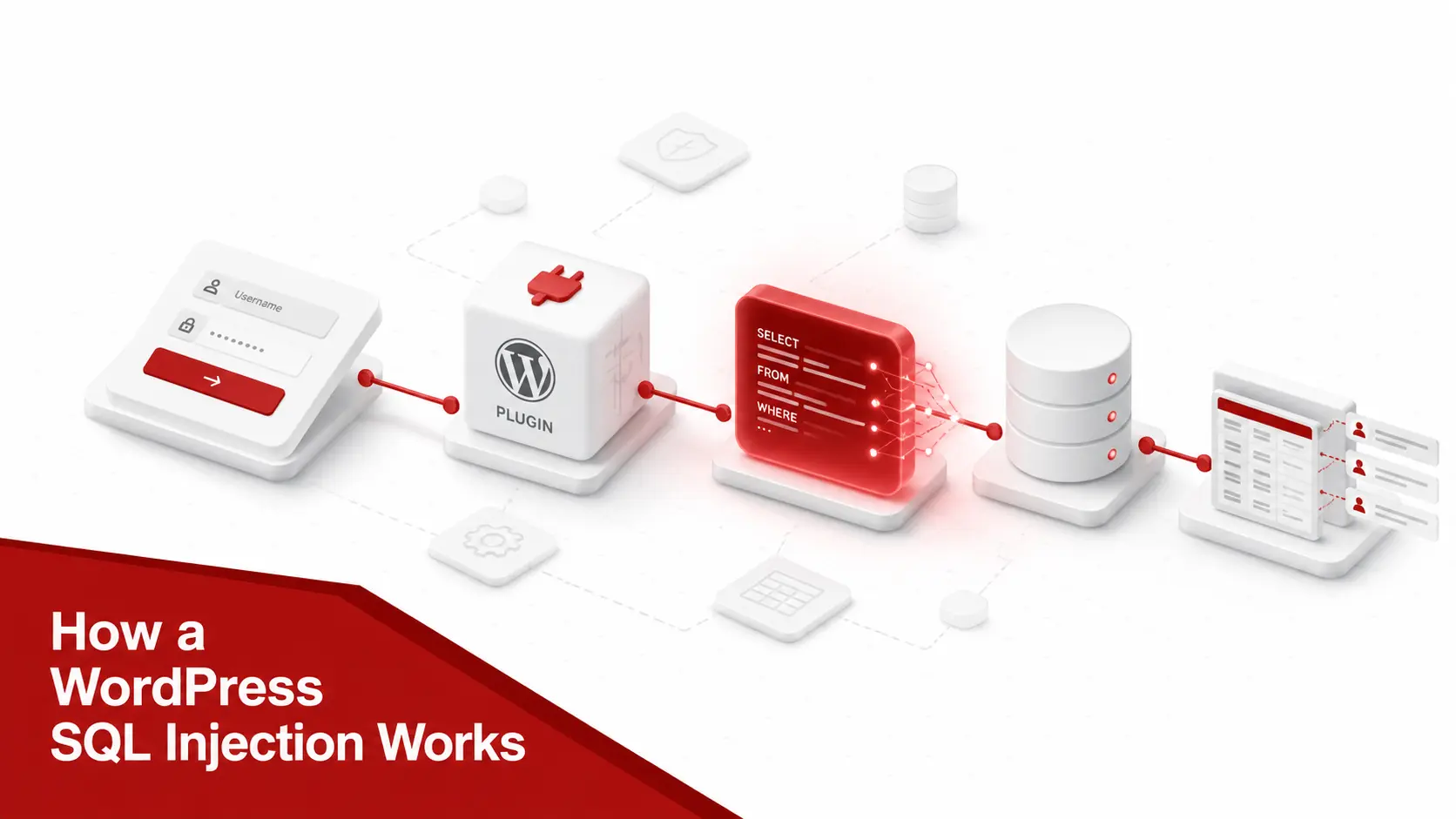
An attacker looks for a parameter that changes a database query, then feeds it SQL syntax instead of a normal value. What the site returns tells them which technique to use.
- Trigger an error-based injection. Force the database to return an error that leaks table or column names straight into the response, the fastest route when a site shows raw SQL errors.
- Extract data with a UNION-based injection. Append a
UNION SELECTso the vulnerable query also returns attacker-chosen columns, such as usernames and password hashes fromwp_users. - Infer data with blind injection. When no output or error is visible, ask the database true-or-false questions and read the answer from how the page changes, one character at a time.
- Automate the testing. Tools such as SQLMap can automate testing of injectable parameters on systems you are authorised to assess, while attackers can automate similar probing at scale.
A simple illustration shows the mechanics. A product filter might build the query SELECT * FROM products WHERE category = 'watches'. If an attacker submits watches'-- instead, the closing quote ends the intended value and the double dash comments out the rest, changing the logic the developer intended. Real payloads go much further, extracting data or reaching other tables, but the root cause is always the same: user input treated as code.
Where WordPress SQL injections come from
The WordPress core itself is a poor target, because it builds queries with prepared statements, so serious core SQL injection is rare. The risk sits in the choices around the core, and knowing them tells you where to look first.
- Insecure plugin and theme code. The core cause is a developer concatenating raw user input into a query string instead of binding it, which is where most WordPress SQL injection lives, as covered in our guide to WordPress plugin vulnerabilities.
- Outdated software. An unpatched core, plugin, or theme with a documented SQLi flaw is a known, published hole that automated tools scan for, If you do not have dashboard access, you can check the WordPress version without logging in before comparing it against known security advisories.
- Nulled or pirated add-ons. Cracked plugins and themes frequently ship with modified, unsafe code or an outright backdoor.
- Weak input validation. Accepting input that never gets checked for type, length, or format hands an attacker the room to inject.
- Excessive database privileges. A database account with more rights than it needs lets a single injection modify data, create admins, or drop tables.
Fix the code and the configuration around the core, and you close nearly every real WordPress SQL injection path.
How common are WordPress SQL injections?
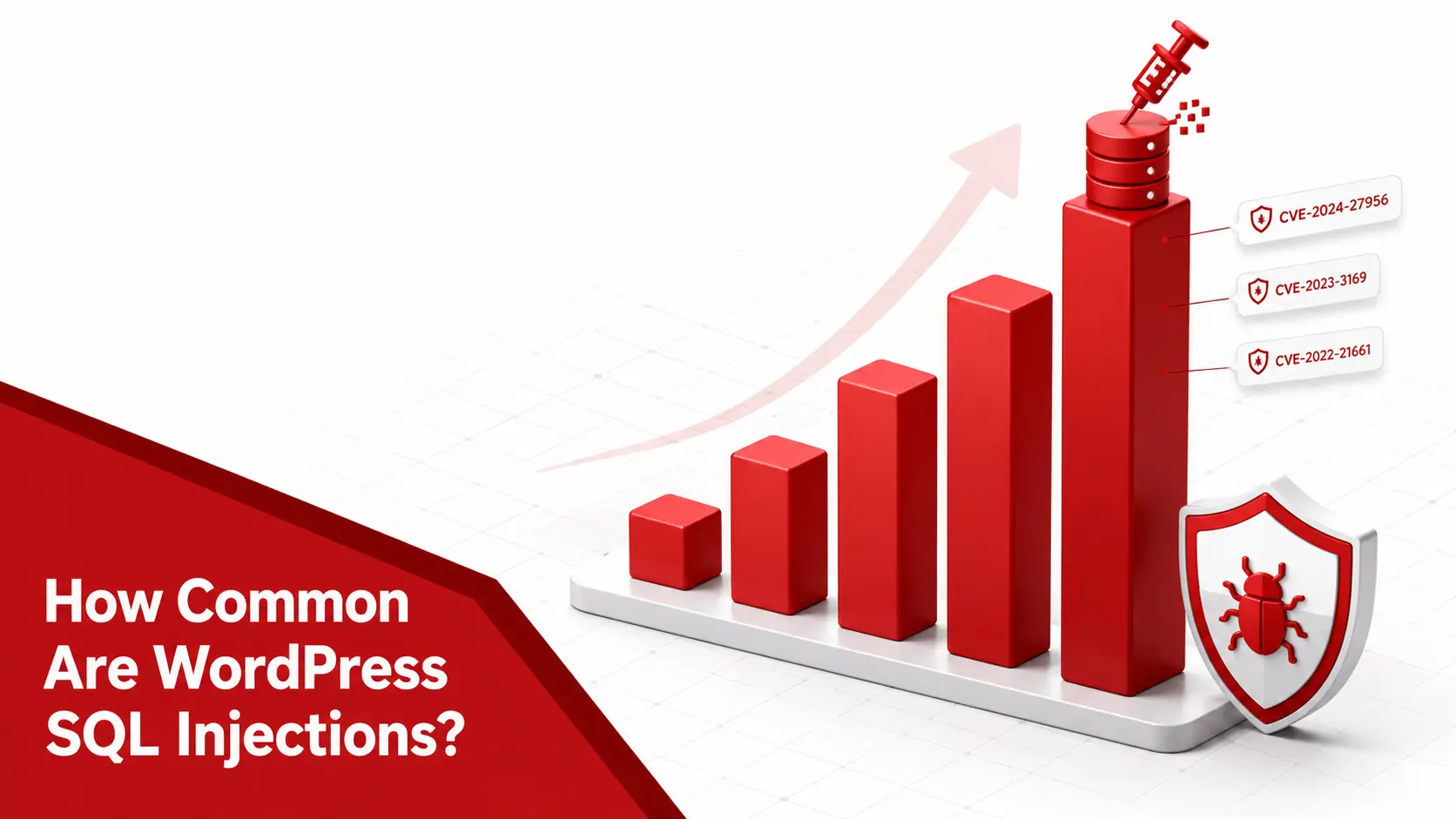
Context matters, because SQL injection is serious but not the most frequent WordPress flaw. According to Patchstack’s 2025 statistics, SQL injection made up roughly 6% of new WordPress vulnerabilities in 2025, well behind cross-site scripting at over 40% and broken access control and CSRF in the low teens, a pattern visible across the most common WordPress vulnerabilities. That lower frequency hides a higher impact: a single SQL injection reaches the database directly, so when one lands in a widely installed plugin it can expose millions of sites at once. Almost all of these flaws are in plugins and themes rather than the core, which recorded only a couple of issues in the whole year. The practical reading is that SQL injection deserves attention not because it is common, but because each instance is among the most damaging classes an attacker can find.
Notable WordPress SQL injection vulnerabilities
Specific cases show why a single SQLi matters more than its share of the statistics suggests. Each flaw below reached the database through unsafe query building.
| CVE | Where | Affected | Impact |
|---|---|---|---|
| CVE-2024-2879 | LayerSlider plugin | 1M+ installs | Unauthenticated SQLi that could extract password hashes from the database |
| CVE-2022-21661 | WordPress core (WP_Query) |
up to 5.8.2 | A rare core SQLi, patched in 5.8.3, reachable through crafted query input |
| CVE-2024-3922 | Dokan Pro plugin | up to 3.10.3 | Unauthenticated SQLi via the code parameter that could extract sensitive database information |
| CVE-2024-1071 | Ultimate Member plugin | 200K+ installs | Unauthenticated SQLi via an unsanitised sorting parameter |
The recurring pattern is unsafe query construction, especially in third-party code, that can be exploitable at scale by automated tooling when exposed to unauthenticated users. The LayerSlider case alone put more than a million sites at risk within days of disclosure.
A closer look: the LayerSlider SQL injection
A closer look at the 2024 LayerSlider flaw shows how one query becomes a million-site emergency. LayerSlider is a premium slider plugin installed on more than a million sites, and a vulnerable action passed a user-controlled parameter into a database query without binding it. Because the endpoint needed no login, any anonymous visitor could send a crafted request and read arbitrary data through a UNION-based injection, including the password hashes and secret keys that let an attacker take over the admin account. The fix was a single change: route the value through $wpdb->prepare() so the database treated it as data, not code. Researchers disclosed it responsibly and a patch shipped quickly, but once the details were public, automated tooling began probing unpatched sites within days. The lesson is the one this guide keeps returning to: a single unbound parameter in trusted, popular code is all an attacker needs.
What can an attacker do with a WordPress SQLi?
A single injection point is a foothold into the one database that holds your entire site, and a capable attacker turns it into a full compromise quickly.
- Steal credentials. Read the
wp_userstable and crack or reuse the password hashes of your administrators. - Take over the admin. Read secret keys and session data from
wp_options, or insert a new administrator account directly. - Exfiltrate customer data. Pull personal or order records, which turns a code flaw into a GDPR Article 32 and PCI DSS reporting problem.
- Plant a backdoor or SEO spam. Use the database foothold to help drop a webshell or inject spam and malicious redirects. Pharmaceutical SEO spam is one possible post-compromise outcome, covered in our guide to the WordPress pharma hack. If compromise has already occurred, start with malware removal rather than another vulnerability scan.
Because everything WordPress does depends on that database, an injection that reaches it is close to a full takeover, not a limited data leak. For the verified numbers behind breaches at that scale, see our WordPress website hack statistics.
How to prevent WordPress SQL injection
Prevention splits by who you are. Owners control patching and configuration; developers control how queries are built. Both halves have to hold.
If you run or manage the site
Start with the control that closes most real SQLi: keep the WordPress core, every plugin, and every theme on their latest version, because the advisory that fixes a flaw also tells attackers where to look. Remove nulled, pirated, and abandoned add-ons, since unsafe or unmaintained code is the long tail attackers count on, and vet anything new with our guide on how to check if a WordPress plugin is safe. Put a web application firewall in front of the site to block requests carrying injection patterns, and give the WordPress database user only the privileges it needs rather than full rights, so a single injection cannot drop tables or create admins. Changing the default wp_ table prefix adds a small amount of obscurity, though it is a minor hardening step rather than a real fix. Finally, scan on a schedule so a newly disclosed plugin flaw reaches you before an attacker does.
If you write plugins or themes
Never build a query by joining raw input into a string. Use WordPress’s prepared statement method, $wpdb->prepare(), with placeholders for each value: %s for strings, %d for integers, %f for floats, and %i for identifiers, so input is always treated as data rather than code. Sanitise input at the point of entry with functions such as sanitize_text_field() and absint(), and escape output with esc_html() and esc_attr() to block the cross-site scripting that often rides alongside injection. Know one sharp edge: esc_sql() alone does not make an ORDER BY clause safe, which is a common source of overlooked flaws, so validate those against an allow list. Where you can, prefer the higher-level $wpdb->insert(), $wpdb->update(), and $wpdb->delete() methods with format specifiers, and test with SQLMap before you ship.
How to prioritise a SQL injection finding
A scan can return several database findings, and a small team needs to know which to fix first. Rank each one by four signals.
Prioritisation needs context: is the vulnerable endpoint actually reachable from the internet? scan your site externally to confirm before you decide how fast to patch.
- Check whether it needs authentication. An unauthenticated SQLi that any visitor can trigger, like the LayerSlider flaw, outranks one that needs an existing login.
- Read the CVSS base score. The Common Vulnerability Scoring System (CVSS) rates technical severity from 0 to 10, so a 9.8 unauthenticated injection outranks a 6.5 authenticated one.
- Weigh the EPSS probability. The Exploit Prediction Scoring System from FIRST estimates the probability that a flaw will be exploited in the next 30 days, adding an exploitation-likelihood signal that severity alone does not provide.
- Check the CISA KEV catalog. A place in the Known Exploited Vulnerabilities catalog means confirmed exploitation in the wild. U.S. federal civilian agencies have mandated remediation deadlines for KEV entries; other organisations commonly use KEV as a high-confidence prioritisation signal.
An unauthenticated, KEV-listed injection in a widely installed plugin is the one to fix tonight, ahead of a low-severity finding behind a login.
What to do if your site was hit by SQL injection
If a scan or a symptom points to a live SQLi, treat the site as a potential breach and work in order. The full order is in what to do after your website is hacked, including containment, evidence and notification.
1
Confirm and scope it.
Reproduce the flaw on staging, identify the vulnerable plugin, theme, or code, and note whether it needs authentication.
2
Patch or remove the component.
Apply the fix, or delete an abandoned plugin and install a maintained replacement, and update the core in the same pass.
3
Assume exposure and rotate secrets.
Change the database password, the WordPress secret keys, and every admin credential, since an injection can read all of them.
4
Hunt for a foothold.
Review wp_users for accounts you did not create and read logs for the injection signature and what followed.
5
Scan for malware and clean up.
Run a malware scan for backdoors and injected files, then follow our guide on how to fix a hacked WordPress site.
6
Re-scan and review.
Confirm the vulnerable version no longer responds, then ask how the unsafe query shipped and add the check that would have caught it.
SQL injection, PCI DSS, and GDPR
A WordPress SQL injection is rarely just an engineering problem; if you take payments or hold personal data, it is a compliance one. Any site that processes cards falls under PCI DSS, which requires you to address injection in your development process and to run regular vulnerability scans, so a known, unpatched SQLi can put your compliance status at risk. If the flaw exposes personal data, Article 32 of the GDPR treats a preventable injection as a failure to apply appropriate technical measures, with a 72-hour breach-notification duty. The same database-reaching risk exists on any platform, which is why our Joomla SQL injection guide tells an almost identical story. For a small business, the reframing is useful: the cost of a SQL injection is not the afternoon it takes to patch, it is the customer data and the disclosure letter that follow if you miss it.
Common myths about WordPress SQL injection
A few comfortable beliefs leave WordPress sites exposed to injection long after the owner thinks it is handled.
- Assuming a firewall is enough. A web application firewall blocks known patterns, but blind and novel payloads slip past it, so it buys time rather than removing the flaw.
- Believing only old WordPress is affected. New plugin SQLi flaws land on fully updated sites constantly, so currency helps but does not end the risk.
- Trusting the table prefix change. Renaming
wp_adds slight obscurity, yet an attacker can read the real prefix through the same injection, so it protects almost nothing on its own. - Thinking the core is the weak point. WordPress core uses prepared statements and is rarely the source, so the real risk is third-party plugin and theme code.
- Treating
esc_sql()as a complete fix. It does not make anORDER BYclause safe, a frequent cause of overlooked flaws, so validate identifiers against an allow list.
Each myth shares a root: it treats injection as a setting to toggle rather than a property of every query your code builds.
Frequently asked questions
What is WordPress SQL injection?
It is an attack where someone inserts database commands into input that a WordPress site fails to sanitise, so the command runs against your MySQL or MariaDB database. Because WordPress stores users, passwords, settings, and content in that one database, a working injection can read or change all of it. The WordPress core defends against this well; the risk almost always comes from a plugin or theme that builds queries unsafely.
Is WordPress vulnerable to SQL injection?
The core is not, in practice. WordPress core uses prepared statements through its database class, so serious core SQL injection is rare, with CVE-2022-21661 being a notable exception. The exposure comes from third-party plugins and themes that concatenate user input into queries, and from running outdated or nulled software. A current site with vetted plugins has a small SQL injection surface; a neglected one does not.
How do I know if my WordPress site has a SQL injection vulnerability?
Match every plugin, theme, and the core against a vulnerability database such as WPScan or Patchstack, or run a scanner that does it for you. Watch for outdated or abandoned components, since a known SQL injection flaw usually already has a patch you have not applied. A vulnerability scanner maps your exact versions to known CVEs and tells you which flaws apply to your site with evidence.
How do you prevent SQL injection in WordPress?
As an owner, keep the core, plugins, and themes updated, remove nulled and abandoned code, add a web application firewall, and give the database user least privilege. As a developer, build every query with the prepared statement method $wpdb->prepare(), sanitise input with the built-in WordPress sanitisation functions, and escape output. The one rule that removes most risk is never concatenating raw user input into a query.
Can a firewall stop WordPress SQL injection?
A web application firewall helps by blocking requests that match known injection patterns, and it can buy time against a flaw you have not patched yet. It is not a complete fix, because blind or well-obfuscated payloads can slip past it and it does nothing about the underlying vulnerable code. Use a firewall as one layer, then remove the flaw itself by updating or replacing the affected plugin.
How common are SQL injection attacks on WordPress?
Less common than cross-site scripting but among the most damaging when they land. Patchstack’s 2025 data put SQL injection at roughly 6% of new WordPress vulnerabilities, well behind XSS, yet a single SQLi in a popular plugin can expose millions of sites, as the 2024 LayerSlider flaw showed. Nearly all of them are in plugins and themes rather than the core.
Does changing the WordPress table prefix prevent SQL injection?
Not really. Changing the default table prefix adds a little obscurity by making table names harder to guess, but a working injection can read the real prefix from the database, so a determined attacker is barely slowed. Treat it as a minor hardening step within a broader plan, never as a substitute for updates, prepared statements, and a firewall.
What is the difference between SQL injection and cross-site scripting in WordPress?
SQL injection targets your database, letting an attacker read or change stored data such as users and settings. Cross-site scripting targets the browser, running an attacker’s script in a visitor or admin session. In WordPress, cross-site scripting is far more common, at over 40% of flaws, while SQL injection is rarer but reaches the database directly. Both stem from untrusted input, and both are worth scanning for.
Can SQL injection be used to hack a WordPress admin account?
Yes. A SQL injection can read the password hashes in the users table, or read the secret keys and session data that authenticate an administrator, and in some cases insert a new admin account directly. That is why an unauthenticated SQL injection in a popular plugin is treated as critical: it reaches the exact data an attacker needs to take over the site.
Not sure whether a vulnerable plugin is exposing your database? Run a scan to map your WordPress core, plugins, and themes to known SQL injection CVEs, with evidence and a fix for each finding.