
The Japanese keyword hack is a form of SEO spam in which attackers inject thousands of auto-generated Japanese pages into a compromised website. It works by cloaking: Google and search visitors see the spam, while you see your normal site. Owners usually find out from Japanese results in search or a sudden jump in indexed pages. This guide shows how to confirm the Japanese keyword hack, where the code hides, how to remove it, and how to clean Google’s index afterward.
What the Japanese Keyword Hack Is
The Japanese keyword hack is a cloaked SEO spam attack that plants machine-generated Japanese text pages on a compromised domain. In many documented cases the pages promote spammy or counterfeit ecommerce, and the server hides them from anyone who types the address directly. Google then indexes thousands of URLs that you never published. Because owners browse directly, the infection often goes unnoticed for weeks. Security vendors also call it Japanese SEO spam, and a related variant is the WordPress pharma hack. It is not a Japanese government or language issue: the attacker simply borrows your domain’s reputation. It is frequently documented on WordPress sites, but the attack is not WordPress specific and can affect other CMSs and custom applications.
How Sites Get Infected
An entry point is the weakness an attacker used to place the Japanese keyword hack on a site. Documented causes include outdated CMS core, plugins and themes, weak administrator credentials, enabled directory browsing and loose file permissions. Closing the entry point matters more than deleting the pages, because the same weakness lets the pages return. Check your plugins against known vulnerabilities, turn off directory listing so attackers cannot browse your folders, and make sure configuration files such as wp-config.php and .htaccess are not writable by the web server account. Google’s web.dev guide on how sites get hacked by spammers covers the same ground.
Why Attackers Run It
The Japanese keyword hack is used to hijack a compromised domain’s search visibility and direct traffic toward attacker controlled destinations. Some campaigns promote spammy ecommerce or counterfeit products, while others use different monetization or traffic redirection schemes. The defining behavior is the injected Japanese search content, not one specific business model. Attackers choose established domains because existing trust can help injected pages get indexed and shown. They have little reason to deface your homepage or steal your data, so the hack stays quiet, and one vulnerable plugin on many sites can yield thousands of pages for little extra work. For you, the cost is lost trust, a polluted index and often a Google security warning, and web hosts may suspend sites that serve SEO spam.
How to Confirm Your Site Has It
Confirmation is a check of several independent signals, because the spam is built to hide from you. Each signal covers a different place the spam leaves a trace. No single external signal confirms the entire compromise. Correlate Search Console data, unexpected indexed URLs, server files, rewrite rules, database content and access logs until you can identify the injected content or the mechanism generating it. Work through these five checks.

- Search Google for your domain with the site operator plus a Japanese term or a brand name you never mention, and look for results with Japanese titles. If Google shows nothing, repeat the search in another search engine.
- Review the Pages and Performance reports in Google Search Console for URLs and queries you did not create, and check the owner list for owners you did not add.
- Inspect your sitemap files and the indexed page count. A sudden jump, or a sitemap you did not generate, points to injected URLs.
- Compare a suspect URL with the URL Inspection tool in Search Console, which shows the page as Googlebot receives it, against what you see in a normal browser. A page that looks like a 404 to you may still be live for Googlebot.
- Look for unfamiliar directories with random names in the web root and under wp-content.
Where the Injected Code Lives
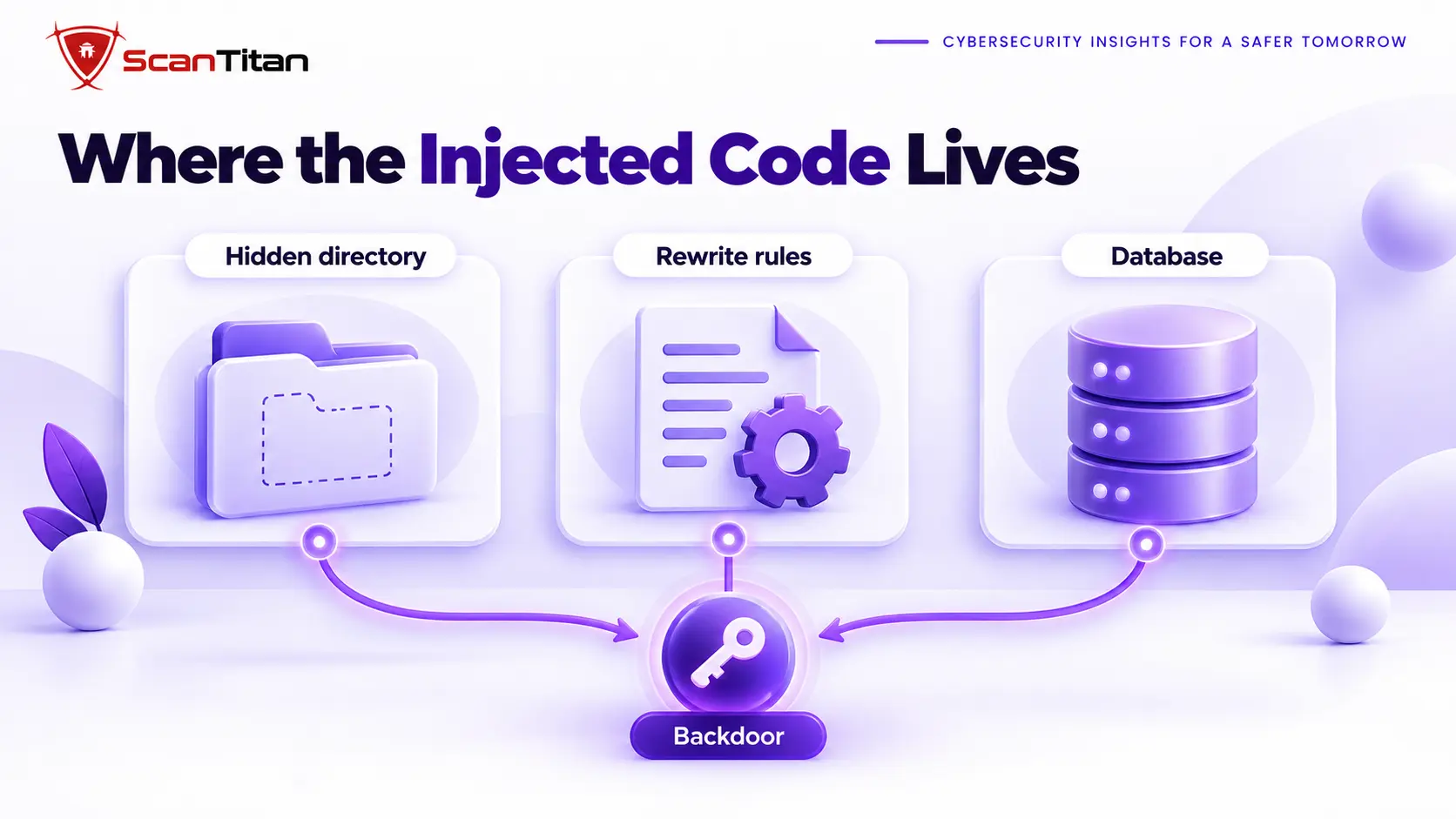
Files and Hidden Directories
A hidden directory is a folder with a random name that no menu links to. Attackers write the spam generator and its output there, often in the web root or inside wp-content. Sucuri’s April 2020 write-up on the Japanese keyword hack and Google’s own web.dev guide both tell owners to look for files and directories they did not create. List every folder in the web root and compare it with a clean copy of your CMS. Google’s guide says attackers commonly inject scripts into files such as index.php, wp-load.php, 404.php and view.php, and that obfuscated blocks often use functions such as base64 decode, rot13, eval, strrev and gzinflate. Pay attention to PHP files with generic names and recent modification dates, and to any sitemap file you did not create. Preserve a copy of anything suspicious before you delete it, because the filenames help you find the entry point later.
Rewrite Rules in the htaccess File
A rewrite rule is an instruction in the .htaccess file, the Apache configuration file that controls how URLs are handled. Attackers use one to route requests for thousands of made-up URLs to a single PHP script that generates each spam page on demand. That is why deleting the visible spam pages accomplishes nothing: the rule keeps producing new ones. Open .htaccess in the web root and in every subdirectory, and read each rewrite rule. Anything that checks the visitor’s user agent for Googlebot or the referrer for a search engine, or that passes unknown URLs to a PHP file you did not install, belongs to the attacker. Restore the file from a clean source instead of editing around the line.
The Database and the Backdoor That Recreates Pages
A backdoor is a hidden way back into a site that an attacker plants to keep access. The spam generator reappears through it, sometimes within hours of a cleanup. Cleaning files and rules without finding the backdoor guarantees a return. In WordPress, injected code can also live in the database, in plugin settings, theme options and scheduled tasks that restore deleted files. Search the uploads folder for PHP files, the mu-plugins folder for files you did not install, the user list for administrators you do not recognize, and the scheduled events list for jobs you did not create. Our guide on the web shell explains the most common backdoor in these infections.
Remove the Hack
Hack removal is a fixed sequence that restores the site and closes the way back in. It follows the cleanup order in our full guide to remove malware from a website. Skipping the backdoor step is the most common reason the spam returns. Work through these six steps in order.
- Back up the infected site and database to a safe place first, so you keep the evidence and a way to undo mistakes.
- Replace core files, plugins and themes with fresh copies from official sources, and delete the injected files and unfamiliar directories.
- Remove the rogue rewrite rules from every
.htaccessfile, and checkwp-config.phpfor lines you did not write. - Clean the database of injected content, remove unknown administrator accounts and delete scheduled tasks that restore files.
- Find and remove the backdoor, then change hosting, SFTP and database credentials, and reset CMS passwords only after the backdoor is gone.
- Verify the cleanup by inspecting a few of the spam URLs again in URL Inspection, where a not found result is the goal.
Remove the Attacker’s Search Console Access
A Search Console verification token is a file or rule that proves to Google that you control a site. In this attack, hackers often add themselves as owners using a token file in the web root or an .htaccess rewrite rule that mimics one. Removing the owner without removing the token lets them verify again. Revoke the unknown owner in Search Console users and permissions, delete any token file you did not create, and read .htaccess for a rule that serves a file named like google plus random characters from a PHP script. Then request a page named like a Google verification file with random characters, and a 404 response shows that the token source is gone.
When Injected URLs Return a 200 Status
An injected URL is a made-up address, often the homepage plus unusual parameters, that your server answers with a normal 200 status. Google keeps indexing such addresses because the server tells it they exist. In a 2025 Google Search Central community case, a ten page site showed almost 80,000 indexed URLs, and neither the owner’s scan nor the host’s check found the injection. The fix is to make nonexistent URLs return a 404 so Google can deindex them, and a Google community guide on URL injection hacks that use parameters explains how. Expect deindexing to take weeks to months, because Google removes the URLs gradually as it recrawls the site.
Clean Google’s Index
Index cleanup is the process of getting Google to drop the spam URLs after you remove them from your server. Google keeps those URLs until it recrawls them and finds that they no longer exist. Four actions speed the recrawl, and the table shows when to use each. Google may need several recrawls before every spam URL drops out, so resubmit sitemaps and watch the Pages report. Remove any Search Console owner you did not add, since attackers sometimes verify themselves as owners to submit their own sitemaps. If Google flagged the site, request a security review. Our guide to the Deceptive Site Ahead warning explains how.
| Action | What it does | When to use it |
|---|---|---|
| Return a 404 or 410 status | Tells Google the page is gone | For every removed spam URL |
| Submit a clean sitemap | Lists only real pages | After the cleanup is complete |
| Use the Removals tool | Hides URLs temporarily | As a stopgap while the recrawl catches up |
| Request a security review | Asks Google to clear a warning | Only if Google flagged the site |
How Long Recovery Takes
Recovery time is the interval between the cleanup and the return of normal search traffic. It has two parts: the cleanup itself, and Google’s recrawl of the spam URLs. No official recovery timeline exists, and Google says a security review, where one applies, can take from a few days to a few weeks. The cleanup can take hours for a small site and days when the backdoor is hard to find. One SEO practitioner on Reddit reported that some affected sites recovered within a month or two while one or two took several months, which is an anecdote, not a rule. Search visibility may recover as Google recrawls the site and reassesses legitimate pages, but speed and completeness depend on the extent of the compromise, and no ranking timeline is guaranteed. A second infection resets the clock.
Prevent Reinfection
Reinfection prevention is the work of closing the weakness the attackers used the first time. It matters because attackers return through the same entry point. Update WordPress core, plugins and themes within days of each release, and delete plugins you no longer use. Give every account a unique password, turn on two factor authentication for administrators and hosting, and remove unknown owners from Search Console. Watch for new PHP files in the uploads folder and for edits to .htaccess, because both are early warning signs. A recurring website malware scan checks the pages visitors and crawlers see, and ScanTitan’s website malware removal service is available if the spam keeps returning.
Frequently Asked Questions
Why Am I Seeing Japanese Results for My Site?
Japanese results for your own domain are a sign that attackers injected spam pages that Google has indexed. The pages are cloaked, so browsing your site never shows them. Search Google for your domain with the site operator and look for Japanese titles or brand names you never mention, then check the Pages report in Search Console for URLs you did not create. If you find them, treat it as a confirmed infection and follow the removal steps above. Do not rely on a scanner that only checks the public pages you see, because it may show a clean result.
Is the Japanese Keyword Hack Only a WordPress Problem?
The Japanese keyword hack is a server weakness attack, not a WordPress specific one. The Japanese keyword hack is frequently documented on WordPress sites, but it is not WordPress specific and can affect other CMSs and custom applications. Joomla sites and custom PHP sites can carry the same infection, and the mechanics are similar: injected files, rewrite rules and a backdoor. The locations differ, because on Joomla you check the extensions folder and template overrides instead of wp-content. The confirmation steps and the Google cleanup steps in this guide apply to any platform, because Google sees only the pages, not the system behind them.
Will Removing the Pages Fix My Rankings?
Removing the spam pages is the first step of ranking recovery, not the last. It stops new damage, and Google then has to recrawl your site, drop the spam URLs from its index and reassess the legitimate pages. Search visibility may recover as Google recrawls the site, but recovery speed and completeness depend on the extent of the compromise, and no ranking timeline is guaranteed. If Google also issued a security warning, you must request a review before the warning disappears. Verify the site is clean with a malicious redirect check as well, because the same backdoor often supports both attacks.