An IP vulnerability scan checks a specific IP address for security weaknesses that can be detected from the scanner’s location. It identifies reachable ports and services, gathers evidence about the software or configuration behind them, and checks that evidence for known vulnerabilities and security issues. This matters because internet-facing services remain an important route into organizations: Verizon’s 2026 Data Breach Investigations Report found that vulnerability exploitation accounted for 31% of breaches in its reporting dataset, Our 2026 cybersecurity data puts that 31% figure in context alongside ransomware, phishing, credential abuse, DDoS, breach costs and other current threat measurements.
QUICK ANSWERAn IP vulnerability scan is a vulnerability assessment scoped to an IP address. Instead of only showing which ports respond, it attempts to identify the services behind those ports and determine whether they expose known vulnerabilities or insecure configurations.
What Is an IP Vulnerability Scan?
An IP vulnerability scan is an automated security scan in which an IPv4 or IPv6 address is used as the target. The scanner probes what it can reach at that address, identifies exposed services, gathers information about them, and then checks the observed evidence for known security weaknesses.
The important distinction is that IP vulnerability scan describes the target or scope more than a completely separate scanning methodology. Vulnerability scanners can be configured to assess one IP address, multiple addresses, an IP range, a CIDR block, or a hostname. Tenable, for example, documents all of these as valid vulnerability-scan targets.
NIST defines vulnerability scanning more broadly as a technique used to identify hosts or host attributes and associated vulnerabilities. When that process is scoped to one IP address, the result is what we mean here by an IP vulnerability scan.
PUBLIC VS PRIVATE IPThe target does not have to be a public IP. A public IP scanned from the internet provides an external view of exposure. A private IP can also be scanned when the scanner has network access to it. The important difference is the scanner’s vantage point.
What Does an IP Vulnerability Scan Look For?
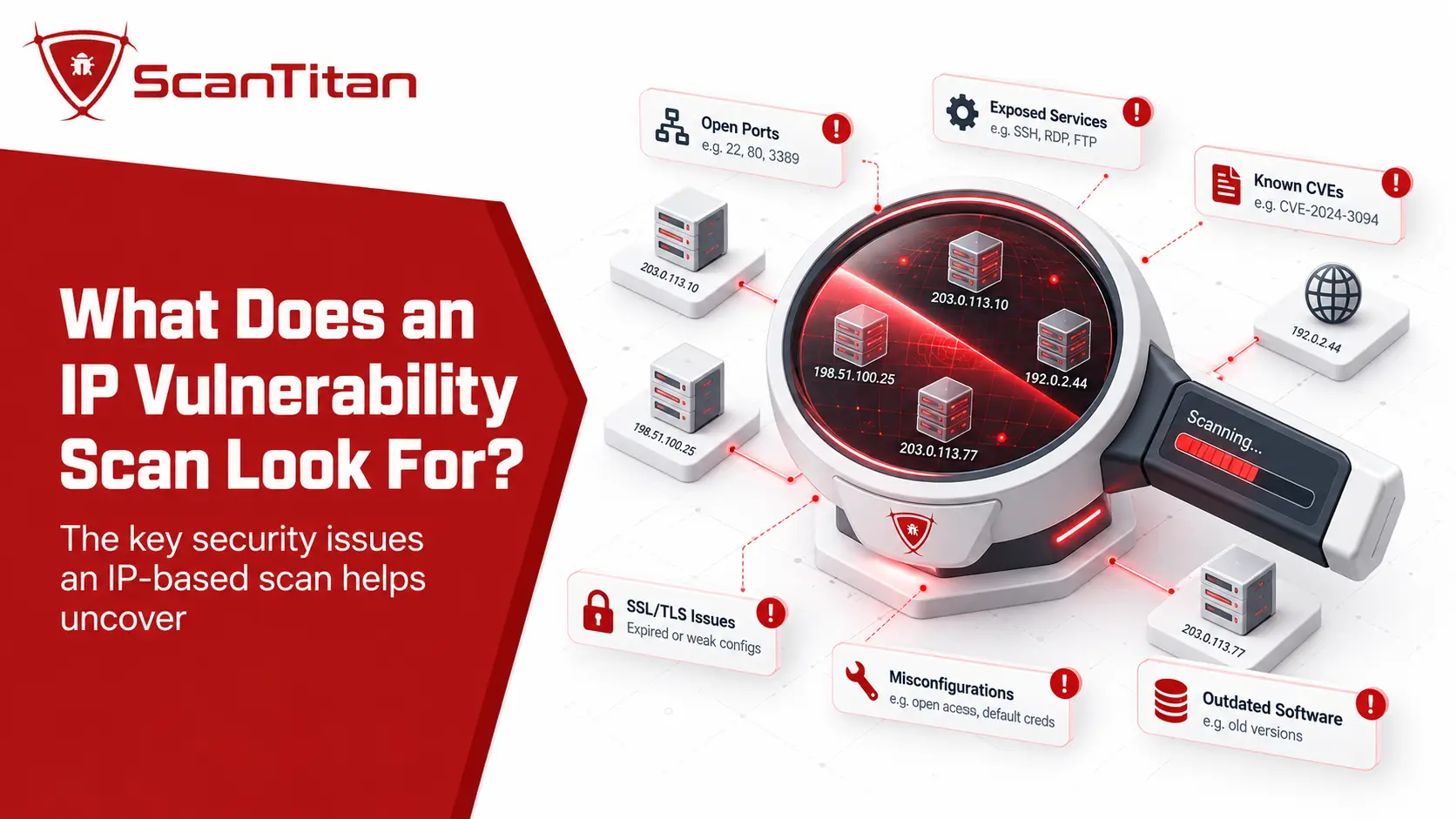
An IP vulnerability scan usually begins by identifying network exposure, but it should go further than simply listing open ports. It tries to understand what is running behind those ports and whether the observed service, software, or configuration has security weaknesses.
| What the scanner checks | Example | Why it matters |
|---|---|---|
| Reachable ports | TCP 22, 443, or 3389 | Shows which network entry points respond. |
| Running services | SSH, HTTPS, RDP, DNS | Identifies what is listening behind those ports. |
| Product and version evidence | OpenSSH, nginx, or another detectable service | Helps determine which known vulnerabilities may apply. |
| Known vulnerabilities | Relevant CVEs | Connects detected software or behavior with published weaknesses. |
| Security configuration | Deprecated protocols or unnecessary services | Finds exposure that may not map directly to a software CVE. |
| Internet exposure | Publicly reachable management or remote-access services | Adds context about how accessible a finding is. |
| Prioritization signals | CVSS, CISA KEV, or EPSS where relevant | Adds severity and exploitation context to the finding. |
Service identification matters because a port number alone does not prove which application is running there. For example, TCP port 25 commonly suggests SMTP, but services can operate on unexpected ports. Nmap’s service and version detection documentation explains how additional probes can be used to identify the actual protocol, application, and version.
OPEN PORT DOES NOT MEAN VULNERABLEAn open port is not automatically a vulnerability. The security question is what is accessible through the port, how the service is configured, whether it contains a known weakness, and whether that service should be exposed at all.
How Does an IP Vulnerability Scan Work?
Different scanners use different probes, detection engines, and vulnerability sources, but the underlying process generally follows the same sequence.
1
Define the target and scan vantage point
The scanner is given an IP address and runs from an external or internal location depending on which part of the target’s exposure needs to be assessed.
2
Identify reachable ports and services
The scanner determines what responds at the target and which network services appear to be listening.
3
Fingerprint exposed services
Protocol responses, banners, product information, version evidence, and other characteristics can help identify what software or service is actually running.
4
Run vulnerability checks
The observed software, versions, configurations, and responses are evaluated using vulnerability data and scanner-specific detection logic.
5
Report and prioritize findings
Results can include the affected service, vulnerability identifiers, severity, supporting evidence, and additional exploitation context.
6
Remediate and rescan
After a confirmed issue is patched, reconfigured, restricted, or otherwise mitigated, another scan can verify whether the detectable exposure remains.
IP Vulnerability Scan vs Port Scan vs Network Scan vs Website Scan
These terms are often mixed together, especially because the phrase “IP scanner” can also describe a tool used simply to discover active devices. They answer different security questions.
An IP scan tells you which services answer on that address. To scan a website, you need a tool that follows links, submits forms and reads responses at the application layer, which is a different job entirely.
| Scan type | Main question | Typical scope | Main output |
|---|---|---|---|
| IP vulnerability scan | What detectable security weaknesses affect this targeted IP or host? | A specific IP address | Services, vulnerabilities, and relevant configuration findings |
| Port scan | Which ports respond and possibly which services use them? | One or more IP addresses | Port states and service information |
| Network vulnerability scan | Which hosts and vulnerabilities exist across this network? | Multiple hosts, ranges, or subnets | Host inventory plus vulnerability findings |
| Website vulnerability scan | What security weaknesses exist in the web application? | Website, hostname, or web application | Application-layer security findings |
A port scan provides valuable discovery information, but discovering that port 443 or 22 is open does not by itself establish that the service is vulnerable. A vulnerability scan adds security checks and attempts to associate the observed service or configuration with actual weaknesses.
A network vulnerability scan expands the scope further. It may begin by discovering multiple live hosts across a range and then assess those hosts for vulnerabilities. A focused IP vulnerability scan starts with the specific address already selected.
Website vulnerability scanning is different again because a web application is not always represented completely by its raw IP address.
If you want to perform the process yourself, follow our step-by-step guide on how to scan an IP address for vulnerabilities, covering target verification, port discovery, service fingerprinting, vulnerability validation, remediation, and rescanning.
What Can an IP Vulnerability Scan Miss?
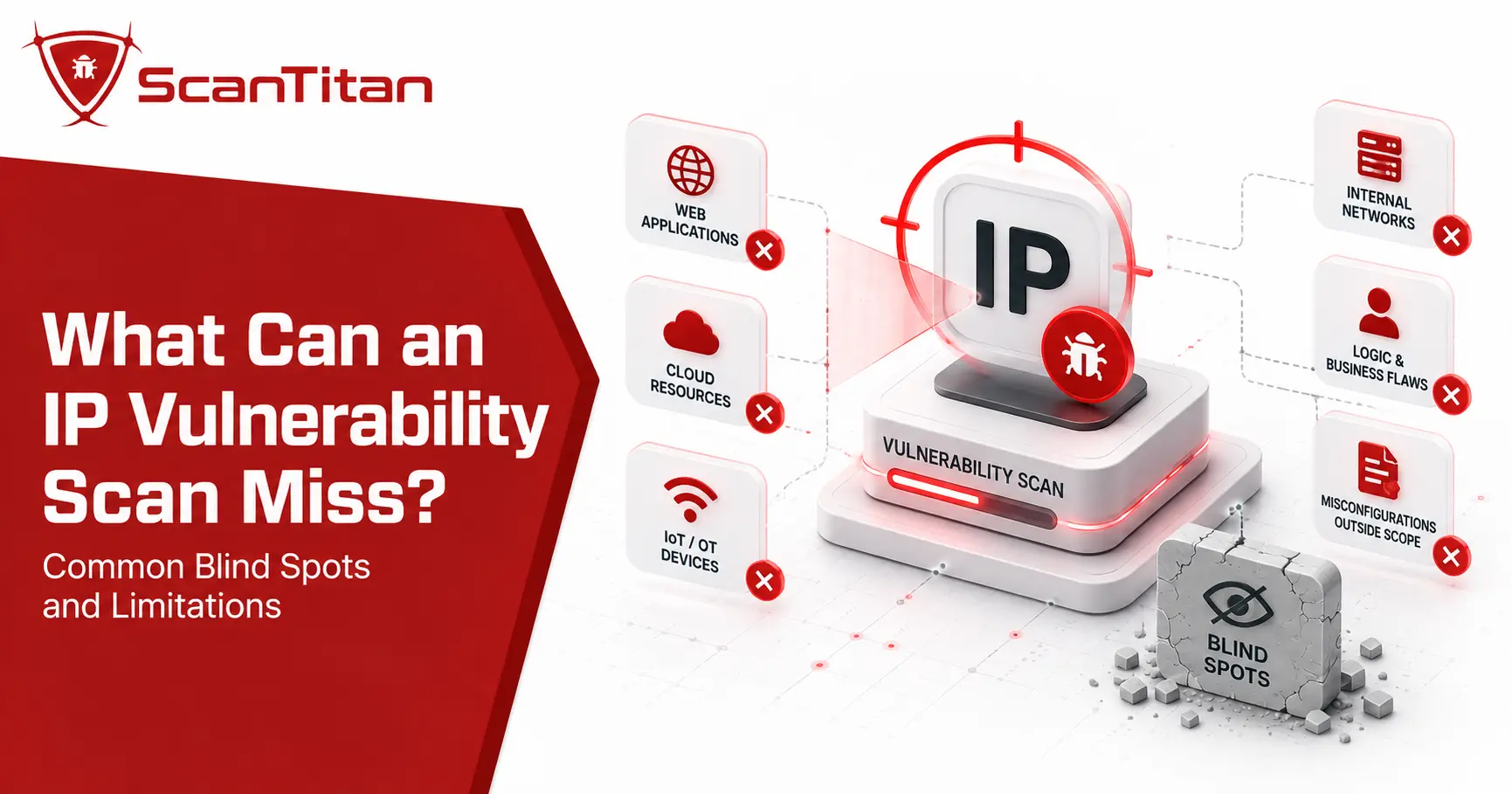
An IP vulnerability scan can only report what its location, permissions, target scope, and detection methods allow it to observe. These limitations are especially important when interpreting a scan that returns few or no findings.
| Potential blind spot | Why it can be missed |
|---|---|
| Internal-only services | They may not be reachable from an external scanner. |
| Credential-protected information | An unauthenticated scan may not see configuration or patch details that become visible after authentication. |
| Filtered services | Firewalls, access controls, and rate limiting can restrict the responses available to the scanner. |
| Hidden web applications | Multiple hostnames and virtual hosts can point to the same IP address. |
| Application business-logic flaws | These often require application-aware testing or human analysis. |
| Incorrect service fingerprinting | Product and version identification can be uncertain when the available evidence is incomplete. |
| Vulnerabilities outside detection coverage | Scanner results depend on the checks and vulnerability information available to the product. |
| Other assets | Scanning one IP provides no security conclusion about systems outside that scope. |
| Later configuration changes | A vulnerability scan is a point-in-time observation of the target. |
One of the easiest blind spots to overlook is web hosting. OWASP’s Web Security Testing Guide explains that the traditional one-IP-to-one-web-application assumption no longer reliably applies. Several hostnames, virtual hosts, applications, environments, or administrative interfaces can sit behind the same address.
Testing only the raw IP can therefore produce an incomplete picture of the applications hosted behind it. An IP vulnerability scan should not automatically be treated as a replacement for web application security testing.
Does a Clean IP Vulnerability Scan Mean the IP Is Safe?
NO FINDINGS DOES NOT MEAN NO RISKA clean result means the scanner did not identify a vulnerability within the target, scan configuration, vantage point, and detection coverage used at that time. It does not prove that the IP address or every system behind it is secure.
For example, an external scan may identify an HTTPS service but have no visibility into an internal database. An unauthenticated scanner may recognize a software product without being able to verify every patch or configuration detail. A web server may also host applications under domain names that cannot be fully discovered by requesting the IP address alone.
The useful question after a clean scan is not “Is this IP secure forever?” It is “What portion of this target did the scan actually test, and what additional visibility do we still need?”
This is also why internal and external vulnerability scanning are complementary rather than interchangeable. External scanning shows what is reachable from outside the network, while internal scanning evaluates exposure from another network vantage point.
How Should IP Vulnerability Scan Results Be Prioritized?
Not every detected vulnerability deserves the same response time. Technical severity matters, but severity alone does not describe the complete risk to a particular organization or asset.
CVSS
Describes vulnerability severity. FIRST explicitly distinguishes CVSS Base severity from a complete assessment of organizational risk.
CISA KEV
Identifies vulnerabilities for which CISA has evidence of exploitation in the wild. KEV is useful prioritization evidence, but it does not mean a particular system is being attacked at that moment.
EPSS
Estimates the probability that exploitation activity for a published CVE will be observed in the wild over the next 30 days. FIRST updates EPSS daily.
Asset Context
Exposure, reachability, business importance, compensating controls, and the purpose of the affected service determine how urgently a finding matters in your environment.
FIRST’s CVSS v4.0 guidance explicitly describes the Base score as a measure of severity rather than risk. CISA similarly recommends its Known Exploited Vulnerabilities catalog as an input to vulnerability-management prioritization.
EPSS adds another type of context by estimating exploitation probability over the next 30 days. FIRST also warns that EPSS is not a complete risk score because it does not know the importance, exposure, or controls surrounding a specific organization’s asset.
A useful remediation decision therefore combines vulnerability characteristics with exploitation evidence and local context: whether the affected service is actually exposed, reachable, necessary, and important.
When Should You Run an IP Vulnerability Scan?
There is no universal scanning frequency that is correct for every organization. The right cadence depends on how exposed the system is, how often it changes, the organization’s risk requirements, and any security framework or compliance obligations that apply.
FRAMEWORK EXAMPLESCIS Controls v8.1 recommends automated vulnerability scanning of externally exposed enterprise assets monthly or more frequently for the applicable implementation groups. PCI DSS has separate requirements for applicable environments, including quarterly external vulnerability scans under Requirement 11.3.2.1.
These are framework-specific requirements and recommendations, not universal rules for every IP address. Outside a fixed compliance schedule, rescanning can also make sense after meaningful infrastructure changes, after remediation, or when newly disclosed vulnerabilities affect software exposed by the target.
What Should You Do After an IP Vulnerability Scan?
A vulnerability report is the beginning of the remediation decision, not the end.
- Validate important findings. Confirm that the detected product, version, configuration, and vulnerability evidence are accurate.
- Confirm exposure. Determine whether the affected service is actually reachable and whether it needs to be accessible from that location.
- Prioritize using context. Consider severity, known exploitation, exploitation probability, asset importance, and available controls.
- Remediate the underlying issue. This might involve patching software, changing configuration, restricting network access, disabling an unnecessary service, or applying another vendor-supported mitigation.
- Rescan the target. Verify that the original finding is no longer detectable and that the remediation produced the intended result.
For public-facing infrastructure, ScanTitan’s IP Vulnerability Scanner provides an external view of an IP address by checking exposed ports, services, and detectable vulnerabilities so findings can be investigated and remediated.
Frequently Asked Questions About IP Vulnerability Scanning
How can I scan my IP address for vulnerabilities?
Use a vulnerability scanner that accepts an IP address as its target, confirm that you are authorized to assess the address, configure the appropriate external or internal scan, review the findings, remediate confirmed issues, and then rescan. The exact tool configuration belongs to a practical scanning workflow rather than the definition of an IP vulnerability scan.
Is vulnerability scanning illegal?
Vulnerability scanning is normal security work when performed against systems you own or have authorization to test. Scanning third-party infrastructure without permission can create legal, contractual, provider-policy, and operational risks, and the exact legal position depends on jurisdiction and conduct. Establish authorization and scope before scanning.
Does an IP vulnerability scan discover every device on a network?
No. A vulnerability scan scoped to one IP assesses that specified target. Discovering devices across a subnet, CIDR block, or larger address range is a broader network discovery or network vulnerability scanning task.
Is an IP vulnerability scan the same as a port scan?
No. A port scan primarily determines which ports respond and may identify the services using them. A vulnerability scan goes further by using service, version, configuration, and other evidence to check for security weaknesses. Port discovery is often one stage of vulnerability scanning rather than the complete assessment.
Can an IP vulnerability scan find website vulnerabilities?
It can identify some issues associated with web services exposed at the target IP, including vulnerable server software and certain TLS or configuration problems. It should not be assumed to cover the entire web application. Multiple hostnames and virtual hosts can share one IP, while application routes, authentication flows, inputs, and business logic require application-aware testing.
Does a clean vulnerability scan mean my IP address is safe?
No. A clean result means the scanner did not identify vulnerabilities within its target scope, scan configuration, vantage point, and detection coverage at that time. It cannot prove that every service, application, or system behind the IP is secure.