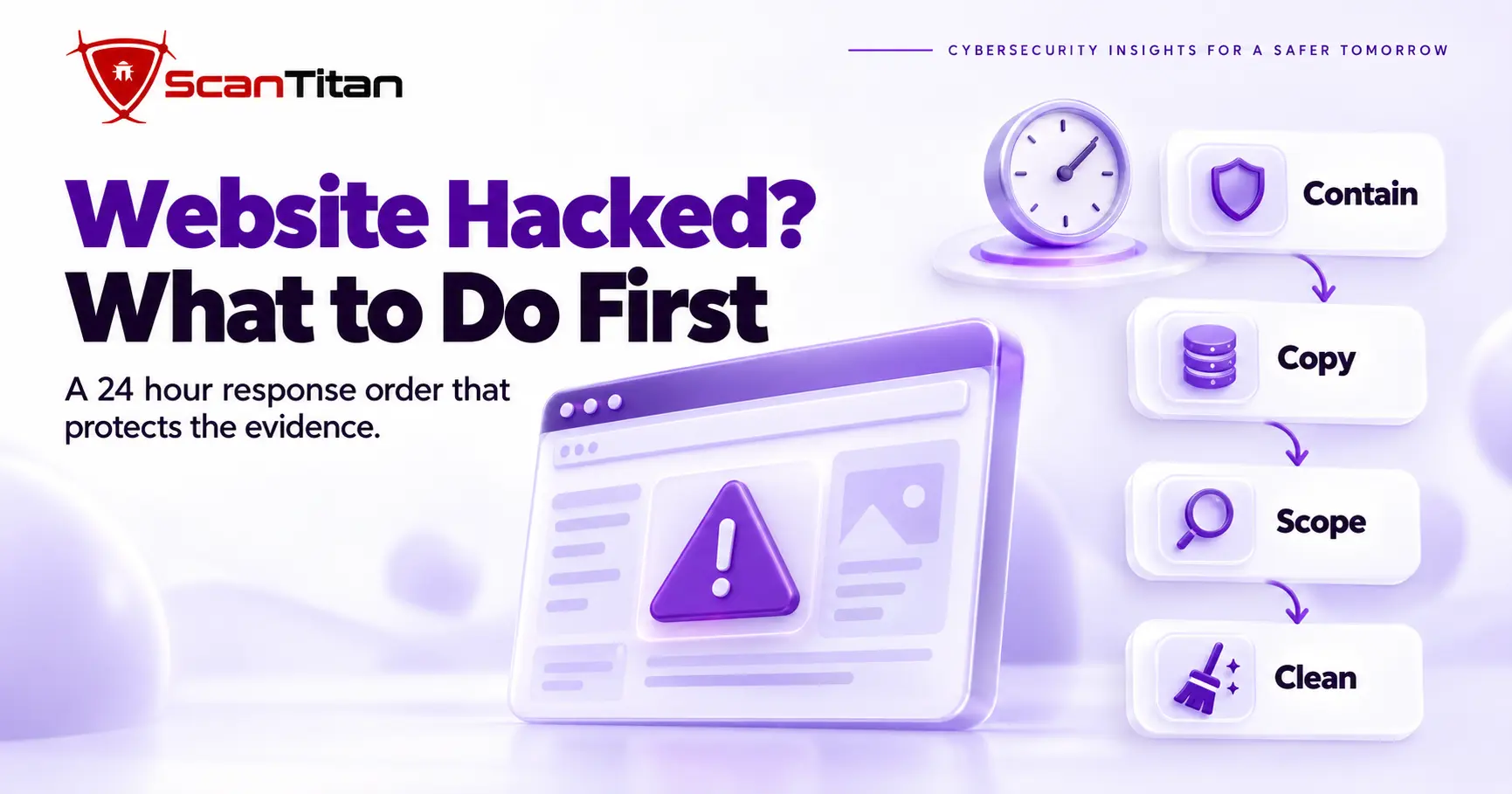
When your website is hacked, what to do first is contain it, copy it and only then clean it. This website hacked what to do guide gives the order for the first 24 hours: confirm the hack, take the site offline, rotate credentials, preserve evidence, scope the damage, choose between cleaning and restoring, and close the entry point. The first hours decide how much damage spreads and how much evidence survives, so every step comes before the one that would destroy it.
Five Questions Before Responding to a Hack
A response triage is a short set of questions that decides your first move. It takes a minute to answer, and each answer changes the order of the steps below. Answer these five before you touch the site.
- Check whether you can still access your hosting account. If you cannot, contact your host and your registrar first, because you cannot contain what you cannot reach.
- Notice whether the site is actively redirecting visitors or serving malware. If it is, take it offline before anything else.
- Ask whether the site processes payments or stores personal data. If it does, plan for notification and read the scope section.
- Find out whether you have a known clean backup and what date it was taken. That date decides whether you restore or clean.
- Count the sites on the same hosting account. If several are affected, treat the whole account as compromised.
Confirm Your Website Was Hacked
A confirmed hack is a compromise you can point to, not a slow page or a failed update. Some symptoms, such as slow performance or a broken layout, are not proof on their own. Strong indicators, such as an unauthorized administrator account, injected code, a malicious file or a confirmed Google Security Issues finding, establish a compromise directly. When the evidence is uncertain, correlate two or more independent signals, for example a browser warning plus spam pages in search, before you make destructive changes. A clean scan does not rule a hack out, because a remote scanner cannot read server files, as our guide on a scanner that says clean while the site is still hacked explains. If Google has already named a malicious URL, do not keep opening that page in your everyday browser. Use Search Console, server logs, source files or an isolated analysis environment.
Website Hacked? What to Do First
Containment is the first response step, and it stops the attack from spreading while you work. It limits what visitors receive and what the attacker can still reach. Five actions, in this order, do the job.
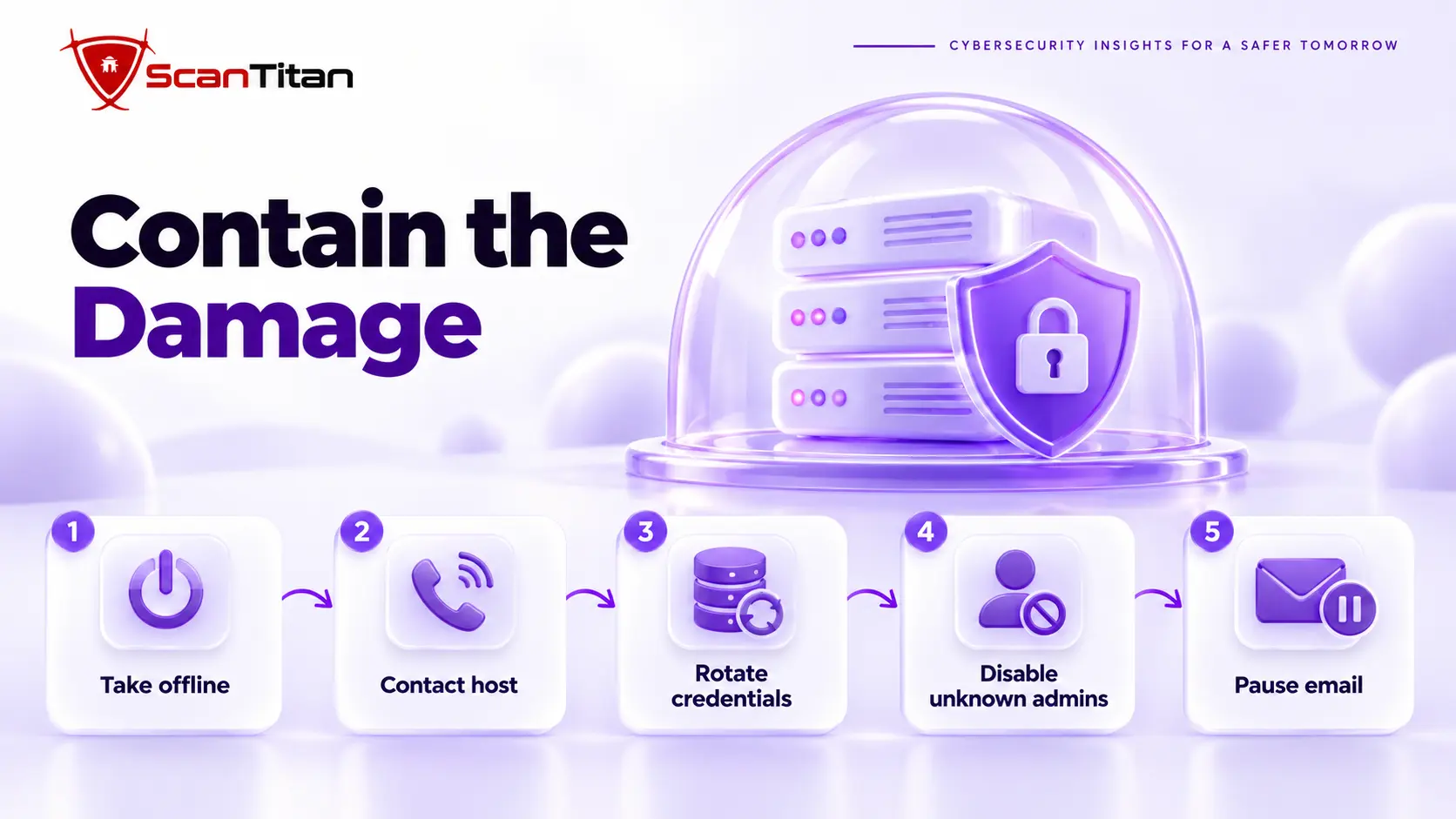
- Take the site offline or switch on a maintenance mode that returns a 503 status, so visitors stop receiving infected pages and Google treats the outage as temporary. Google’s Search Central blog has advised returning a 503 status when you cannot take a hacked site offline.
- Contact your hosting provider, report the hack and ask for access logs, file change logs and whether other sites on your account are affected.
- Rotate hosting, SFTP, SSH, database and registrar credentials from a clean computer, and revoke active sessions, API keys and application passwords that may be exposed. Reset CMS credentials only after you control persistent access, because an attacker with live access can capture the new ones.
- Disable administrator accounts you do not recognize, after you write down their names and creation dates.
- Pause outbound email if the site sends mail, so a compromised contact form or mailer cannot send spam or phishing under your domain.
Preserve Evidence on a Hacked Website
Evidence preservation is the step of copying the infected site and its logs before you change anything. It works because the copy keeps file timestamps, injected code and the first malicious request, which together show how the attacker got in. The FTC’s data breach guide tells businesses to take affected equipment offline but to leave machines running until forensic experts arrive, so they can capture the evidence. Save a full copy of the files and the database, export the access and error logs, and take screenshots of the redirect, the warning and any new administrator accounts. Store the copy where the site cannot write to it. Do not restore a backup yet, because a restore overwrites the files and logs you need.
Scope the Website Hack
Website Files and Database
A file and database scope check is a comparison of what changed on the server against a known clean state. It finds injected code, new files and altered content. Look at recently modified files, unfamiliar PHP files in upload folders, changed configuration files such as wp-config.php and .htaccess, and database rows that contain script tags or long encoded strings. On WordPress, the command wp core verify-checksums lists core files that differ from the official release. Treat every hit as a lead, because attackers backdate files and a clean scan is not proof of a clean site. Our guide to remove malware from a website walks through each check.
Accounts, Hosting and DNS
An access scope check is a review of every account and setting that controls the site. It finds the quiet changes attackers make to stay in. List administrator users and API keys, hosting panel and SFTP logins, scheduled tasks, email forwarding rules and the DNS records at your registrar, including mail records and any new subdomains. Compare each one with what you set up yourself. If DNS or registrar settings changed, the problem is bigger than the website, because attackers can redirect traffic or intercept mail without touching a single file. Ask your host whether other sites share the account, since one infected site can reinfect the others.
Customer and Payment Data
A data exposure check is a decision about which information the attacker could reach. It decides whether you owe anyone a notice. Look at what the site stores or handles: customer accounts, orders, form submissions, newsletter lists and payment details. If a checkout page was altered, treat card data as exposed, read our guide to the Magecart web skimming attack and contact your payment processor. If the site only serves public content, write down that conclusion and the evidence behind it. This scope drives the notification step later in this guide, so record it while the logs are fresh.
Clean or Restore a Hacked Website
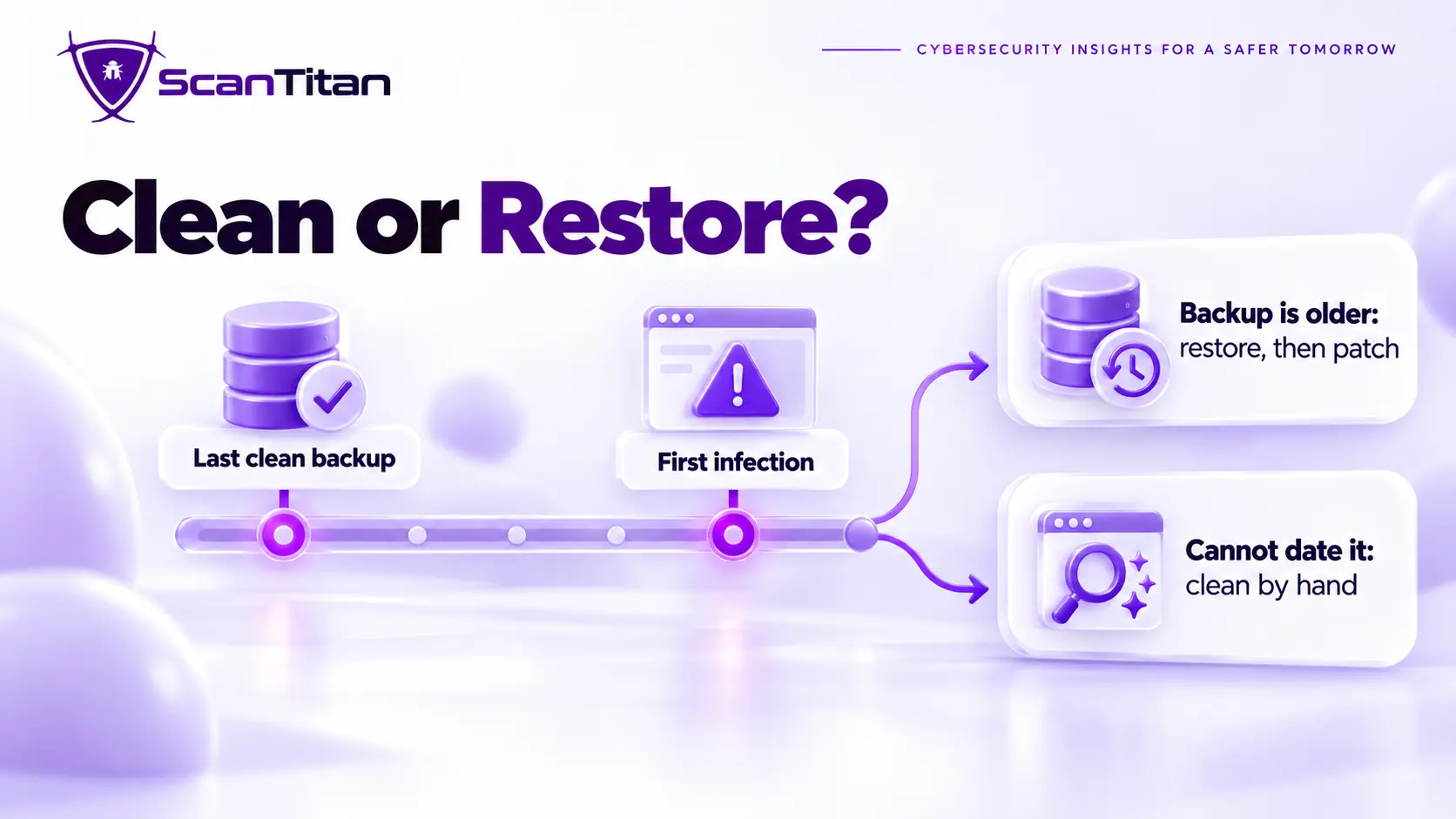
A restore decision is a comparison between the date of your newest clean backup and the date of the first infection. It decides whether a rollback removes the malware or brings it back. If the backup predates the earliest suspicious file, restoring is fast, but you must patch the entry point first, or the same flaw lets the attacker return. If you cannot date the infection, clean by hand and keep the backup only as a reference. On WordPress, the safest rebuild installs a fresh core, re-uploads only the wp-content/uploads folder, and reinstalls themes and plugins from official sources. The table compares the four options, and our removal guide covers the cleanup itself. Decide before you delete anything, because the choice depends on evidence you are about to overwrite.
| Situation | Choice | Watch for |
|---|---|---|
| A clean backup predates the first infection | Restore, then patch | A restore without a patch reinfects the site |
| You cannot date the infection | Clean by hand and verify with checksums | A missed backdoor means a second hack |
| The site takes payments or the hosting account is compromised | Professional cleanup | Confirm the entry point is closed |
| The site is small or the damage is extensive | Rebuild on a fresh install | Content and settings must be recreated |
Close the Website Hack Entry Point
The entry point is the weakness the attacker used to get in, and closing it decides whether the hack returns. The usual causes are an outdated plugin or theme with a known vulnerability, a stolen or reused password, software from an unofficial source and a compromised hosting account. Read your logs for the first request to the malicious file and match its timestamp with your update history. Then fix that exact weakness: update or remove the component, set unique passwords with two factor authentication, and delete software you no longer use. Limit the plugins you keep active, because every extra plugin is another possible entry point. A web application firewall buys time when you cannot patch, but it never replaces the patch. A web shell left behind will reopen the door.
Who to Notify After a Website Hack
A breach notice is a report to the people and bodies with a stake in the incident. Your host already knows. Tell your payment processor if card data was involved, and tell customers whose personal data was exposed. The FTC’s guide says all US states, the District of Columbia, Puerto Rico and the Virgin Islands have breach notification laws, and it advises calling law enforcement. GDPR Article 33 requires a controller to notify the supervisory authority without undue delay and, where feasible, within 72 hours of becoming aware of a breach, unless it is unlikely to risk individuals’ rights. Rules differ by country, state and industry, so this is general information and not legal advice. Ask counsel when personal data is involved.
Fix Google Warnings After a Hack
A search warning is a flag that Google or a browser shows when it detects harmful or deceptive content on your site. It appears as a red screen for visitors and in the Security Issues report in Search Console. Google says a security review can take from a few days to a few weeks, so clean first and then request it. Our guide to the Deceptive Site Ahead warning gives the steps. If search results list thousands of pages you never published, that is SEO spam such as the Japanese keyword hack. If customers land on other sites, read our guide to malicious redirects.
Can a Hacked Website Be Recovered?
A recovered website is one that serves only your own content and has no unknown files, accounts, scheduled tasks or warnings. Yes, a hacked website can reach that state when you remove the malware, close the entry point and verify the result. Recovery has two parts. The site itself can often be fixed in hours or days, while search trust follows Google’s recrawl and has no guaranteed timeline. A rebuild on a fresh install is slower but works when the damage is extensive. Sites fail to recover when the owner removes the visible symptom, leaves the backdoor and is reinfected within days.
Monitor a Hacked Website After Recovery
Post-recovery monitoring is a routine of watching files, accounts and search results for signs of reinfection. It matters because attackers return through the same entry point, often within days. Re-scan after one day and again after a week, watch for new PHP files in the uploads folder, new administrator users and edits to .htaccess or wp-config.php, and check the Pages and Security Issues reports in Search Console. Keep the logs from the incident, because they tell you what to watch. A recurring website malware scan covers the pages visitors see, and ScanTitan’s website malware removal service is available if the hack keeps coming back.
Hacked Website FAQ
What Is the First Thing to Do When Your Website Is Hacked?
The first thing to do is contain the site by taking it offline or switching to maintenance mode. Containment stops visitors from receiving malware and stops the attacker’s scripts from collecting data. Next, contact your hosting provider, rotate hosting credentials from a clean computer and copy the site and its logs before you change anything. Do not delete files or restore a backup first, because both can destroy the evidence of how the attacker got in, and the same entry point stays open for the next infection. Speed matters, but order matters more.
Should I Take a Hacked Website Offline?
An offline site is a site that visitors cannot load while you investigate. In most cases it is the right move, because every hour online can send visitors to malware or phishing and can damage your search standing. Use a maintenance page that returns a 503 status, so Google treats the outage as temporary. If you cannot go offline, such as with a busy store, at least block the infected pages, tell your host and move quickly. Take the site offline at once if it serves malware, collects payments or sends spam.
Can My Hosting Provider Fix a Hacked Website?
A hosting provider is the company that runs the server your site lives on, and it can help with parts of the response. Hosts can provide logs, restore server backups, suspend malicious files and tell you whether other sites on the account are affected. Some offer a paid cleanup. A host usually cannot tell you how the attacker got in unless you ask for logs, so request them in writing. Do not assume the cleanup is complete without your own checks, because a missed backdoor brings the hack back within days.
How Do I Know If My Website Has Been Hacked?
A sign of a hack is any change you did not cause: a browser or Google warning, a host notice, redirects, spam pages in search, unknown administrator accounts or unfamiliar files. Customers often notice before you do, because many infections show only to search visitors or mobile users. Search Google for your domain with the site operator and look for pages you never published, and open your site from a search result on a phone. A clean scan is not proof, so confirm with logs, accounts and file checks.