
The best WordPress malware scanner depends on one question: is your site already infected? If it is, MalCare or Sucuri will scan it and also clean it. If you want free scanning inside WordPress, Wordfence is the usual pick. If you want an outside check with no plugin that still works when you are locked out of wp-admin, ScanTitan is our pick. This guide compares five scanners by where they run, what they cost and what they cannot do.
Which WordPress Malware Scanner Is Best? Quick Comparison
No single scanner wins every situation, so the table sorts them by what you need. Two questions decide most choices: does the tool run inside WordPress or outside it, and does it remove malware or only report it. Cleanup is where prices jump, because MalCare charges $299 a year for it while its $99 plan only detects. Scanners that run outside your site cannot read files that were never served to a visitor. Scanners that run inside it can read those files, but they sit on the machine an attacker already controls.
| Scanner | Best for | Where it runs | Removes malware? | List price |
|---|---|---|---|---|
| ScanTitan | Outside scan with no plugin | Outside your site | No, it finds and verifies | Free for 1 site and 1 scan; Professional $119 a year per website |
| MalCare | Scan plus one-click cleanup | Plugin, scans on MalCare servers | Yes, on Repair and Fortify | Free detects only; Protect $99, Repair $299, Fortify $499 a year per site |
| Wordfence | Free scanning inside WordPress | Plugin, scans on your server | Vendor says the free version does not gate removal | Free; Premium $149, Care $590, Response $1,250 a year |
| Sucuri | Free outside check and analyst cleanup | SiteCheck outside; platform adds a firewall | Yes, unlimited cleanups on platform plans | SiteCheck free; platform $229, $339 or $549 a year per site |
| Jetpack Scan | Daily scans if you use Jetpack | Jetpack servers | One-click fixes for many threats | $9.95 a month, billed yearly; also in the Pro bundle |
How We Ranked These WordPress Malware Scanners
We ranked each scanner on five points: how it finds malware, where it runs, whether it removes what it finds, what it costs, and how honest its limits are. ScanTitan is our product, and we put it first for one specific job, scanning from outside with no plugin. We did not run a detection benchmark, so this article publishes no detection percentages. Prices come from each vendor’s own pricing page on 23 November 2026, and several vendors run sales, so confirm the price before you buy. Every scanner below misses something, which is why each entry lists who should skip it.
What Is the Difference Between an External Scanner and a Plugin Scanner?
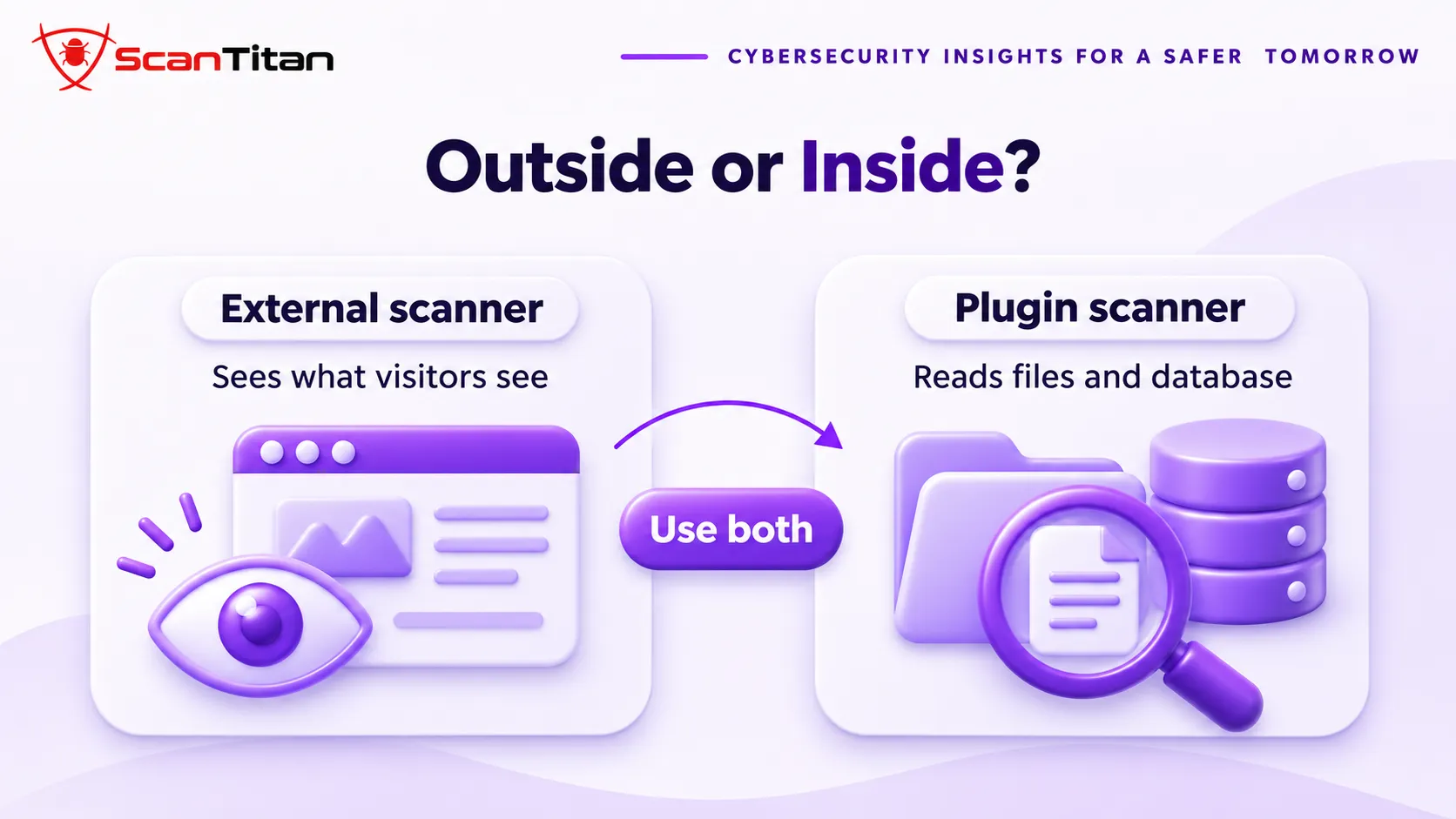
An external scanner checks your site from the outside, and a plugin scanner checks it from the inside. Each sees something the other cannot, so the difference decides which tool fits your problem.
What Does an External Scanner Find?
An external scanner requests your pages the way a visitor does and inspects what comes back. It finds injected scripts, hidden iframes, spam links, phishing pages and redirects, and it can request pages as different visitors to catch redirects that fire only on mobile or on a first visit. It still works when an infection has locked you out of wp-admin. Its limit is that it only sees what the server sends. A backdoor file that nobody requests, or a malicious database row that never renders, stays invisible to it.
What Does a Plugin Scanner Find?
A plugin scanner runs inside WordPress and reads the files and database directly. It compares core and plugin files with known good copies, flags unexpected PHP in the uploads folder, and inspects database rows and scheduled tasks, so it can find a dormant backdoor that no visitor ever triggers. Its limit is its location. It runs on the same server an attacker may already control, so malware with code execution can tamper with it or disable it, and heavy scans can slow a small host. Use one of each when you can.
The 5 Best WordPress Malware Scanners
The five scanners below are ordered by the job they do best for a site owner who has to choose today, with ScanTitan first for outside scanning. Each entry states what it costs, what it cannot do and who should pick something else.
ScanTitan: Best for an outside scan with no plugin
Our product
The ScanTitan WordPress malware scanner checks your public pages from outside, so there is nothing to install and it works when you cannot log in. It crawls pages and scripts, flags injected JavaScript, hidden iframes, redirects, spam and web shell patterns, and compares how pages respond to different visitors to catch redirects that fire only for some of them. The report also lists the areas it could not check, so an unchecked area is never read as clean. A free quick check takes up to 45 seconds with no account. Free and Professional plans repeat malware checks weekly, and Professional costs $119 a year per website.
ScanTitan also matches the detected WordPress core, plugin and theme versions to published advisories with its WordPress vulnerability scanner, so one scan covers both the infection and the hole that let it in. The limits are plain. ScanTitan does not read files or database rows that a visitor never receives, it does not clean a site, and it does not sell a firewall. You, your host or a security professional do the cleanup, then rescan to prove each finding is gone.
MalCare: Best for scan plus one-click cleanup
MalCare is a WordPress security plugin that scans files and database tables on its own servers, so the scan does not load your host. Its free plan runs weekly scans and finds malware but does not remove it, which MalCare states on its own pricing page. Protect costs $99 a year per site and adds daily scans, a firewall and virtual patching, still without cleanup. Repair costs $299 a year per site and adds malware cleanup, scans every 12 hours and an expert response within 24 hours. Fortify costs $499 and scans hourly. MalCare shows 50 percent off promotions, so the list price is the safer number to plan around.
The catch is the price of cleanup: detection is cheap and removal is not. Some published user reviews also report missed detections or failed removals, so treat any single scanner as one layer, and keep an independent backup. MalCare fits site owners who want a plugin to handle the infection without a support ticket.
Wordfence: Best free scanner inside WordPress
Wordfence is the most widely used free WordPress security plugin, and it says more than 5 million sites run the free version. The scanner checks core files, themes and plugins against known signatures and flags backdoors and malicious redirects, and it comes with a firewall and login protection. Wordfence states that it does not gate malware removal behind paid plans. The free version receives firewall rules and malware signatures 30 days after the paid versions, so new threats reach free sites late.
Premium costs $149 a year and adds real-time signatures and rules. Care costs $590 a year and Wordfence installs, configures and monitors the plugin for you. Response costs $1,250 a year for round-the-clock incident response. Because the scanner runs on your own server, heavy scans can slow a small host, and an attacker with code execution can interfere with it. Wordfence suits owners who are happy to manage a plugin themselves.
Sucuri: Best for a free outside check and analyst cleanup
Sucuri SiteCheck is a free outside scanner that looks at your public pages for malware, blacklist status, errors and out-of-date software. It sees only what is public, so pair it with something that reads your files. Sucuri’s paid platform adds a cloud firewall and malware removal by its analysts. Plans cost $229, $339 and $549 a year for one site, with unlimited cleanups, a 30 day money-back guarantee, scans every 12 hours, 6 hours or 30 minutes depending on the tier, and first ticket responses of 30, 12 or 6 hours.
The weakness is speed on the cheapest plan: a 30 hour first response is slow when a site is down. Sucuri also bundles a firewall you may not need if your host already provides one. It fits owners who want humans to fix the infection and are willing to pay for it. For other options in this price range, read our Sucuri alternatives guide.
Jetpack Scan: Best if you already use Jetpack
Jetpack Scan is Automattic’s malware scanner. It runs a daily scan, or a scan whenever you trigger one, on Jetpack’s own servers, so results stay available when your site goes down. It checks plugins, must-use plugins, themes, uploads and selected files in the WordPress root and wp-content, gives guidance for each threat and offers one-click fixes for many of them. Scan includes a web application firewall and lists at $9.95 a month billed yearly, with a half-price first year during sales, and it is also part of the Pro bundle at $29 a month.
Per Jetpack’s own FAQ it does not support WordPress multisite, and a site that was already infected before Scan was switched on may need extra cleanup. Daily scans are slower than the hourly scans MalCare sells on its top plan. It makes sense when Jetpack already runs on the site for backups or performance and you want one vendor.
Which WordPress Malware Scanner Should You Choose?
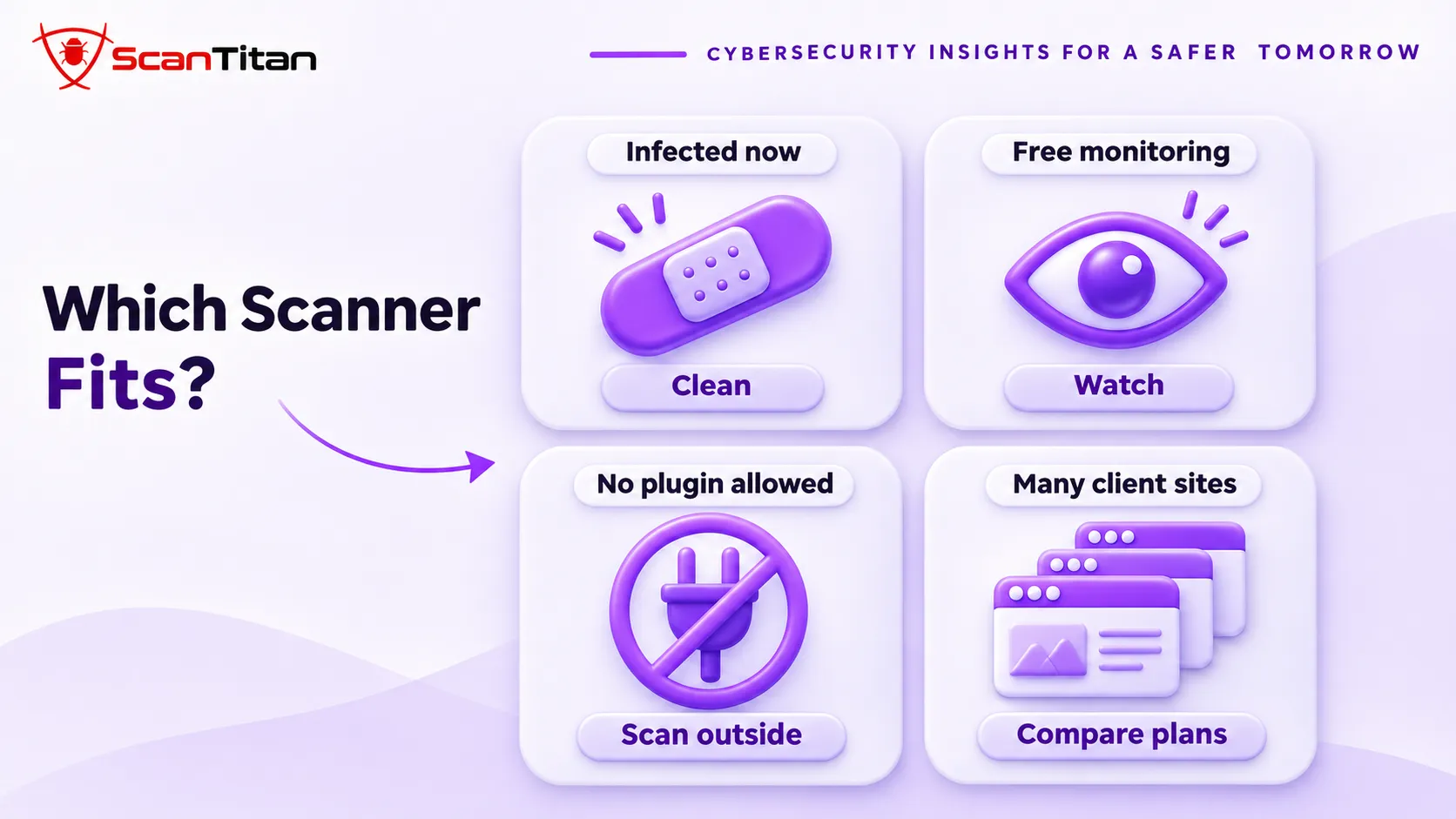
Choose by your situation, because the best scanner for an infected shop is not the best scanner for a quiet blog. Four situations cover most owners.
- Your site is infected now: An infected site needs cleanup more than a report, so choose MalCare Repair or a Sucuri platform plan, and keep a copy of the infected files first. Our website malware removal guide shows who does which job.
- You want free monitoring: Free monitoring means a plugin you manage yourself, so choose Wordfence, and add ScanTitan’s free outside check for a second view.
- You cannot install a plugin: Locked accounts, managed hosts and client sites often forbid plugins, so choose an outside scanner such as ScanTitan or Sucuri SiteCheck.
- You manage several client sites: Agencies need cleanup and reporting across sites, so compare MalCare’s 5 site plans with Sucuri’s multi-site options and price each client.
How to Scan a WordPress Site for Malware
Scan in a fixed order so you keep evidence and do not break the site. These five steps work with any scanner above.
- Scan the site from outside before you change anything, because the first report is your evidence and the later rescan is compared against it.
- Verify core and plugin files with WP-CLI by running
wp core verify-checksumsandwp plugin verify-checksumsfor each plugin, which list any file that differs from the official copy. - Inspect the uploads folder for PHP files, the user list for administrators you did not create, and scheduled tasks for entries you do not recognize.
- Clean the site or restore it from a backup taken before the infection, then change every password and rotate the secret keys. Our hacked WordPress site guide has the full sequence.
- Rescan the site, keep weekly scans running, and request a Google review if Search Console shows a security issue.
Do You Need a Malware Scanner and a Firewall?
A scanner finds malware after it arrives, and a web application firewall (WAF) tries to stop the request that would plant it. They do different jobs, so a scanner is not a substitute for a firewall or the other way round. MalCare, Wordfence, Sucuri and Jetpack all bundle a firewall with their scanning, while ScanTitan does not sell one. Neither tool replaces patching: most WordPress infections still start with an outdated plugin, so update plugins and themes within days of a release and delete the ones you do not use. WordPress documents these steps in its hardening guide.
Best WordPress Malware Scanner FAQ
What is the best WordPress malware scanner?
It depends on the job. MalCare and Sucuri are the best choices when you also want malware removed, Wordfence is the best free plugin, and ScanTitan is the best outside scanner that needs no plugin. If you run Jetpack already, Jetpack Scan is the simplest add-on.
Is there a free WordPress malware scanner?
Yes. Wordfence has a free plugin scanner, MalCare has a free plan that finds malware but does not remove it, and Sucuri SiteCheck and the ScanTitan free malware check scan from outside with no signup. Free tools find infections, but cleanup usually costs money or time.
Can a malware scanner remove malware?
Some can and some only report. MalCare removes malware on its $299 plan and above, Sucuri removes it on platform plans, and Jetpack offers one-click fixes for many threats. ScanTitan finds and verifies malware but leaves cleanup to you, your host or a security professional.
Is an online malware scanner enough?
Not alone. An online scanner sees what visitors receive, so it can miss a dormant backdoor file that no one requests. Pair it with a file check such as WP-CLI checksum verification, and read why a scanner can say clean while the site is infected.
How often should I scan WordPress for malware?
Scan at least weekly, and daily if the site takes payments or holds customer data. Also scan before you change anything on a suspected infection, and again after cleanup. ScanTitan, MalCare and Wordfence all run scheduled scans, so set one and review the alerts.
Sources. WordPress.org, FAQ: My site was hacked; WordPress developer documentation, Hardening WordPress and the WP-CLI core verify-checksums and plugin verify-checksums commands; Google Search Console Help, Security Issues report. Product details and prices come from each vendor’s own product and pricing pages, checked on 23 November 2026.
Want an outside look first? Run the free malware scan on your WordPress site in up to 45 seconds, with no signup.