
Port 7680 is the port Windows uses for Delivery Optimization, the service that lets PCs share pieces of Windows updates and Microsoft Store apps with each other. Seeing it open or in firewall logs is usually normal, but you should confirm which program owns it and who it is allowed to talk to. This guide explains what the port does, how to check it, whether it is a risk and how to restrict or turn off the sharing.
What Is Port 7680?
Port 7680 is a network port that Windows uses for Delivery Optimization, its built-in service for sharing Microsoft downloads between computers. The IANA port registry lists the number as ms-do, short for Microsoft Delivery Optimization. The 7680 port number is high enough that many administrators first meet it in a firewall log or a netstat result, where it can look like an unfamiliar program. The service is part of Windows 10 and Windows 11, so you do not need to install anything for the port to appear. An open port here does not mean that someone added a server to your computer. It usually means a Windows service is ready to exchange data, and a few commands later in this guide confirm which one.
What Is Port 7680 Used For?
Port 7680 is used for peer-to-peer sharing of Microsoft downloads between Windows devices through the Delivery Optimization service. When one PC already holds part of an update or a Store app, another PC can fetch that piece from it instead of downloading everything again from Microsoft. Sharing saves internet bandwidth, which matters most where many computers share one connection, such as an office behind a single line. Depending on your settings, a computer can receive pieces and also offer the ones it has cached to others. Windows still downloads from Microsoft servers whenever no suitable peer is available, so updates do not depend on this port. Treat it as a bandwidth saver that you can keep, narrow or switch off, according to how much you trust the devices on your network.
Is Port 7680 TCP or UDP?
Port 7680 is TCP in Windows Delivery Optimization, according to Microsoft’s port table, which describes TCP port 7680 as peer-to-peer content sharing between devices on the network. So the short answer to what TCP port 7680 is used for is moving pieces of updates and apps between PCs. The IANA registry reserves the number for both TCP and UDP, but a registration does not show what your computer uses. The UDP port you may also see is 3544, which belongs to Teredo, a method for reaching peers behind different network address translators. Microsoft says Teredo is needed in Group or Internet download mode, so a network limited to local sharing should not need it.
Why Is Port 7680 Open on Windows?
Port 7680 is open on Windows because Delivery Optimization, whose service name is DoSvc, listens there when it has something to share or receive. Peer sharing is on by default, and the default download mode is LAN, which limits peers to your local network. Microsoft says the service registers and opens the port itself, so you may find it listening although nobody on your team created a firewall rule. Both Windows 10 and Windows 11 include the feature. The service runs inside a shared Windows host process named svchost.exe, which is why Task Manager does not show a separate Delivery Optimization program. A listening port is expected behavior, but it still deserves a quick ownership check.
Why Is Port 7680 Sometimes Not Listening?
Port 7680 is sometimes not listening because Windows shuts the Delivery Optimization service down while it is idle, to save resources. Microsoft’s FAQ counts the service as idle when no peer downloads or uploads are in progress. It also lists other reasons: the cache holds no files, the download mode is Simple, the battery is low, the device is in Connected Standby, it uses a cellular network, or its VPN setting does not allow peering. A scan can therefore report the port open on Monday and closed on Tuesday on the same computer. Record the time of each scan, and check the service state and download mode before you treat a change as suspicious.
What Is Running on Port 7680?
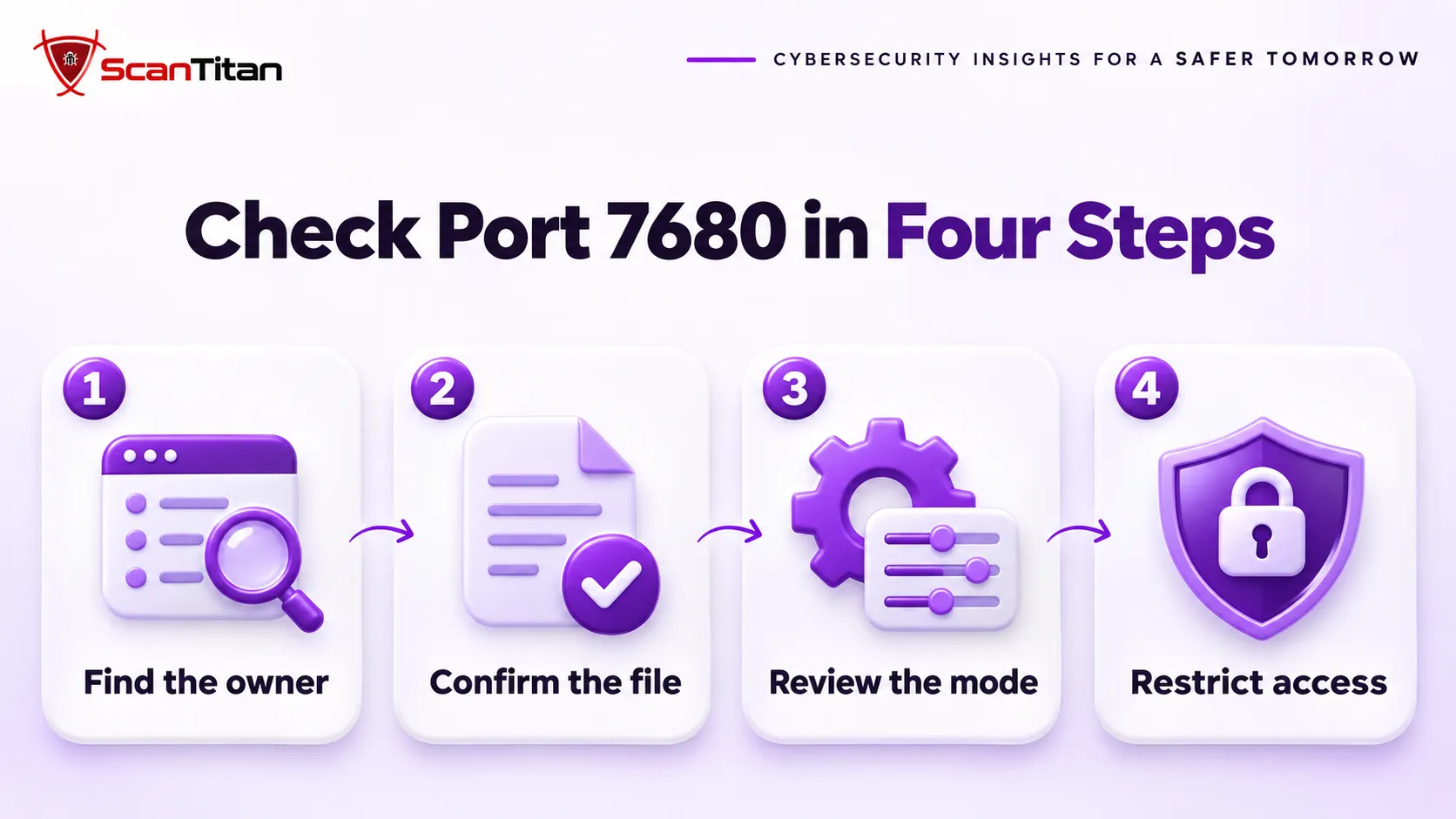
What is running on port 7680 should be the Delivery Optimization service inside svchost.exe, and you can confirm that in a few minutes. Open PowerShell as an administrator on a computer you manage and run these checks.
- Listener: A listener check shows the owning process number, so run
netstat -ano | findstr :7680and note the last column. - Service: A service check names what runs inside that process, so run
tasklist /svc /fi "PID eq 1234"with your number and look for DoSvc. - File path: A path check confirms the program is the Windows copy, so run
Get-Process -Id 1234 | Select-Object Pathand expect a location inside C:\Windows\System32. - Peers: A peer check lists connected devices, so run
Get-DeliveryOptimizationStatus -PeerInfowhile a download is active. - Settings: A settings check shows applied policies and who set them, so run
Get-DOConfig -Verbose.
The last two commands are described in Microsoft’s monitoring guide. If the owner is anything other than DoSvc in the Windows folder, disconnect the machine from the network and investigate it, because a different program is using a port that looks routine.
Is Port 7680 a Vulnerability?
No, port 7680 is not a vulnerability by itself, because it is the normal listener of a Windows service. The real questions are whether your Windows version is patched, which peers may connect and whether the program on the port is genuine. Microsoft builds a safeguard into the sharing: every piece received from a peer is checked against a SHA-256 hash obtained from Microsoft before it is accepted, so a peer cannot simply hand your PC an altered update. That protects the content, not every part of the service. Software that parses requests can still have bugs. Keep the port reachable only by the devices that need it, never forward it from your router, and install monthly Windows updates on time.
Can Attackers Exploit Port 7680?
No, the Delivery Optimization flaws described here do not let attackers exploit port 7680 from across the network, because all are local: the attacker must already be able to run code on the computer. CVE-2026-108465, published on October 13, 2026 and scored 7.0 out of 10, is a memory flaw that lets an authorized user raise their privileges. Older examples include CVE-2020-0983, scored 7.8, and CVE-2019-1289, scored 5.5. Blocking the port does not fix a local flaw, because the vulnerable service is still installed. Install the October 2026 or a later cumulative update, then confirm the build number on each machine. Check the Microsoft security update guide for flaws published after this article.
Our privilege escalation statistics show how often attackers use local flaws like these.
Is Traffic on Port 7680 to Unknown IP Addresses Malware?
No, traffic on port 7680 to unknown IP addresses is not enough to show malware, although it deserves a check. In the default LAN mode, Microsoft’s cloud service finds devices that share your public IP address, and your PC then tries their private addresses. Those can include addresses you do not recognize, such as another subnet or a virtual network adapter. Internet mode adds peers outside your network, and Microsoft or internet provider cache servers can also appear by IP address. Confirm that the owning process is DoSvc, read the download mode and list the current peers. Investigate further if the process is different, if public peers appear while the mode is LAN and you cannot explain them, or if other alerts fire on the same machine.
Which Delivery Optimization Download Mode Should You Use?
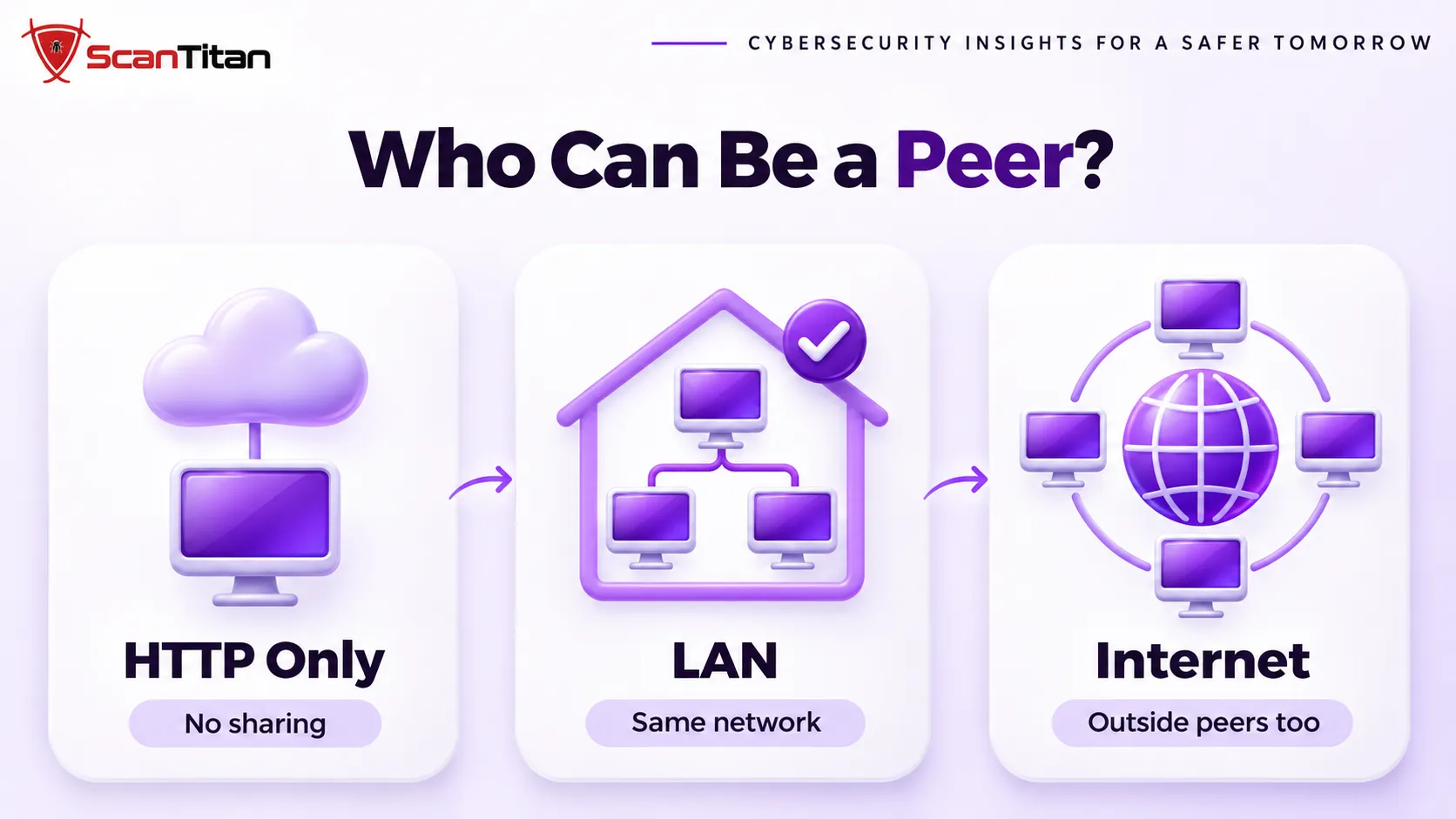
The Delivery Optimization download mode you should use is LAN for a normal office or home, HTTP Only where policy forbids sharing between devices, and Group only where you plan peering across subnets. LAN is the default, and it keeps the bandwidth saving without inviting internet peers by design. Internet mode suits few business networks, because it lets devices exchange pieces with computers you do not manage. Simple mode is for machines without internet access, and Microsoft deprecated Bypass in Windows 11, so do not set it to switch sharing off. Decide once, apply the choice through policy and check a sample of devices afterwards, since a local setting can differ from what you assumed. The table summarizes each option.
| Mode | Value | Peers | When it fits |
|---|---|---|---|
| HTTP Only | 0 | None | No device sharing allowed |
| LAN (default) | 1 | Same network | Most homes and offices |
| Group | 2 | Your group, including across subnets | Several sites or VLANs you control |
| Internet | 3 | Local and internet peers | Rarely right for a business |
| Simple | 99 | None, and no cloud service | Offline environments |
| Bypass | 100 | Not applicable | Deprecated in Windows 11, avoid |
These values come from the Delivery Optimization reference.
How Do You Turn Off or Restrict Port 7680?
You turn off or restrict port 7680 by changing the Delivery Optimization setting first and adding a firewall rule only if you need a second barrier.
- Confirm that the DoSvc service owns the port, so you do not change update settings to solve a different program’s problem.
- Decide how much sharing you want: LAN (1) keeps the bandwidth saving on your own network, and HTTP Only (0) stops sharing with other devices.
- Change the setting in Windows Settings on a single PC, or through Group Policy or Intune when you manage many.
- Add a firewall block only if your policy needs a second barrier, covering inbound port 7680 and, if you want no attempts at all, outbound connections to remote port 7680.
- Verify the applied mode with
Get-DOConfig -Verbose, because a closed port alone proves little when the idle service stops listening.
Updates keep arriving, because Windows can download them directly over web ports.
How Do You Turn It Off in Windows Settings?
You turn it off in Windows Settings by switching off downloads from other devices. On Windows 11, open Settings, choose Windows Update, then Advanced options, then Delivery Optimization, and turn off Allow downloads from other devices. If you want to keep local sharing, leave it on and select devices on your local network only. On Windows 10 the path starts under Update and Security, and the switch is labeled Allow downloads from other PCs. Microsoft’s support page notes that turning the feature off does not stop updates. If the switch is greyed out, your organization manages the setting, so ask your IT administrator. The short video below shows the Windows 11 steps.
How Do You Set It With Group Policy or Intune?
You set it with Group Policy or Intune by configuring the Download Mode policy once for all managed devices. Follow these steps.
- Open the Group Policy Management editor for a policy linked to a test group of computers.
- Browse to Computer Configuration, Administrative Templates, Windows Components, then Delivery Optimization.
- Enable Download Mode and choose HTTP Only (0) to stop sharing, or LAN (1) to keep it local.
- Set the equivalent DODownloadMode setting in Intune or your management tool if you do not use Group Policy.
- Verify one device with
Get-DOConfig -Verbosebefore you widen the rollout.
How Do You Block Port 7680 in the Firewall?
You block port 7680 in the firewall with an inbound block rule in Windows Defender Firewall or on your network firewall. In an administrator PowerShell window, this command blocks incoming connections on one computer: New-NetFirewallRule -DisplayName "Block port 7680" -Direction Inbound -Protocol TCP -LocalPort 7680 -Action Block. An explicit block rule takes priority over an allow rule in Windows. It stops others connecting to this machine, but the PC can still try to reach peers, so add an outbound rule for remote port 7680 or set the download mode if you want silence. Microsoft says blocking the port disables peer sharing while downloads continue over HTTP or HTTPS. On the internet edge, deny unsolicited inbound traffic.
Why Is Your Firewall Logging Port 7680?
Your firewall is logging port 7680 because Windows devices are trying to reach peers through a path that your rules inspect or block. The two common causes are segmented networks and remote connections.
Why Do Logs Show Port 7680 Between VLANs?
Logs show port 7680 between VLANs because devices that share one public IP address can be offered to each other as peers, even when your access rules keep their subnets apart. Each blocked attempt then creates a log line, and a large office produces thousands. You have three clean options. Allow TCP 7680 between the subnets if you want peering there and trust the devices. Use the restrict peer selection policy with the subnet mask value, which limits discovery to the same subnet in LAN or Group mode. Or set HTTP Only mode if you want no sharing. Suppressing the log alone hides the traffic without deciding whether you want it, so pick a setting first.
How Does Port 7680 Behave on a VPN?
Port 7680 behaves differently on a VPN because Delivery Optimization tries to detect the VPN adapter and, by default, stops uploading to peers over it. Detection relies on the adapter description containing keywords such as VPN or secure, so a product with an unusual name may not be recognized. If you see peer traffic crossing a tunnel, check how the adapter is described and whether someone enabled the policy that allows peer caching on VPN. Administrators using Configuration Manager can place VPN address ranges in a boundary group and set its download mode to 0. With split tunneling, Microsoft also advises allowing direct access to its update and Delivery Optimization endpoints so downloads do not stall.
Which Ports Does Delivery Optimization Use?
The ports Delivery Optimization uses are 7680 for peer sharing, 443 for its cloud service, 3544 for Teredo and 67 and 68 for certain discovery cases, according to Microsoft’s configuration guide. You do not need all of them in every design. A network that only wants updates, without sharing, needs the web connections to Microsoft and can leave peer ports closed. Local sharing adds TCP 7680 between participating devices. Group and Internet modes may also need Teredo for peers behind different address translators. None of these requires you to publish a service to the internet by forwarding a port. Open the minimum your chosen download mode needs, restrict it to the right subnets and review it when the mode changes.
| Port | Protocol | Purpose |
|---|---|---|
| 7680 | TCP | Peer-to-peer content sharing |
| 443 | HTTPS | Communication with the Delivery Optimization cloud service |
| 3544 | UDP | Teredo, for Group or Internet mode across address translators |
| 67 and 68 | UDP | DHCP based groups or cache server discovery |
Port 7680 FAQ
Is port 7680 safe?
Yes, port 7680 is safe in normal use when Windows is patched, the owner is the Delivery Optimization service and only intended peers can reach it. Confirm the process, keep the port off the internet and install monthly updates.
Is it okay to disable Delivery Optimization?
Yes, it is okay to disable Delivery Optimization peer sharing. Updates and Store apps still download directly. You may use more internet bandwidth when many computers fetch the same files, so weigh that before changing a large office.
Does port 7680 matter on Windows 10?
Yes, port 7680 matters on Windows 10 because it has Delivery Optimization too. Windows 10 support ended on October 14, 2025, so a PC needs Extended Security Updates, available to consumers until October 12, 2027, or an upgrade to keep receiving security fixes.
Can you block port 7680 without breaking Windows Update?
Yes, you can block port 7680 without breaking Windows Update. Microsoft states that blocking it disables peer sharing, while devices can still download over HTTP on port 80 or HTTPS on port 443.
Should you forward port 7680 on your router?
No, you should not forward port 7680 on your router. Home and office sharing works between local devices, and forwarding would publish a Windows service to everyone on the internet for no benefit most users need.
Why does a scan label port 7680 pando-pub?
A scan labels port 7680 pando-pub because the Nmap services list still shows an older name for the number, from Pando Media Public Distribution. The label comes from a lookup table, so check the process to see what actually runs.
Sources. Microsoft Learn, Set up Delivery Optimization, Delivery Optimization reference, Delivery Optimization FAQ, Delivery Optimization workflow and Monitor Delivery Optimization; Microsoft Support, Delivery Optimization in Windows and Windows 10 end of support; IANA Service Name and Port Number Registry; Nmap, services list; NIST, CVE-2026-108465, CVE-2020-0983 and CVE-2019-1289.
Related reading: the port 445 vulnerability, port 5985 and WinRM, what an open port is and the open ports security risk assessment. To check which of your public addresses expose ports like this one, see our network vulnerability scanner.