The port 445 vulnerability is the security risk of exposing Server Message Block (SMB) traffic, which runs over TCP port 445, to an untrusted network. Attackers target port 445 for wormable remote code execution, ransomware, and lateral movement, and it drove the 2017 WannaCry outbreak through the EternalBlue exploit. This guide covers the key CVEs, how to check whether port 445 is open, how to close it, and how to fix and harden SMB so your team removes the exposure before an attacker reaches it.
Short answer: Port 445 carries SMB (Server Message Block) file-sharing traffic. It becomes a vulnerability when exposed to untrusted networks, where attackers exploit CVEs such as EternalBlue (CVE-2017-0144) and SMBGhost (CVE-2020-0796) for wormable remote code execution and ransomware. Fix it by blocking 445 at the perimeter, disabling SMBv1, requiring SMBv3 with signing, and patching promptly. Never expose port 445 to the public internet.
Check your own exposure first.Port 445 only matters if it answers from the internet. Run a free scan of your public IP with the IP vulnerability scanner (free account required) to see whether 445 is open, or use the Nmap command in the checking section below.
What is port 445, and what is SMB?
Port 445 is the TCP port that carries Server Message Block (SMB), the protocol Windows uses to share files, printers, and other resources across a network. Its registered service name is microsoft-ds (Microsoft Directory Services). Microsoft moved SMB directly onto TCP port 445 with the release of Windows 2000, replacing the older arrangement that ran SMB over NetBIOS on ports 137 to 139. Every modern Windows file server, domain controller, and workstation listens on 445 by default, and that default is exactly the problem. SMB is essential inside a trusted network. The same port that lets your team share a folder also lets an attacker reach the file-sharing stack directly. Our explainer on what an open port is in cyber security sets the wider context.
What are ports 139 and 445 used for?
Port 139 carries SMB over NetBIOS (the legacy SMBv1 dialect), and port 445 carries SMB directly over TCP (SMBv2 and SMBv3). Knowing which is which changes how you assess the risk, because SMBv3 flaws like SMBGhost are 445-only: SMBv3 is direct-hosted and never touches the NetBIOS transport. The table below maps the full NetBIOS and SMB port group.
| Port | Service | Used for |
|---|---|---|
| 137 | NetBIOS Name Service | Name registration and resolution for legacy SMBv1 |
| 138 | NetBIOS Datagram Service | Connectionless SMBv1 traffic and browsing |
| 139 | NetBIOS Session Service | SMBv1 file sharing over NetBIOS |
| 445 | SMB over TCP (microsoft-ds) | Direct-hosted SMBv2 and SMBv3 file sharing |
Why is port 445 a vulnerability?
Port 445 is a vulnerability when it is reachable from an untrusted network, because it exposes SMB, a credential-carrying protocol with a long history of wormable remote code execution flaws, straight to anyone who can connect. The risk splits into three attack patterns your assessment should treat separately.
Remote code execution and wormable exploits
An unpatched SMB service on port 445 lets a remote attacker run code on the host: EternalBlue (SMBv1) and SMBGhost (SMBv3.1.1) both allow remote code execution (RCE) and both are wormable. Wormable means the exploit spreads itself from host to host with no user action, and an attacker who reaches an unpatched SMB service can run code as SYSTEM and pivot immediately. The 2017 WannaCry and NotPetya outbreaks both used EternalBlue and spread across networks within days. A single unpatched SMB host is enough to seed a network-wide ransomware event, which is why our scanners escalate an exposed 445 to critical on sight.
Lateral movement, credential theft, and NTLM relay
Port 445 enables lateral movement: once an attacker holds any valid hash or password, SMB lets them execute commands, dump credentials, and enumerate Active Directory on other hosts, using tools like psexec, smbexec, and secretsdump. SMB also carries NTLM (New Technology LAN Manager) authentication, which attackers abuse through relay and reflection. Microsoft has deprecated NTLM and is phasing it out, but it still runs on most networks today, so relay attacks remain practical wherever SMB signing is not enforced. Some recent NTLM flaws are local rather than remote: CVE-2026-24294, fixed in Microsoft’s March 2026 updates, is a local privilege escalation in Windows SMB Server. It needs a foothold on the host first, so it matters after a breach, not as an internet-exposure risk.
Internet-exposed SMB is an immediate critical finding
Any internet-facing port 445 is a critical finding, and you should block it at the network boundary whether or not the host is patched. It is one of the most consistently weaponized exposures, and CISA’s SMB security best practices recommend blocking SMB at the network boundary: TCP 445, plus UDP 137 and 138 and TCP 139. Even a patched host stays a target, because attackers scan for 445 constantly and probe every responder. Shadowserver counted 675,172 IP addresses with SMB reachable in the week of 12 to 18 October 2026, down 15.7% from a year earlier. Do not rely on moving SMB to a non-standard port either. Internet-wide scanners identify a service by how it answers, not by its port number: Censys has described checking 17 protocols on each of the 2,000+ ports it scans, and reported that 66% of the services it detects run on non-standard ports (Censys, 2021). If you run a lean IT team already fighting alert fatigue, treat any external 445 as a drop-everything finding rather than a backlog ticket. You can see where it sits against your other exposures in a full open ports security risk assessment.
Which port 445 situation are you in?
Find your setup in the table to see how urgent port 445 is for you and what to do first. The same open port means very different things on a home router, a cloud server, and an internal file server.
| Your setup | Urgency | What to do first |
|---|---|---|
| Port 445 answers from the internet (any host) | Critical | Block inbound TCP 445 at the firewall now, then review SMB and authentication logs for connections from unknown addresses. |
Cloud server with a security group or network security group rule allowing 445 from 0.0.0.0/0 (“Any”) |
Critical | Remove the rule or limit the source to your VPN or office addresses. Check every security group, not just the one you remember. |
| Home or small office with a router port-forwarding rule to 445, or a NAS with remote access switched on | Critical | Delete the forwarding rule, turn off direct remote SMB on the NAS, and use a VPN or the vendor’s secure remote-access service instead. |
| Linux server or NAS running Samba | High | Check the version with smbd --version, update to a fixed release, and remove write access from shares that do not need it. |
| Internal file server, 445 reachable only on your LAN | Normal | Leave 445 open internally. Disable SMBv1, require SMB signing, and segment the network so one compromised host cannot reach every share. |
Port 445 vulnerability CVEs you must know
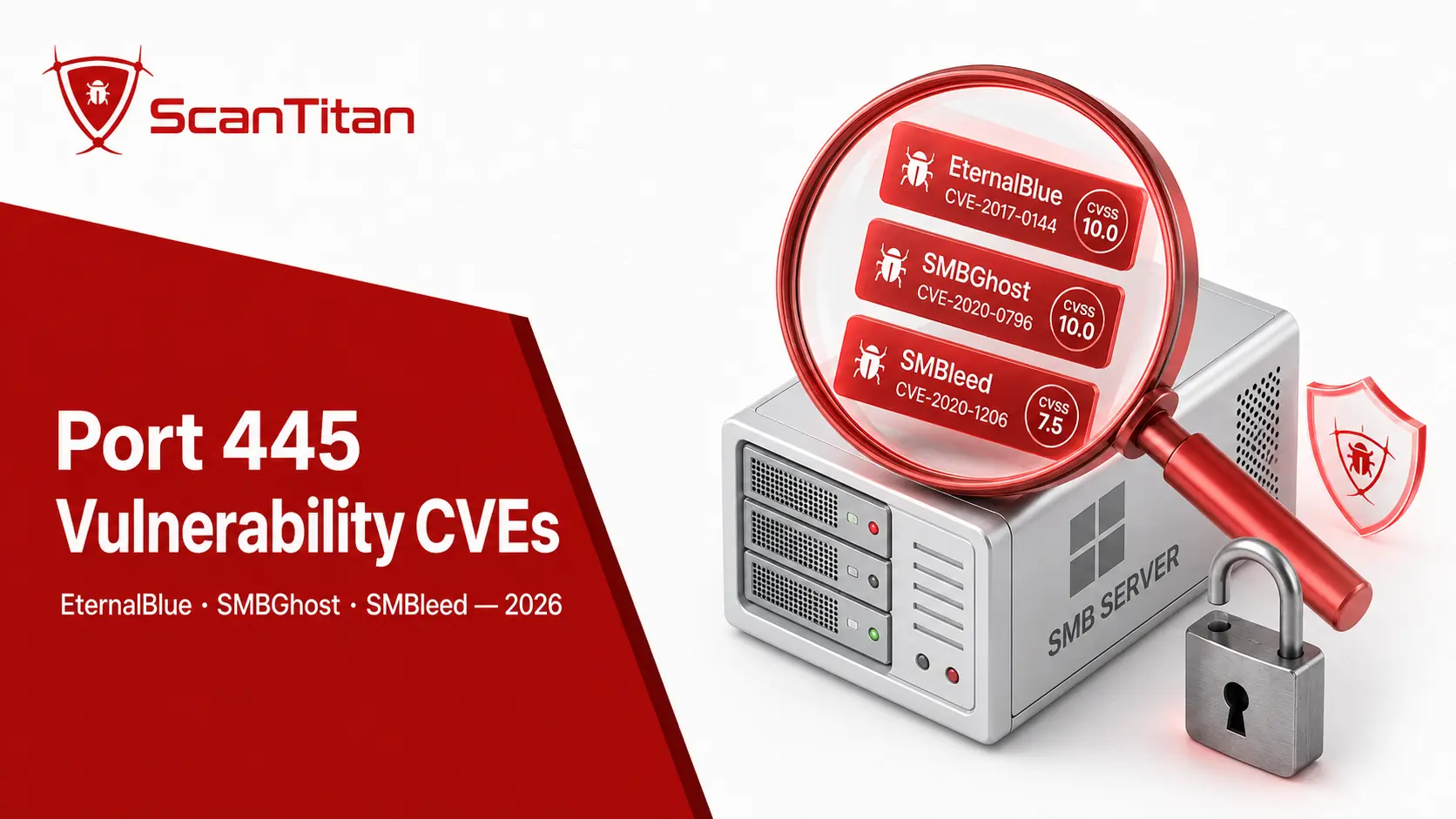
Patch EternalBlue (CVE-2017-0144) and SMBGhost (CVE-2020-0796) first, then any other SMB CVE that appears in the CISA Known Exploited Vulnerabilities catalog. The table lists each CVE (Common Vulnerabilities and Exposures) with its current CVSS v3.1 base score from the National Vulnerability Database (NVD), and the notes below add the detail that matters for remediation. Five of them are in the CISA Known Exploited Vulnerabilities catalog: CVE-2017-0144, CVE-2020-0796, CVE-2008-4250, CVE-2017-7494 and CVE-2025-24054. Treat any of those as top priority, because attackers are exploiting them now.
| CVE | Name | Affects | CVSS | Impact |
|---|---|---|---|---|
| CVE-2017-0144 | EternalBlue (MS17-010) | SMBv1 | 8.8 | Wormable RCE; powered WannaCry and NotPetya |
| CVE-2020-0796 | SMBGhost / CoronaBlue | SMBv3.1.1 (445 only) | 10.0 | Pre-auth wormable RCE via compression |
| CVE-2020-1206 | SMBleed | SMBv3.1.1 (445 only) | 7.5 | Kernel memory leak; chains with SMBGhost |
| CVE-2008-4250 | MS08-067 | Server service (RPC) | 9.8 | Wormable RCE; powered Conficker |
| CVE-2017-7494 | SambaCry | Samba 3.5.0 up to 4.6.4, 4.5.10 and 4.4.14 fixes | 9.8 | RCE through a writable share on Linux and NAS devices |
| CVE-2025-24054 | NTLM hash disclosure | NTLM over SMB | 6.5 | Leaks NTLM hashes (needs user interaction) that attackers can relay or crack; CISA KEV since April 2025 |
| CVE-2026-24294 | SMB Server local privilege escalation | Windows SMB Server (local access) | 7.8 | Local elevation of privilege; not remotely exploitable on its own |
EternalBlue and SMBGhost, the two that define the risk
EternalBlue is a wormable SMBv1 remote code execution flaw, and SMBGhost is a pre-authentication wormable RCE in SMBv3.1.1 that scores CVSS 10.0. EternalBlue, tracked as CVE-2017-0144 and patched in Microsoft bulletin MS17-010, remains the reference example of a wormable SMB exploit. SMBGhost, tracked as CVE-2020-0796, is worse in one respect: it hits SMBv3.1.1 before authentication and hits SMBv3.1.1 before authentication, exploiting a heap-based buffer overflow in the compression handler. McAfee researchers traced the bug to an oversized OriginalCompressedSegmentSize value copied into a fixed buffer. SMBleed (CVE-2020-1206) sits in the same code path and chains with SMBGhost to turn a crash into reliable code execution. Patch all three, and disable SMBv1 entirely.
SambaCry and Samba on Linux and NAS devices
Samba, the SMB implementation for Linux servers and NAS devices, is affected too: SambaCry (CVE-2017-7494) allows remote code execution on Samba servers over port 445. Samba listens on 445 just like Windows, so this is not only a Windows concern. SambaCry affects Samba from 3.5.0 until the 4.6.4, 4.5.10 and 4.4.14 releases. It lets an attacker upload a shared library to a writable share and make the server run it, which earned a CVSS score of 9.8 and a place in the CISA catalog. Check your Samba version with smbd --version, update to a fixed release, and remove write access from any share that does not need it. Home and office NAS devices that expose 445 to the internet are a common way this exposure appears.
How to check if port 445 is open and vulnerable
Check whether port 445 is open by running netstat on the host, then scanning it from outside your network with Nmap’s SMB scripts. Verify from both inside and outside, because an internal check alone will not tell you what the internet sees. Run these checks before you assume 445 is safe.
- Run a local check on Windows with
netstat -an | find ":445", or on Linux withsudo netstat -tulnp | grep ":445", to see whether a service is listening. - Scan the host externally with Nmap and the SMB scripts:
nmap -p445 -sV --script "smb-protocols,smb-security-mode,smb-vuln-ms17-010" <target>. Thesmb-protocolsscript flags SMBv1, andsmb-security-modetells you whether signing is required, which matters for NTLM relay. - Confirm exposure from an external network, not from inside, since an internal scan can report a misleading result. The Nmap smb-vuln-ms17-010 script checks directly for EternalBlue.
Public exploit tooling exists for these flaws, which is one more reason to treat an open 445 as urgent. The Metasploit module exploit/windows/smb/ms17_010_eternalblue targets SMBv1 over port 445, and its documentation warns it can crash or reboot the target. Use it only on systems you are authorised to test.
For continuous coverage across every host, ScanTitan’s network vulnerability scanner tests for open 445 and the SMB CVEs above, then attaches the evidence to each finding. Broader context lives in our guide to network vulnerability scanning.
How to close port 445
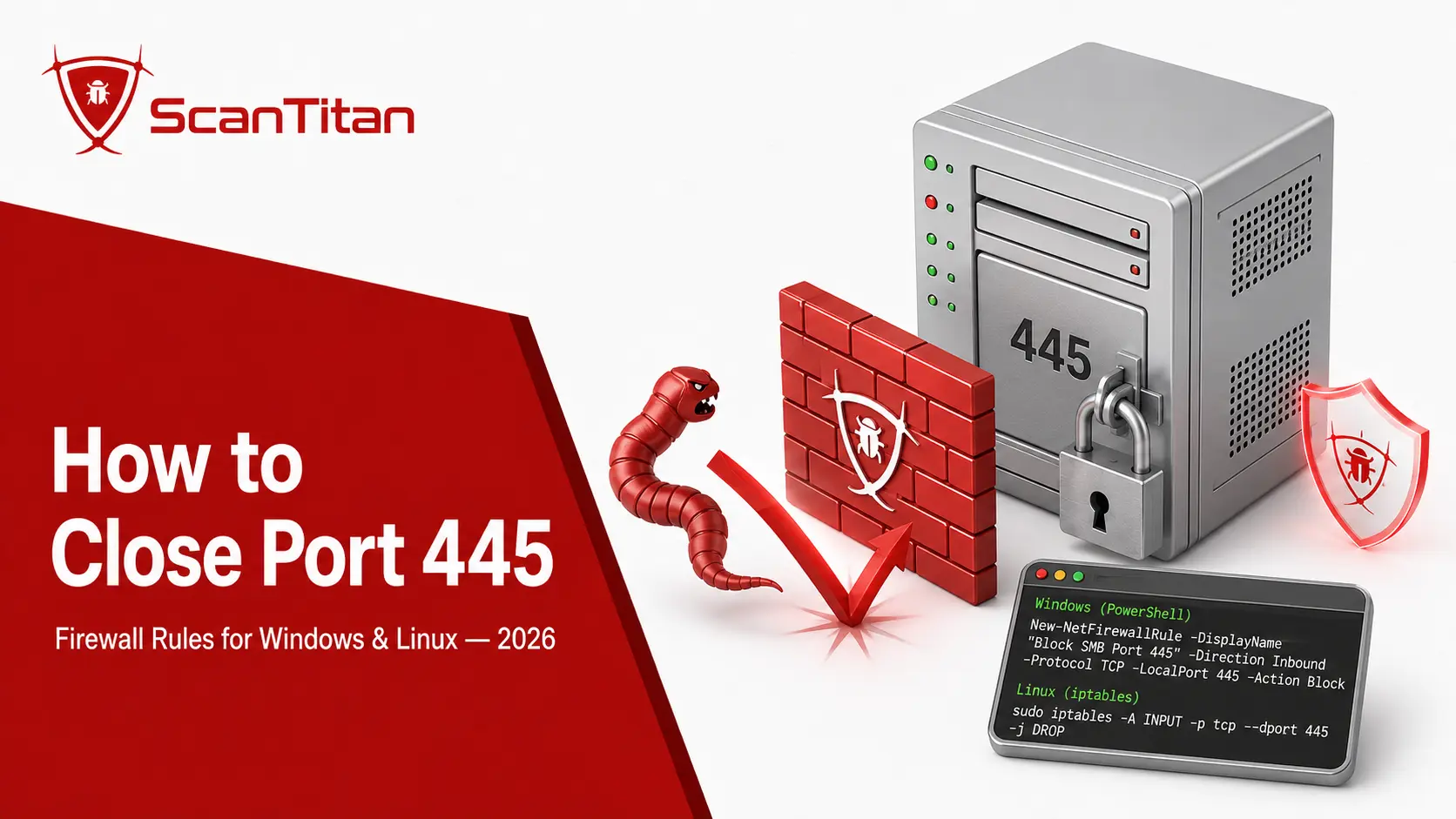
Close port 445 by blocking inbound TCP 445 with a firewall rule on the host, at the perimeter, and in every cloud security group. SMB almost never has a legitimate reason to face an untrusted network. Pick the control that matches your platform.
- Block it on Windows with a firewall rule:
New-NetFirewallRule -DisplayName "Block SMB 445" -Direction Inbound -Protocol TCP -LocalPort 445 -Action Block. - Deny it on Linux with
ufwby runningsudo ufw deny 445/tcp, or withfirewalldby runningsudo firewall-cmd --permanent --remove-port=445/tcpfollowed bysudo firewall-cmd --reload. - Drop it with
iptableswhere you manage rules directly:sudo iptables -A INPUT -p tcp --dport 445 -j DROP. - Filter it at the perimeter firewall, the cloud security group, and any load balancer, so 445 is unreachable from outside your trusted network even if a host rule fails.
- Deny outbound TCP 445 to the internet as well, not just inbound, so a compromised or coerced host cannot leak an SMB session or NTLM credentials to an attacker-controlled server.
What depends on port 445 before you block it
Blocking inbound 445 at your internet edge does not affect traffic inside your network, so the internal services below keep working. The ones to check are the services that use 445 internally, because a host-level rule that blocks everything would break them.
- File shares and mapped network drives.
- Shared printers hosted on Windows machines.
- Domain controllers, which serve Group Policy and logon scripts from the SYSVOL and NETLOGON shares over SMB.
- Backup jobs that write to an SMB share.
- Remote administration tools that run commands over SMB.
Close it at the internet edge first.Blocking inbound 445 from the internet is safe for almost every network. Only block it on internal hosts after you have checked the list above.
How to open port 445 safely, and when you should not
Open port 445 only to specific trusted source ranges or over a VPN, never to the whole internet. An administrator sometimes genuinely needs 445 reachable, for a file server or a backup target, and the goal is to open it for the right people without handing it to the internet.
- Restrict the Windows rule to trusted source ranges:
New-NetFirewallRule -DisplayName "Allow SMB 445 internal" -Direction Inbound -Protocol TCP -LocalPort 445 -Action Allow -RemoteAddress 10.0.0.0/8. - Keep it off the public internet entirely, since exposing 445 to
0.0.0.0/0is the kind of misconfiguration that worms like WannaCry depend on. - Prefer a VPN (Virtual Private Network) for remote file access, so SMB rides an encrypted tunnel instead of a raw internet-facing port.
My stance is blunt here: there is no safe way to open port 445 to the whole internet.If a remote user needs SMB, put them on a VPN or a software-defined perimeter first.
How to fix the port 445 vulnerability: hardening checklist
Fix the port 445 vulnerability by blocking 445 at the perimeter, disabling SMBv1, requiring SMBv3 with signing, patching known SMB CVEs, and restricting share access. That means shrinking the SMB attack surface and keeping the service patched, not just toggling the firewall once. Work through these controls on every host that runs SMB.
- Disable SMBv1 completely with
Set-SmbServerConfiguration -EnableSMB1Protocol $false, following the Microsoft guidance on detecting and disabling SMBv1. SMBv1 exposes the EternalBlue family directly. - Require SMBv3 with encryption so file traffic is protected in transit and older, weaker dialects are refused.
- Enforce SMB signing to defeat relay attacks:
Set-SmbServerConfiguration -RequireSecuritySignature $true. - Patch MS17-010 and SMBGhost promptly, and prioritize any SMB CVE that lands in the CISA catalog, using the approach in our guide to prioritizing vulnerability remediation.
- Turn off SMBv3 compression on affected Windows builds by setting the
DisableCompressionregistry value, the SMBGhost workaround Rapid7 recommends until you can apply the patch. - Restrict share permissions with least-privilege access control lists (ACLs), and remove anonymous or null-session access.
- Segment the network so a single compromised host cannot reach every SMB service, and route remote access through a VPN rather than an open port.
- Monitor SMB traffic with a SIEM (Security Information and Event Management) platform and an IDS (Intrusion Detection System), and set up continuous vulnerability scanning so a newly opened 445 gets caught fast.
Compliance, third-party exposure, and monitoring
An exposed port 445 is a recurring audit and cyber-insurance finding, so close it, keep the evidence, and monitor for it to return. It is not only a technical risk, and closing it is cheaper than explaining it. Several frameworks restrict internet-facing file sharing directly, and assessors check for open 445 as a matter of routine.
Auditors increasingly want evidence across both layers, so scan your public-facing website alongside the network assessment and keep both reports.
- Map port 445 findings to PCI DSS external scanning requirements, and to ISO 27001 and NIST 800-53 controls that auditors flag when SMB reaches the public internet.
- Address NIS2 obligations for essential and important entities, covered in our guide to vulnerability scanning for NIS2 compliance.
- Extend the check to vendors, since a partner with an exposed 445 becomes your incident, using tools like ScanTitan’s IP vulnerability scanner to test external ranges.
- Watch for new exposures continuously through network ports and exposure monitoring, because port posture drifts every time someone provisions a host.
Frequently asked questions
Is it safe to expose port 445 to the internet?
No. Exposing port 445 to the public internet is one of the most dangerous common misconfigurations in Windows networking. Attackers scan for open 445 constantly, and it is the exact surface that WannaCry and NotPetya used when they spread through the EternalBlue exploit. Even a fully patched host stays a target, because the service still answers and still carries credentials and access tokens. Block 445 at the perimeter firewall, the cloud security group, and any load balancer, and keep SMB reachable only from your trusted internal network or over a VPN. There is no configuration that makes internet-facing SMB acceptable.
What is port 445 used for?
Port 445 is used for SMB (Server Message Block) over TCP, the protocol Windows uses for file sharing, printer sharing, and remote administration between computers. Its registered service name is microsoft-ds. Samba provides the same service on Linux and NAS devices. It belongs on trusted internal networks only, never on the public internet.
What is the difference between port 139 and port 445?
Port 139 and port 445 both carry Server Message Block traffic, but they belong to different generations of the protocol. Port 139 is the NetBIOS Session Service, used by the legacy SMBv1 dialect that layers SMB on top of NetBIOS. Port 445 is SMB running directly over TCP, the transport for the newer SMBv2 and SMBv3 dialects, which Microsoft introduced with Windows 2000. The practical difference for security work is that SMBv3-specific flaws such as SMBGhost (CVE-2020-0796) affect port 445 only, because SMBv3 is direct-hosted and never uses the NetBIOS transport on 139. Both ports should stay off untrusted networks.
What is the difference between port 443 and port 445?
Port 443 carries HTTPS, the encrypted web traffic your browser uses, and it is meant to face the internet. Port 445 carries SMB file sharing and is not. A web server is expected to answer on 443, while an answer on 445 from the internet is a finding to fix. If a remote user needs your files, give them access over HTTPS or a VPN instead of exposing 445.
Which CVEs affect port 445?
The most important port 445 CVEs are EternalBlue (CVE-2017-0144), a wormable SMBv1 remote code execution flaw that powered WannaCry and NotPetya, and SMBGhost (CVE-2020-0796), a pre-authentication wormable RCE in SMBv3.1.1 that scores CVSS 10.0. SMBleed (CVE-2020-1206) leaks kernel memory in the same SMBv3.1.1 code path and chains with SMBGhost. Older MS08-067 (CVE-2008-4250) hit the Windows Server service and powered Conficker, and SambaCry (CVE-2017-7494) affects Samba on Linux and NAS devices. NTLM issues such as CVE-2025-24054, which leaks NTLM hashes, abuse the authentication SMB carries, while CVE-2026-24294 is a local privilege escalation in Windows SMB Server. Patch all of them, disable SMBv1, and prioritize any that appear in the CISA Known Exploited Vulnerabilities catalog, since attackers are actively using them.
Can I just block port 445 to fix the problem?
Blocking port 445 at the network edge is the single most effective step, but it is not the whole fix. Blocking stops external attackers from reaching the SMB service, which removes the internet-facing risk that drives ransomware worms. Inside your network, though, SMB still runs, and a compromised internal host can still abuse it for lateral movement and NTLM relay. A complete fix pairs the firewall block with disabling SMBv1, requiring SMBv3 with signing, patching known CVEs, restricting share permissions, and segmenting the network. Think of blocking 445 as closing the front door and the hardening steps as locking the internal ones too.
Does disabling SMBv1 fix every port 445 vulnerability?
No. Disabling SMBv1 removes a large and dangerous part of the attack surface, including EternalBlue, and every organization should do it, but it does not cover everything. Serious flaws also live in SMBv3, such as SMBGhost (CVE-2020-0796) and SMBleed (CVE-2020-1206), which affect port 445 even with SMBv1 gone. Attackers also target the NTLM authentication that SMB carries, through relay and reflection, independent of the SMB dialect. Disable SMBv1 as a baseline, then keep SMBv3 patched, require signing, and enforce encryption. Layered controls close the gaps that any single fix leaves open.