What Is SQL Injection and Why Test for It?
SQL injection (SQLi) is a web security vulnerability that lets an attacker interfere with the database queries an application runs. It happens when user input, a URL parameter, a form field, or a header, gets concatenated straight into a SQL statement instead of being safely parameterized. Change the input and you change the query. That is why SQLi anchors the injection category of the OWASP Top 10 and carries the identifier CWE-89: a successful attack can read passwords and card numbers, modify or delete records, bypass a login entirely, and sometimes run commands on the server. Testing for it is not optional. It is one of the highest-impact vulnerabilities in cyber security, and frameworks from PCI DSS to NIS2 compliance expect you to find and fix it before an attacker does.SQL injection targets database query syntax, while OS command injection directly targets operating-system command execution.
SQL injection, definedA flaw where untrusted input is placed into a SQL query without parameterization, letting an attacker alter the query to read, change, or destroy data (OWASP Top 10 injection, CWE-89).
The Five SQL Injection Techniques You Test For
Every SQL injection test maps to one of five techniques, and knowing the map tells you which payload to reach for and what a result actually means. Testers also sort SQLi into three classes by how the data comes back: in-band (results show up on the page), inferential or blind (nothing comes back, so you infer from behavior), and out-of-band (results arrive over a separate channel such as a DNS lookup). The steps later in this guide are these techniques in practice.
- Compare boolean conditions — inject a condition that is always true and one that is always false, then watch the responses diverge.
- Force a database error — make the database fail in a way that leaks data inside its own error message (error-based).
- Append a UNION query — join a second SELECT onto the original to read data from other tables (union-based).
- Delay the response — ask the database to sleep so you read the answer from the timing when nothing is shown (time-based).
- Trigger an out-of-band callback — make the database contact a server you control when the other four go quiet (OAST).
Where SQL Injection Hides (Entry Points to Test)
Before you send a payload, you need to know where to send it. Any input that reaches a SQL query is a candidate, and the obvious form field is only the start. It is also not only the WHERE clause of a SELECT: injection turns up in UPDATE and INSERT values and in an ORDER BY clause too, so test inputs that sort, filter, or write data as well. Test each of these entry points separately, changing one input at a time.
URL Parameters and Query Strings
URL parameters are the easiest place to start, because you can test them straight from the address bar. Anything after the question mark in a URL, such as a product ID, a category name, or a search term, is often dropped into a WHERE clause. If a page loads from an address like the one below, that id value is your first test target. Edit it, add a single quote, and watch the response. Query strings are also the entry point behind most of the classic examples you will see, because a GET request is trivial to modify, repeat, and share, which makes it ideal for methodical testing.
https://example.com/product?id=10Login Forms and POST Data
Login and search forms submit data in the body of a POST request, so you cannot test them from the URL alone; use your browser’s developer tools or an intercepting proxy to see and edit the fields. Authentication forms are high value because the username and password are checked against a database, which is exactly where a login-bypass payload does its damage. Do not stop at the visible fields. Hidden inputs, multi-step form tokens, and JSON or XML request bodies all reach the database too, and they are tested far less often, which is precisely why they still hold live SQL injection vulnerabilities.
HTTP Headers and Cookies
Headers and cookies are the entry points most testers forget, and attackers know it. Applications frequently log or query values from the User-Agent, Referer, X-Forwarded-For, and Cookie headers, dropping them into a SQL statement without a second thought. Because many web application firewalls inspect the request body more closely than the headers, an injection point in a header can slip past defenses that would catch the same payload in a form field. Use a proxy to modify each header value in turn, apply the same single-quote and boolean tests you use elsewhere, and treat any header the application appears to store or display as a candidate.
Do Not Miss Second-Order (Stored) SQL Injection
Most SQL injection fires immediately, but second-order, or stored, SQL injection hides on a delay. The application safely stores your input the first time, so nothing breaks, then later reads that stored value back into a different query without re-checking it, and that second query is where the injection lands. It is easy to miss because the payload and the impact happen in two separate requests, often on two different pages. To catch it, submit a payload in one feature, such as a profile name or a saved note, then exercise every other page that might display or process that value and watch for the delayed error or behavior change.
How to Test for SQL Injection Vulnerability ?
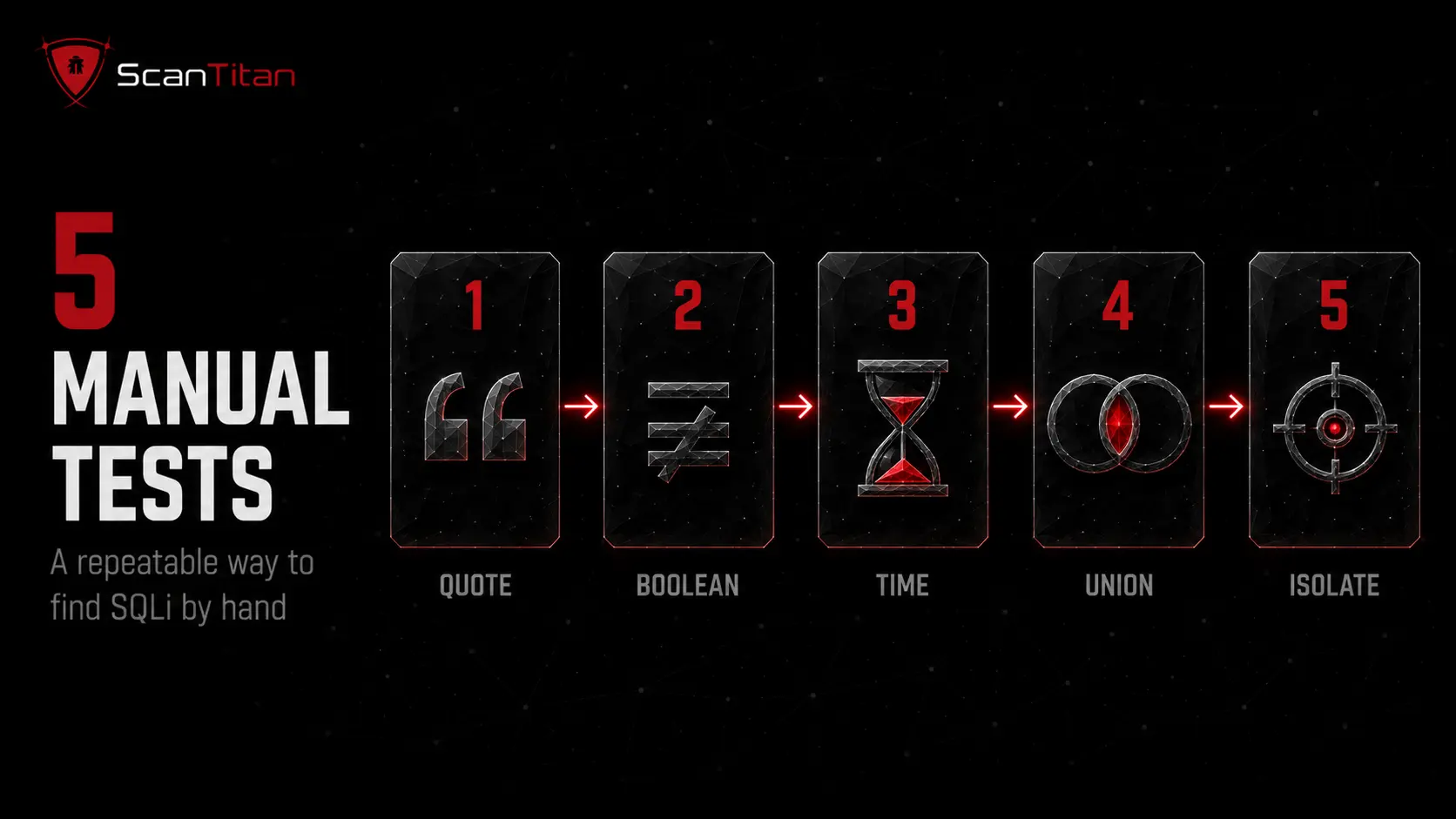
Manual testing is where you build real intuition, and it needs nothing more than a browser and patience. Work through the five steps below in order, testing one parameter at a time so you always know which input caused a change.
Only test systems you own or are authorized to assessRunning these payloads against a site without written permission is illegal under computer-misuse law, even with no harmful intent. Use your own application or a deliberately vulnerable practice target.
Submit a Single Quote and Watch for Errors
The single quote is the classic first probe, because it terminates a string in SQL and breaks an unprotected query. Add one to the parameter you are testing and submit. If the application is vulnerable and shows errors, you will often see a database syntax message that names the engine, which is a strong early signal.
https://example.com/product?id=10'A response such as “Unclosed quotation mark” or a sudden 500 error means the input is reaching the query unsafely. The single quote is not your only probe, though. A semicolon ends a SQL statement and can trigger the same failure, a comment sequence (--, /* */, or # on MySQL) tries to truncate the query, and putting a word where the application expects a number often forces a revealing type-conversion error. Also view the page source, since errors are sometimes hidden in HTML comments rather than shown on screen.
Test Boolean Conditions (OR 1=1 and OR 1=2)
Boolean tests confirm injection by changing the query’s logic and comparing responses. A condition that is always true should return data or extra results; a condition that is always false should return nothing. If the two behave differently in a way that tracks your input, the parameter is injectable.
https://example.com/product?id=10 AND 1=1
https://example.com/product?id=10 AND 1=2
On a login form, the comment sequence removes the password check entirely: submitting administrator'-- as the username can log you in as that user. Take care, though, because a payload like OR 1=1 reaching an UPDATE or DELETE query can wipe real data.
Test for Time-Based (Blind) SQLi
When the application shows no errors and no visible difference, the injection may be blind, meaning you infer the result from behavior instead of output. A time-based payload asks the database to pause, and if the response is delayed by the amount you specified, the query ran. This is the most reliable way to detect a vulnerability that returns nothing useful on screen.
https://example.com/product?id=10' AND SLEEP(5)--If the page consistently takes about five seconds longer with the payload than without it, you have found blind SQL injection. If even a delay shows nothing, an out-of-band (OAST) payload that makes the database perform a DNS or HTTP lookup to a server you monitor is the last-resort detection method.
Test UNION-Based Injection and Fingerprint the Database
When a page displays query results, a UNION attack lets you append a second query and read data from other tables. First find how many columns the original query returns using ORDER BY, increasing the number until the query breaks. Then match the column count with a UNION SELECT, using NULL values to sidestep data-type mismatches.
https://example.com/product?id=10' ORDER BY 3--
https://example.com/product?id=10' UNION SELECT NULL,NULL,NULL--
Once the columns line up, swap a NULL for a readable value to prove extraction without touching real records. The version function also fingerprints the engine, since it differs by database: @@version on MySQL and SQL Server, version() on PostgreSQL, and the v$version table on Oracle. Knowing the database tells you which syntax and comment style to use next.
Test One Parameter at a Time
This is the discipline that separates a reliable test from a confusing one. Vary a single input while holding every other parameter constant, so that any change in the response can be attributed to exactly one field. If you inject two parameters at once and the page behaves differently, you cannot tell which one is vulnerable, and you may chase a false lead for an hour. Keep a simple log: the parameter, the payload, and the observed response. That record is what turns a lucky find into a repeatable, reportable result, and it is exactly what an engineer will need when they go to fix it.
How to Test for SQL Injection with Automated Tools
Manual testing teaches you the logic, but it does not scale to hundreds of parameters across a large site. Automated tools sweep every input quickly and catch the injection points a human would miss under time pressure. The four below are the ones you will encounter most; the first three are widely used industry tools, and the last is our own approach built for lean teams.
sqlmapA free, open-source command-line tool that automates detection and exploitation across many database engines. Powerful and thorough, but built for practitioners comfortable on the command line.
Burp SuiteAn intercepting proxy with an add-on scanner, popular for hands-on manual testing where you inspect and modify each request. Effective, with a learning curve and a paid tier for automated scanning.
OWASP ZAPA free, open-source web scanner from the OWASP project with an active-scan mode that flags SQL injection among other issues. A common starting point for teams on no budget.
ScanTitan SQL Injection ScannerNothing to install and no command line. ScanTitan runs safe, non-destructive payloads across your whole site, scores each finding with CVSS, and re-scans on a schedule so a two-person team stays covered.
How to Read and Confirm Your Results (False Positives)
A payload that triggers an error is a lead, not a confirmed vulnerability. Scanners and manual probes both throw false positives, and reporting one to your developers burns trust fast. Confirm every finding before you act on it.
- Reproduce the behavior, running the same payload twice, because a real SQL injection is deterministic and the anomaly should repeat on demand rather than appear once and vanish.
- Compare true against false conditions, since AND 1=1 returning data while AND 1=2 returns nothing is far stronger evidence than a lone error message that could have many causes.
- Rule out generic errors, because a 500 response can come from any bug; look specifically for database syntax errors or a logic change that tracks your input, not just any failure.
- Confirm the impact safely, escalating only far enough to prove data access, for example by reading the database version with
@@version, and never dumping or altering real records.
Manual vs Automated Testing: Which to Use
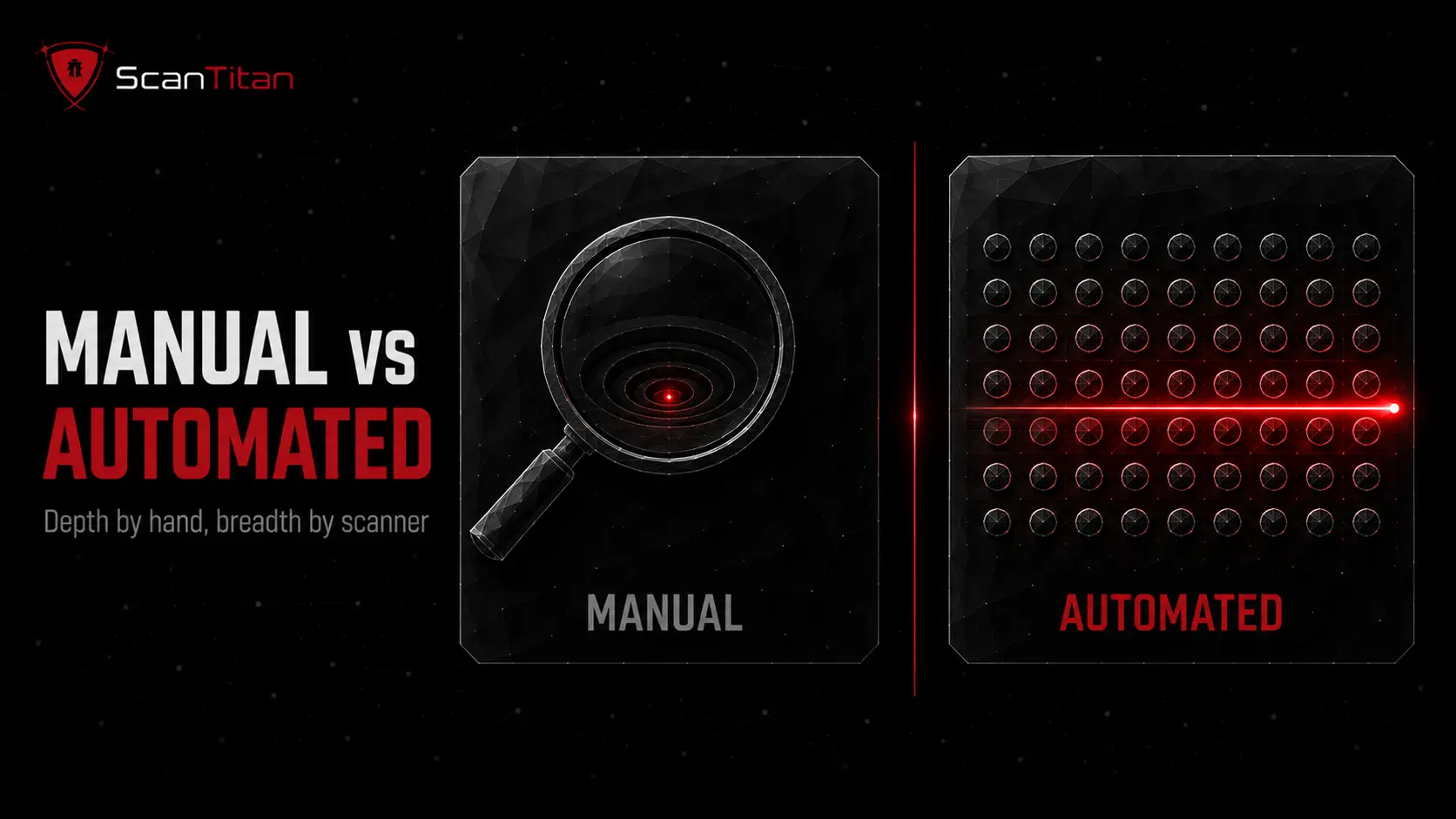
This is not an either-or decision. Manual testing finds the logic flaws and business-context issues a scanner cannot reason about, while automated testing delivers the breadth and repeatability no human can match by hand. The right program uses both: a scanner for continuous, wide coverage, and manual testing to validate findings and probe the high-value flows in depth. The table shows where each one earns its place, so you can decide what to run when.
Manual testing is right for one suspicious parameter. For the other several hundred on a typical site, a full website security scan is the only practical option.
| Manual testing | Automated testing | |
|---|---|---|
| Best at | Logic flaws, blind SQLi, context | Breadth, speed, repeatability |
| Coverage | Deep on a few targets | Wide across the whole site |
| False positives | Low, you confirm each one | Higher, needs validation |
| Skill needed | High | Low to moderate |
| Speed | Slow, manual | Fast, runs unattended |
| Best use | Validate and go deep | Continuous first-pass scanning |
The strongest SQL injection testing is not manual or automated, it is both in a loop: let a scanner find every candidate across the site, then confirm the real ones by hand. Skip the scanner and you miss inputs; skip the manual step and you ship false positives to your developers.
What to Do After You Find a SQLi Vulnerability
Finding the flaw is half the job. What you do next decides whether it gets fixed properly or papered over. Work the checklist below, and remember that the real remediation is parameterized queries, also called prepared statements, not blocklisting quotes or stripping keywords.
After-you-find checklist
0 / 6
SQL injection rarely travels alone. The same assessment should surface other types of website security vulnerabilities and protocol-level problems like SSL vulnerabilities and the POODLE vulnerability, so treat this as one finding in a broader sweep. The practical way to keep that sweep honest is continuous vulnerability scanning rather than a once-a-year check.
How ScanTitan Tests Your Site for SQL Injection
ScanTitan runs the same detection logic you just walked through, automatically and safely, across every input on your site. It probes URL parameters, form fields, headers, and cookies with non-destructive payloads, uses boolean and time-based checks to catch blind SQL injection, and confirms findings to keep false positives down before they reach your inbox. Each result arrives with the affected parameter, a reproduction step, a CVSS severity score, and clear remediation pointing to parameterized queries. Because scanning runs continuously rather than once, a new endpoint that ships with an injectable parameter is caught in the next scan, not at your next annual pen test. For a lean team, that is broad SQLi coverage without the command line or the manual grind.
SQL Injection Testing FAQ
What is the easiest way to test for SQL injection?
Add a single quote to a URL parameter or form field and submit it. If the application returns a database error, a 500 response, or behaves differently, the input may be reaching the query unsafely. It is the fastest first probe, and from there you confirm with boolean conditions like AND 1=1 versus AND 1=2. Always test one parameter at a time.
Is it legal to test a website for SQL injection?
Only with permission. Testing a site you own, or one you have explicit written authorization to assess, is legal. Running the same payloads against any other site is illegal under computer-misuse laws, even if you cause no damage and mean no harm. To practice safely, use your own application or a deliberately vulnerable training target built for the purpose.
Can I test for SQL injection without coding skills?
Yes. Manual detection needs only a browser and a few standard payloads, and automated scanners require no coding at all. A tool like the ScanTitan scanner runs the tests, confirms findings, and scores severity for you. Coding knowledge helps you understand and exploit deeper cases, but you can detect most SQL injection vulnerabilities without writing a line of code.
What is blind SQL injection and how do I test for it?
Blind SQL injection is a vulnerability where the application does not show query results or database errors, so you infer the answer from behavior. Test it two ways: with boolean conditions that make the page respond differently when a condition is true or false, and with time-based payloads such as AND SLEEP(5) that delay the response when the query runs. A consistent delay confirms the flaw.
Should I use manual or automated SQL injection testing?
Both. Automated scanning gives you fast, wide, repeatable coverage across every input and is the right first pass. Manual testing confirms the real findings, weeds out false positives, and reaches logic flaws a scanner cannot reason about. The strongest approach runs a scanner continuously and uses manual testing to validate results and go deep on high-value flows.
How do I fix a SQL injection vulnerability once I find it?
Use parameterized queries, also called prepared statements, so user input is always treated as data and can never change the structure of the query. Add input validation, least-privilege database accounts, and a web application firewall as defense in depth, then re-test the original payload to confirm the fix. Avoid relying on blocklisting characters, which attackers routinely bypass.
SQL Injection Testing Resources and References
Work from primary standards rather than second-hand summaries. These authoritative, non-commercial references sit behind this guide.
- OWASP Top 10, the reference for the injection category that SQL injection belongs to.
- MITRE CWE-89, the formal weakness definition for SQL injection.
- NIST National Vulnerability Database, for looking up any CVE tied to a specific SQLi finding.
- PCI Security Standards Council, whose requirements mandate testing for injection flaws on systems handling card data.
Test Your Whole Site for SQL Injection in Minutes
Manual testing is the best way to learn how SQL injection works, but it does not scale to every parameter on a growing site, and a single missed input is all an attacker needs. Run the manual checks to build intuition, then let a scanner carry the breadth and the repetition. ScanTitan tests your URL parameters, forms, headers, and cookies for SQL injection with safe payloads, confirms the real findings, and scores them by severity in one dashboard, so a lean team keeps the whole surface covered without the command line.