
A website flagged as phishing is a site that a browser, security vendor or email filter has classified as a fake login or credential trap. The cause is either a real phishing page hidden on your site or a false positive on a clean site, and the fix is different for each. This guide shows who flags sites, how to tell the two cases apart, how to remove a real phishing page and how to clear the flag with each list.
Who Flags a Website as Phishing and What Each Flag Looks Like
Phishing flags come from several independent sources, and each one keeps its own verdict and its own appeal. Google Safe Browsing feeds Chrome and other browsers, Microsoft filters links in its browser and mail products, antivirus engines keep separate lists, and your host can suspend a site after an abuse report. Because the sources differ, a clear result in one tells you nothing about the others, which is why owners often clean the site, clear Google and still hear that visitors are blocked. Use the table to find every source that flags you before you start appealing, and write down which ones you found so you can track each request.
| Source | What visitors see | How to check | Where to appeal |
|---|---|---|---|
| Google Safe Browsing | A red Dangerous site warning in Chrome and other browsers, or a warning in search | The Safe Browsing site status and the Security Issues report | A review request in Search Console after a cleanup, or the report a page form for a clean page flagged in error |
| Microsoft | Link or site warnings in Microsoft browsers and mail products | Open the link in Edge or Outlook, or ask the person who saw it | The Microsoft Security Intelligence submission portal |
| Antivirus engines | A block page in a visitor’s security software | VirusTotal shows which engines flag the URL | Each vendor’s own false positive form |
| Host or CDN | A suspension page, or an abuse notice sent to you by email | The notice itself and your hosting dashboard | A reply to the notice, then a request for a re-check after cleanup |
| Email filters | Your messages land in spam, or links in them are blocked | Message headers and reports from recipients | The mail provider’s sender or link reclassification form |
Website Flagged as Phishing: Real Phishing Page or False Positive?
Decide this before you appeal, because a review request on a site that still hosts a kit fails and costs time. Compare what you find with the table, and treat any hit you cannot explain as real until you can say who created it.
| Check | A real phishing page | A false positive |
|---|---|---|
| Scan results | Finds a kit, a webshell or injected code | Clean from outside and from the server |
| Folders and files | Brand-named folders, PHP files in uploads, unfamiliar archives | Nothing you did not create |
| Flagged URL | A path you do not recognize, often not linked from the site | A page you built, such as a login or payment page |
| Recent changes | New files, new administrators, an edited .htaccess | Changes that match your own work |
| Server logs | POST requests to unknown paths and outgoing mail you did not send | No unknown POST requests |
| Domain and hosting | An older site that was patched late | A new domain, a lookalike name or a shared IP with a bad history |
find . -type d -iregex ".*\(paypal\|microsoft\|office365\|apple\|bank\|login\|verify\|secure\|account\).*" -not -path "./wp-admin/*" -not -path "./wp-includes/*"
find wp-content/uploads -name "*.php"
find . -type f -mtime -14 -name "*.php"
grep "POST" access.log | grep -vE "wp-login|admin-ajax|xmlrpc|wp-cron" | awk '{print $7}' | sort | uniq -c | sort -rn | head -20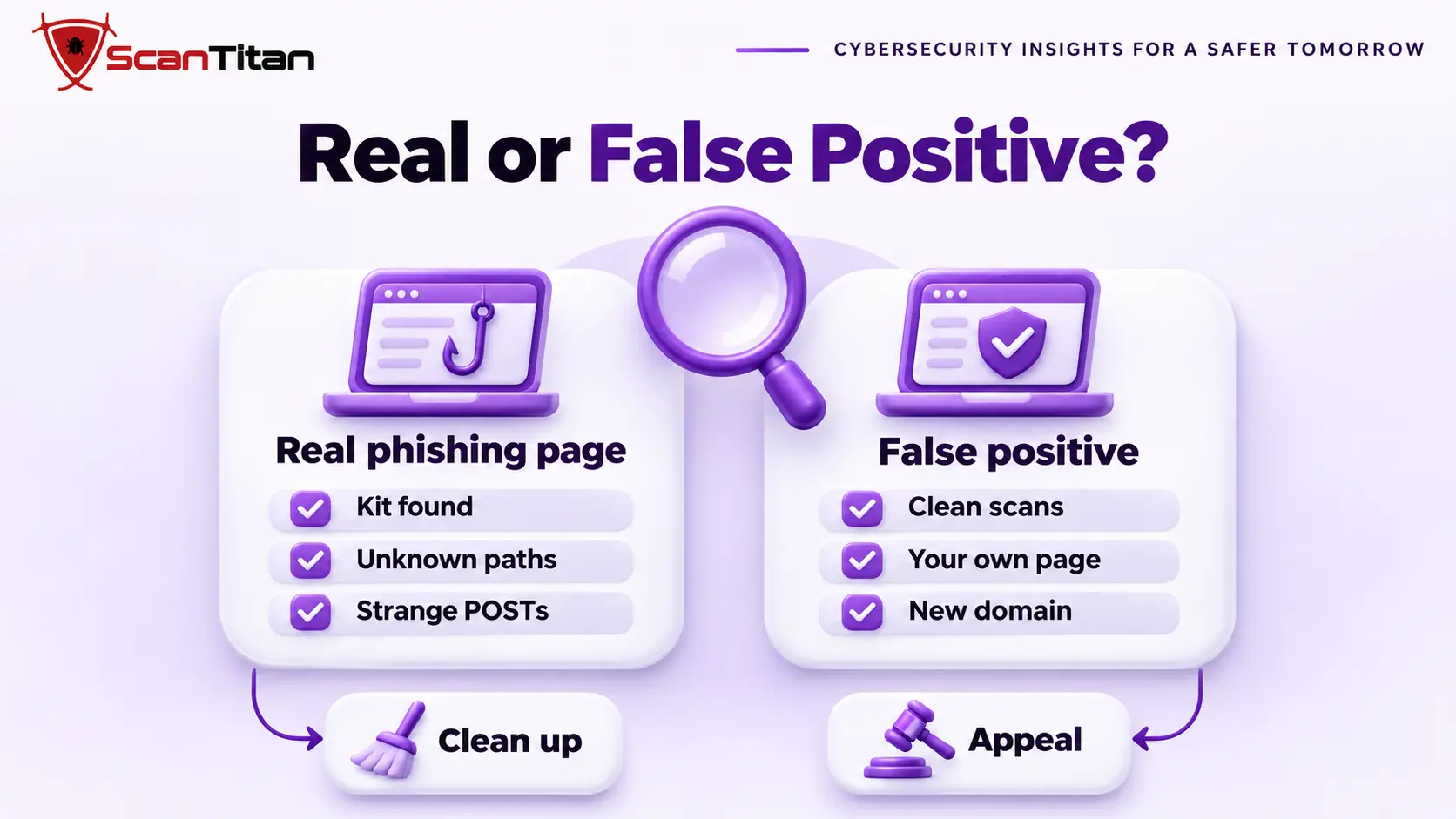
Why a Remote Scan Can Miss a Real Phishing Page
A remote scan fetches the pages it can reach, and a phishing kit usually sits at an exact path that nothing on the site links to, so a scanner that does not know the address never requests it. Sucuri researchers reported kits that also block search engines, security vendors and scanner services, so the page returns an error to them while it loads for victims. A clean remote result therefore proves little, and the file search and the logs matter more. Our guide on a scanner that says clean while the site is still infected explains the other blind spots.
Why a Clean Website Gets Flagged as Phishing
A false positive is a flag on a site that hosts no phishing content. These are the causes owners and vendors report most often, and no list publishes its full rules, so treat each one as a lead to check.
- New domain: A new domain is one with no history, and automated systems treat it with suspicion until it builds one, so a fresh site with a login page can be flagged within days.
- Login or payment form: A login or payment form is a page that asks for credentials, and an automated classifier can read it as a phishing page, especially on a site with little other content.
- Lookalike name: A lookalike name is a domain or folder that resembles a well-known brand, such as a path called paypal-support, which attracts flags even when the page is innocent.
- Shared IP reputation: Shared IP reputation is the record of the other sites on the same server address, so abuse by a neighbour can taint yours.
- Unencrypted form: An unencrypted form is a page that collects personal data without HTTPS, which commonly triggers browser warnings and lowers a site’s reputation.
- Reported link: A reported link is a URL that users marked as phishing in their mail or browser, which can keep the link flagged even after you fix the cause.
- Redirect chain: A redirect chain is a link that passes through one or more redirects, such as a tracking link, and a classifier may judge the link by where it ends.
What a Phishing Page on a Hacked Website Looks Like
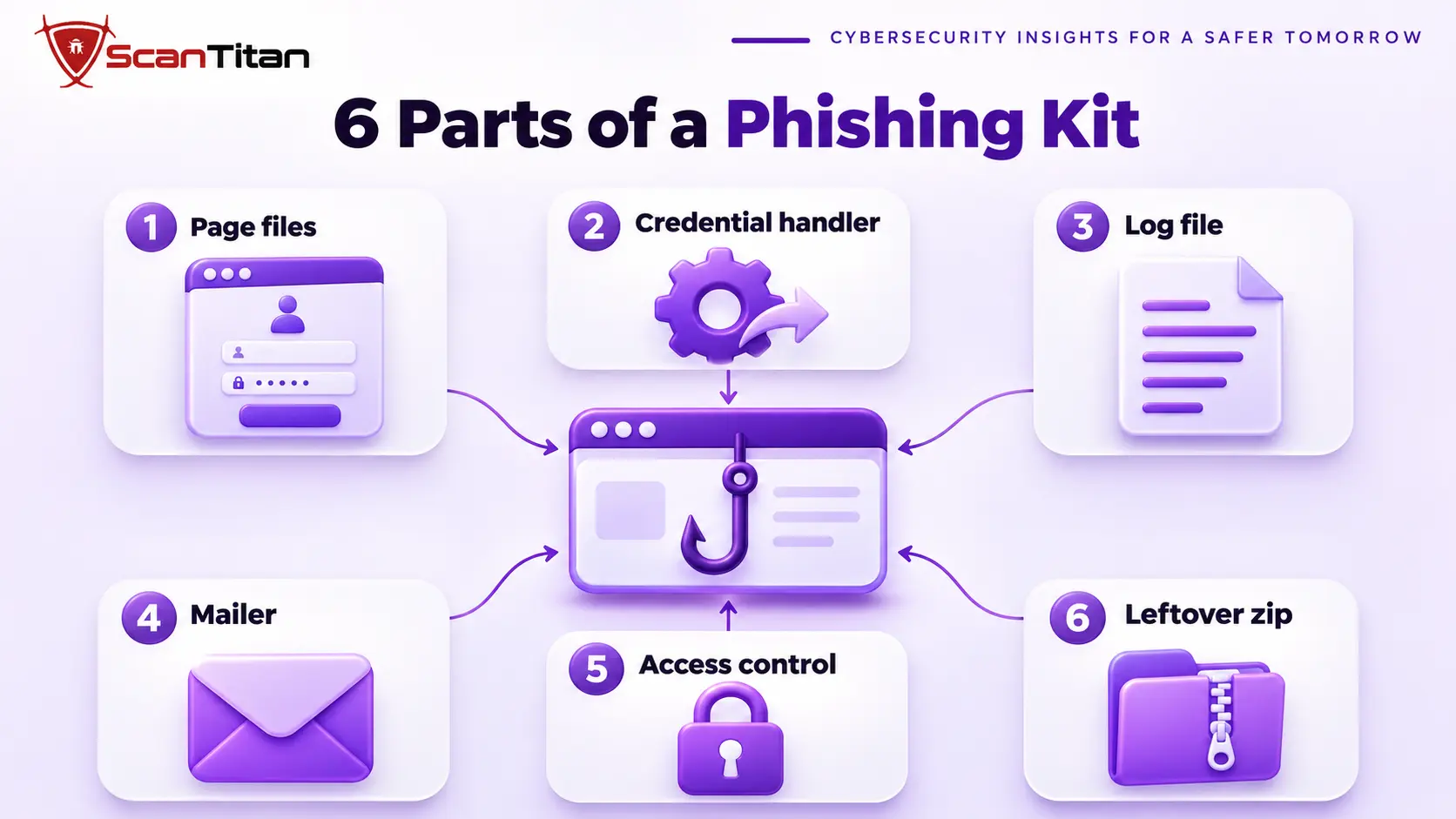
A phishing kit is a bundle of files that copies a brand’s login page and sends whatever victims type to the attacker. It is uploaded through a hole in your site, and your domain only lends it credibility, so the victims are people who received a link to your address, not your own visitors. The parts below are typical, and file names vary from kit to kit.
- Page files: Page files are the HTML and PHP that copy the brand’s login screen, usually in a folder named after the brand or a random string.
- Credential handler: A credential handler is the PHP script that receives the submitted form and saves or forwards what the victim typed.
- Log file: A log file is a text file where harvested details sit until the attacker collects them, which makes it evidence of what was taken.
- Mailer: A mailer is a script that sends lure emails from your server, which piles mail reputation damage on top of the phishing flag.
- Access-control file: An access-control file is a set of rules, often in .htaccess, that hides the page from crawlers and scanners, as our guide on .htaccess malware describes.
- Leftover archive: A leftover archive is the zip file the attacker uploaded and unpacked, and it often stays behind in the same folder.
How to Remove a Phishing Page and Clean the Site
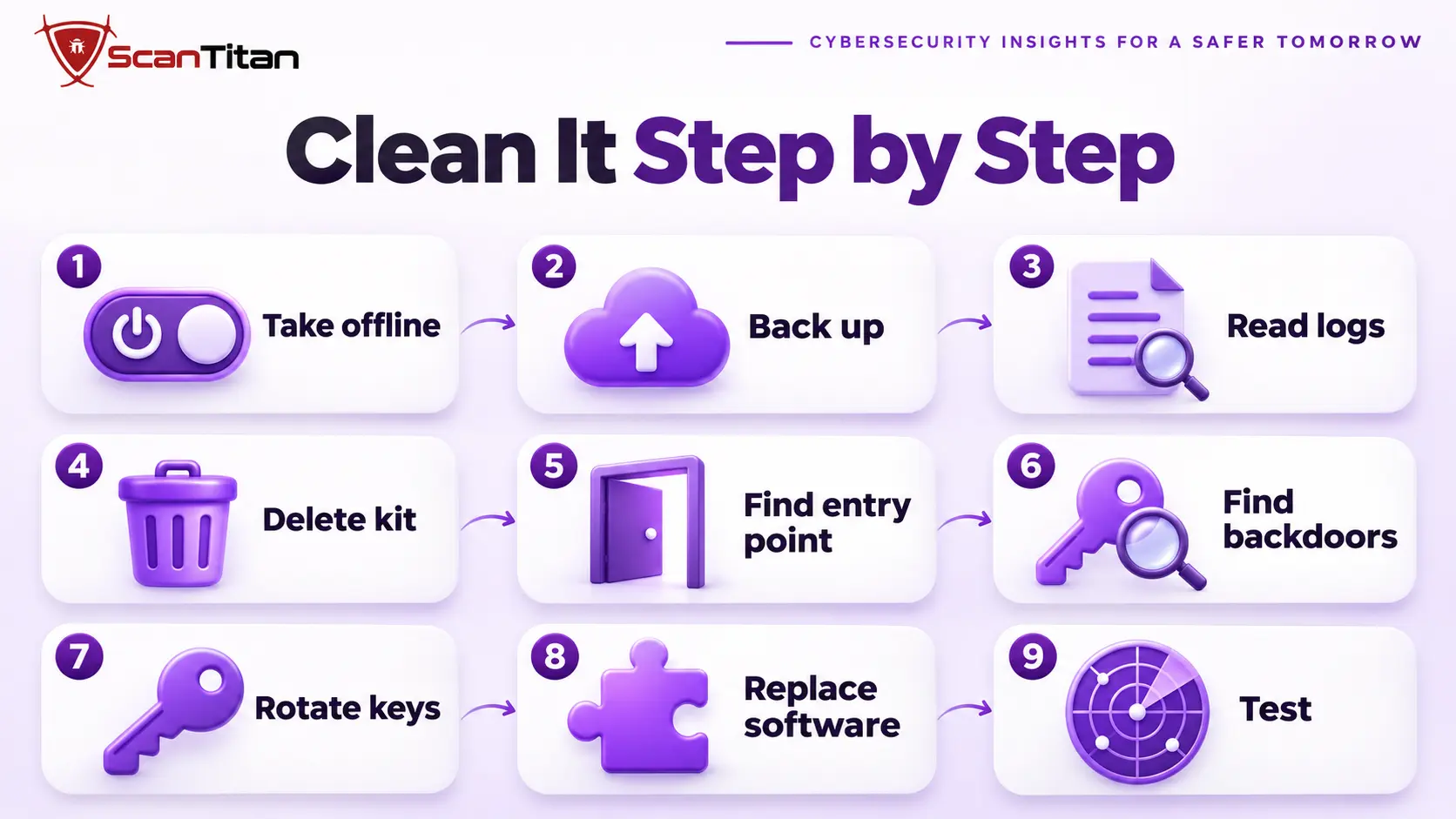
The page is the symptom and the hole is the cause, so take the page offline first and then find how it got there.
- Take the content offline now by renaming the folder, blocking the path or moving the files out of the web root, which stops the harm without destroying evidence.
- Back up the site in its infected state, copy the kit to a quarantine folder outside the web root and save the access and mail logs.
- Read the credential log and the mail logs to learn what was collected and sent, and keep them as evidence.
- Delete the kit, the mailer, the log file and the leftover archive.
- Find the entry point, using our guide on how a website gets hacked.
- Search for backdoors and persistence, using our guide to find a backdoor in a website.
- Rotate every credential and delete administrators you did not create.
- Replace vulnerable software and anything from an unofficial source, as our guide on nulled plugins malware explains.
- Test that the old paths return a 404 or 410, scan again, and repeat the find commands after 24 hours.
For the full cleanup around these steps, follow our malware removal guide.
What to Do About the Data the Kit Collected
The credentials in the log file belong to people who were tricked, and they are third parties, not your customers. Keep the log as evidence, restrict who can read it and do not use or share what is in it. Your host, a Safe Browsing reviewer or the impersonated brand may ask what was taken, and the log answers that. If the log or the database holds data about your own customers, talk to a lawyer about notice duties in your country, because the rules differ and this guide is not legal advice. Delete the log only after you have copied it to a safe place.
How to Clear the Flag After You Clean the Site
Each list needs its own request, and a request filed before the cleanup is finished fails. Check the status of every list from the first table, then work through them one at a time.
Clear a Flag on a Hacked Site You Cleaned
Open the Security Issues report in Search Console, confirm every example URL is fixed and request a review, because Google says a review can take from a few days to a few weeks. Send Microsoft a submission through its Security Intelligence portal, report each antivirus engine that VirusTotal lists through that vendor’s own form, and reply to your host’s abuse notice with what you removed and when. Our guide to the Deceptive Site Ahead warning covers the Google side in detail, and the guide on a site that stays blocklisted after cleanup explains what to do when a flag stays.
Video: Google Search Central explains how to request a review so a cleaned site’s pages are no longer flagged to users. It dates from 2013, so today’s menus look different, and it runs about 6 minutes.
Report a False Positive on a Clean Site
Gather evidence before you write: clean scan results from outside and from the server, a screenshot of the VirusTotal result and a plain description of what the flagged page does. Google’s report-a-page form covers a legitimate page where a warning is shown in error, and Microsoft and each antivirus vendor have their own channel. Keep each message short and plain, name the exact URL and ask for a re-review. One request per list works better than one general message to all of them, and a short, specific note is easier for a reviewer to approve than a long defence. Do not resubmit while a request is pending.
URL: https://example.com/login/
Flag: Phishing, as shown by the vendor
What the page is: the customer login for our own invoicing portal
Evidence: clean scans from outside and from the server, and the page asks only for our own customers' credentials
Request: please review the page again and remove the phishing classification
How to Keep a Website From Being Flagged Again
Most repeat flags come from an open hole or a page that looks like a trap, so close both.
- Patch plugins, themes and core within days of each release, and remove software you do not use.
- Monitor files, administrator accounts and scheduled tasks, and alert on any change you did not make.
- Serve every form over HTTPS and avoid brand names in folder and page names.
- Scan from outside every week and check Search Console after each scan.
When a Phishing Flag Needs a Professional Cleanup
Get help when you find a kit but not the way it got in, when the flag returns after a review, when several lists flag you at once, or when the log shows that your own customers’ data may have been taken. These cases usually involve a second foothold, and every failed review costs days while visitors see a warning. A professional cleanup proves whether the flag is real, removes the kit and the hole behind it and prepares the evidence for each list. The list of signs of website malware shows what else to check, and ScanTitan’s website malware removal service covers the cleanup.
Website Flagged as Phishing FAQ
Why is my website being flagged as phishing?
Either a real phishing page is hidden on your site after a hack, or a clean site was misjudged because of a new domain, a login form, a lookalike name or a shared IP address. Scan the site and search for brand-named folders to tell which one it is.
Can a clean website be flagged as phishing?
Yes. Automated systems can misread normal login or payment pages as phishing. Collect clean scan results, then report the false positive to each list that flags you, using Google’s report-a-page form for pages flagged in error and the other vendors’ own channels.
How do I check which list flagged my site?
Check the Safe Browsing site status and the Search Console Security Issues report for Google, look the URL up in VirusTotal for antivirus engines, test links in Microsoft products, and read any abuse notice from your host. Each source can disagree with the others.
How long does a phishing flag last?
Google says a security review can take from a few days to a few weeks. Other lists set their own schedules and most promise no time. A request filed before the cleanup is finished, or filed twice while one is pending, delays the result.
Does HTTPS stop a phishing flag?
No. Many phishing pages use HTTPS themselves, so a certificate is not evidence of a clean site. Collecting personal data without HTTPS can still trigger warnings, so serve every form over HTTPS, and scan the site for a real kit regardless.