
Nulled plugins malware is malicious code hidden in a pirated copy of a premium WordPress plugin, installed by an owner who wanted it for free. The code runs with the plugin’s full permissions, so it can open a backdoor, create administrators, inject spam or switch off your security plugin. This guide shows what hides inside, how it evades you, how to check whether an installed plugin is nulled and how to clean the site afterward.
What Nulled Plugins Malware Is and Where It Comes From
A nulled plugin is a premium plugin with its license check removed and then shared for free, usually on forums, file sites and chat groups. Whoever nulled it had to edit the code, and that edit is also the moment anyone can add a payload. Wordfence researchers reported in 2025 that attackers use this on purpose, because a discounted copy is a cheap way to get code onto a site that its owner installs willingly. The result is malware you installed yourself, which skips the usual defenses because it arrives as a plugin you chose. The table compares the four kinds of copy you may meet.
| Kind of copy | Where it comes from | Updates and support | Safety risk |
|---|---|---|---|
| Nulled plugin | A third-party site, with the license check removed | None from the vendor | High, because someone unknown edited the code |
| GPL resale copy | A reseller that sells or shares GPL plugins | Set by the reseller, often delayed | Medium, because you trust the reseller |
| Official free version | WordPress.org or the vendor | From the vendor | Low |
| Licensed premium copy | A purchase from the vendor | From the vendor | Low |
Are Nulled Plugins Legal?
The legal answer is not simple. WordPress plugin code is usually released under the GPL, a license that allows copying and modification, while a vendor’s own terms cover updates, support and license keys. Whether a given copy is legal depends on the vendor and your country, and this guide is not legal advice. The safety question is separate. A legal copy from a reseller can still be tampered with, and an illegal one can be clean, so judge every copy by who made it and whether you can verify it, not by what the download page claims.
Video: AGWS explains why cracked or copied WordPress plugins lose security updates, how GPL licensing fits in and what a malware scan of a nulled plugin shows. It runs about 14 minutes.
What Malware Hides Inside Nulled Plugins
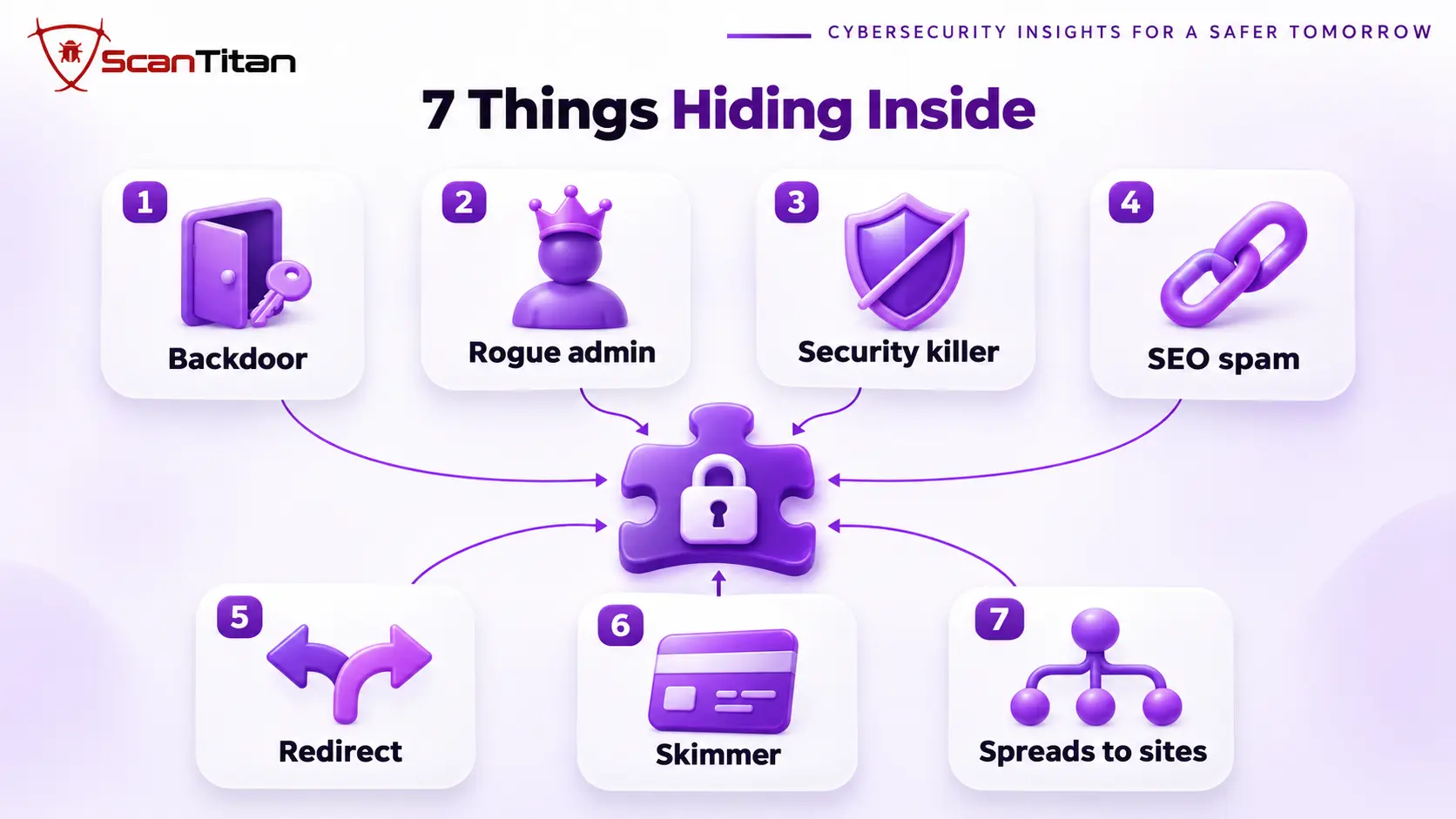
Nulled plugin malware is any code added to a plugin that the vendor did not write and the owner did not approve. It falls into the types below, and one nulled plugin often carries several of them at once.
- Backdoor: A backdoor is hidden code that lets the attacker run commands on your site later, even after the plugin looks harmless. Removing the plugin does not remove it once it has copied itself elsewhere, so use our guide to find a backdoor in a website.
- Rogue administrator: A rogue administrator is an account the malware creates, or an existing user it raises to administrator, so access survives the removal of the plugin. Our guide to a hidden admin user in WordPress shows how to find one.
- Security plugin killer: A security plugin killer is code that disables your protection, for example by renaming the security plugin’s folder when a request contains a secret string. Researchers reported exactly this in a 2025 campaign.
- Cloaked SEO spam: Cloaked SEO spam is links to gambling, pharmacy or essay sites shown only to search engine crawlers, so your rankings pay while you see nothing wrong. Our guide to the SEO spam hack covers cleanup.
- Redirect: A redirect sends visitors to scam pages, sometimes only mobile visitors or only one country, which delays discovery. Read how malicious redirects are found.
- Skimmer: A skimmer is JavaScript that copies payment form data on a store’s checkout page while the order still goes through. Our guide to Magecart attacks explains it.
- Sibling-site spread: Sibling-site spread is code that copies itself into other WordPress sites in the same hosting account, which is how the WP-VCD malware family spread after researchers traced it to nulled themes and plugins. Several sites infected at once with the same files is the sign.
How Nulled Plugin Malware Hides From You
Nulled plugin malware is built to look like nothing happened. Three habits explain why owners find it late, and each one changes where you should look.
It Switches Off Your Security Plugin
Wordfence researchers described a 2025 campaign in which a backdoor was hooked into the WordPress init action, so it ran on every page load but stayed dormant until a specific string appeared in the request URL. When triggered, it renamed the security plugin’s folder, which stops the plugin from loading at all. A newer variant accepted the folder names in the request, so attackers could tailor each infection. The same malware then created or raised an administrator account. Sucuri researchers found a similar webshell in a nulled theme that could disable popular security plugins and send database credentials from the configuration file to a remote server. If your security plugin vanished without your action, treat that as a sign of compromise.
It Waits for a Trigger
A trigger is a secret value that wakes the malware, such as a string in a URL, so a scan or a normal visit sees nothing running. The campaign above also changed the plugin’s folder name, plugin name and text domain so they no longer matched the original, and it hid its core code with string reversal, fragmentation and mixed character codes. That is why a scanner that looks for known names or plain text can miss it. When you suspect a nulled plugin, read the code directly and compare it with the vendor’s copy, because behavior at rest proves nothing.
It Keeps Running When the Plugin Is Deactivated
A deactivated plugin is not a disabled plugin. Its PHP files still sit in the plugins folder, and a server that runs PHP there can execute a file when someone requests its address directly, without WordPress ever loading the plugin. A nulled package can also drop copies of itself in other places, such as the uploads folder, a theme or the must-use folder, as our guide to WordPress mu-plugin malware explains. That is why the fix is to delete the whole package and then search for what it left behind, not to switch it off.
How to Check Whether an Installed Plugin Is Nulled
Nulled plugins rarely announce themselves, so check the evidence in this order. The first two checks take minutes and often settle the question.
- Trace the download back to the vendor’s own site or to WordPress.org, and treat any plugin you cannot trace as suspect.
- Compare the folder name, plugin name, author and text domain in the plugin header with the vendor’s official copy, because tampered copies often differ.
- Diff every file against a fresh copy from the vendor. The command
wp plugin verify-checksumscovers only plugins hosted on WordPress.org, so for a premium plugin you need the vendor’s own download. - Search the plugin folder for obfuscation functions and unfamiliar domains, using the second command below.
- Check whether the plugin gets updates from the vendor, because a nulled copy stays frozen at the version that was cracked.
- List the administrator accounts and the files changed in the last 30 days, using the last two commands below.
diff -r /path/to/vendor-copy/plugin-name wp-content/plugins/plugin-name
grep -rnE "base64_decode|eval\(|gzinflate|str_rot13|strrev|create_function" wp-content/plugins/plugin-name
wp user list --role=administrator
find wp-content -type f -mtime -30 -name "*.php"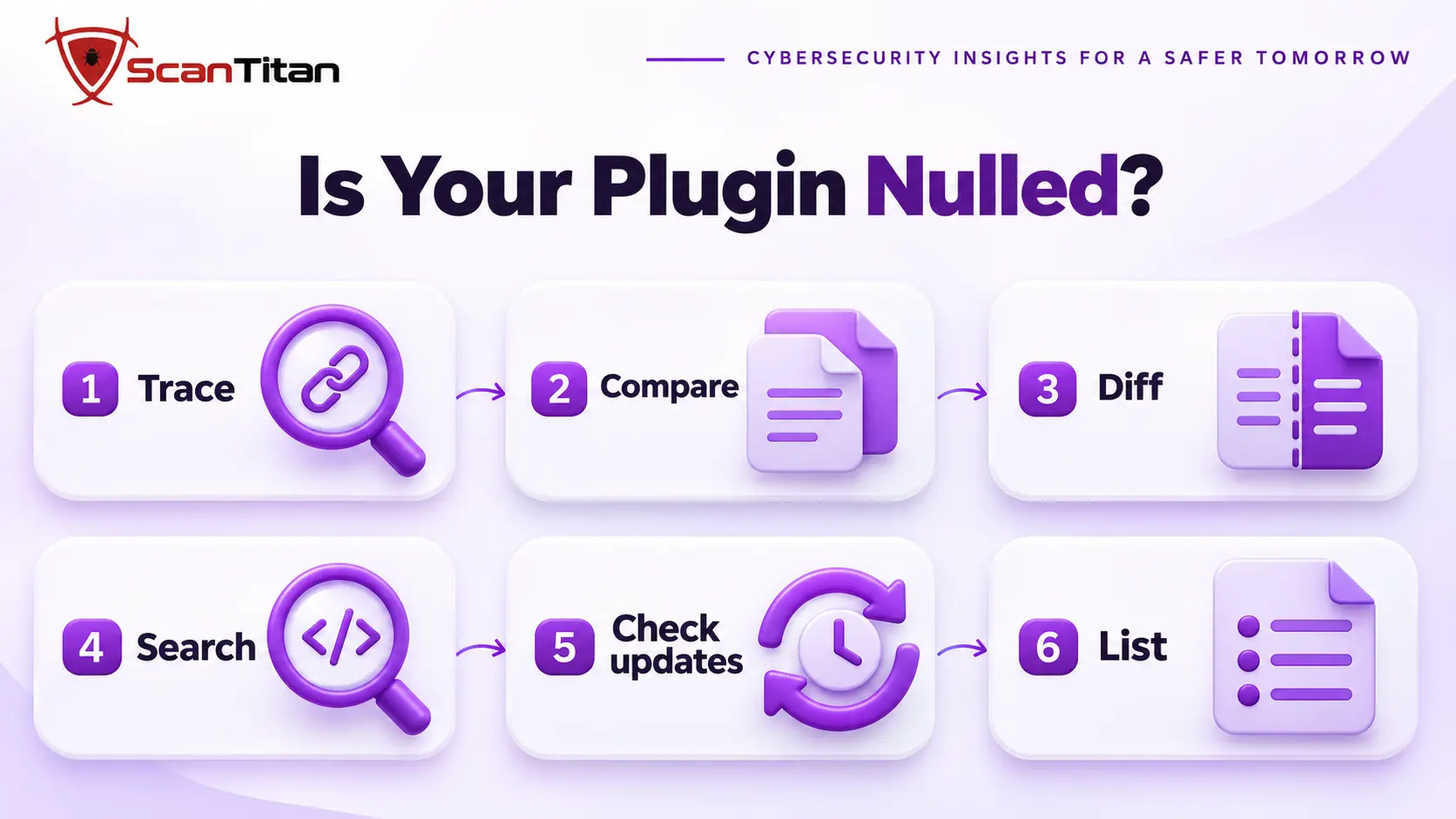
For checks that apply before you install any plugin, see our guide on how to check if a WordPress plugin is safe.
How to Clean a Site After Installing a Nulled Plugin
Deleting the plugin is the first step, not the whole cleanup. The attacker usually left a way back, so follow the steps in this order.
- Back up the files and the database before you touch anything, so you keep evidence and can roll back a mistake.
- Delete the whole nulled plugin folder, and any nulled theme, instead of only deactivating it.
- Search for what it left behind: backdoor files, rogue administrators, must-use plugins and scheduled tasks.
- Check every other site in the same hosting account, because this malware family has copied itself between sites.
- Rotate every credential, including WordPress administrators, hosting, SFTP, the database and the secret keys in the configuration file, because it may have sent them out.
- Install a licensed or official copy of the plugin from the vendor and keep it updating.
- Re-scan from outside and watch the site for two weeks, since persistence often reactivates on a schedule.
- Request a review if Google or another list flagged the site, and read why a site stays blocklisted after cleanup if the flag does not clear.
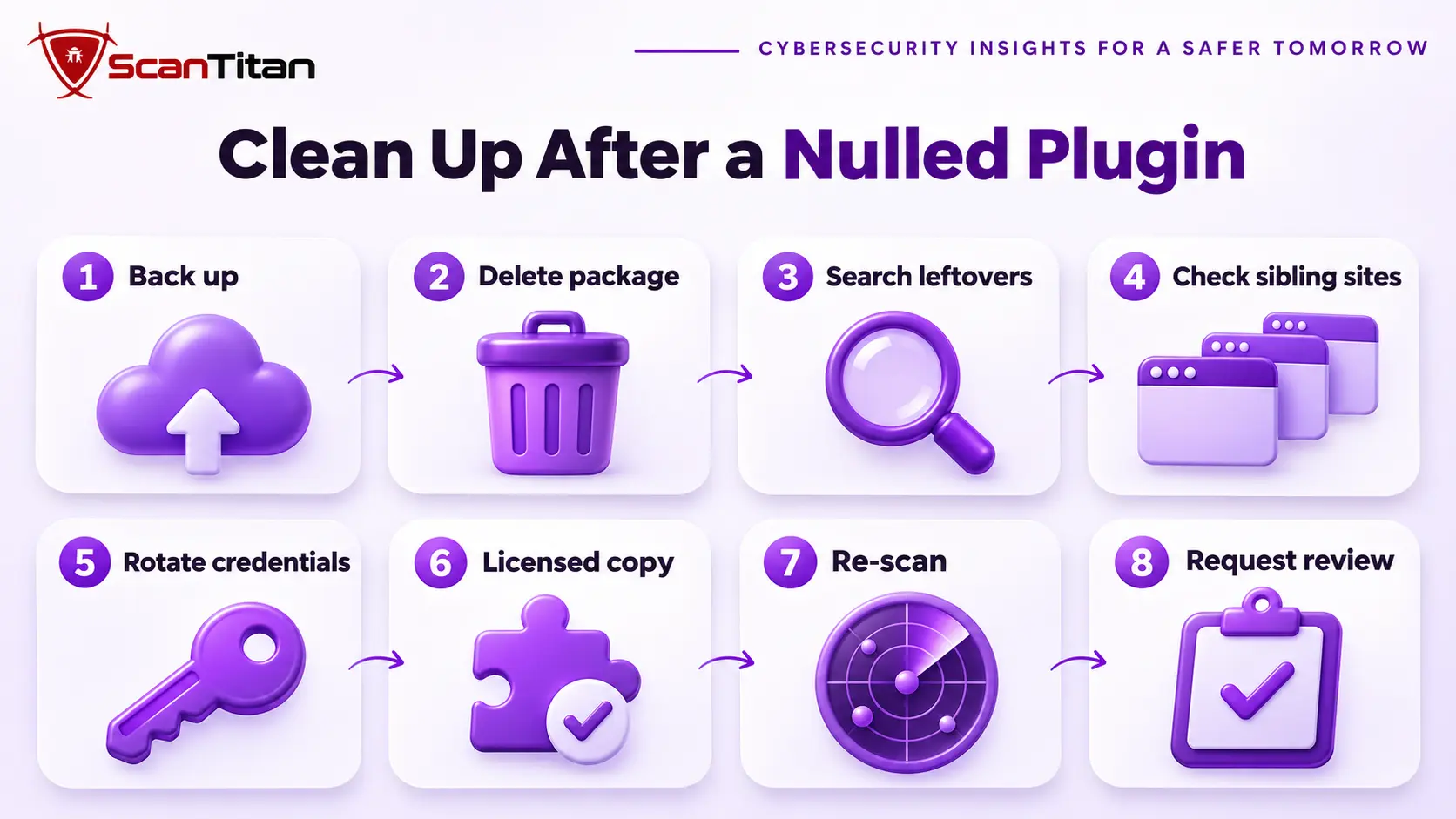
For the full cleanup around these steps, follow our malware removal guide, and read why WordPress malware keeps coming back if the infection returns.
Legal Alternatives to Nulled Plugins
Most people choose a nulled plugin to save money, and there are safer ways to do that. Each option below keeps an update path and a source you can verify.
- Official free version: The official free version is the vendor’s own limited edition, usually on WordPress.org, and it often covers the one feature you actually wanted.
- Vendor discount: A vendor discount is a sale, a bundle or a lower tier that the vendor offers, and many vendors give one on request to students, nonprofits or small sites.
- Agency license: An agency license is one purchase that covers many sites, which lowers the price per client for freelancers and agencies.
- Open-source alternative: An open-source alternative is a free plugin with a public code history and active maintainers, which you can check before you install it.
When Nulled Plugin Malware Needs a Professional Cleanup
Get help when you find an administrator you did not create, when the infection returns after cleanup, when several sites share the hosting account, or when a store or login page was involved. These cases usually involve more than one foothold, and the malware may already have sent out credentials. A professional cleanup finds every restorer and every sibling site, rotates what was exposed and documents what the attacker could reach, which matters if customers or a payment provider ask. The list of signs of website malware shows what else to check, and ScanTitan’s website malware removal service covers the cleanup.
Nulled Plugins Malware FAQ
Can plugins contain malware?
Yes. A plugin runs PHP code with the site’s permissions, so a tampered or malicious one can do anything the site can. Plugins on WordPress.org are reviewed before release, which a copy from a file site never is. Install only from the vendor or WordPress.org.
Are nulled themes safe?
No. Themes run the same kind of code as plugins, and researchers have found obfuscated webshells in nulled themes that disable security plugins and send out credentials. Treat a nulled theme exactly like a nulled plugin and replace it with an official copy.
What does nulled mean?
Nulled means a premium plugin or theme whose license check was removed, so it works without a purchase and gets shared for free. The word says nothing about what else was changed, which is the problem, because the person who nulled it edited the code.
Are nulled plugins illegal?
It depends. WordPress plugin code is usually released under the GPL, which allows copying, while a vendor’s terms cover updates, support and license keys. The answer varies by vendor and country, and this is not legal advice. Whether it is legal or not, it can still be unsafe.
Can a scanner detect nulled plugin malware?
Sometimes. Researchers have reported heavy obfuscation and per-site customization that make signature scanning unreliable. Combine a scan with a file comparison against the vendor’s copy, a code search, a review of administrators and a check of scheduled tasks.